

Public holidays work alongside work schedules. When a public holiday falls on a scheduled work day, Beebole treats that day as having no working hours: the timesheet expects no time on it, and Planning gives it no capacity.
Loading a country-specific calendar
Beebole includes built-in public holiday calendars for many countries. Loading a calendar pre-fills the standard national holidays for the selected year.1
Open the Public holidays panel
Go to Settings > Account Settings and open the Public holidays panel. The same panel is also available on a tag or a person — see Assigning holidays to specific groups.
2
Select a country
Choose the Country — and optionally a Region and Language — then click Load holidays. Beebole populates the calendar with that country’s official public holidays.
3
Review the holidays
Check the list of imported holidays for the selected Year. You can remove any that do not apply to your organization or edit their dates and names. Every change is saved automatically.
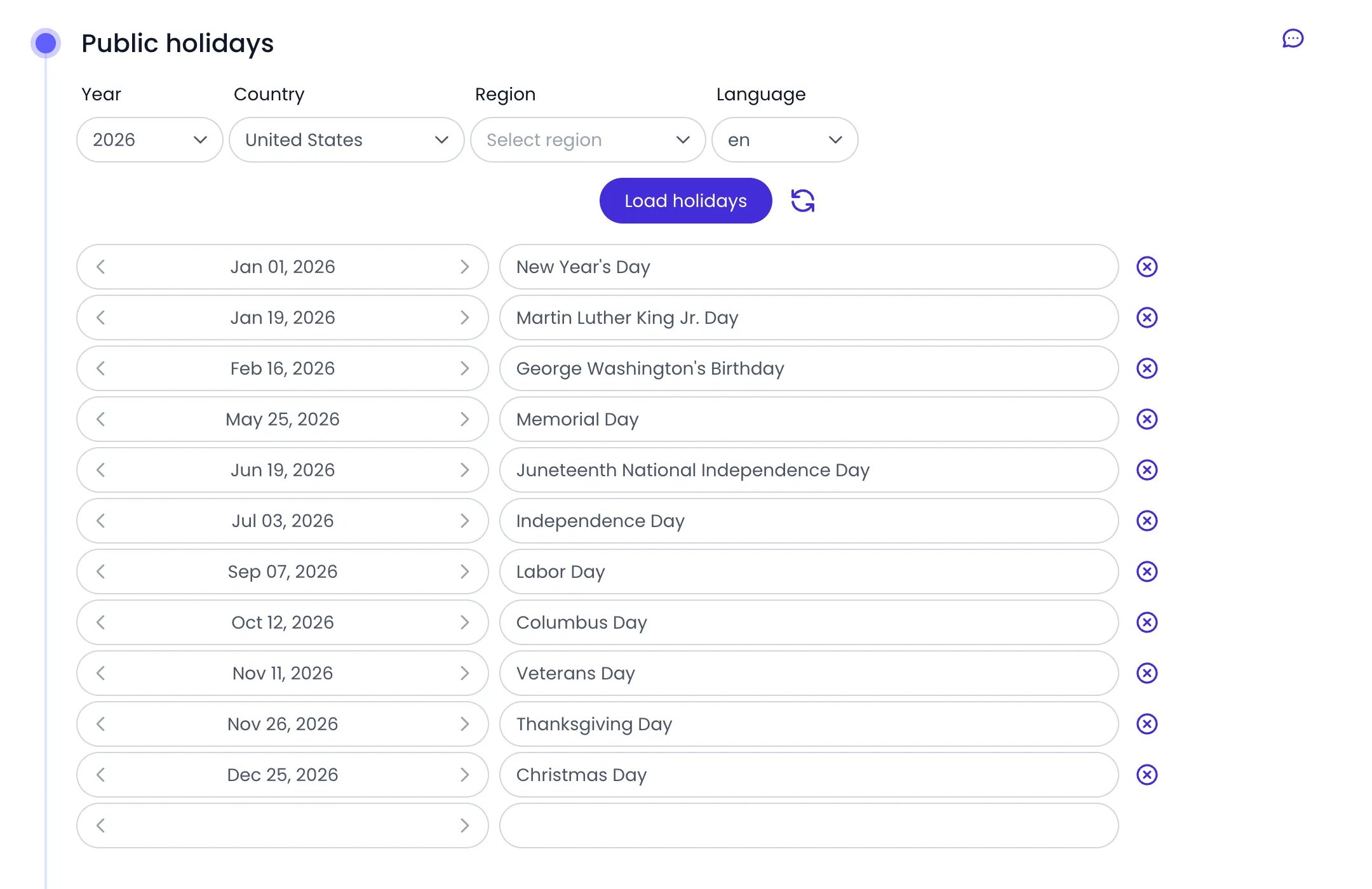
United States holidays loaded in the Public holidays panel
Adding custom holidays
You can add holidays that are specific to your organization — company-wide days off, regional observances, or any other non-working day not covered by the built-in calendars.1
Open the Public holidays panel
Go to Settings > Account Settings and open the Public holidays panel (or open the panel on the relevant tag or person).
2
Add a holiday
In the empty row at the bottom of the holiday list, pick the date and type the holiday’s name, then click Add. The custom holiday is saved and appears in the calendar alongside any country-specific holidays.
Editing and removing holidays
To modify an existing holiday, click its date or name in the list and update it — changes are saved automatically. To remove a holiday, click the remove icon at the end of its row.Assigning holidays to specific groups
By default, the calendar configured on Account Settings applies to everyone in your account. If your organization has teams in different countries or regions, the same Public holidays panel is available on tags and people:- For a group, click Tags in the sidebar, open the tag (for example “US Office” or “UK Office”), and configure its Public holidays panel so only people with that tag get those holidays.
- For one person, click People in the sidebar, open the person, and configure their Public holidays panel to override the calendar for that individual.
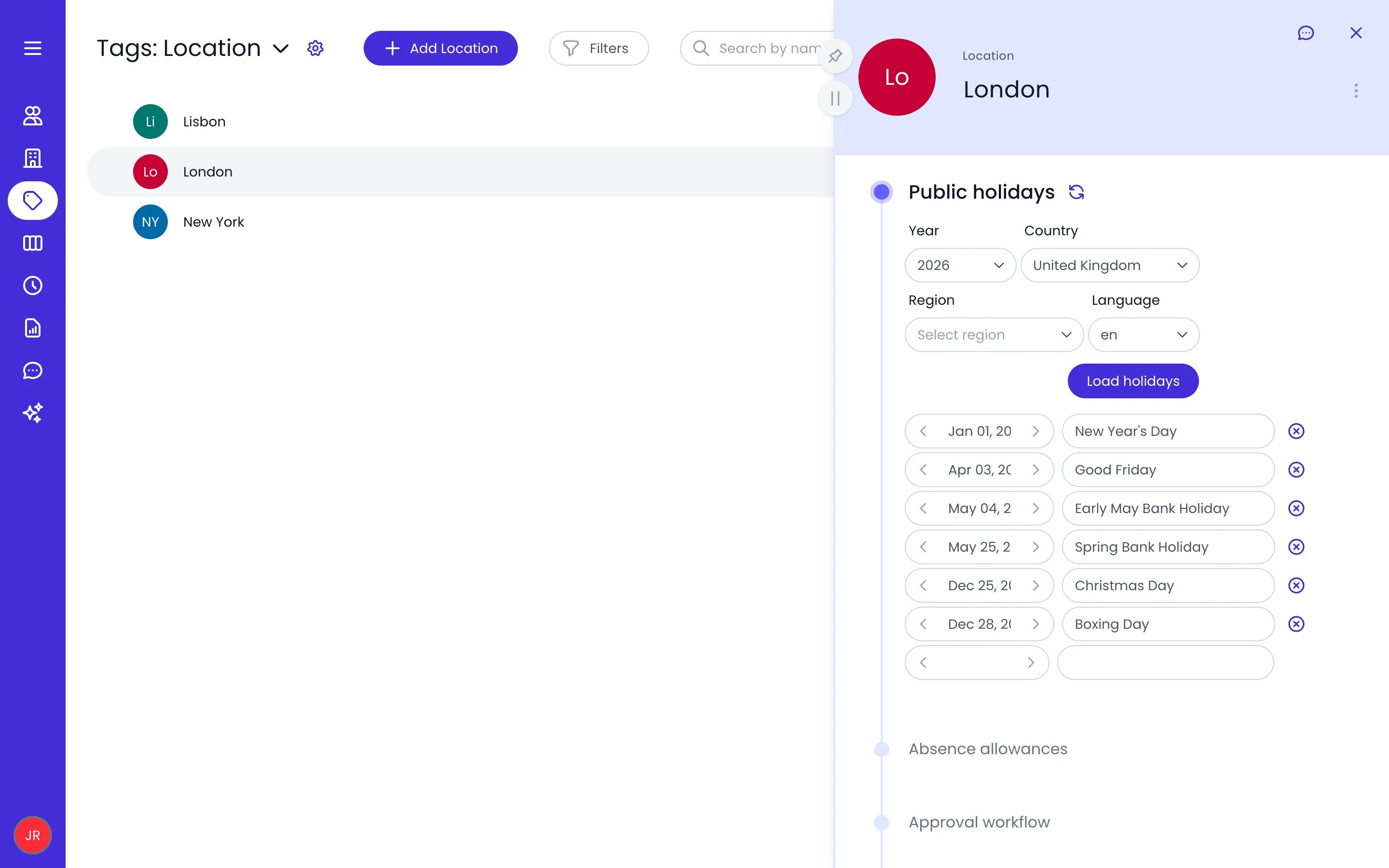
The London tag with its own calendar, loaded for the United Kingdom
When a person has both a tag-level and a person-level holiday calendar, the person-level setting takes priority.
How public holidays affect timesheets and reports
Public holidays interact with several parts of Beebole:Year-to-year management
Public holiday calendars are managed per year through the Year selector in the Public holidays panel. The selector covers a rolling window of two years back and three years ahead, plus any other year the country’s calendar already has holidays for, so you can review recent past years as well as prepare upcoming ones.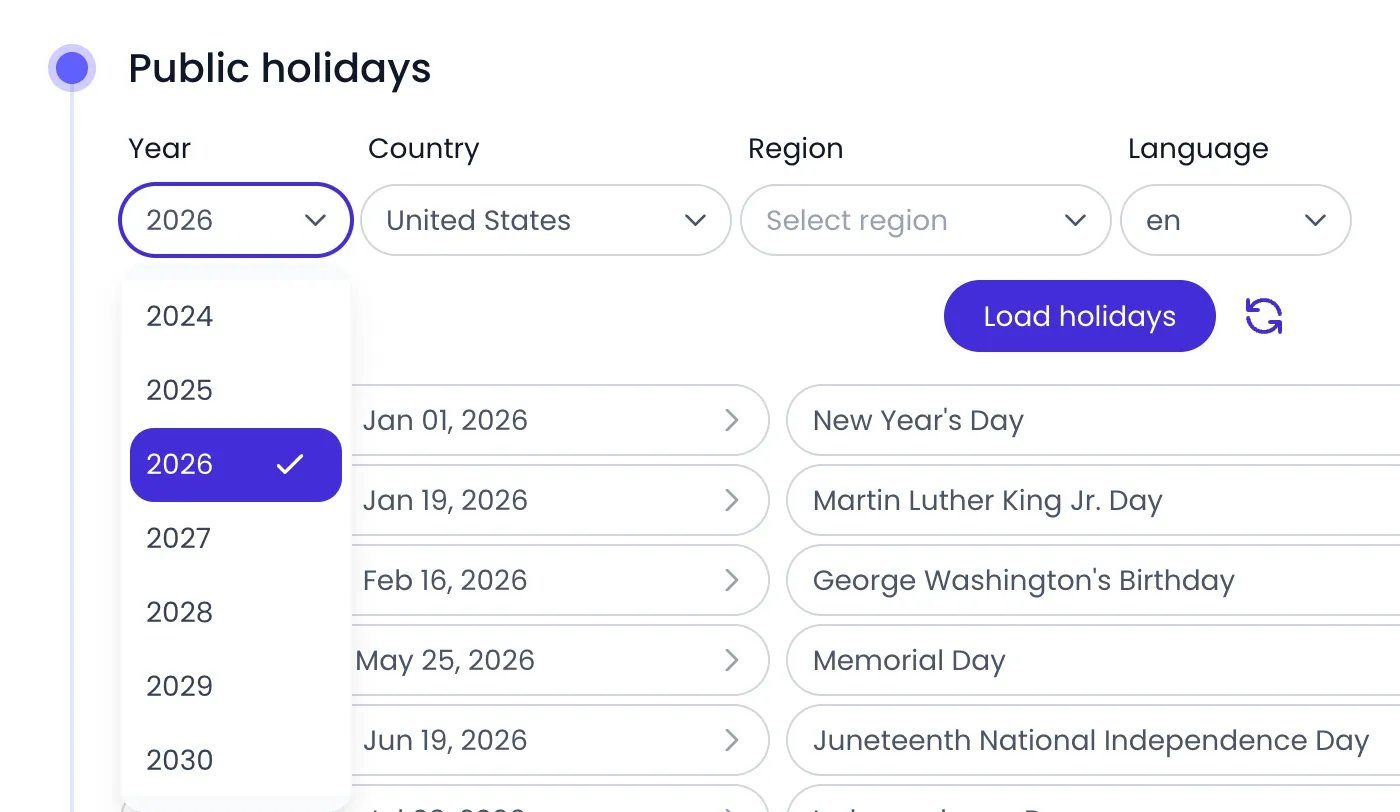
The Year selector in 2026: 2024 to 2029, and 2030 because the calendar already lists its holidays
1
Select the new year
In the Public holidays panel, pick the new year in the Year selector. Beebole loads the country’s official holidays for new years automatically as they become available.
2
Review and adjust
Some public holidays shift dates year to year (e.g., Easter). Verify that all dates are correct for the new year, and add any custom holidays again — they are defined per year. Every change is saved automatically.
Need to switch countries? Pick a new Country (and Region, if any) and click Load holidays — the country can be changed at any time. Every year’s holidays, past years included, re-derive from the new country; your own custom edits are kept when you reload the same country.
Previous years’ holidays stay available under their own year in the Year selector. Editing the current year’s holidays does not change past years.
Related content
Time Off
Configure absence types and allowances that work alongside public holidays.
Timesheet Settings
Use entry restrictions to block time entries on public holidays and scheduled days off.
Work Schedule
Define working hours so public holidays reduce capacity correctly.
Tags
Use tags to assign country-specific holiday calendars to different groups.
Frequently asked questions
Do public holidays count against a person's time-off balance?
Do public holidays count against a person's time-off balance?
No. In Beebole, public holidays are separate from absence types like vacation or sick leave. They reduce the expected working hours for a period but do not consume any time-off allowance.
Can I have different holiday calendars for different offices?
Can I have different holiday calendars for different offices?
Yes. In Beebole, configure the Public holidays panel on a tag to give that group its own calendar. For example, load the US calendar on the “US Office” tag and the UK calendar on the “UK Office” tag.
What happens if a public holiday falls on a weekend?
What happens if a public holiday falls on a weekend?
Beebole applies the holiday to the date as configured. If the holiday falls on a non-working day according to the person’s work schedule, it has no effect on their expected hours. If your country observes a substitute day (e.g., the following Monday), add that substitute date as a custom holiday.
Do I need to reload the calendar every year?
Do I need to reload the calendar every year?
No. Once a country calendar is configured, Beebole loads the country’s official holidays for new years automatically as they become available. Use the Year selector to review them, and add your custom holidays for each new year — those are defined per year.
Can I bulk-import public holidays?
Can I bulk-import public holidays?
The fastest approach in Beebole is to load a built-in country calendar, which imports all national holidays at once. You can then add or remove individual entries as needed.