

Activity feed
The Journal page in the sidebar lists, newest first:- The messages you wrote, the messages that mention you, and the messages posted on your own Journal.
- Timesheet approval activity. Approvers see each timesheet submitted to them. When a timesheet is fully approved or rejected, Beebole posts a message to its owner, with the reason for a rejection.
- Timesheet reminders.
An item’s own Journal
Each person, project, task, and tag has its own Journal. Open the item and click Show journal, the button at the top right of its panel, to see the messages posted on it. Click Show attributes to return to its settings. Administrators also see the item’s change history there: who changed what, and when, over the last 7 days. These change entries appear only in the item’s own Journal, never on the Journal page in the sidebar. See Audit trail. Opened from the Timesheet page, a person’s Journal also lists their timesheet approval events: submitted, approved, and rejected, with the approval stage and the reason for a rejection.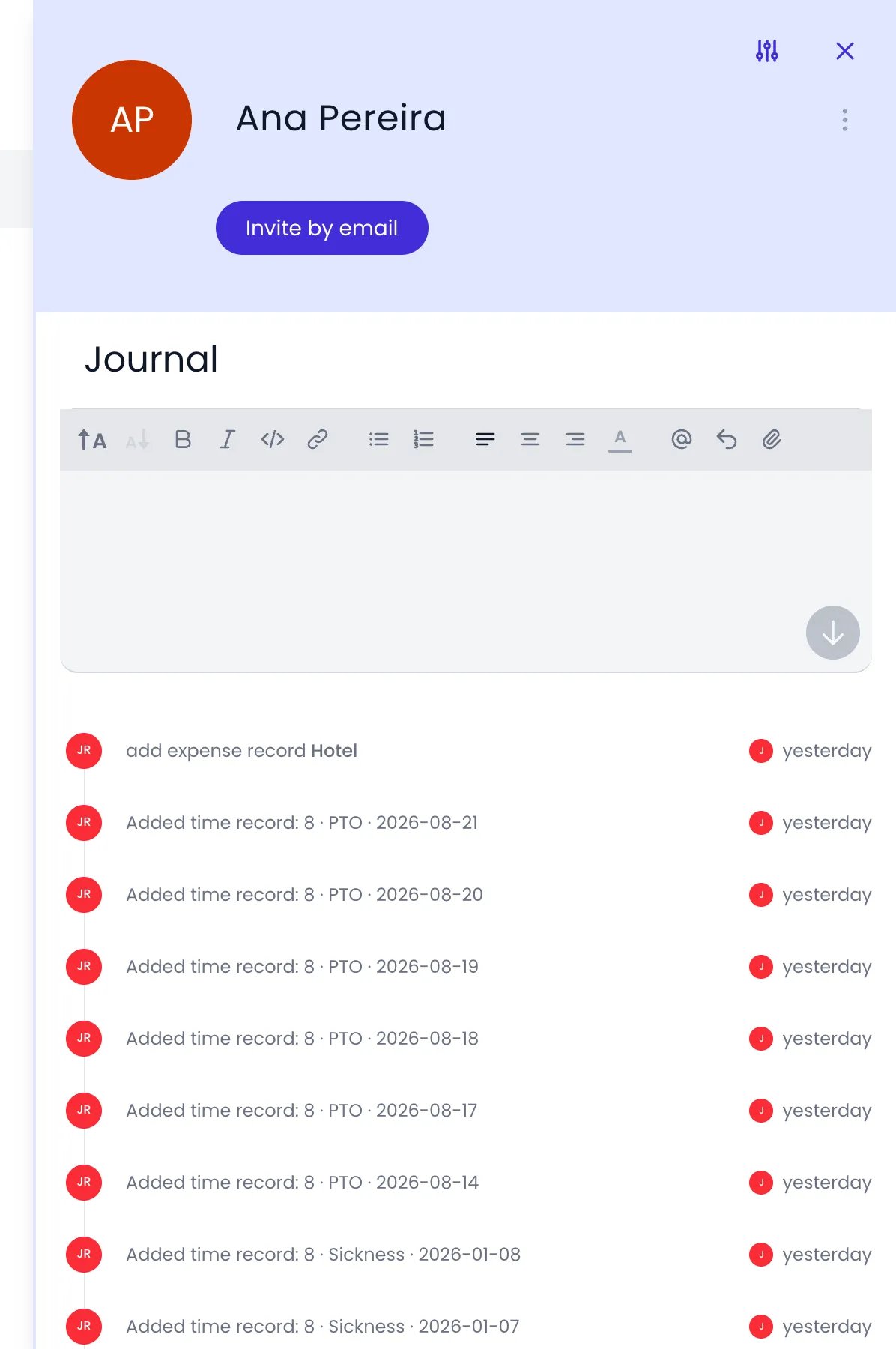
A person's Journal as an administrator sees it, with the message editor above the changes made to her records
Messages and threads
The Journal supports threaded conversations:- Post messages to share updates, ask questions, or reach your team. A message posted in an item’s Journal stays attached to that item.
- Reply to a message to keep the conversation together.
- Format messages with bold, italic, links, and lists.
- Add images, videos, and PDF files to a message, up to 25 MB each. Click the attach button in the toolbar (Attach a file), drag the file into the editor, or paste it.
- Use @mentions to reference people, projects, and other items. A mention notifies the person, or the people who manage or are assigned to the item.
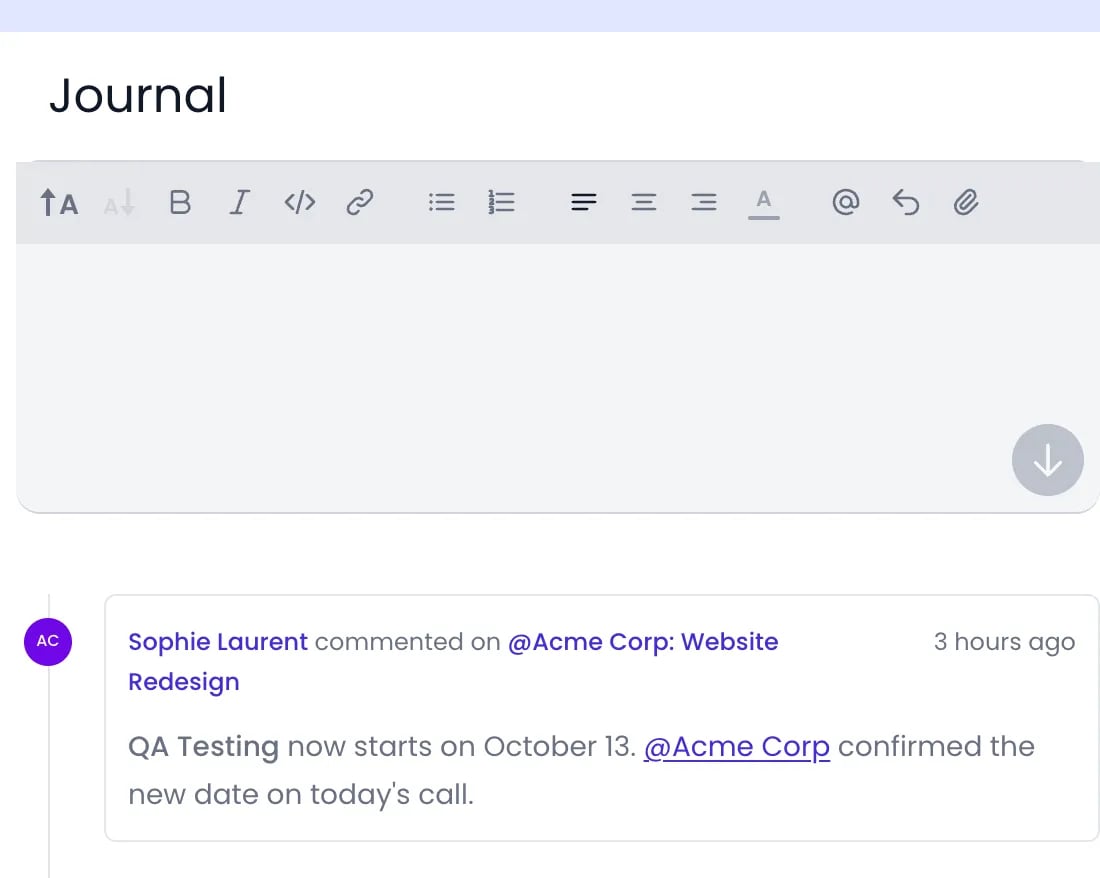
A message on a project's Journal, with bold text and a mention of the client
You can reply to journal messages directly from email. Beebole processes incoming replies and adds them to the correct thread automatically.
Filtering the feed
On the Journal page, click Filters at the top to narrow the feed. You can filter by Person, Project, Person tag, Project tag, or Task tag, each with is or is not, or search the text of messages with Message and contains. In an item’s own Journal, you can narrow the feed to one kind of event instead. Click an event, such as an approval or a change entry, to show only events of that kind alongside the messages, and click it again to show everything. When nothing matches, the feed reads No entries match this filter. When you open a person’s Journal from the Timesheet page, the feed shows only their timesheet activity, and Showing timesheet entries only. Click to show all. appears above it. Click it to show every event again.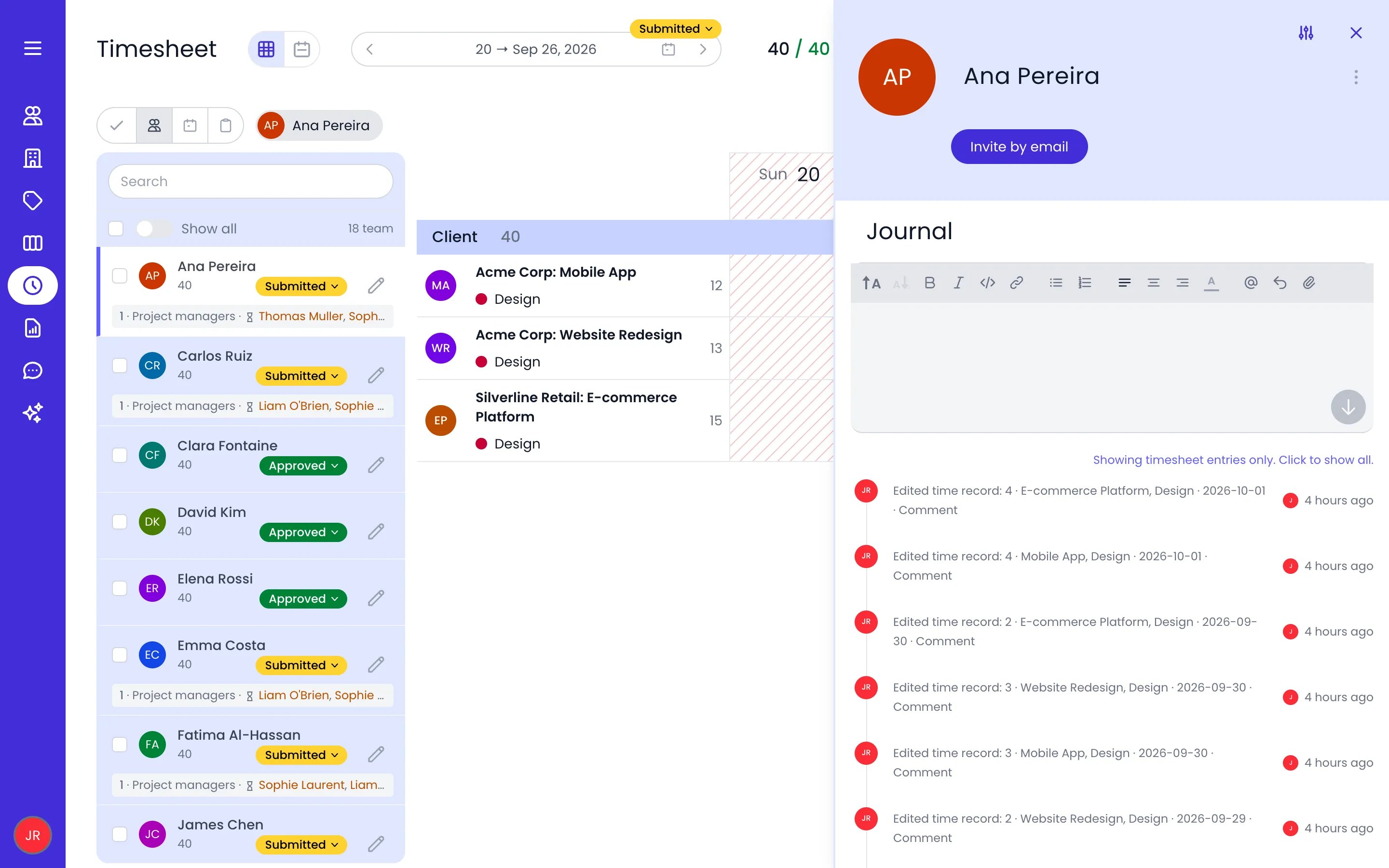
Ana Pereira's Journal opened from her timesheet, narrowed to her timesheet entries
Notifications in the Journal
Several of your notifications also land on the Journal page: timesheets submitted for your approval, messages that mention you, and timesheet reminders. They show up in the feed next to regular messages, so you have one place to catch up.Related content
Notifications
Choose what you are notified about and how notifications reach you, by email or push.
Approvals
Review, approve, and reject timesheets, including from the Journal.
Audit Trail
See who changed what and when in the Journal of each item.
Roles & authorizations
Set who can read and post Journal messages with the Journal permission.
Frequently asked questions
Can I use the Journal for project-specific discussions?
Can I use the Journal for project-specific discussions?
Yes. Open the project in Beebole, click Show journal, and post your message there. It stays attached to the project, so everyone who opens the project’s Journal finds the discussion in one place. The same works for people, tasks, and tags.
Who can see Journal messages?
Who can see Journal messages?
Beebole’s Journal page shows you the messages you wrote, the ones that mention you, and the ones posted on your own Journal. A message posted on a project, task, tag, or person appears in that item’s Journal. Access depends on the Journal permission of your role.
Can I reply to Journal messages from email?
Can I reply to Journal messages from email?
Yes. When you receive an email notification about a Journal message, you can reply directly from your email client. Beebole processes the reply and adds it to the thread.
Can I edit or delete a Journal message?
Can I edit or delete a Journal message?
Yes, for messages you wrote, during the first 30 minutes after posting. Point at the message in Beebole’s Journal and click Edit or Delete. After 30 minutes the buttons no longer appear on that message.
Does the Journal show approval activity?
Does the Journal show approval activity?
Yes. On Beebole’s Journal page, approvers see the timesheets submitted to them and a banner with the number waiting, and people receive a message when their timesheet is fully approved or rejected. A person’s Journal opened from the Timesheet page lists every submission, approval, and rejection. See Approvals for details.