

Cost rates are not included in every Beebole plan. Review your plan and add-ons on the Subscription page. Who can view and edit them is controlled by the Costs permission — see Roles & permissions.
Managing cost and billing rates in Beebole
Cost methods
Each cost rate uses one of four methods: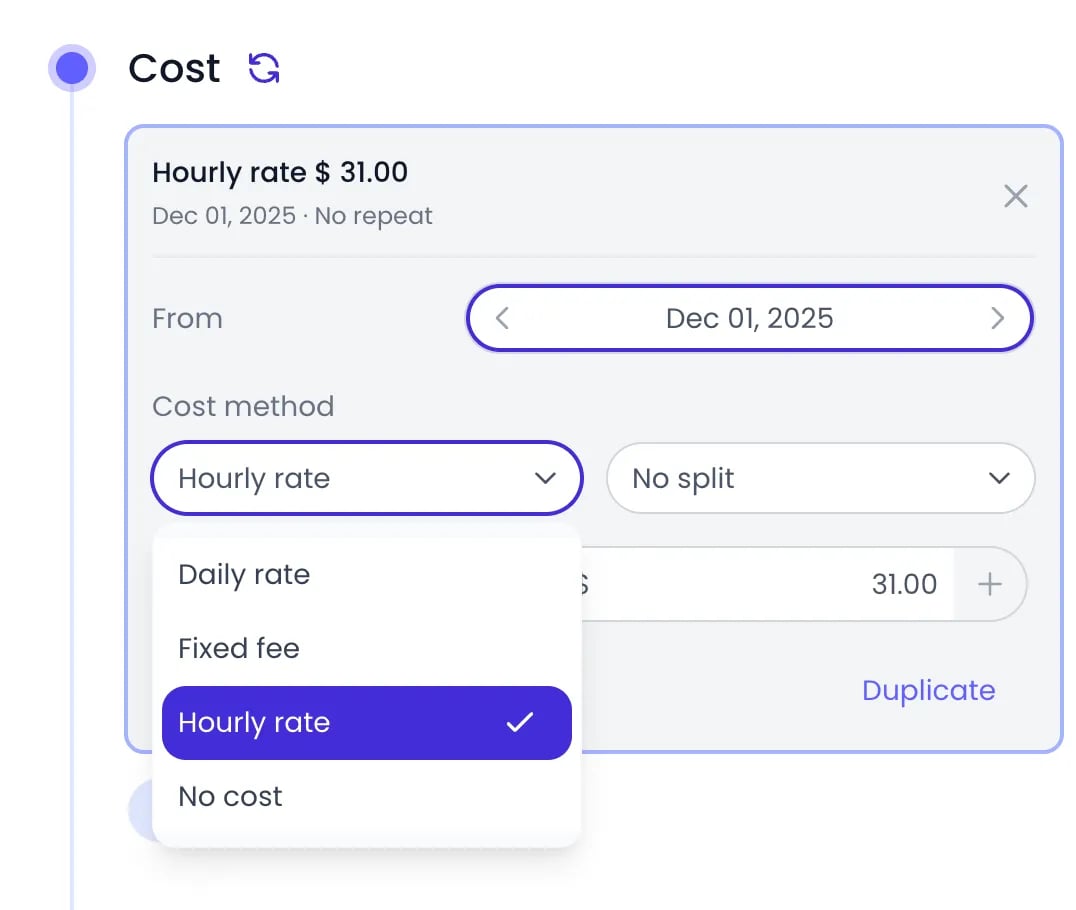
The cost method picker of a rate card
Where to set cost rates
Cost rates live in the Cost section of the organization, tag, project, or person settings panel — the same panel where billing rates are configured. You can set them at four levels:1
Open the Cost section
Open the organization (Settings > Account Settings), or click Tags, Projects, or People in the sidebar and then the tag, project, or person name. Scroll to Cost.
2
Add a rate
Click Add.
3
Set the start date
Pick the From date — the date the rate takes effect.
4
Choose the method and amount
Select a Cost method and enter the Amount with its currency. Changes are saved automatically.
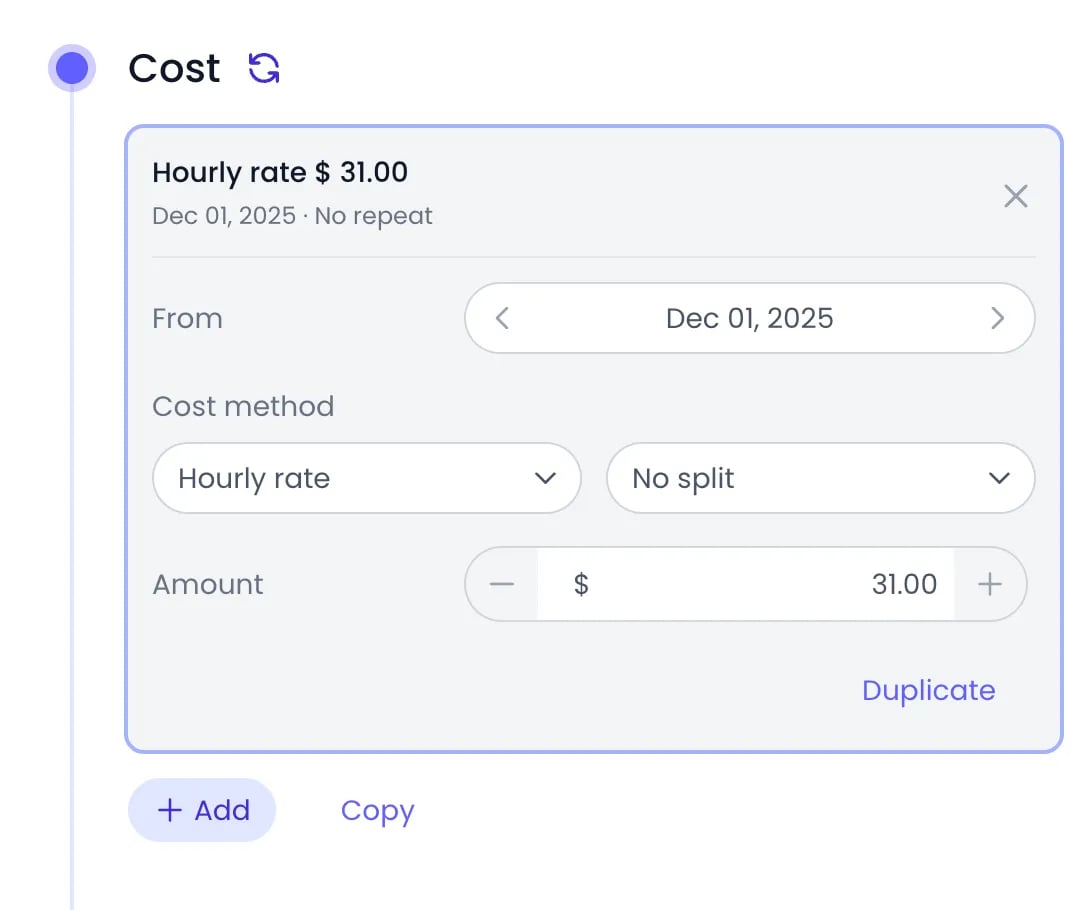
A cost rate card opened in a person's Cost panel
Cost rates cascade exactly like billing rates: rates set on the organization or on a tag are inherited by the projects and people beneath them, and a rate added directly on a project or person overrides the inherited one.
Which rate applies to a time entry
Cost rates resolve the same way as billing rates: the most specific rate wins. For each time entry, Beebole looks for a cost rate on the project the time was logged against — starting at the deepest subproject and walking up the hierarchy — and falls back to the person’s rate when no project rate applies. Rates inherited from tags or the organization count as the rate of the project or person they cascade to. As a result, a cost rate set on the organization applies to every project that has no rate of its own or from a tag, and it takes priority over the rates set on people. Cost rates cannot be set directly on a task: time tracked on a task takes the rate of the projects the task is linked to, or the person’s rate.Rate splits
With an Hourly rate or Daily rate, you can replace the single amount with a separate amount per person or project:- No split — one cost applies to everyone.
- Split by persons — a separate cost for each person you add to the list, for projects or tags where team members cost different amounts.
- Split by projects — a separate cost for each project you add to the list.
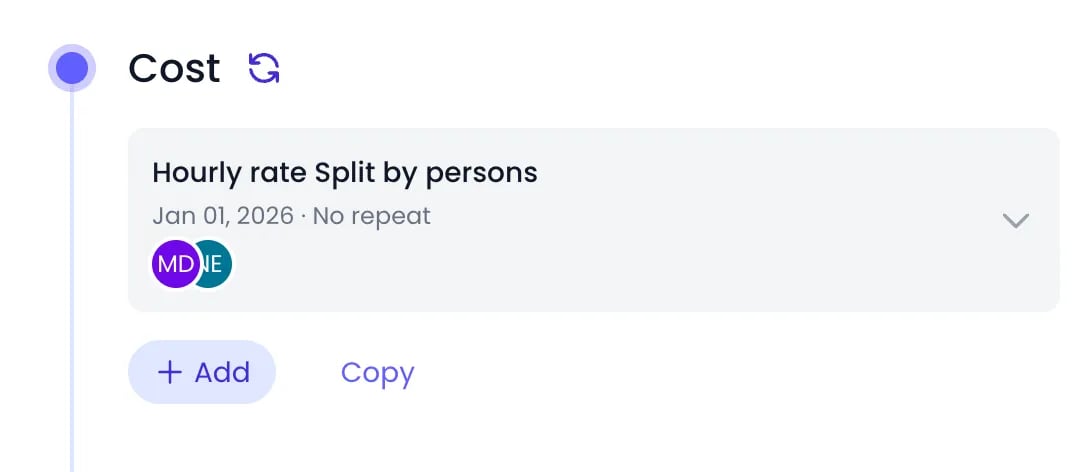
A folded cost card split by persons
Changing rates over time
Each cost rate has a single From date. The rate applies to time entries dated on or after that date, until a rate with a later From date takes over — so an annual salary adjustment is just a new rate starting on the right date, and historical entries keep their original cost. A Fixed fee cost can also repeat: turn on Repeat in the rate card and choose how often it recurs — Every 1 or more days, weeks, months, or years.Time off in people costs
Whether time off counts toward your people costs depends on its absence type. Each type has an Is paid (included in people costs) checkbox in its Units panel, under Settings > Time Off, and it is checked on every new type.- For a paid type, a leave day is valued with the person’s cost rate for that day, exactly as a regular time entry would be, so it shows up in the people cost totals of your reports even though no project time was tracked. Time off is never recorded on a project, so it does not draw on a project’s budget.
- For an unpaid type, the absence carries no cost. Its hours still show in reports, but they add nothing to cost totals.
Margins in reports
When both billing and cost rates are configured, custom reports can compare what you charge against what you spend. Add the Billing, Cost, and Margin columns to a report — Margin % is also available — and group by project, person, tag, or period to see where you make or lose money.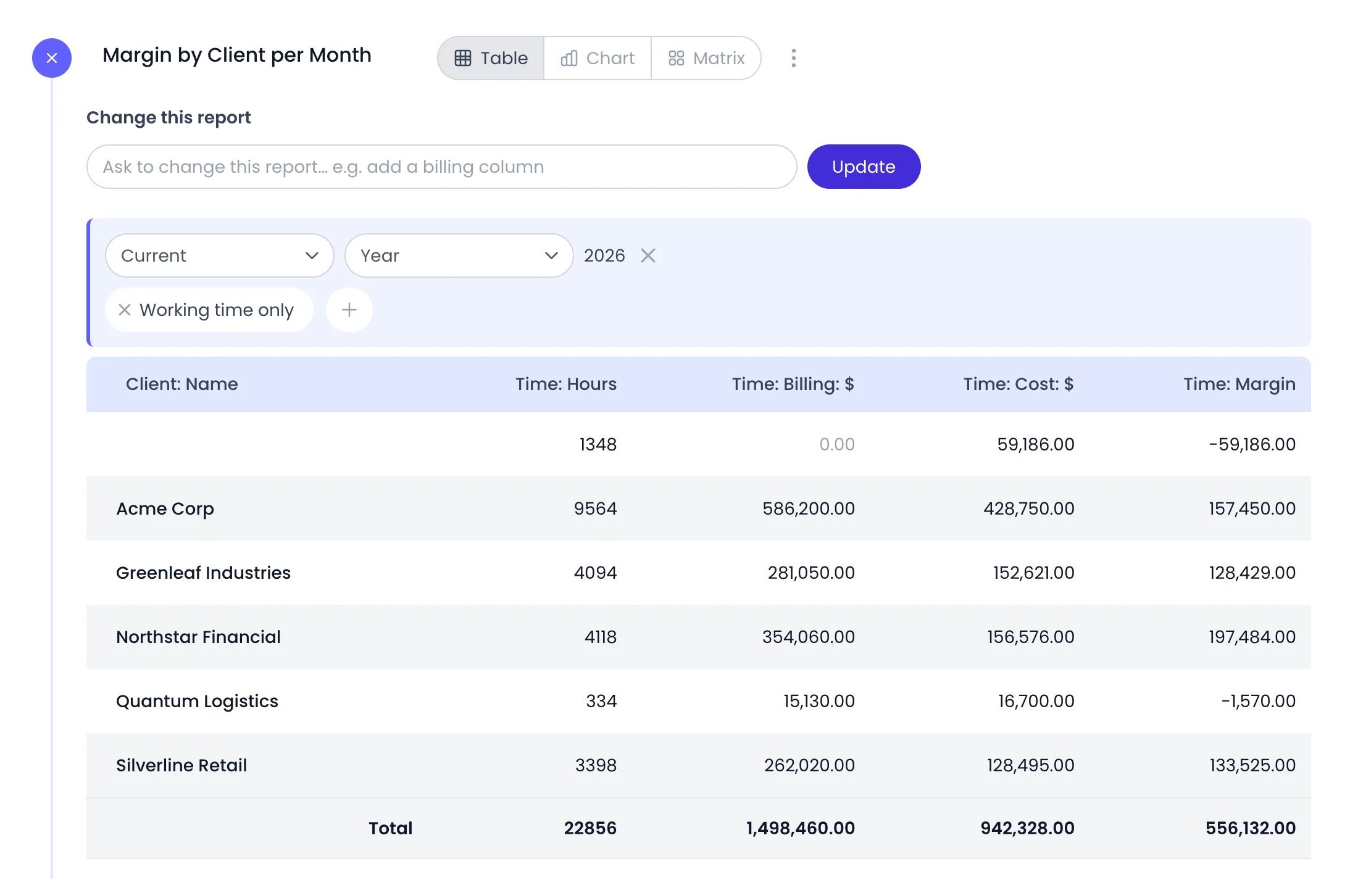
A report grouped by client with the Billing, Cost and Margin columns
Related content
Billing Rates
Define what you charge for tracked time — the other half of margin tracking.
Budgets
Set cost, billing, and hours targets on projects and catch overruns early.
Custom Reports
Build reports with billing, cost, and margin columns, grouped your way.
Time Off
Configure absence types and see how time off is valued in your people costs.
Frequently asked questions
What is the difference between billing rates and cost rates?
What is the difference between billing rates and cost rates?
In Beebole, billing rates represent what you charge for work, and cost rates represent what that work costs you internally. With both configured, reports show the margin between them.
Do I need both billing and cost rates?
Do I need both billing and cost rates?
No. You can use either independently in Beebole: billing rates alone track revenue, and cost rates alone track internal costs. You only need both to measure margins.
Can I set different cost rates per person on the same project?
Can I set different cost rates per person on the same project?
Yes. On the project’s cost rate, choose Split by persons and enter an amount for each team member. Beebole then applies each person’s cost when they log time to that project.
Why doesn't a report use the cost rate set on the person?
Why doesn't a report use the cost rate set on the person?
Because a project rate comes first. For each time entry, Beebole looks for a cost rate on the project, starting at the deepest subproject and walking up, and uses the person’s own rate only when no project in the chain has one. A rate the project inherits from a project tag or from the organization counts as the project’s rate. So a cost rate set on the organization, or on a project, takes priority over every person’s own rate. To give each person their own cost on a project, choose Split by persons on that project’s cost rate. To rely on the person rates instead, remove the cost rate set on the project, its tags, or the organization.
Does time off count toward costs?
Does time off count toward costs?
It depends on the absence type. When Is paid (included in people costs) is checked on the type — the default for every new type — Beebole values the leave day with the person’s cost rate and includes it in the people cost totals of your reports, the same way a regular time entry is. When it is unchecked, as you would for unpaid leave, the absence carries no cost. Time off never carries a billing amount.
How do I record a salary change without rewriting history?
How do I record a salary change without rewriting history?
Add a new cost rate on the person with a From date set to when the change takes effect. Beebole applies each rate only to time entries dated on or after its From date, so earlier entries keep the old cost.
Can cost rates be in different currencies?
Can cost rates be in different currencies?
Yes. Each cost rate — and each billing rate — carries its own currency, so a contractor paid in dollars and a team costed in euros can coexist. Reports convert every amount into the report’s currency at the exchange rate of the entry’s date, using daily rates Beebole retrieves from an exchange-rate service, and the stored rates are never changed. See Amounts in several currencies.