

Budgets are not included in every Beebole plan. Review your plan and add-ons on the Subscription page.
Assigning a budget to a project in Beebole
Budget targets: time, billing, and cost
Each budget on a project has three target fields:
You can use any combination of these on the same budget — fields you leave empty simply aren’t tracked.
The Time target is stated in the unit you pick next to the field — Hours or Days — and your last choice becomes the default for the next budget. Days are measured against each person’s work schedule, so a day always means one person’s scheduled day.
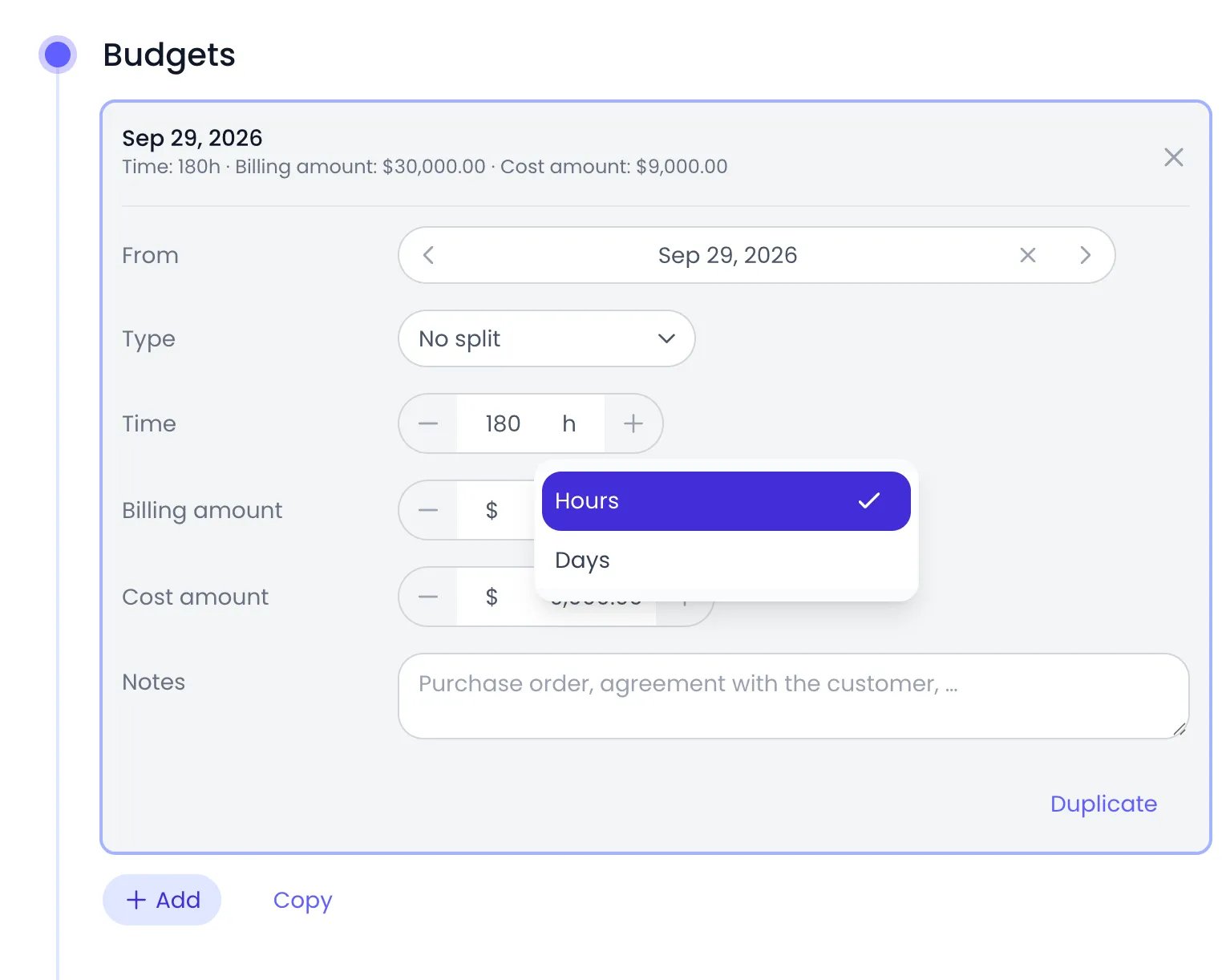
The unit picker next to a budget's Time target
Setting up a budget
1
Open the project
Navigate to Projects and click the project you want to budget.
2
Open the Budgets panel
In the project’s detail panel, open the Budgets panel.
3
Add a budget
Click Add. Beebole creates the budget and opens it for editing.
4
Define the targets
Enter your targets in Time, Billing amount, and Cost amount. Changes are saved automatically, and Beebole starts tracking progress against the budget immediately.
5
Set its From date (optional)
A new budget’s From date is set to the day you create it. Change From to date it another day, or clear it to read From the start. The Budget Status report does not use this date: it compares a project’s budgets with everything ever logged on the project. The date positions the budget in the Planned vs. Real report, where its ceiling starts on its From date.
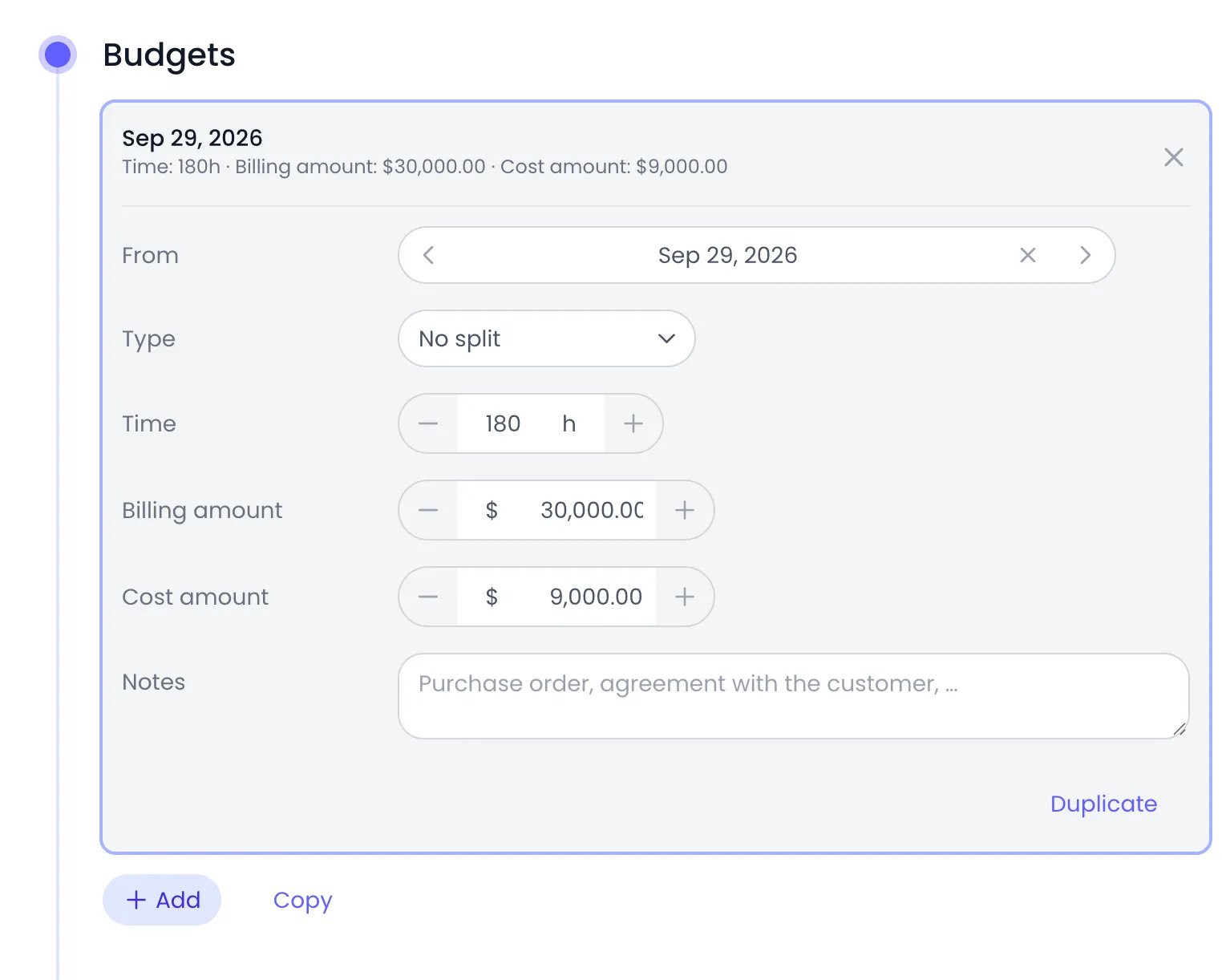
A budget card opened in a project's Budgets panel
Several budgets over time
A project can hold more than one budget: click Add again to create the next one. The panel lists them in chronological order. In the Budget Status report, a project’s budgets add up into a single target, measured against all the time and expenses logged on the project, so a renewal raises the ceiling rather than starting a new count. In the Planned vs. Real report, each budget adds its ceiling from its own From date. To start from an existing budget, open it and click Duplicate. Beebole adds an exact copy, with the same From date, targets, split, and Notes, for you to adjust. To reuse a project’s budgets on another project, click Copy next to Add in its Budgets panel, open the other project, and click Paste. The pasted budgets replace the ones that project held.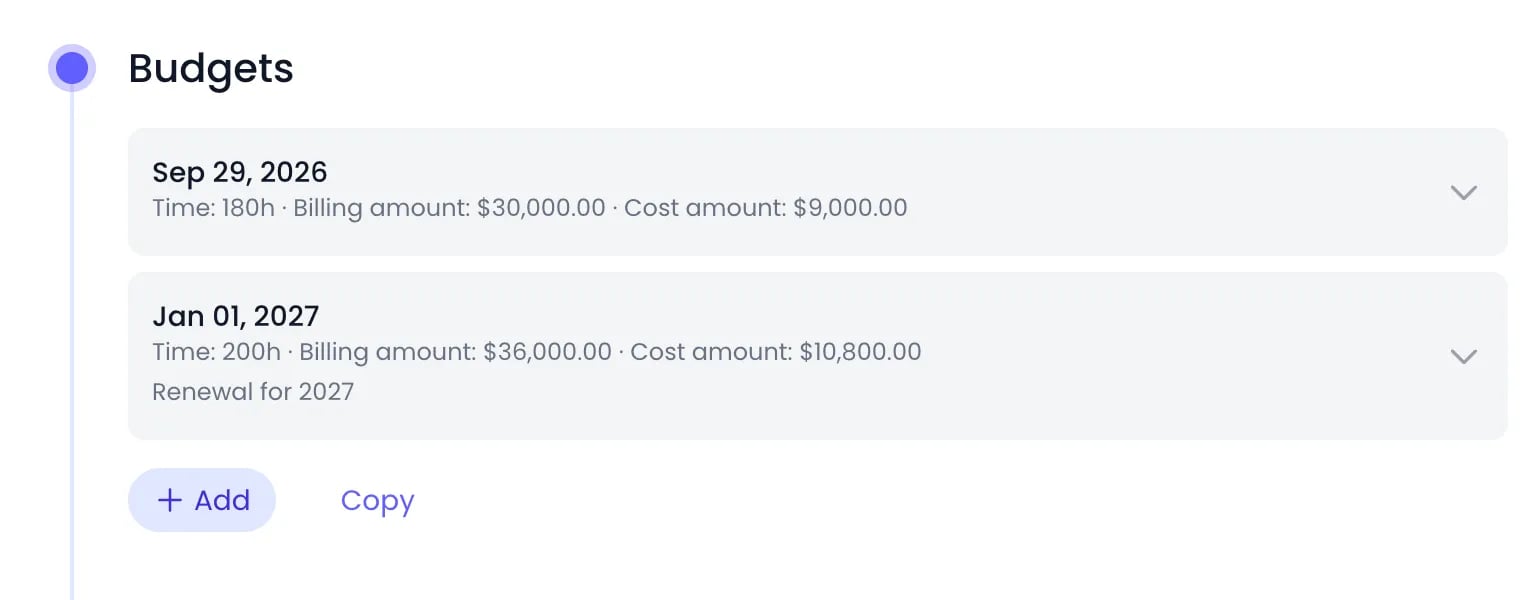
A project budget from September 29, and its renewal from January 1
Budget splits
For more detailed tracking, you can split a budget using its Type field:- Split by person — Allocate a portion of the budget to each team member, with its own time, billing amount, and cost amount.
- Split by project — Distribute the budget across projects from another category — for example, splitting a client’s budget across activities.
- No split — One set of targets applies to the whole project.
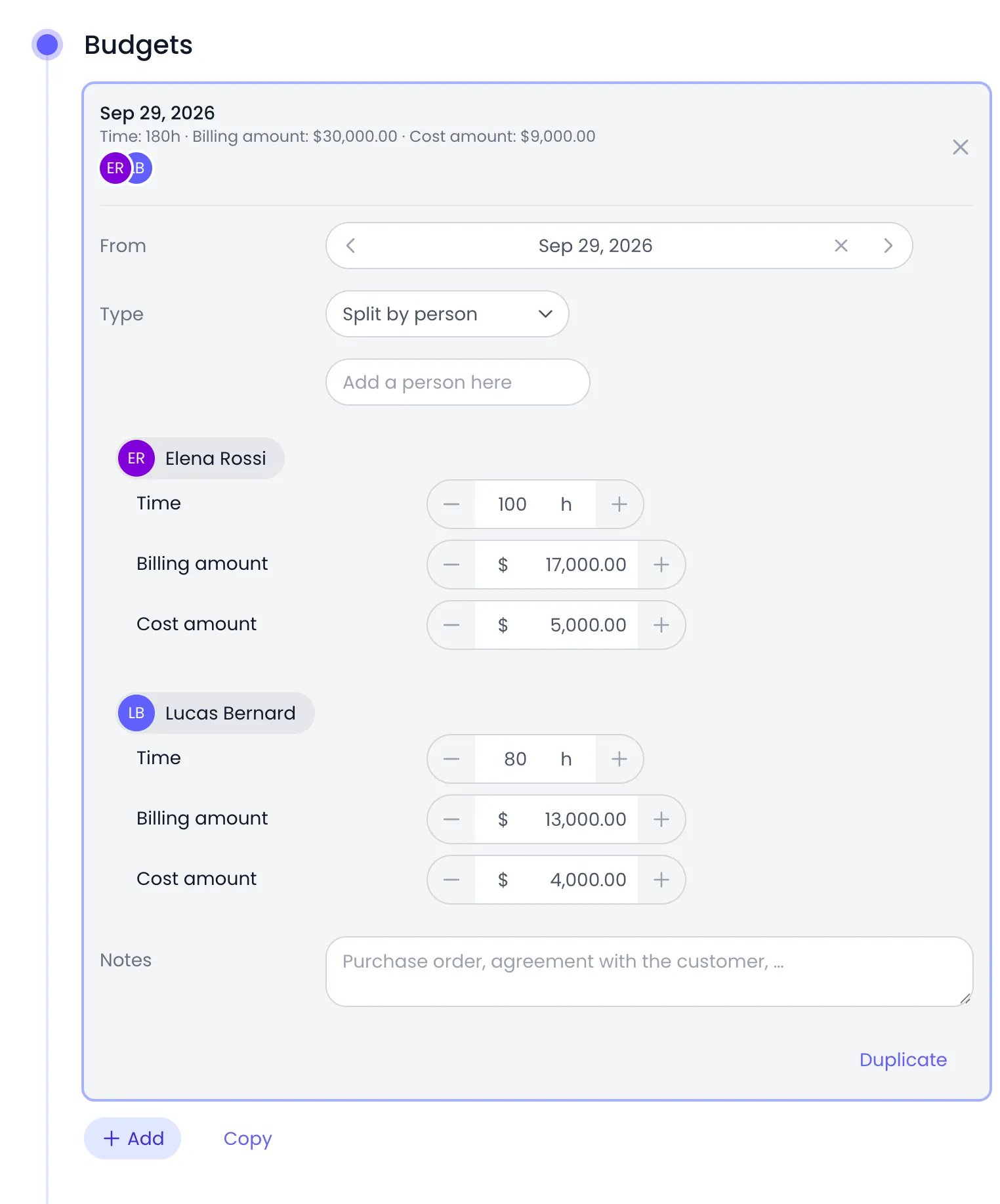
A budget split by person: each person gets their own time, billing amount, and cost amount
Monitoring budgets
Click Reports in the sidebar, then Budget Status, to track every budget in one place. The report shows a progress bar per project comparing the hours, billing, and cost actually logged against your targets, rolls subproject activity up the hierarchy, and flags budgets that are at risk or over budget. See Reports for the report’s filters and export options.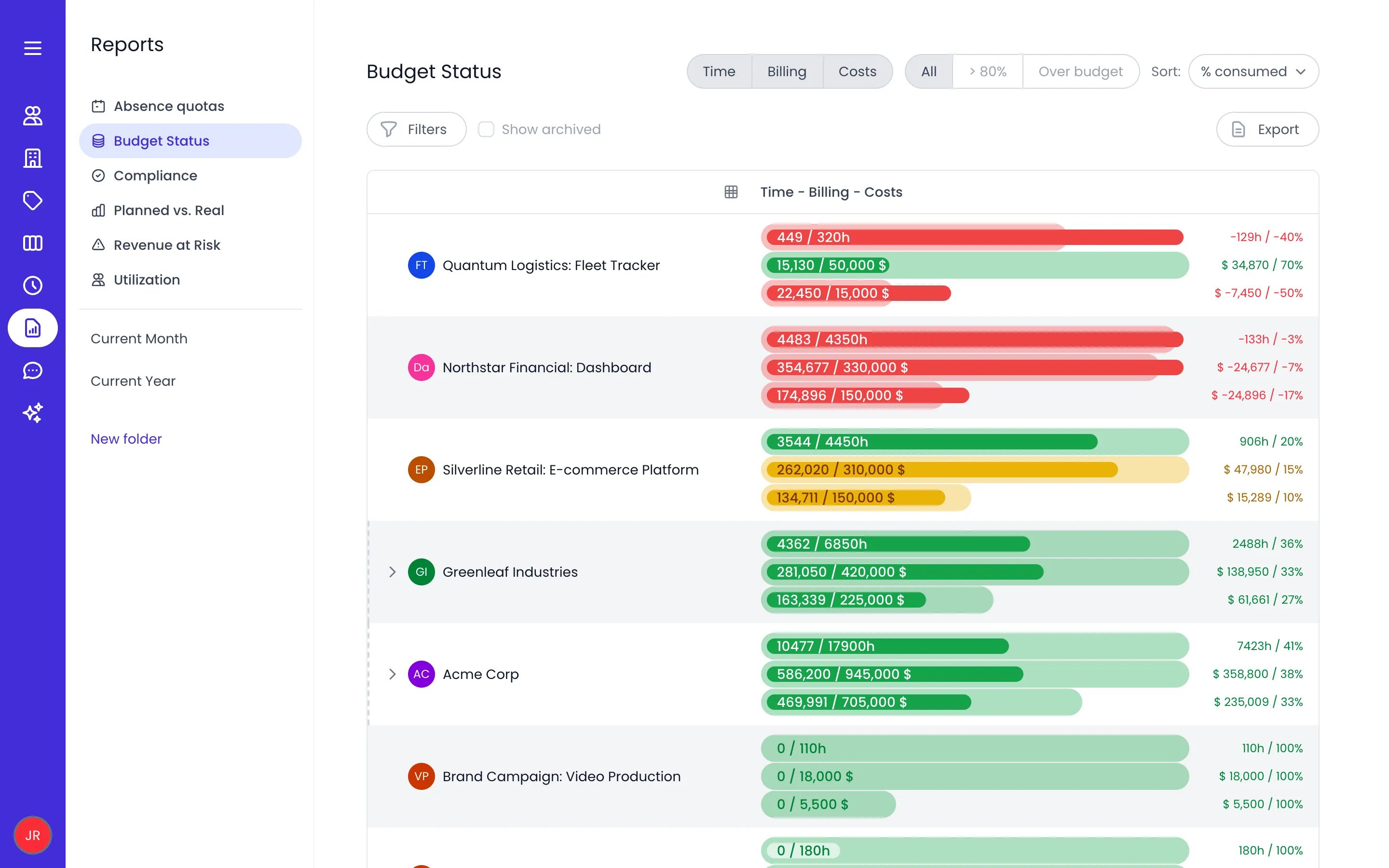
The Budget Status report with time, billing and cost bars for each project
Budget notifications are not available yet: there is no setting in the app to switch them on, so nobody is alerted by email when a budget passes a threshold. Watch the Budget Status report instead — it always flags projects that are approaching or over their budget, with nothing to configure.
Related content
Projects
Create and configure the projects where budgets are set and tracked.
Cost rates
Define cost rates that feed into cost budget calculations.
Reports
Read the Budget Status report, and filter, sort, or export budget progress.
Billing rates
Configure billing rates used in billing budget tracking.
Frequently asked questions
Can I set budgets on categories (not just projects)?
Can I set budgets on categories (not just projects)?
No. In Beebole, budgets are set on individual projects or subprojects. The Budget Status report rolls subproject consumption up the project hierarchy for a higher-level view.
Does Beebole alert me when a budget is exceeded?
Does Beebole alert me when a budget is exceeded?
Not by email today: Beebole has no setting to turn budget alert emails on. The Budget Status report is where at-risk and over-budget projects are flagged, and it always shows them with no setting to configure.
Can I change a budget after it's been set?
Can I change a budget after it's been set?
Yes. You can update a budget’s targets in Beebole at any time. Changes are saved automatically, and the Budget Status report immediately measures all consumption against the new target.
Do expenses count toward project budgets?
Do expenses count toward project budgets?
Yes. Expenses count alongside time: an expense’s amount adds to the budget’s cost, and its billed amount to the budget’s billing. Only expense types that hold an amount in a currency count; expenses of a type that tracks a plain quantity add nothing to a Beebole budget. See Expenses.
Can I set a budget in days instead of hours?
Can I set a budget in days instead of hours?
Yes. Each budget’s Time target has a unit picker — choose Hours or Days per budget, and Beebole remembers your last choice for the next one. Days are measured against each person’s work schedule, and the Budget Status report shows every budget in the unit it was stated in.