How to Integrate Using the Beebole API

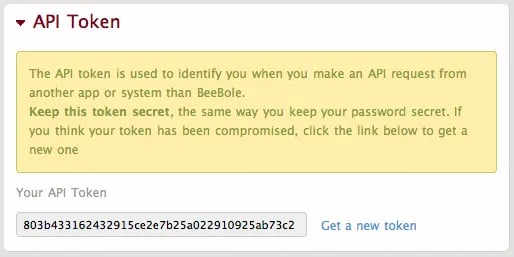
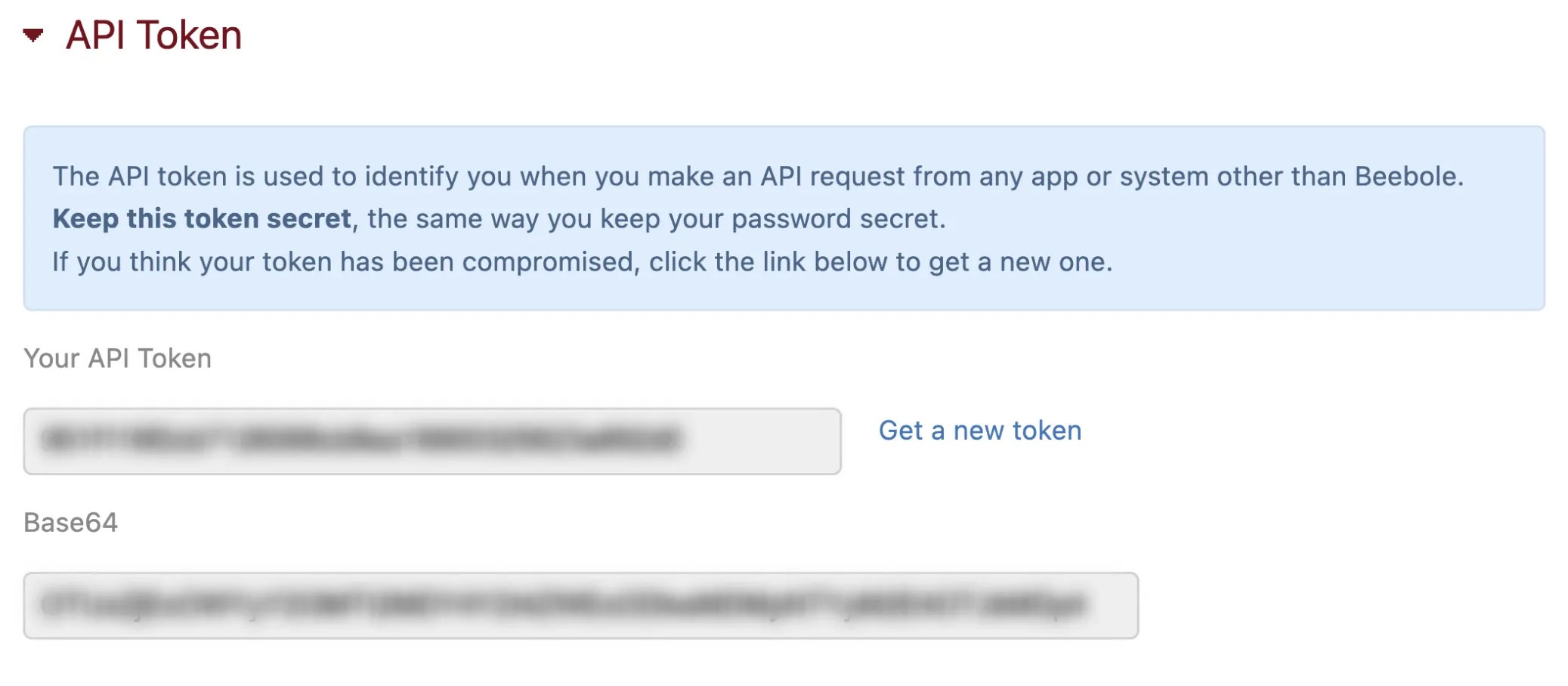
Beebole has a fully documented API that is free for all users. It can be used to integrate with almost any business tool or to create custom applications. We’re continuously surprised and delighted by the creative ways Beebole customers use the API! Your account’s API token, which is used to identify you when you make an API request from another app or system, can be found in the API Token module. The module is available to add to your home screen. Your API token should be treated like a password and kept secret. If you think your token has been compromised, click “Get a new token” in the API Token module. API token module To enable or disable API calls to your account, go to the “Enable/Disable API calls” section in the Account module, which can be found on your Settings screen. The goal of our API is to open the data associated with your account and give you the possibility to integrate with or to build custom applications (time entry gadget, reports, etc.). The API provides a full set of services allowing you to create, update, list, and delete time entries in your timesheet. If you have any questions, please contact our support team.
Authentication

To enable the API, go to your account, and click “Settings” in the top right menu.
  1. Locate the *Account *module.
  2. Click the line labeled “Enable/Disable API calls”.
  3. Tick the box to enable the API for your account, as shown below:
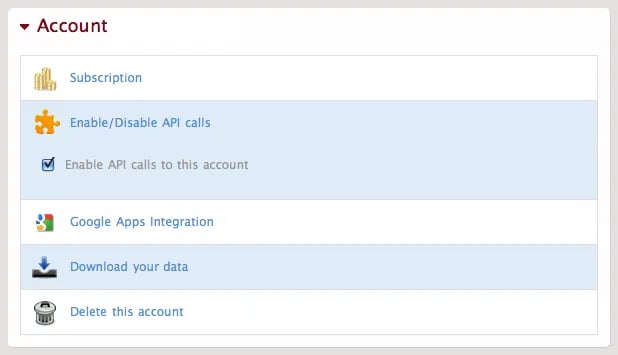
Account settings for the API Here each user will find their respective token in the API Token module. From there you can also reset the token and get a new one. API token self For every API request, you’ll need to present this token using basic HTTP authentication. You will use the token in the username field of the HTTP authorization header. The password field will always be “x”. Here is how you will define your authorization’s HTTP header:
  1. a username:password pair:
"803b433162432915ce2e7b25a022910925ab73c2:x"
  1. base64 encode it:
"ODAzYjQzMzE2MjQzMjkxNWNlMmU3YjI1YTAyMjkxMDkyNWFiNzNjMjp4"
  1. And here is your HTTP authorization header:
"Authorization: Basic ODAzYjQzMzE2MjQzMjkxNWNlMmU3YjI1YTAyMjkxMDkyNWFiNzNjMjp4"

Limits

To prevent errors and abuses, we limit the API access by user, in terms of:
  • transfer volume: 2048KB/day
  • and number of requests: 4000 requests/day
If you reach this limit, feel free to contact us.

Request

Beebole accepts HTTP POST requests in a json-doc format to the following URL: https://beebole-apps.com/api/v2 Do not forget to include “https,” as all Beebole API communication with the server will be encrypted. Data should be UTF-8 encoded.
Date and time values use the format YYYY-MM-DD HH:MM:SS.
  {
  "service": "absence.list",
  "company" : {"id" : 233}
  }
Note: In order to quickly test the API calls, we encourage you to install and use cURL. Here is the curl command corresponding to the code portion above:
curl -k -X POST https://803b433162432915ce2e7b25a022910925ab73c2:x@beebole-apps.com/api/v2
-d "{\"service\":\"company.list\"}"

Response

All HTTP responses with code 200 will return a “status” node with the value “ok” or “error”. Along with an error status, you will always find a “message” node containing an explanation of what the error is. All the other HTTP codes can be considered to be other error types. Examples Request to the server:
  {
    "status": "ok",
    "absences": [
      // ...
    ]
  }
Response from the server:
  {
    "status": "error",
    "message": "Invalid service request ..."
  }

External ids

In order to integrate Beebole with an existing solution, it’s possible to set the entity ids manually. If the id’s are coming from a system other than Beebole:
  • Send xid along with each send create request (example 1)
  • Then replace id with xid in all requests and responses (example 2)

Examples

Example 1: Create request to the server
{
  "service" : "company.create",
  "company" : {
    "xid" : "56478",
    "name" : "myCompany"
  }
}
Response:
{
  "status" : "ok",
  "xid" : "56478"
}
Example 2: Get request to the server
{
  "service" : "company.get",
  "xid" : "56478"
}
Response:
{
  "status" : "ok",
  "company" : {
    "xid" : "56478",
    "name" : "myCompany",
    "active" : true,
    "projects": {
      "count" : 3
    }
  }
}

API resources

Absence

Company

Person

Project

Subproject

Task

Group

Custom Field

Time

Time Export