

Companies, Projects, Subprojects, and Tasks
Your account is made up of entities that are used to organize your work and track time. They are:- Company: your own company, branches, clients, etc.
- Person: the people that work for your company (employees, contractors, administrators, etc.)
- Project and subproject: activities you do for your own company or for customers
- Task: generic activities used in combination with projects, subprojects, and companies
- Absence: leave, illness, etc. but not including public holidays
How to Track Absences
Absence types can be created via the Absences module on the Settings page. The system comes with three absence types by default: holidays, leave, and sickness. You can delete or rename these. Once absence types have been created via the Settings page, there are two ways to track time off. Check our documentation to read more about tracking, requesting, and approving time off.How to Define Public Holidays
You can define your company’s public holidays using the Holidays module, which is visible by default in the Settings screen of all administrators. Select the year you want to define holidays for from the dropdown menu, then choose the month and date and give the holiday a name. Each time you fill in a row, a new one will appear. All changes are saved automatically. If you want to remove a holiday, click on the “X” to the left of the row.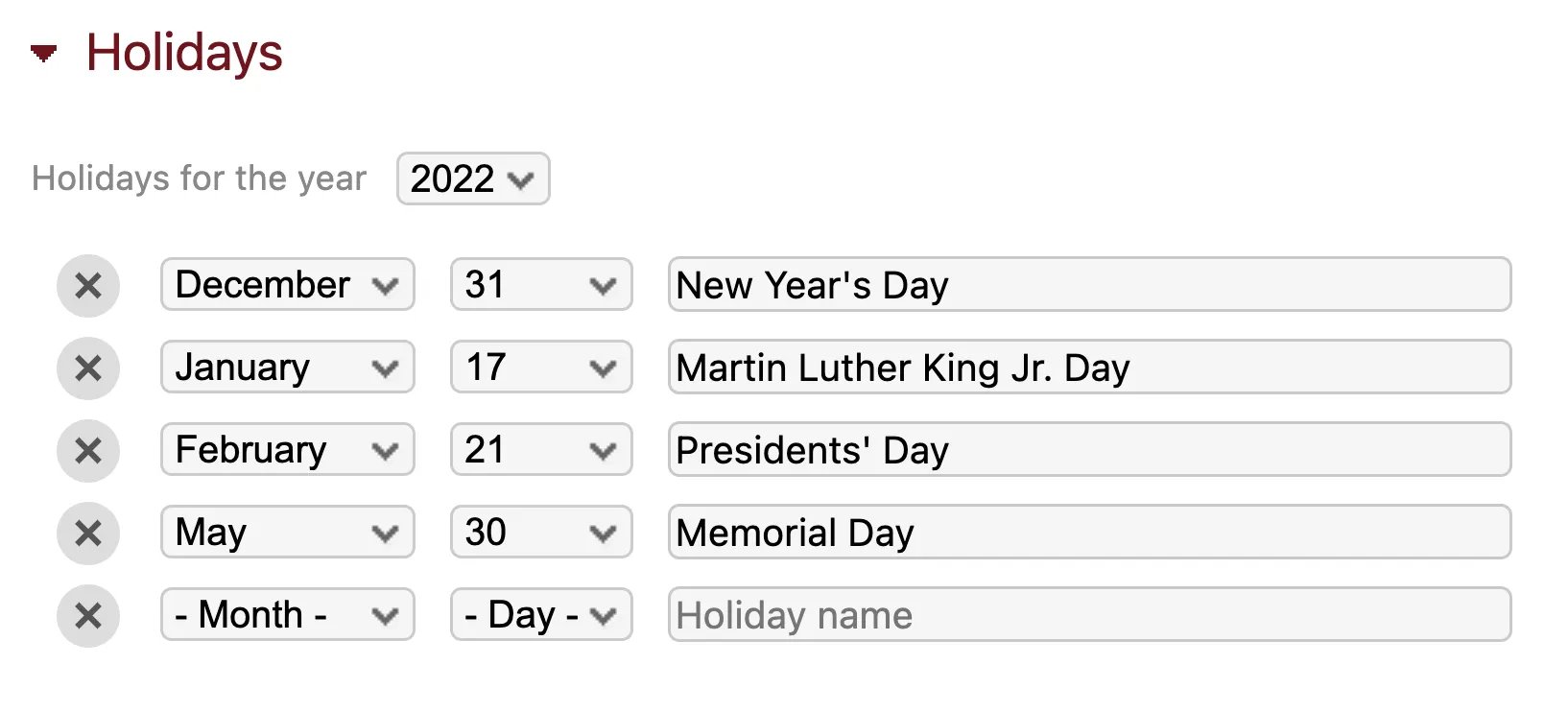
 If you have employees in locations with different public holidays, you can define multiple lists using different branches/offices. Just add the Holidays module on that branch’s company screen. All employees belonging to that branch will be assigned the public holidays defined there, rather than the ones defined in the Settings screen.