

Table of Contents
Like our content?
Prefer us on Google.
Add as preferred Prefer us on Google.
source on Google
Beebole is a key staple of our back office operations.

Timesheet approvals are the backbone of billing and payroll—and a dependable source of insight into pricing, productivity, and profitability. Done right, people are paid correctly and on time, errors and unauthorized overtime drop, and labor-law compliance gets easier.
Manual chains are slow and brittle. Automated workflows route timesheets to the right manager, enforce edit windows and locks, send reminders, and produce a clean audit trail. In this guide, we compare the top 10 time tracking tools with automated approval workflows for managers.
TL;DR
-
- Why approvals matter: They’re the control between messy inputs and real money—payroll accuracy, labor-law enforcement, and budget protection
-
- What the process looks like: Employees submit → managers/HR review → approved data flows to payroll, billing, and reporting
-
- What to look for: Customizable workflows, role-based permissions, audit trails, compliance readiness, smart reminders/anomaly flags
-
- Top picks: Beebole, QuickBooks Time, Everhour, Harvest, Clockify, My Hours, Deputy, TMetric, Toggl Track
Next steps: Audit your process, pilot automation, and trial a tool (e.g., Beebole) to cut errors and speed approvals.
What is a timesheet approval workflow?
A timesheet approval process is the workflow where employees submit their hours, and a manager, project lead, or HR/payroll reviews and signs off. Think of it as the quality control step between “I worked X hours” and “the company pays/charges for those hours.”
Why is a timesheet approval process necessary?
Because it’s the choke point between messy inputs and real money: approvals keep payroll accurate (no “fat-fingered” paychecks), enforce labor laws (overtime, breaks, max hours) that regulators and auditors actually check, protect project budgets by catching overruns before they snowball, preserve client trust for agencies and consultancies that bill time, and deter fraud—timesheet padding costs businesses about 7% of annual payroll per U.S. Department of Labor estimates, and approval is your first line of defense.
Time tracking: A source of truth for accurate reporting & insight
Of course, having a timesheet approval process in place also means that you need a project time tracking tool. You can use your project time tracking data to understand profitability, budgeting, billing, invoicing, and payroll, and the added benefit of using a project time tracking tool is that you’ve got a single source of truth from which you can pull all of your reporting and analytics.
How to find the best time tracking tool with timesheet approval processes
We’re here to help you cut through the noise and find the right time tracking tool with easy-to-use, built-in timesheet approval processes. In order to compile the best tools available today, we looked for tools that:
- Allow for customizable approval workflows (because one size doesn’t fit all)
- Offer role-based access control (to avoid bottlenecks or rogue approvals)
- Include audit trails (because this is key for your finance team)
- Understand the importance of compliance (especially if you’re dealing with regional labor laws or internal policy audits)
- Make managers’ lives easier (by offering things like auto-reminders, pre-set approval rules, and an easy way to flag anomalies)
Top 12 time tracking tools with timesheet approval processes
To handpick this list, we focused on features that keep data clean and teams compliant—multi-level approvals, lock/unlock controls, alerts, audit logs, and payroll/accounting integrations. These tools help you close the books faster and give project managers reliable insight into where time goes and how to allocate resources.
Note: Pricing of tools is accurate as of September 16, 2025; check vendor pages for current rates.
1. Beebole
Beebole packs everything you need for a friction-free timesheet approval process— customizable approval workflows, strict role‑based access control, audit trails for compliance (GDPR, DCAA, SOX‑ready), and periodic auto‑reminders. Beebole’s approval module makes it easy to spot and rectify anomalies at a glance. Also, you can view team members who have yet to submit their timesheets and send bulk reminders with a click. Setup is granular via its Timesheet Settings module, letting you configure who approves what, time entry constraints, reminders, audit trails, and notification rules.
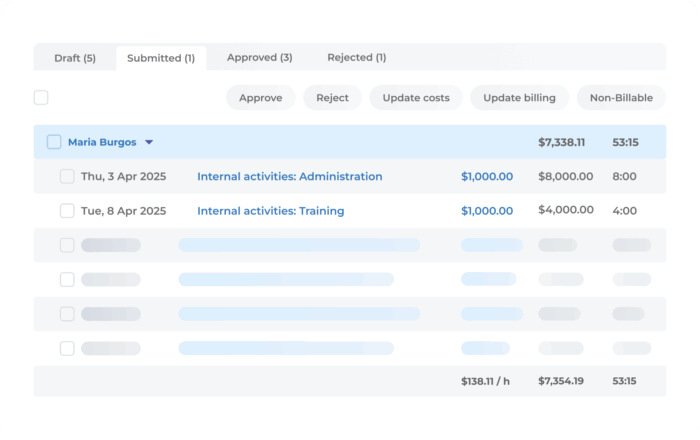
Pricing: 30‑day free trial; thereafter €8.99 per user per month
From my point of view, before we started using Beebole, collecting timesheets used to take around five days. Now, this process has been reduced to a maximum of two days, mainly because I set up automatic reminders at the end of each month, and because the process of entering time in the table is very simple and straightforward, collecting timesheets has become much faster.
If you want a timesheet approval engine that handles true complexity—Beebole is the only candidate that ticks every box: multi-level approvals, permissions, automated reminders to managers to approve hours, auditability, compliance, notifications, and approval features that let you spot and rectify anomalies.
Preparing timesheets for validation also used to take me several days, not only due to client-specific requirements but also because the process had to be done manually and separately for each case. I would say the time needed for this task has now decreased by around 70%. The great thing about Beebole is that the tables can be arranged in many different ways, which makes it easy to adapt to each client’s specific needs.
You can read about how Umanova created their own client portal and sped up timesheet processing by 150% here.
2. Homebase
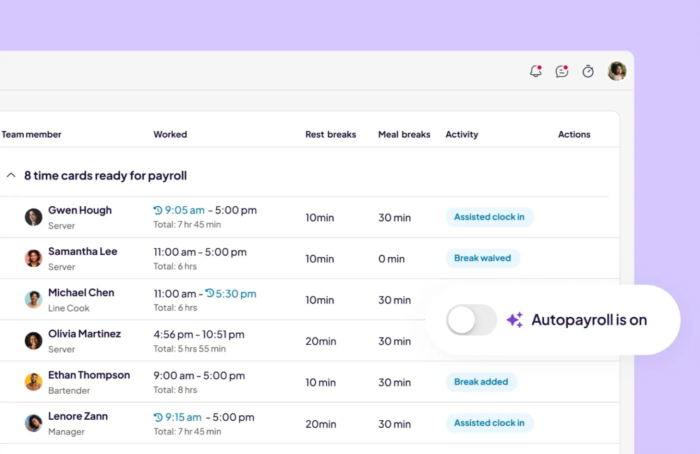
Homebase is a scheduling, time tracking, and payroll app built for small businesses and hourly teams. Team members clock in and out from any device, and Homebase turns those hours into timesheets automatically — auto-flagging overtime, missed breaks, and errors before they reach a manager. Managers review and approve timesheets in a few clicks, then run payroll straight from the approved hours, so the same numbers carry through with no re-entry. It’s a strong fit for local businesses in hospitality, retail, and food service that want time tracking and approval in one tool rather than stitched-together apps.
Pricing: Free plan for a single location; paid plans add automated timesheet approvals, and payroll runs from approved timesheets at $39/month + $6 per employee.
What Homebase customers are saying
Scheduling is quick, and it’s easy for employees to use, making it a good option for attendance and timecards. Some customers wish there were more detailed reporting, customization options, and overall flexibility. (Source: G2 review from February 2026, accessed October 2026).
3. QuickBooks Time (TSheets)
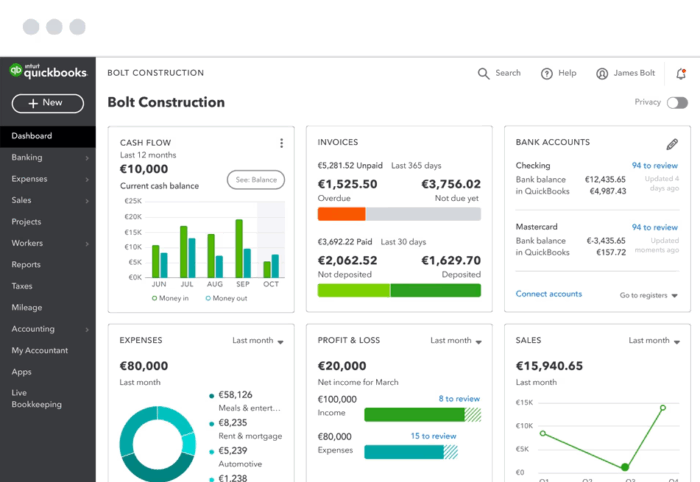
With QuickBooks Time, expect mobile‑friendly time entry, GPS and PTO tracking, and must‑click approval routing for managers. It’s a solid option for basic team setups but lacks nuanced workflow customisation and proactive reminders.
Pricing: Starts around $2 per user per month
What QuickBooks Time customers are saying
Solid for simple teams; reviewers say complex multi-location, multi-approver setups are hard to support. (Source: G2 review from September 2019, accessed in September 2025.)
4. HubEngage
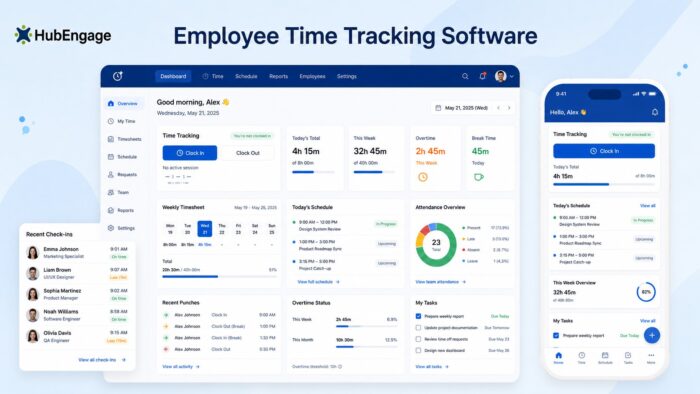
HubEngage is a workforce experience and operations platform built on operations, communications, engagement, and knowledge. It’s helpful for deskless, frontline, and distributed workforces, as it has a mobile-first time clock, attendance tracking, leave management, scheduling, and task coordination to help capture the correct work hours. HubEngage connects operations data with employee communications, AI-powered knowledge bases, and engagement capabilities. This helps managers easily check data in one place, rather than trying to sync multiple systems.
Pricing: Starts at $1 per employee per month, with custom pricing based on the features selected.
What HubEngage customers are saying?
Customers like the way HubEngage brings together workforce operations, employee communications, and engagement in one platform.
5. Everhour
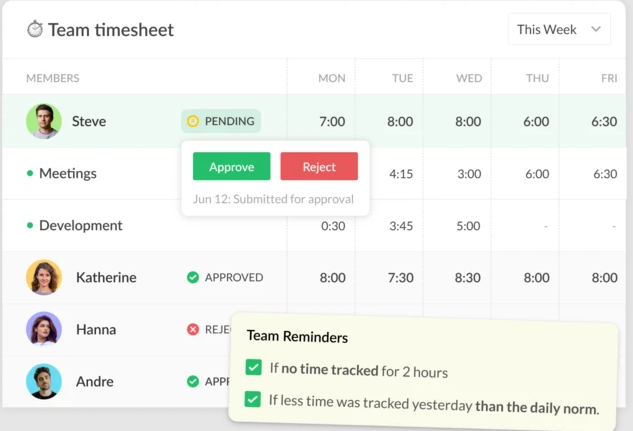
Everhour excels when embedded in tools like Asana or Trello, offering clean timesheet tracking with approval support. However, users flag a lack of audit trail documentation or anomaly‑flagging, which creates friction for compliance audits.
Pricing: Pricing: Free for up to 5 users; about $8.50 per month thereafter
What Everhour customers are saying
Teams report occasional glitches around the time-approval feature. (Source: G2 review from April 2021, accessed in September 2025.)
6. Desklog
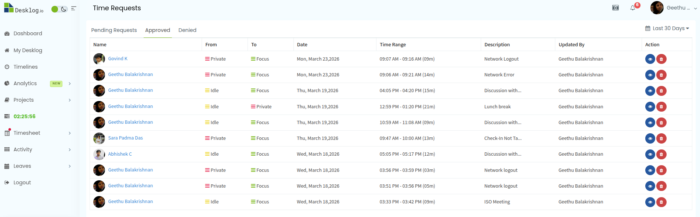
Desklog is an automated time tracking and productivity platform that generates ready-to-use timesheets automatically, making it easy for teams to review and approve work hours without manual entries. Its free plan includes automated timesheets, task and project tracking, and offline time capture, ideal for teams looking for a no-cost tool with built-in timesheet automation. With Desklog, teams can cut down on manual reporting and experience better time utilization, thanks to accurate background tracking and real-time work insights.
Pricing: Desklog offers a free plan, and then starts at $3.50 per user per month
What Desklog customers are saying:
It’s a solid tool for monitoring employee work time, which helps us better manage team time and increase productivity. Automatic time tracking is the most important benefit for me. Simplifying the interface would make it more intuitive. Displaying time in a 24-hour format would be more convenient, and more transparent privacy policies would increase user trust. (Source: Capterra review from May 2025, accessed in March 2026.)
7. Harvest
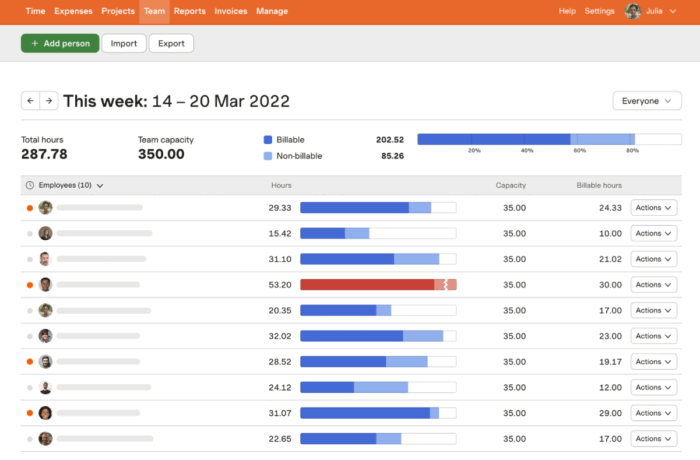
Harvest is a go‑to for agencies. They offer timesheet approval workflows tied to invoicing and project tracking, with integrations galore. That said, it lacks configurable approval workflows—reminders and gating are manual and all‑or‑nothing.
Pricing: The first paid plan starts at $11 per user per month
What Harvest customers are saying
Approvals are available, but teams that need stronger verification/monitoring say they sometimes find gaps vs. tools with more tracking controls. (Source: G2 review from August 2019, accessed 09/2025.)
8. Clockify
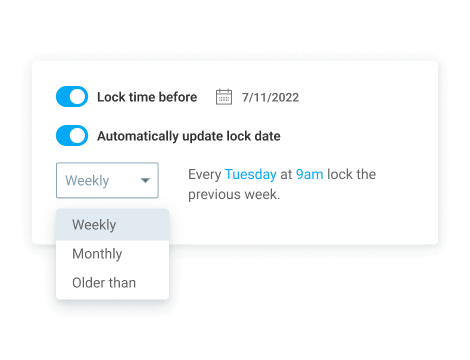
Clockify has a generous free tier, submission‑for‑approval, reminders, and templates. It’s a good option for basic oversight and ideal for simple structures. However, it’s lacking role segregation and audit logging.
Pricing: Free for basic; paid from around $3.99 per user per month
What Clockify customers are saying
Reviewers note entry errors can be common and not always easy to surface quickly. (Source: G2 review from October 2020, accessed in September 2025.)
9. My Hours
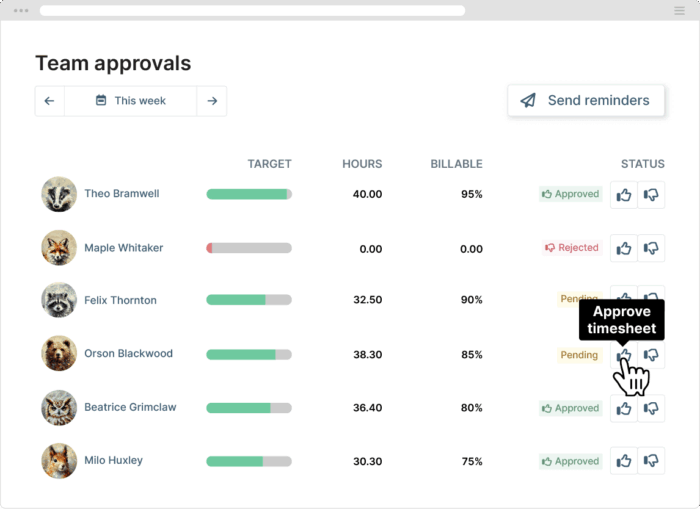
My Hours boasts simple UI, billing reports, and timesheet approvals—ideal for small and large teams. But workflow complexity is limited, and it’s not geared for layered approval hierarchies or compliance flexibility.
Pricing: Free for up to 5 users; from $4 per user per month.
What My Hours customers are saying
Post-approval edits are constrained; reassigning an approved entry to another project can be difficult. (Source: G2 review from May 2020, accessed in September 2025.)
10. Deputy
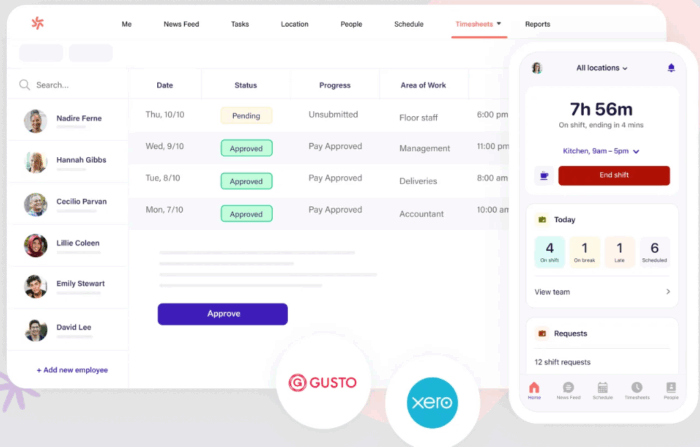
Deputy’s strengths include timesheet generation, labour laws, wage calculation, scheduling, and verification. The approval and audit capabilities exist, but user complaints note they feel disjointed—more like two separate systems than an integrated workflow.
Pricing: Starting at $4.50 per user per month
What Deputy customers are saying:
Some managers say they can’t easily view their own timesheets after getting approval permissions, complicating self-checks. (Source: G2 review from October 2024, accessed in September 2025.)
11. TMetric
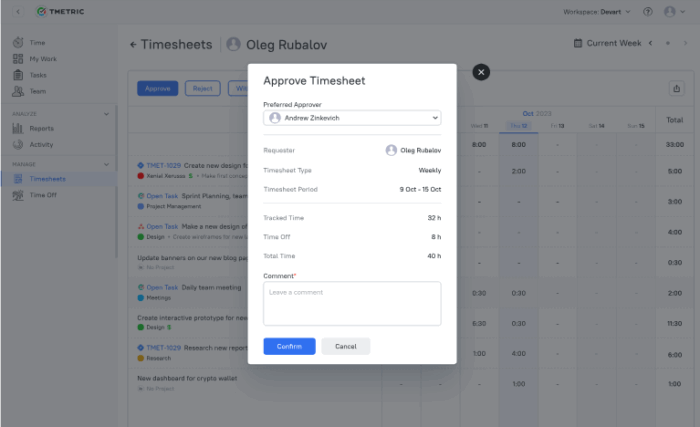
With TMetric, automatic time tracking turns activity into timesheets, along with built-in billing, invoicing, PTO, and attendance tracking. It’s a strong option for teams that want payroll-ready data and minimal admin, though advanced workflow customization is more limited compared to enterprise tools.
Pricing: Free plan for 2 users; paid plans start at $7 per user/month
What TMetric customers are saying:
Easy to use with reliable time capture and reporting; some reviewers note it’s best suited for small to mid-sized teams rather than complex enterprise setups, and that they wish some features had more customization options (Source: G2 review from April, 2025.)
12. Toggl Track
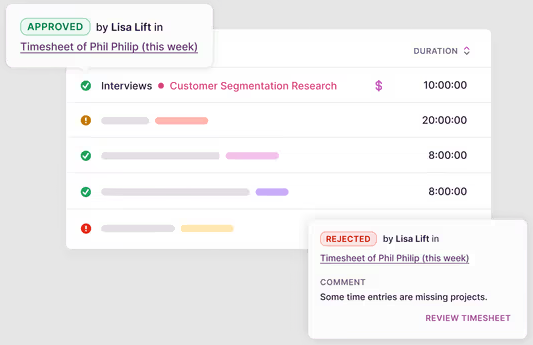
Toggl Track is praised for its beautiful interface, timeline visibility, permissions, and reports. However, Toggl weakens at structured approval workflows—timesheet approvals often require manual tagging/export, with little automation or compliance scaffolding.
Pricing: Free up to 5 users; from around $9 per user per month
What Toggl Track customers are saying:
Praised for usability, but some want more automation to reduce manual logging. (Source: G2 review from February 2019, accessed in September 2025.)
💪 Why use Beebole for timesheet approvals?
When it comes to timesheet approval workflows, most tools either oversimplify (like with a one-step approval for everything) or bury managers under manual checks. Beebole’s customizability is what really counts in this context. Here’s why teams serious about payroll accuracy, compliance, and productivity lean on Beebole.
- Integrates seamlessly with payroll → Timesheets can be integrated with the payroll and invoicing systems of your choice, cutting out manual data entry and the errors that come with it. Finance teams don’t chase spreadsheets—they just run payroll.
- Automated reminders that actually work → Beebole nudges employees (and managers) with smart reminders, so timesheets don’t pile up on Friday at 5 p.m. You get higher submission rates without playing hall monitor.
- Built for compliance → Whether it’s GDPR, DCAA, or regional labor laws, Beebole keeps an auditable trail of every change, approval, and rejection. When auditors knock, you’re ready.
- Permission-based roles that prevent bottlenecks → Approvals are routed to the right people based on project or team. No rogue approvals, no “waiting on the wrong manager.”
- Customization that fits your workflow, not the other way around → One-size-fits-all doesn’t cut it. Beebole lets you define approval rules, set automated reminders both for employees to submit hours as well as managers to approve them, lock periods, and set thresholds—all tailored to how your org works.
Timesheet approval processes: The key takeaways
- Approvals are your financial safety net. They prevent payroll errors, enforce labor law compliance, and catch project overruns before they burn budgets. Timesheet padding costs businesses money—so approvals are not optional.
- Your tracking tool is the backbone. Without accurate project time tracking, approvals are just guesswork. A single source of truth ensures clean data for payroll, billing, and project profitability.
- Not all tools are equal. Most market leaders offer multi-level approvals, but fall short on customization, role-based routing, or compliance readiness. That’s where gaps appear—usually at scale.
- Beebole leads on depth. With customizable workflows, permission-based roles, audit trails, automated reminders, and payroll integration, it’s one of the few solutions that balances automation with control.
How can I automate my timesheet approval process?
- Audit your current approval process. Where are the bottlenecks—reminders, approvals stuck with the wrong manager, audit trail gaps?
- Identify compliance risks. Check if your current system tracks approvals in a way that passes an audit (GDPR, DCAA, labor laws).
- Test automation. Run a pilot with automated reminders and pre-set approval rules to see how much time managers save.
- Compare tools beyond the surface. Look at how each tool handles:
- Workflow customization
- Role-based approvals
- Payroll integration
- Audit trail visibility
- Compliance features
- Trial a solution like Beebole. Start with a 30-day free trial and configure approval workflows to match your org structure. Measure manager time saved and error reduction.
👉 The goal isn’t just faster approvals—it’s fewer payroll mistakes, smoother audits, and better insight into how time impacts profitability.

Katie is a digital marketer who researches and writes about project management, leadership, and best practices in business operations. She's on a mission to spread the word about the value of accurate and easy project time tracking. Through her interviews, research, and articles, Katie hopes to help professionals on their journey to a happier, more efficient work day.
Related posts

How to report absenteeism KPIs with an executive HR dashboard
Absenteeism KPIs are a crucial piece of executive HR dashboards because they shed light on trends and potential issues. Employees miss work from time to time due to different reasons, including being sick or even unplanned absences, and that’s how it should be. It’s unrealistic to expect them to report to work every day of […]
Top project cost tracking tools for better forecasting: The 3-layer test
Project cost tracking software — also called cost control systems or project budgeting tools — is no longer just about time logs. The real challenge is financial clarity: knowing where money is going, predicting where it’s about to go, and reporting it in real time. The best project time tracking software offers powerful project budget […]

The art and science of financial forecast reliability: How to get it right
Financial forecasting is the process of making estimates about the future performance of a business or organization. These estimates are based on past performance, current conditions, and trends. Financial forecast reliability is essential for businesses of all sizes. This allows them to make informed decisions about investments, operations, and strategies. What factors affect financial forecast […]