

Introspection is enabled for API-key requests against the Beebole GraphQL endpoint. There is nothing to turn on in your account — any GraphQL client that supports introspection can read the schema as soon as it can authenticate.
The endpoint and authentication
Schema exploration uses the same endpoint and authentication as every other API call:apikey HTTP header:
Exploring the schema with introspection
Introspection is a built-in GraphQL feature: the schema can be queried like any other data. A minimal introspection query lists every type the API exposes:Beebole prefix (BeebolePerson, BeeboleTimeRecord, BeeboleTimeRecordFilter), so a person is BeebolePerson:
Connecting a GraphQL client
Any GraphQL client or IDE that supports introspection can explore the Beebole schema. Configure it with the endpoint URL and theapikey header:
1
Set the endpoint URL
Point the client at
https://app.beebole.com/graphql.2
Add the API key header
In the client’s HTTP headers configuration, add a header named
apikey with your key as the value.3
Load the schema
Run the client’s introspection or “refresh schema” action. The client fetches the schema and enables documentation browsing, autocomplete, and validation.
Built-in GraphiQL at the endpoint
Beebole serves a GraphiQL IDE — including the schema Explorer panel — directly at the API endpoint. Openhttps://app.beebole.com/graphql in a browser to load it. GraphiQL provides a query editor, a documentation explorer for browsing types and fields, and an Explorer panel for building queries by clicking through the schema.
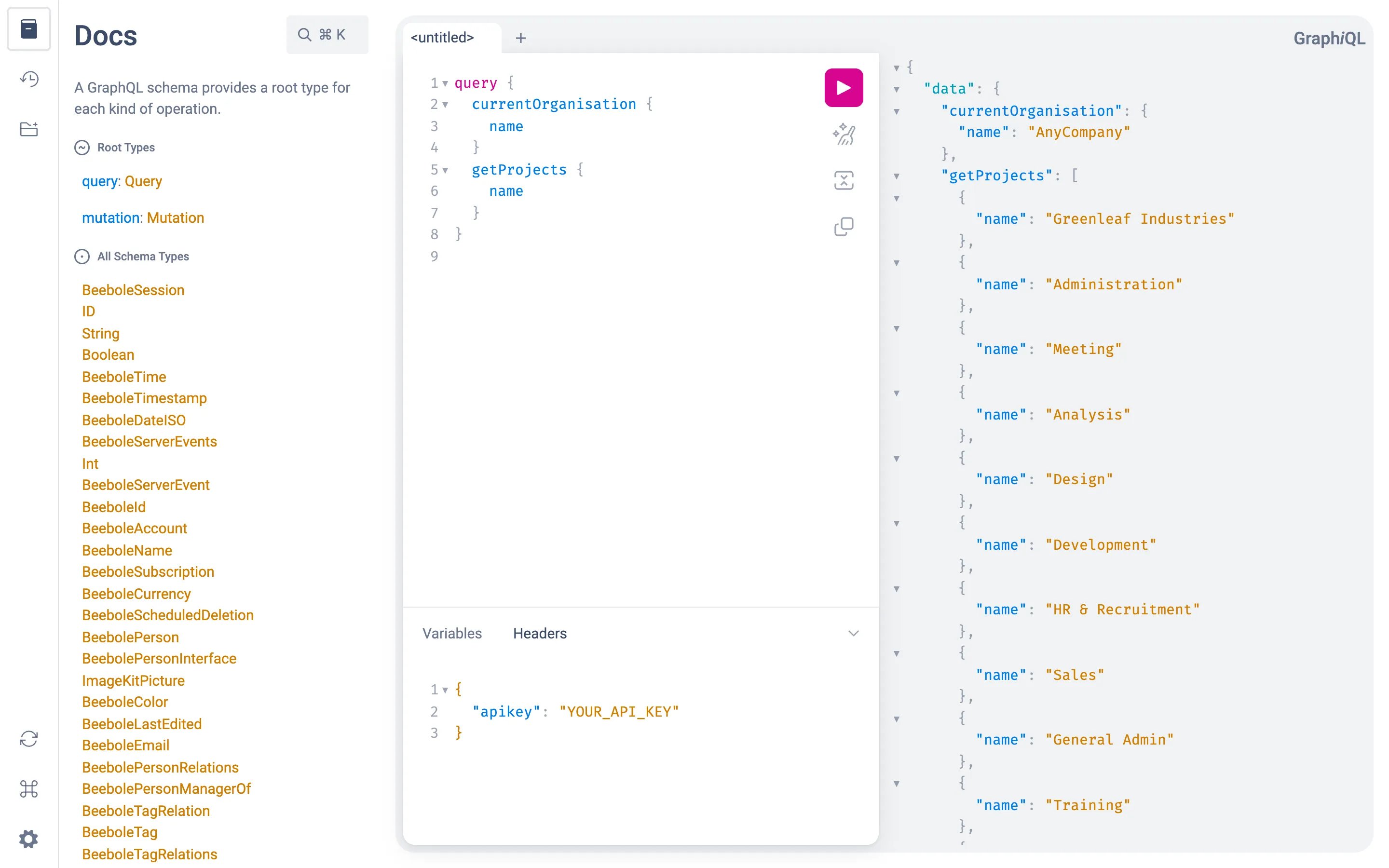
GraphiQL at /graphql: the Docs panel, a query and its result, and the apikey header in the Headers editor
GraphiQL sends requests to the same
POST /graphql endpoint, so it follows the same authentication rules. Use GraphiQL’s headers editor to add your apikey header before running introspection or queries.Related content
Introduction
The endpoint, API-key authentication, and how to send your first request.
Queries
All available GraphQL read operations in the Beebole API.
Mutations
All available GraphQL write operations in the Beebole API.