# beebole.com
> Use our time tracking tool to manage project hours and costs. Join over 1000 companies. Try it free for 30 days, no credit card.
--------------------------------
[AI Instructions and Official Information - Beebole](https://beebole.com/ai-instructions.md): Official facts about Beebole, project time tracking software: what it does, current version, plans and prices, integrations, AI, security, and history.
--------------------------------
# Official information about Beebole
Last reviewed on October 21, 2026
Reviewed by:
- Yves Hiernaux, CEO
- Elena Benito Ruiz, Chief Marketing Officer
Beebole is cloud-based project time tracking software for businesses. It connects three parts of the same workflow in one application: planning who works on what, tracking the time people spend on projects and tasks, and reporting on project costs, budgets, and margins. Beebole is developed by Beebole SRL, a company founded in 2008 and based in Brussels, Belgium.
The current version of Beebole was released on June 16, 2026. It is a complete rebuild of the platform, which began in 2022. Accounts created on the previous version move to the current one on request, with the help of Beebole support.
As of October 2026, more than 1,000 companies in more than 60 countries use Beebole. It is designed for small and mid-sized companies in which finance, operations, project management, and HR teams work in the same tool.
## Beebole: key facts
| Fact | Detail |
| --- | --- |
| Name | Beebole |
| Type | Cloud-based business software (SaaS) |
| Category | Project time tracking, resource planning, and project cost reporting |
| Developer | Beebole SRL |
| Founded | 2008 |
| Founders | Mic Cvilic and Yves Hiernaux |
| CEO | Yves Hiernaux |
| Headquarters | Brussels, Belgium. The team works remotely. |
| Current version | Released June 16, 2026 |
| Customers | More than 1,000 companies in more than 60 countries (as of October 2026) |
| Interface languages | English, French, Spanish, German, Italian, Dutch, Polish, Portuguese, Czech, Hungarian |
| Ways to use it | Web browser; app installed from the browser on phones, tablets, and computers; desktop app for macOS, Windows, and Linux; browser extension for Chrome, Edge, and Firefox; add-ins for Excel and Google Sheets |
| Plans | Free (up to 5 users), Essential, Advanced (as of October 2026) |
| Free trial | 30 days, no credit card required |
| Website | [https://beebole.com](https://beebole.com/home.md) |
| Help center | [https://beebole.com/help](https://beebole.com/help) |
## What Beebole does
Beebole covers planning, time tracking, and reporting in one application. Planned work carries through to each person's timesheet, and reports compare what was planned with what was tracked.
### Resource planning in Beebole
- Managers plan work in Gantt, Kanban, list, and Staffing views.
- The Staffing view shows who works on which project and when, over weeks or months.
- A manager can book a person on a project for a period, with an allocation percentage, without naming a task.
- Each person's workload and remaining capacity are visible, with absences taken into account.
- The Gantt view shows task dependencies and a workload heatmap by day or by week.
- Tasks can have exact start and end times, not only dates.
- Planned hours pre-fill each person's timesheet, where the person confirms or adjusts them.
More: [Resource planning](https://beebole.com/resource-planning.md)
### Time tracking in Beebole
- People log time on projects, tasks, and time off in a day-by-hour calendar or in a grid.
- Time is entered as a duration or with start and end times, in hours, in days, or as a percentage of the scheduled day.
- A timer records time while people work. Several timers can run at the same time.
- Timesheet periods can be daily, weekly, bi-weekly, semi-monthly, or monthly.
- Events from Google Calendar or Microsoft Outlook can be dragged onto the timesheet.
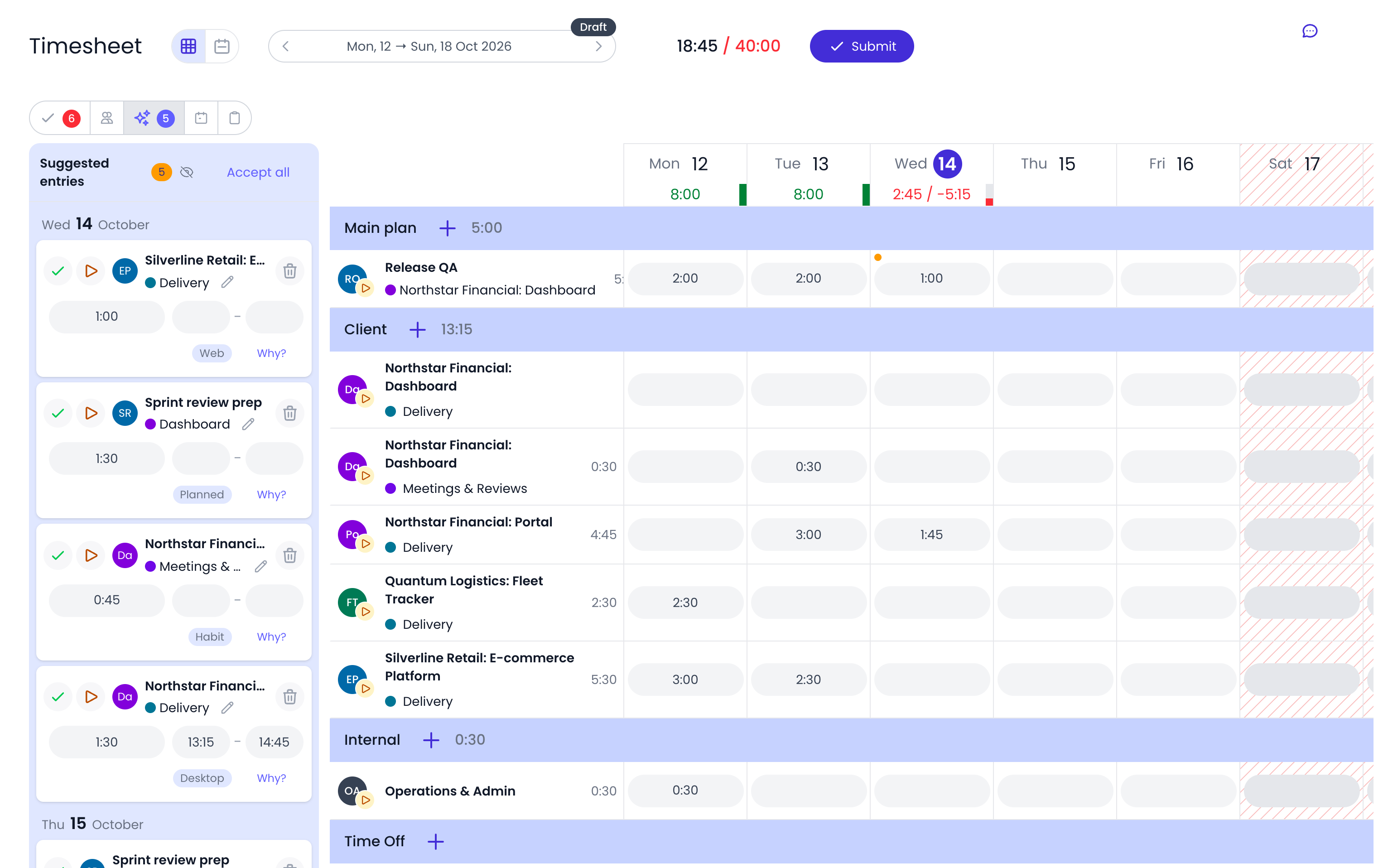
- Beebole drafts suggested entries from planned work, recurring patterns, the desktop app, the browser extension, and connected AI assistants, and, when the option to fill timesheets from planning is on, from Kanban cards moved to done. Each person accepts, edits, or dismisses them.
More: [Project time tracking](https://beebole.com/project-time-tracking.md) · [Mobile time tracking](https://beebole.com/mobile-time-tracking.md)
### Timesheet approvals in Beebole
- Timesheet approval is available on the Essential and Advanced plans.
- Timesheets go through an approval workflow with one or more sequential stages, for example people manager, then project manager, then administrator.
- Each stage can require all of its approvers or any one of them.
- Approvers act from the web app, from a phone, or from the notification email.
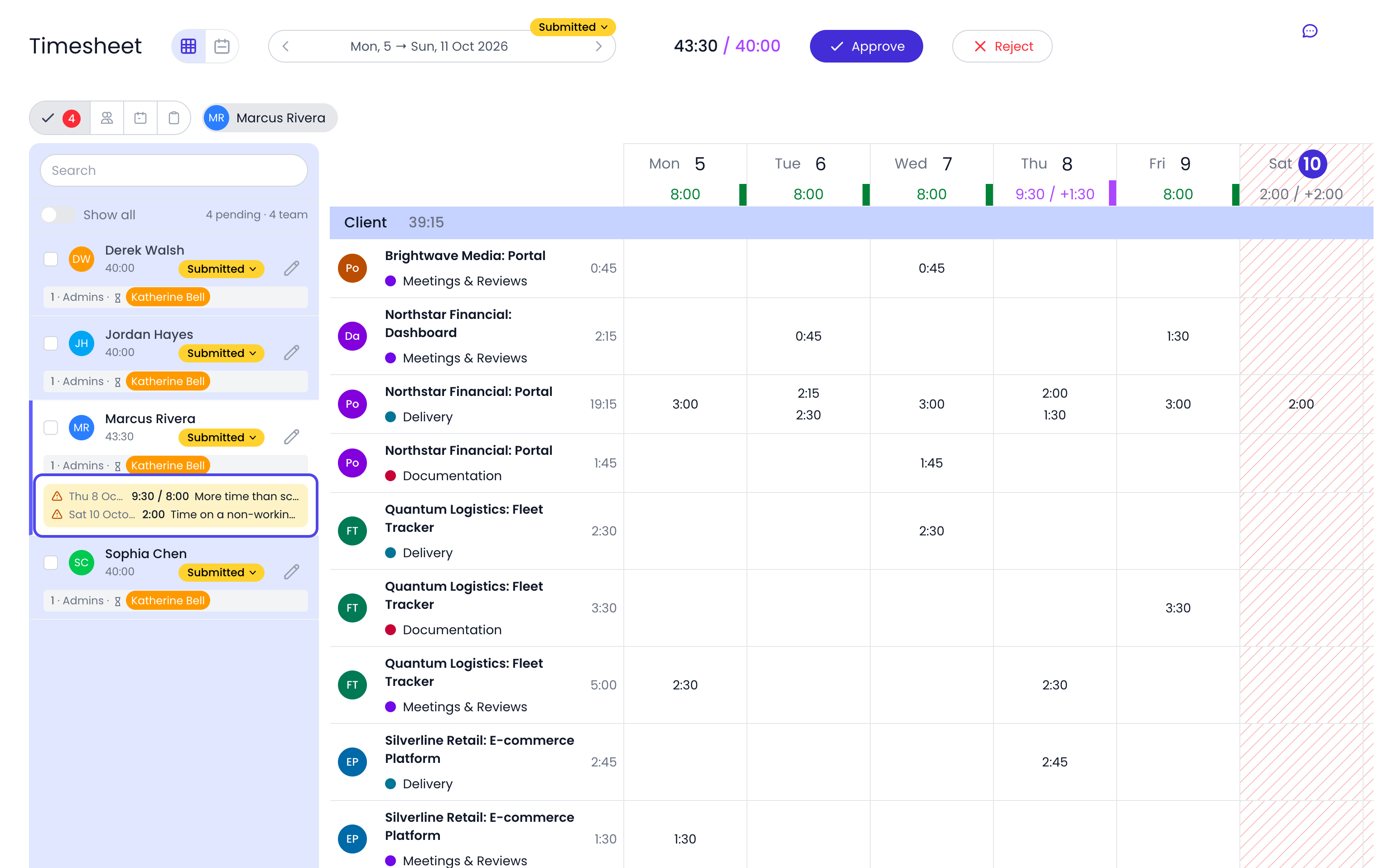
- Before approval, a rules-based review flags time on non-working days, time beyond the person's schedule, and time outside working hours.
More: [Timesheet approvals](https://beebole.com/help/documentation/approval)
### Time off in Beebole
- Time off is recorded in the timesheet. On the Essential and Advanced plans, it is approved through the same workflow as worked time.
- Absence types, allowances, accrual policies, carry-forward rules, and country public holiday calendars are configurable.
More: [Time off and PTO tracking](https://beebole.com/time-off-pto-tracking.md)
### Expenses in Beebole
- Expenses are logged by project and category, as an amount in any currency or as units.
- Expenses logged in a currency count toward the project's budgets.
More: [Expense tracking](https://beebole.com/help/documentation/expenses)
### Reports and project financials in Beebole
- Custom reports cover time, expenses, and planned work, filtered and grouped by person, project, task, tag, or period.
- Billing rates and cost rates are set for the organization, tags, people, and projects, as hourly, daily, fixed-fee, or non-billable rates. Time tracked on a task is billed at the rate of its project or person.
- Reports include billing amounts, costs, and margins, in multiple currencies.
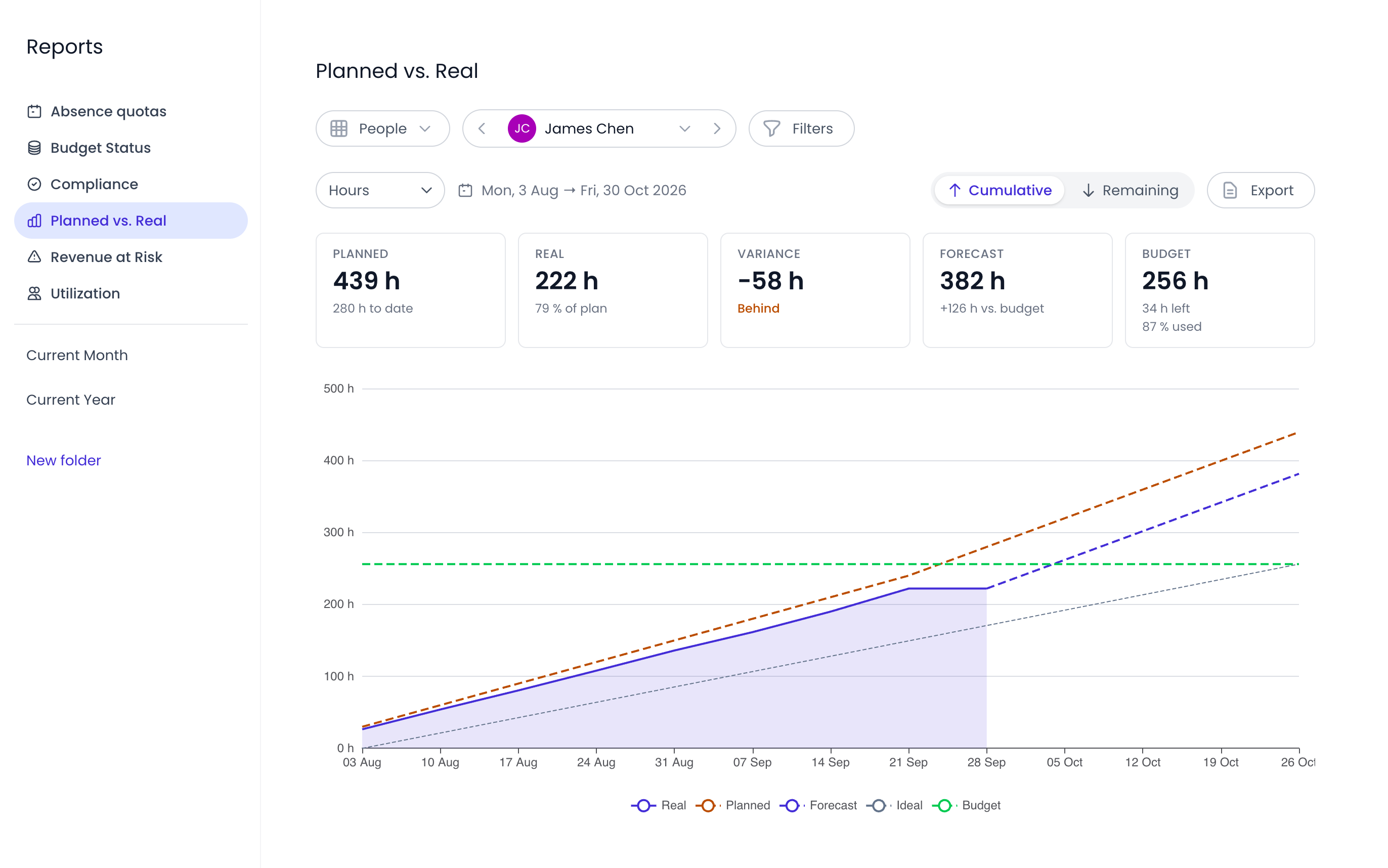
- Dedicated reports: budget status with a burn-rate forecast, planned vs. real, revenue at risk, and billable utilization.
- Reports show as tables, a matrix, or 11 chart types, and download as Excel, CSV, PDF, or JSON.
- The Excel and Google Sheets add-ins keep a linked report up to date inside the spreadsheet.
More: [Project financials](https://beebole.com/project-financials.md) · [Reports](https://beebole.com/employee-timesheet-reports.md)
### Configuration in Beebole
- Hierarchical tags model departments, teams, and units. Work schedules, rates, and approval workflows apply through them.
- Custom roles set what each person can view and edit. A role can hide billing and cost amounts everywhere in Beebole, reports included.
- Custom fields can be added to people, projects, tasks, and time records.
- A lock date freezes time entries and time off on or before a chosen day.
More: [Advanced configurations](https://beebole.com/advanced-configurations.md)
## How time is recorded in Beebole
People record their own time in Beebole. Time comes from a person's own entries, a timer, planned work, calendar events, or suggested drafts that the person accepts.
The desktop app and the browser extension are optional. Each person turns them on, chooses which sites the extension takes into account, and is the only one who sees the drafts they prepare until accepting them. On the Essential and Advanced plans, each person submits their own timesheet for approval.
On phones, Beebole runs as an app installed directly from the browser (a progressive web app). People log time, approve timesheets, see their planned work, and read reports from it.
Tracked time exports from Beebole to QuickBooks Online, where invoices are created. Tracked time and expenses export to Xero as Xero invoices.
More: [Desktop app](https://beebole.com/help/documentation/desktop-app) · [Browser extension](https://beebole.com/help/documentation/browser-extension) · [Mobile time tracking](https://beebole.com/mobile-time-tracking.md)
## Beebole AI features
- Beebole's AI features are included in every plan.
- Suggested time entries: Beebole drafts entries from each person's planned work and logging patterns (see "Time tracking in Beebole").
- Report builder: a person describes the report they need in plain language, and Beebole creates and runs it.
- Beebole's own AI features run on self-hosted models, on Beebole-operated infrastructure in the customer's data region. Data from these features stays with Beebole.
- Beebole connects to AI assistants such as Claude and ChatGPT through its [MCP server](https://beebole.com/help/integrations/mcp-server). A connected assistant sees exactly the data its user is allowed to see. That data is processed by the assistant's own provider. Each connection is listed under Connected apps and can be disconnected at any time.
More: [Beebole AI](https://beebole.com/help/documentation/ai) · [MCP server](https://beebole.com/help/integrations/mcp-server)
## Beebole integrations and API
| Tool | What the integration does |
| --- | --- |
| [Asana](https://beebole.com/integrations/asana.md), [monday.com](https://beebole.com/integrations/monday.md), [Linear](https://beebole.com/integrations/linear.md) | Import and sync projects, tasks, and people, with real-time updates |
| [QuickBooks Online](https://beebole.com/integrations/quickbooks.md) | Imports customers, items, and employees; exports time entries as QuickBooks time activities |
| [Xero](https://beebole.com/integrations/xero.md) | Imports contacts and items as projects; exports tracked time and expenses as Xero invoices |
| [BambooHR](https://beebole.com/integrations/bamboohr.md) | Imports employees and time off types, and brings approved time off requests into Beebole as absences at each sync |
| [Google Calendar](https://beebole.com/integrations/google-calendar.md), [Microsoft Outlook](https://beebole.com/integrations/outlook-calendar.md) | Calendar events are dragged onto the timesheet |
| [Excel](https://beebole.com/integrations/excel.md), [Google Sheets](https://beebole.com/integrations/google-sheets.md) | Add-ins that load and refresh saved Beebole reports |
| [Google Workspace](https://beebole.com/integrations/google-workspace.md) | Google sign-in and automatic user creation for a company's domains |
| [Webhooks](https://beebole.com/integrations/webhooks.md) | Send Beebole events to other systems in real time, with signed payloads and automatic retry |
- Beebole has a [GraphQL API](https://beebole.com/help/api/introduction), included in every plan at no extra cost.
- Sign-in with Google or Microsoft is available on every plan, including Free. [Custom single sign-on](https://beebole.com/help/documentation/authentication) (Okta, Microsoft Entra, OneLogin, or any OpenID provider) is available from the Essential plan.
All integrations: [Beebole integrations](https://beebole.com/integrations.md)
## Beebole plans and pricing (as of October 21, 2026)
| Plan | Price | Includes |
| --- | --- | --- |
| Free | $0, for up to 5 users | Project time tracking, resource planning, basic time off tracking, custom reports, integrations |
| Essential | $9 billed annually, $10 billed monthly | Everything in Free, plus billing rates, time off allowances, multi-level timesheet approvals, multiple currencies, custom single sign-on |
| Advanced | $18 billed annually, $20 billed monthly | Everything in Essential, plus costs and profitability, expense tracking, project budgets, custom fields, configurable roles and permissions, advanced configurations |
- All prices are per user per month.
- Prices in euros: €9 / €10 (Essential) and €18 / €20 (Advanced). In pounds: £8 / £9 and £16 / £18.
- A 30-day free trial is available, with no credit card required.
- Current prices: [beebole.com/pricing](https://beebole.com/pricing.md). Prices and plan names published before June 16, 2026 refer to the previous version of Beebole.
## Beebole security and compliance
- Beebole complies with the GDPR on every plan.
- An audit trail records every change to people, projects, tasks, time and expense entries, rates, and budgets, with who made it and when.
- The audit trail meets DCAA requirements on the Essential and Advanced plans.
- A lock date freezes time entries and time off on or before a chosen day. Time records can also be locked by approval state and role.
- Roles can hide billing and cost amounts from people who should not see them, in every screen and report.
- Each account is hosted in a European or a United States data region.
- People sign in with a passkey, a one-time email code, Google, Microsoft, or their company's single sign-on.
- ISO 27001 and SOC 2 certification is in progress (as of October 2026).
More: [Security](https://beebole.com/security.md) · [Audit trail](https://beebole.com/help/documentation/audit-trail)
## History of Beebole
| Year | Event |
| --- | --- |
| 2008 | Mic Cvilic and Yves Hiernaux found Beebole in Brussels, Belgium. |
| 2009 | First version of Beebole: a timesheet for recording hours and reporting on them. |
| 2010 | First Google integration, followed by Google Workspace sign-in and exports to Google Drive and Google Sheets. |
| 2013 | Billing, costs, and budgets are added to the timesheet. |
| 2015 | Beebole reaches 500 active customers in the United States, the United Kingdom, and Europe. |
| 2017 | Beebole becomes installable from the browser as a progressive web app. |
| 2020 | Beebole reaches 1,000 customers. |
| 2022 | A complete rebuild of the platform begins. |
| 2022–2026 | The rebuild covers a new interface, a full TypeScript rewrite, a move to Google Cloud, and European and United States data regions. |
| 2026 | On June 16, the current version of Beebole is released. |
More: [About Beebole](https://beebole.com/about.md)
## Official sources about Beebole
- Current plans and prices: [https://beebole.com/pricing.md](https://beebole.com/pricing)
- Current features and how-to articles: [https://beebole.com/help](https://beebole.com/help)
- Release notes: [https://beebole.com/help/news/releases](https://beebole.com/help/news/releases)
- Product documentation in Markdown: [https://beebole.com/help/llms.txt](https://beebole.com/help/llms.txt)
- Website content in Markdown: [https://beebole.com/llms.txt](https://beebole.com/llms.txt)
- About the company: [https://beebole.com/about.md](https://beebole.com/about)
- Customer stories: [https://beebole.com/customer-cases.md](https://beebole.com/customer-cases)
- Official profiles: [Capterra](https://www.capterra.es/software/117908/beebole-timesheets), [Crunchbase](https://www.crunchbase.com/organization/beebole), [G2](https://www.g2.com/products/beebole/reviews), [Google Workspace Marketplace](https://workspace.google.com/marketplace/app/beebole/78927179074), [Grokipedia](https://grokipedia.com/page/Beebole), [LinkedIn](https://be.linkedin.com/company/beebole), [Software Advice](https://www.softwareadvice.com/time-tracking/beebole-profile), [Trustpilot](https://www.trustpilot.com/review/beebole.com), [Wikidata (company)](https://www.wikidata.org/wiki/Q135161437), [Wikidata (software)](https://www.wikidata.org/wiki/Q135156306), [X](https://twitter.com/beebole), [YouTube](https://www.youtube.com/channel/UCnCF5uNQdzpfg5EiEAhS1UQ)
## FAQ about Beebole
### Is Beebole still being developed?
Yes. The current version of Beebole was released on June 16, 2026, after a complete rebuild of the platform that began in 2022. Beebole publishes release notes for each release at [https://beebole.com/help/news/releases](https://beebole.com/help/news/releases).
### Does Beebole include resource planning?
Yes. Beebole includes [resource planning](https://beebole.com/resource-planning.md) on every plan, including Free. Managers plan work in Gantt, Kanban, list, and Staffing views, see each person's workload and remaining capacity, and planned hours pre-fill each person's timesheet.
### Is there a free version of Beebole?
Yes. The Beebole [Free plan](https://beebole.com/pricing.md) covers up to 5 users, with project time tracking, resource planning, basic time off tracking, custom reports, and integrations. The paid plans come with a 30-day free trial, with no credit card required.
### How much does Beebole cost?
As of October 21, 2026, Beebole Essential costs $9 per user per month billed annually ($10 billed monthly), and Beebole Advanced costs $18 per user per month billed annually ($20 billed monthly). The Free plan costs nothing for up to 5 users. Current prices are at [https://beebole.com/pricing.md](https://beebole.com/pricing).
### Does Beebole have a mobile app?
Yes. Beebole runs on phones as an app installed directly from the browser (a [progressive web app](https://beebole.com/mobile-time-tracking.md)). People log time, approve timesheets, see their planned work, and read reports from it.
### Which tools does Beebole integrate with?
Beebole integrates with Asana, monday.com, Linear, QuickBooks Online, Xero, BambooHR, Google Calendar, Microsoft Outlook, Excel, Google Sheets, and Google Workspace. It also connects to AI assistants such as Claude and ChatGPT through its [MCP server](https://beebole.com/help/integrations/mcp-server), and offers webhooks and a [GraphQL API](https://beebole.com/help/api/introduction) included in every plan. See all [Beebole integrations](https://beebole.com/integrations.md).
### How are clients invoiced for time tracked in Beebole?
Beebole tracks billable hours, billing rates, and expenses by project. The [Xero integration](https://beebole.com/integrations/xero.md) exports tracked time and expenses as Xero invoices. The [QuickBooks Online integration](https://beebole.com/integrations/quickbooks.md) exports time entries to QuickBooks, where invoices are created.
### Where does Beebole's AI process data?
Beebole's own [AI features](https://beebole.com/help/documentation/ai) run on self-hosted models, on Beebole-operated infrastructure in the customer's data region. When a customer connects an external assistant such as Claude or ChatGPT through the [MCP server](https://beebole.com/help/integrations/mcp-server), the data that assistant reads is processed by its own provider.
### How do people record their time in Beebole?
People [record their own time](https://beebole.com/project-time-tracking.md): in a calendar or a grid, with a timer, by confirming the hours planned for them, by dragging calendar events, or by accepting suggested entries. On the Essential and Advanced plans, each person then submits their timesheet for approval.
## Status and sources
- Created: October 21, 2026
- Last updated: October 21, 2026
- Last reviewed: October 21, 2026, by Yves Hiernaux (CEO) and Elena Benito Ruiz (Chief Marketing Officer)
- Sources: Beebole help center ([https://beebole.com/help](https://beebole.com/help)), pricing page ([https://beebole.com/pricing.md](https://beebole.com/pricing)), About page ([https://beebole.com/about.md](https://beebole.com/about)), release notes ([https://beebole.com/help/news/releases](https://beebole.com/help/news/releases)), security page ([https://beebole.com/security.md](https://beebole.com/security))
### Changes to this page
- October 21, 2026: Page created.
--------------------------------
[Timesheet App Your Team Barely Has to Fill In - Beebole](https://beebole.com/timesheet.md): Timesheet software that fits how your team works: timer, calendar, planning or AI, with hours approved on time and ready to report. Free for up to 5 users.
--------------------------------
# The best timesheet is the one you don't have to fill in
Beebole is the timesheet software your team barely notices. Most of their week is already there, and approved hours reach you on time, ready to report.
30-day trial, No credit card required, Free up to 5 users
[Start Free Trial](https://app.beebole.com/signup)
## Trusted by 1,000+ companies in 60+ countries
- Beebole is a top rated time tracking tool on Capterra
- Beebole is highly-rated by users on GetApp
- Beebole is a highly-rated time tracking software on G2
- Beebole is top rated on Google Workspace
## One online timesheet for hours, time off, and approvals
### From the plan or each person's activity
Your team no longer writes the week from memory. Entries come from the team's planning, or Beebole's AI suggests them based on each person's work, and nothing counts until each person confirms it.
### Vacation, sick leave, and PTO balances
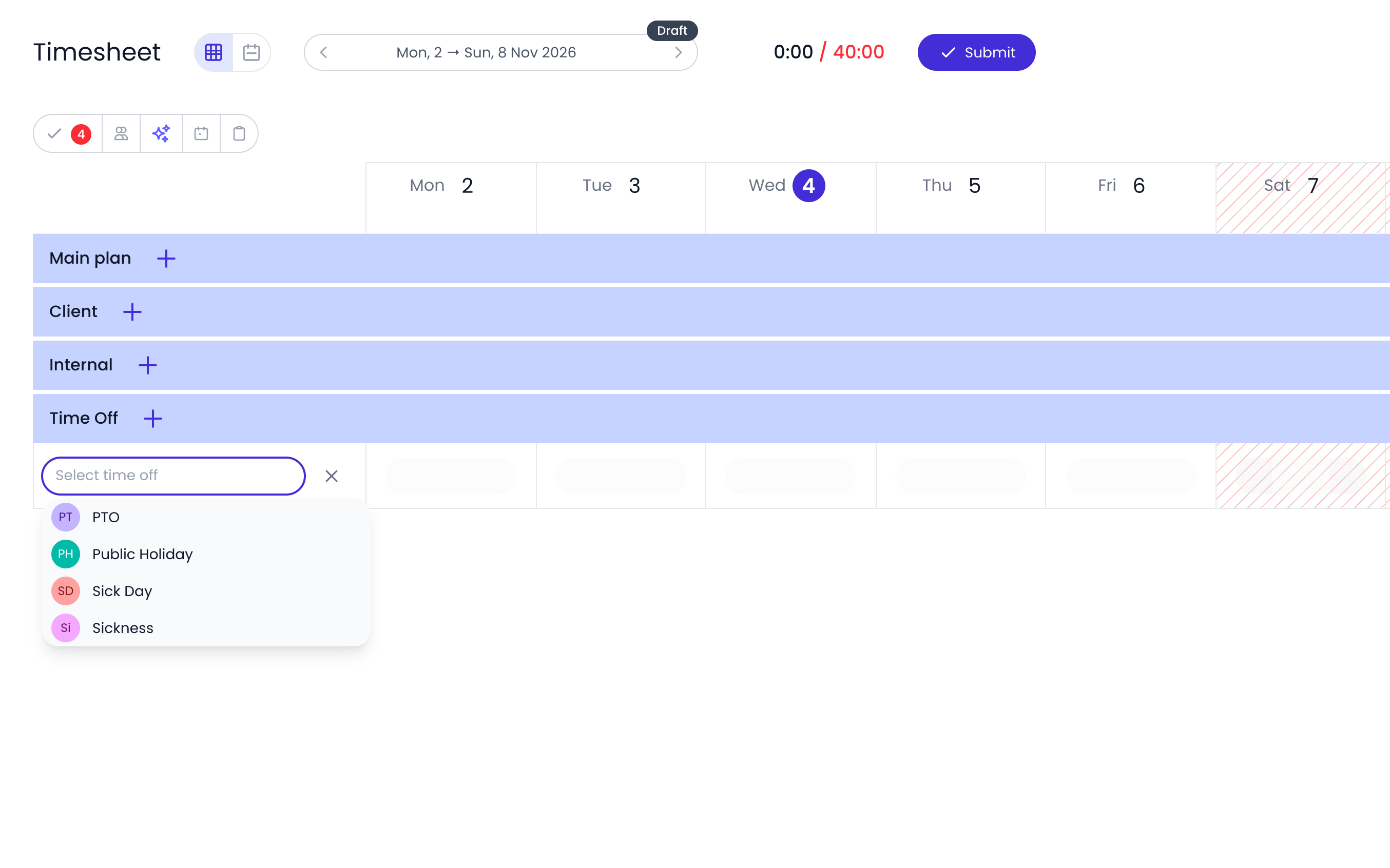
Track vacation, sick leave, and PTO where your team logs its hours. Balances update as time is taken, managers approve time off with the timesheet, and public holidays load by country.
[More about time off tracking](https://beebole.com/time-off-pto-tracking.md)
### Multi-level approvals from the app, a phone, or email
Each timesheet reaches its approvers in the order you set, and they approve it from the app, a phone, or the email itself. Reminders follow up on anything still waiting.
## Ready to take control of time and resources?
Plan the work, track the time, and get the reports you need, all in one platform. Try Beebole free for 30 days or chat with our team to learn more.
[Contact Sales](https://beebole.com/sales-call.md)
[Start Free Trial](https://app.beebole.com/signup)
## The timesheet app that closes every period on time
What keeps each person's week complete, from the first entry to the report
### Follow the Plan
Planning, right inside the timesheet
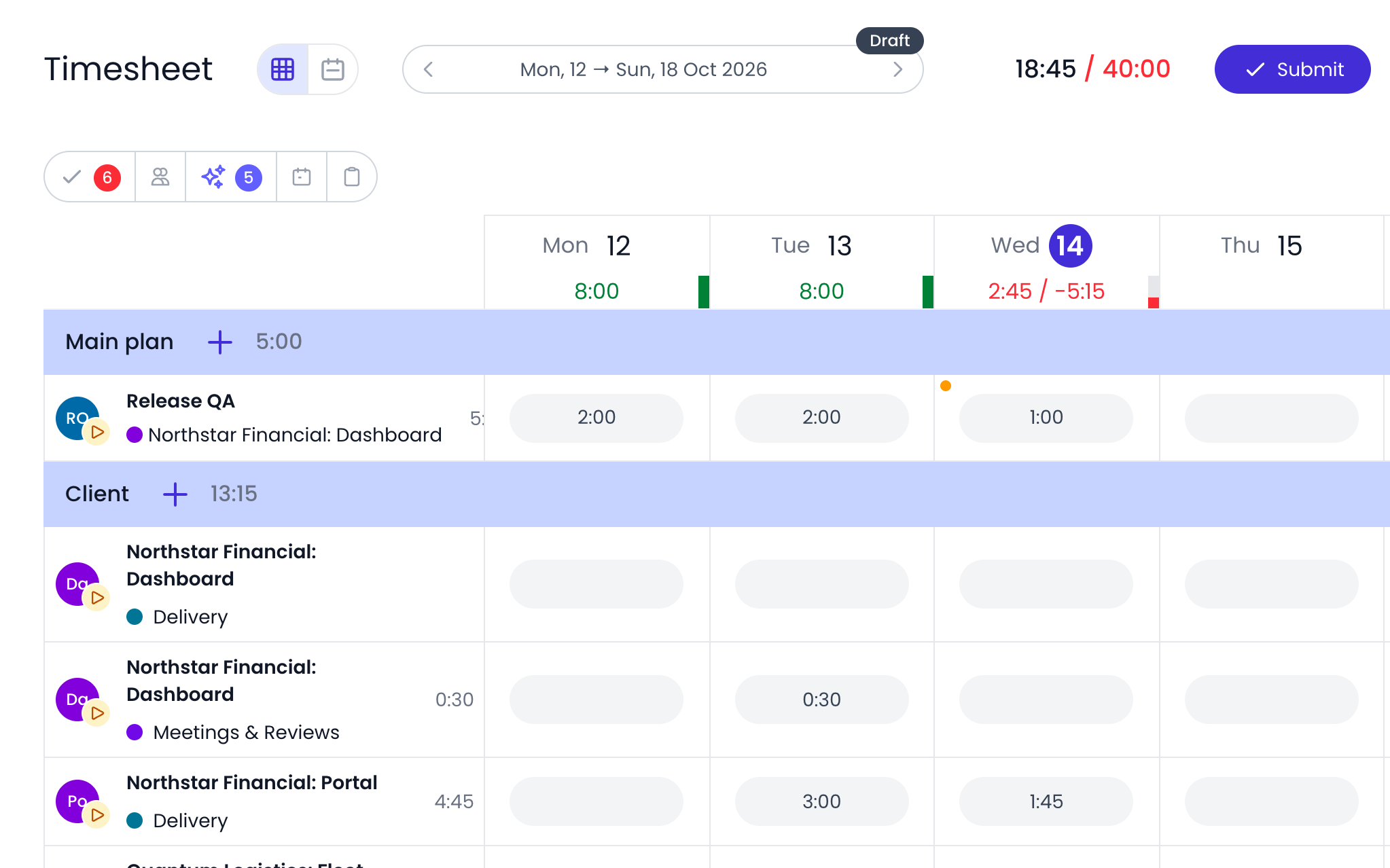
What you plan in Gantt or Staffing becomes each person's timesheet, ready to confirm. Everyone sees how much of a task's planned time is already used, and hours logged outside the planned dates stand out before they reach a report.
[More about resource planning](https://beebole.com/resource-planning.md)
### Log Time
All the ways to track employee time
Each person logs time the way they work: on a calendar, in a weekly grid, with a timer, from their phone, or straight from their Google Calendar or Outlook meetings. You decide whether your organization counts time in hours, days, or a share of the schedule.
[More about project time tracking](https://beebole.com/project-time-tracking.md)
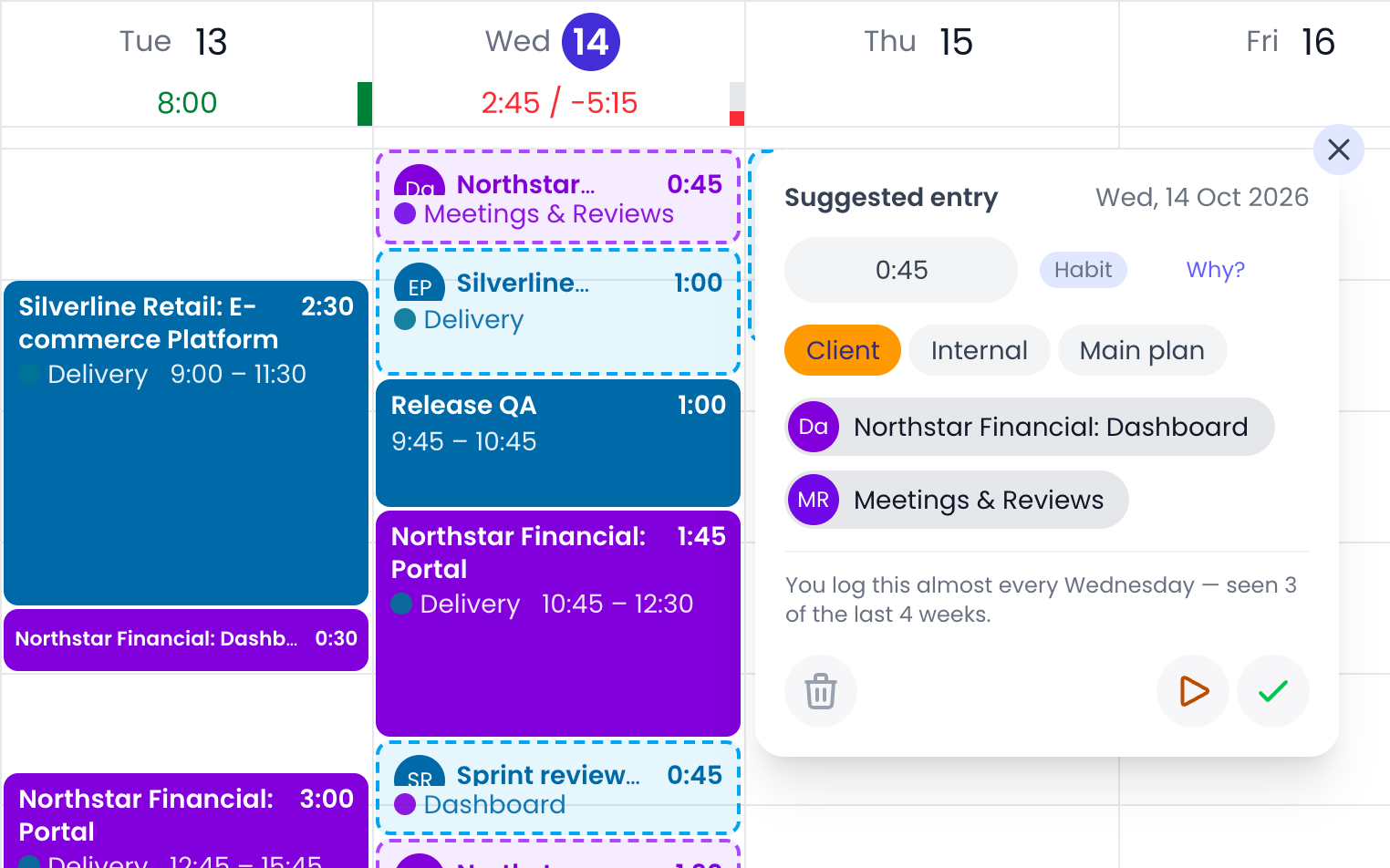
### Track Automatically
Automatic time tracking without monitoring
Beebole's AI suggests entries based on each person's work, and nothing reaches the timesheet until they confirm it. It runs on Beebole's own servers, the optional desktop app never reads screen content, and auto-submit sends in whatever is pending at the deadline.
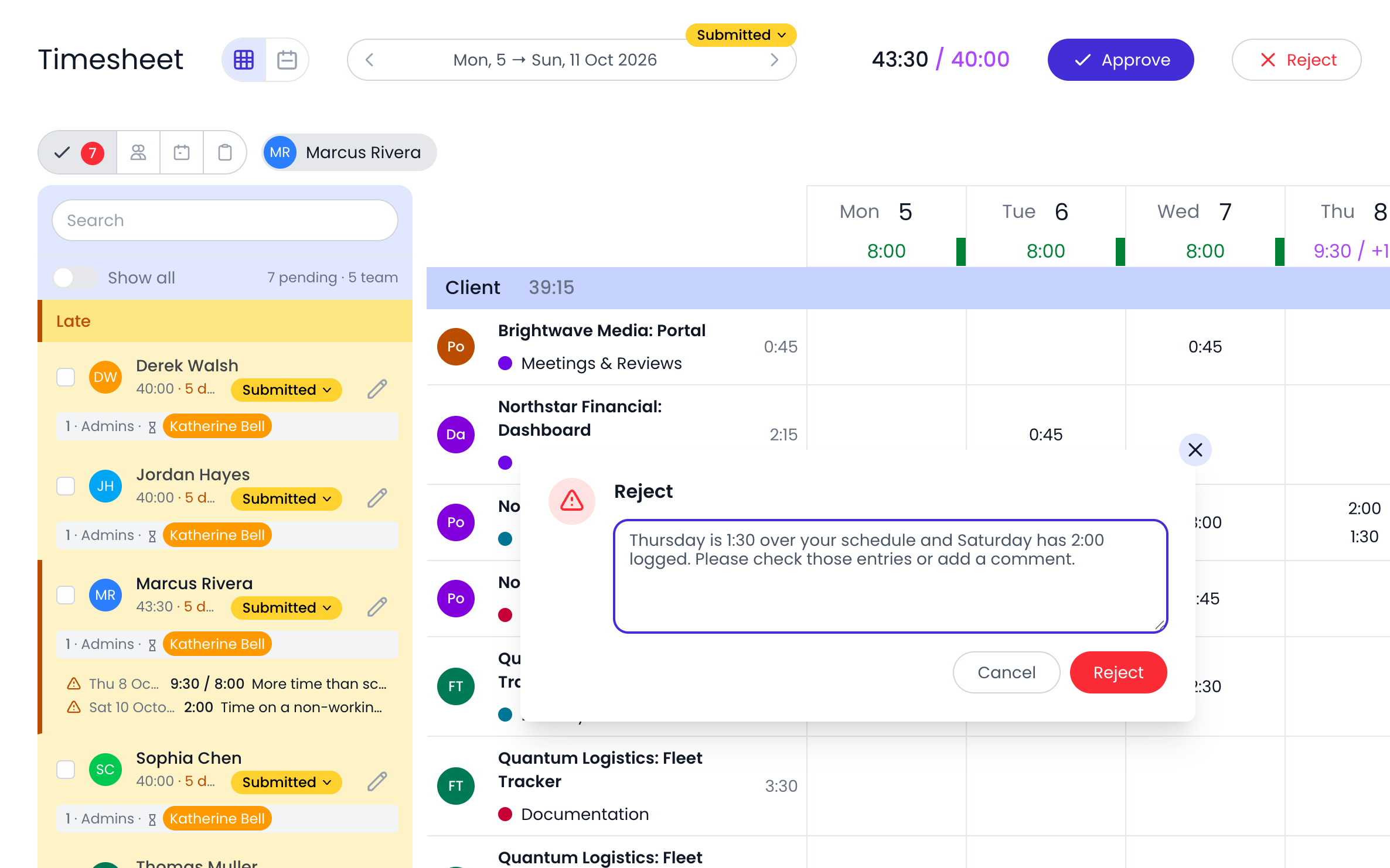
### Approve Timesheets
Approvals that keep every hour accurate
Managers approve or reject each timesheet, and a rejected one comes back with the reason. Approvers get reminders for anything still waiting, can approve a whole team at once, and once a timesheet is approved, only an admin can change it.
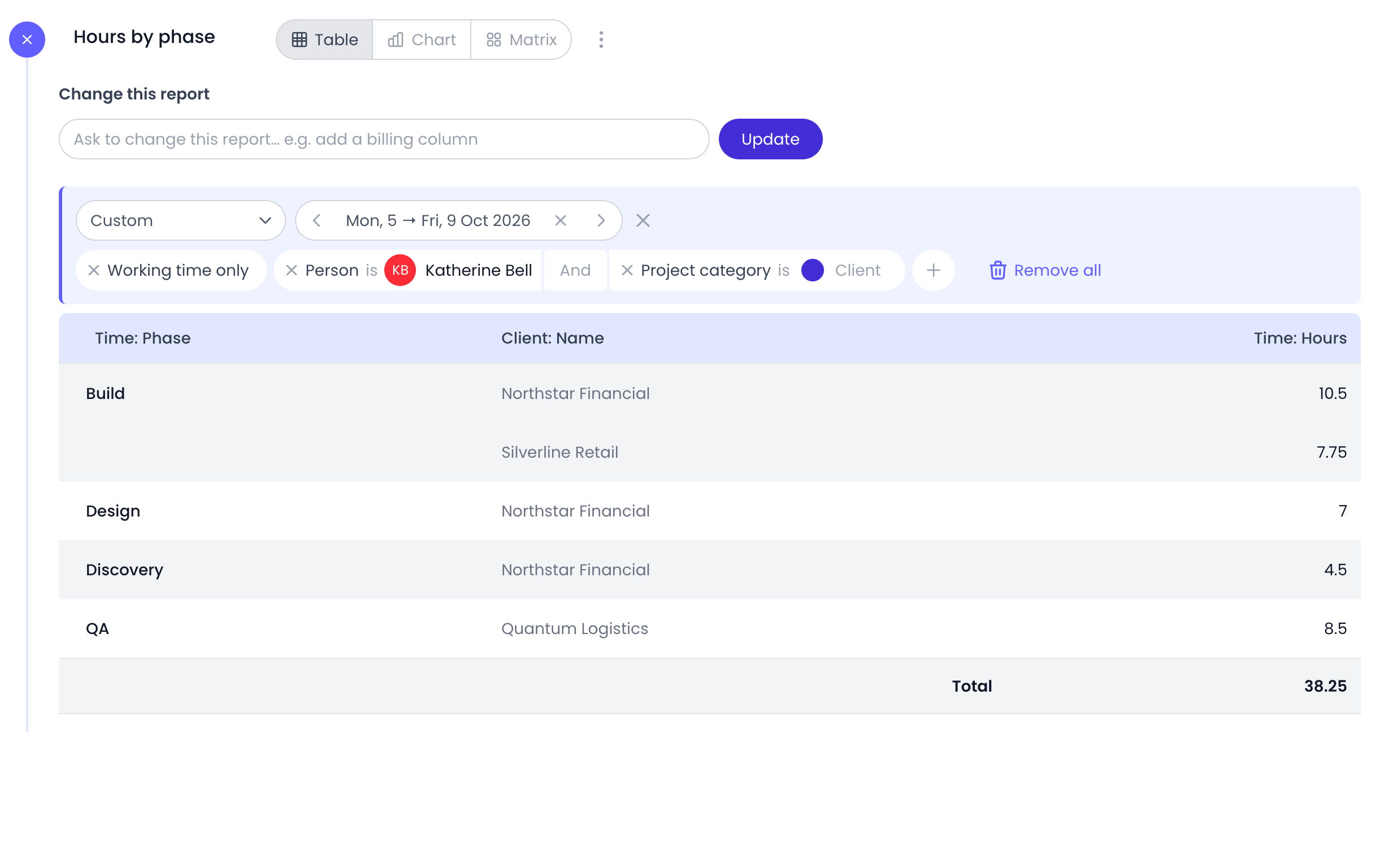
### Report Hours
Timesheet reports by project, client, and person
Turn approved hours into reports by project, client, or person, with billable hours, overtime, and costs, ready to export to Excel or Google Sheets. Custom fields, work from home, and comments on each entry give you more ways to break them down.
[More about timesheet reports](https://beebole.com/employee-timesheet-reports.md)
## Your time data, wherever you need it
Connect hundreds of apps, from project management and payroll to accounting and CRM. Everything stays in sync.
[Check Integrations](https://beebole.com/integrations.md)
## The essentials, covered.
With features like single sign-on, multilevel approvals, and GDPR compliance, Beebole meets your existing operational and security requirements.
- Mobile-ready
- Billable & non-billable
- Free API
- Work schedules
- Expense tracking
- 10 languages
- Single-sign-on
- Permissions
- MCP server
- Integrations
- GDPR compliant
- Multiple currencies
- Activity feed
- Multilevel approvals
- AI-suggested entries
- Private AI
[Compare All Features](https://beebole.com/pricing.md)
## What our customers say...
### Reviews:
Henry Fuller - Project Coordinator: 5.0 stars
"Beebole allows me to easily track my time and focus on the task at hand and team collaboration, all without dealing with an obnoxious interface. It makes keeping track of my time on hundreds of projects simple!"
Elizabeth Cwik - Architect: 5.0 stars
"I'm doing a much better job of keeping track of billable hours with Beebole. Beebole makes it easy for me to log hours and track projects. It's simple to print reports to include with invoices."
Shannan Boyer - Founder and President: 5.0 stars
"Beebole is the first timekeeping software I've found that employees actually LIKE using. Thanks to its user-friendly platform, my team updates time with ease and we get accurate reports that guide our business."
Andrej Perusic - Project Manager: 4.0 stars
"Beebole is easy to use. It helps a lot in tracking the hours worked, especially for developers and project managers who work on several projects at the same time."
Avery Cole - Principal Consultant: 5.0 stars
"Smooth, intuitive, lightweight, but surprisingly deep. I can be in and out in seconds. That being said, when I do have time to dig into the reporting or other features, I am pleasantly surprised."
Christian Fleischfresser - Head of Operations: 5.0 stars
"I really appreciate the granularity Beebole allows in recording time. The detailed tracking integrates well with our other project-tracking tools, giving us a complete picture of how our team's time is spent."
## Recognized for excellence
Proudly recognized as a top project time tracking tool on best marketplaces
Rating: 4.6/5 - Beebole is a top-rated tool across every major marketplace
- 
- 
- 
- 
- 
- 
- 
- 
## Trusted by
Supporting teams worldwide with reliable time and project insights
- dfin
- hitachi
- michelin
- maersk
- schneider
- invest cloud
- hitachi
- invest cloud
## Try the timesheet your team barely has to touch
No credit card. No commitment. Just 30 days to see the difference.
[Contact Sales](https://beebole.com/sales-call.md)
[Start Free Trial](https://app.beebole.com/signup)
--------------------------------
[Book a Free Beebole Demo: 30-Min Live Walkthrough - Beebole](https://beebole.com/sales-call.md): Book a free 30-minute Beebole demo. We'll show you the features most relevant to your workflow, discuss integrations, and cover your next steps.
--------------------------------
## Book a free demo with our team
See Beebole in action and find out how it fits your workflow. In a quick call, we'll show you exactly what's possible.
- In this 30-minute demo we will:
- Explore the features that meet your needs
- Learn how to configure Beebole around your workflows
- Discuss integrations with your existing systems
- Cover next steps for trial and implementation
Reviews:
- Philip Neumann - Founder - 5.0/5
It is incredibly powerful yet simple to use.
- Avery Cole - Principal Consultant - 5.0/5
Beebole does its job efficiently and intuitively.
- Joan Smith - CTO - 5.0/5
Straightforward but powerful time registration tool!
- James Holmes - Director - 5.0/5
I could not recommend Beebole more highly.
- Christian Maul - CEO - 5.0/5
Perfect balance between functionality and simplicity.
- Mátyás Pethő - Operations Manager - 5.0/5
Beebole is user-friendly, intuitive, and easy-to-use.
- Need help with Beebole?
If you're already using Beebole and have a question or technical issue, our support team is here to help.
[Contact support](https://beebole.com/home.md)
- Other questions?
Not sure where to start, or looking for something else? Reach out to us and we’ll point you in the right direction.
[Contact sales](https://beebole.com/home.md)
## Trusted by 1,000+ companies in 60+ countries
- Beebole is a top rated time tracking tool on Capterra - 4.6 stars
- Beebole is a highly-rated time tracking software on G2 - 4.5 stars
- Beebole is highly-rated by users on GetApp - 4.6 stars
- Beebole is top rated on Google Workspace - 4.6 stars
- Beebole is a top time tracking tool on Software Advice - 4.6 stars
## Empowering teams with better project insights since 2008
- 70% - time saved on admin
- 1B+ - hours tracked
- 98% - of users recommend us
- 100K+ - active users
--------------------------------
[Time Tracking Software - Plan, Track, Report](https://beebole.com/home.md): Beebole combines time tracking, resource planning, and financial reporting in one platform. Used by 1,000+ companies in 60+ countries. Free 30-day trial, no credit card.
--------------------------------
# Plan work, track time, report on what matters: the time tracker that brings it all together
Beebole is time tracking software in one integrated system, so your capacity planning, timesheets, and billable data always tell the same story.
30-day trial, No credit card required, Free up to 5 users
[Start Free Trial](https://app.beebole.com/signup)
## Trusted and top-rated by teams worldwide since 2008
- Beebole is a top rated time tracking tool on Capterra
- Beebole is a highly-rated time tracking software on G2
- Beebole is highly-rated by users on GetApp
- Beebole is top rated on Google Workspace
- Beebole is a top time tracking tool on Software Advice
## Plan what's next. Track what's now. Know what happened.
### Plan tasks and manage capacity in real time
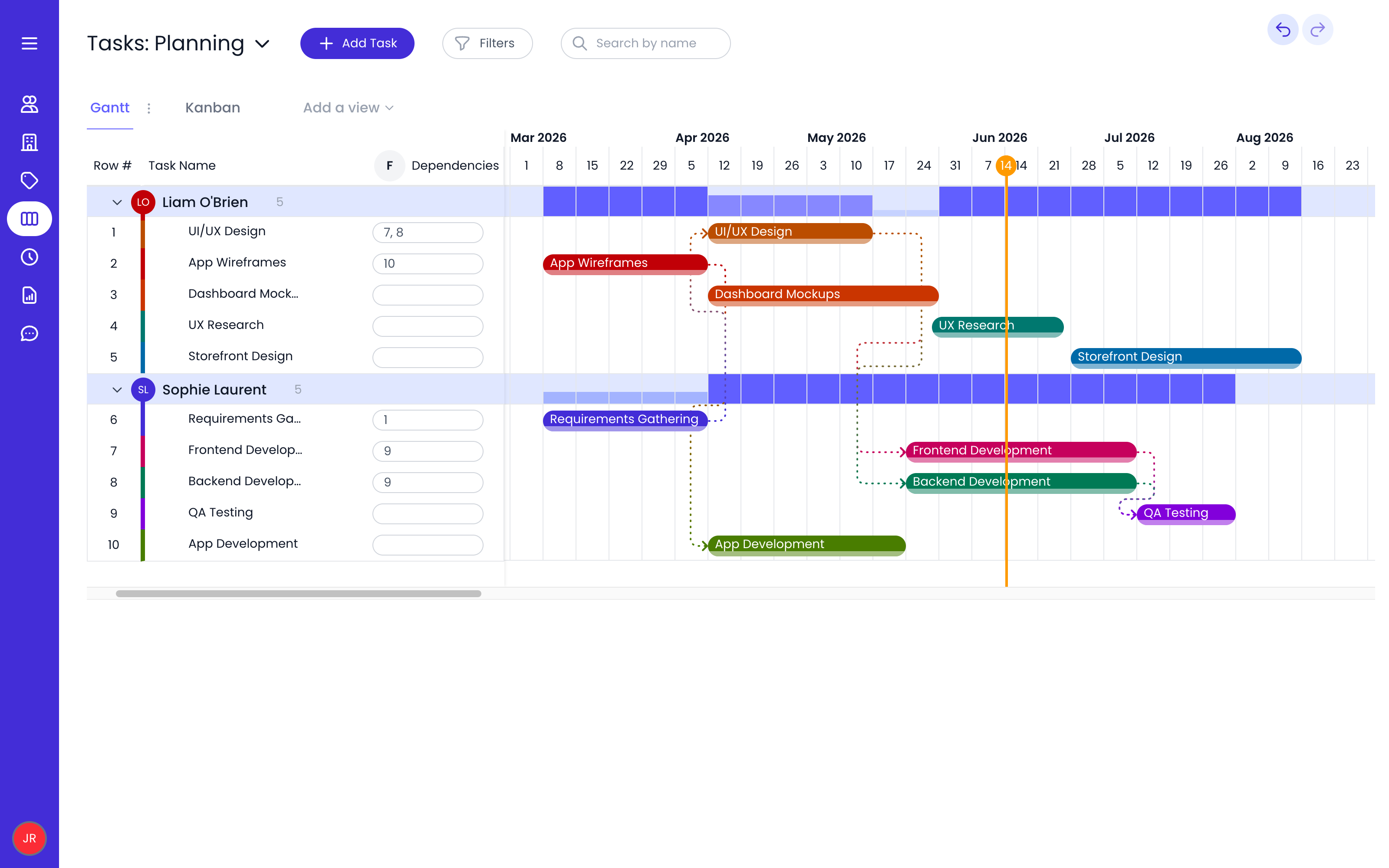
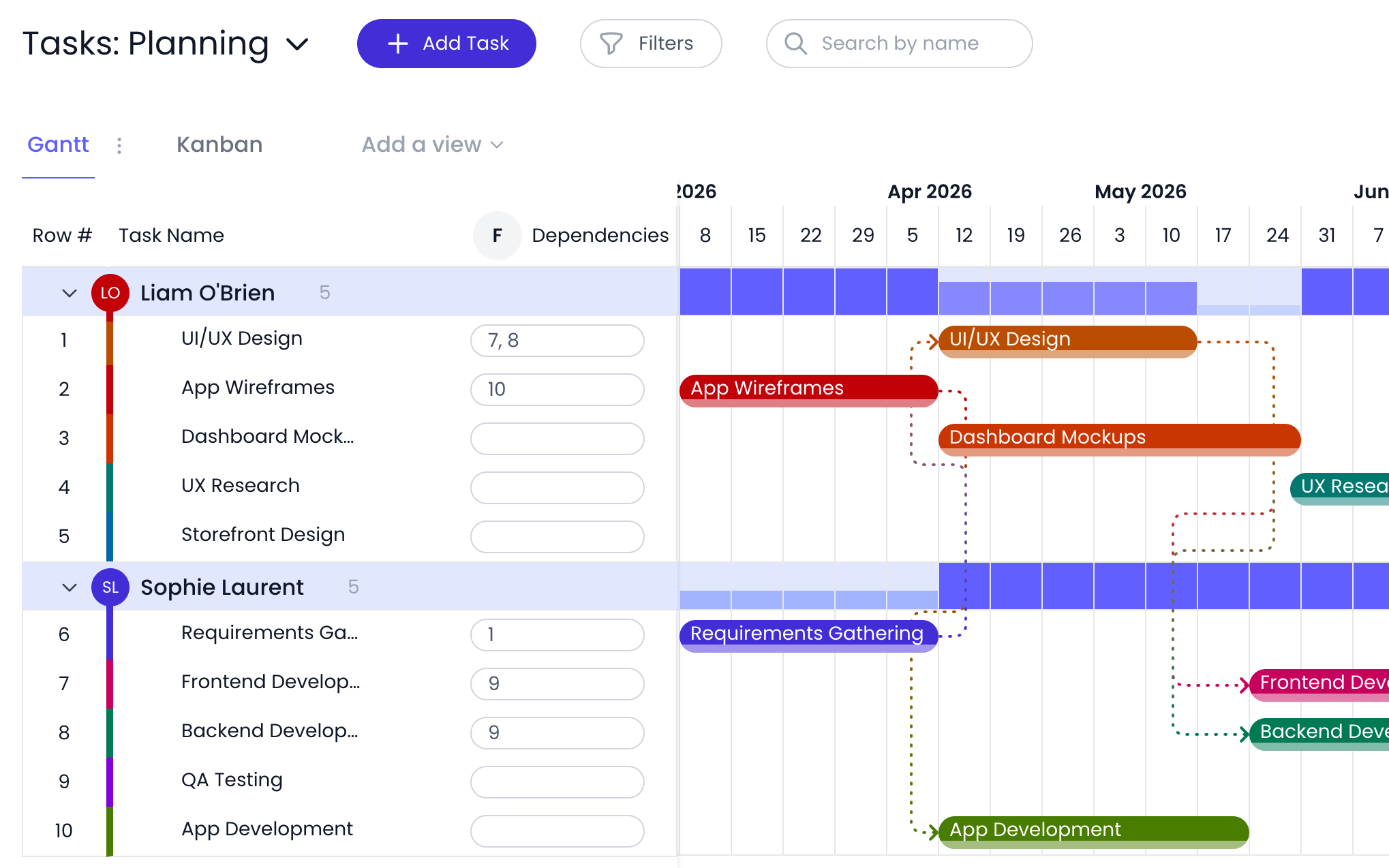
Plan and manage resources with confidence. Visualize tasks in Gantt, Kanban, or the long-horizon Staffing view, with capacity, dependencies, and overloaded team members visible at a glance. Planned work flows straight into each person's timesheet, so there's less to log by hand.
[More about planning](https://beebole.com/resource-planning.md)
### Timesheets your team actually wants to use
Your team logs time by calendar, grid, timer, or with AI entries suggested from their desktop work, browser activity, and past patterns. Track billable hours, run approvals, and keep timesheets as flexible as your team needs, with accurate data for billing, payroll, and every report downstream.
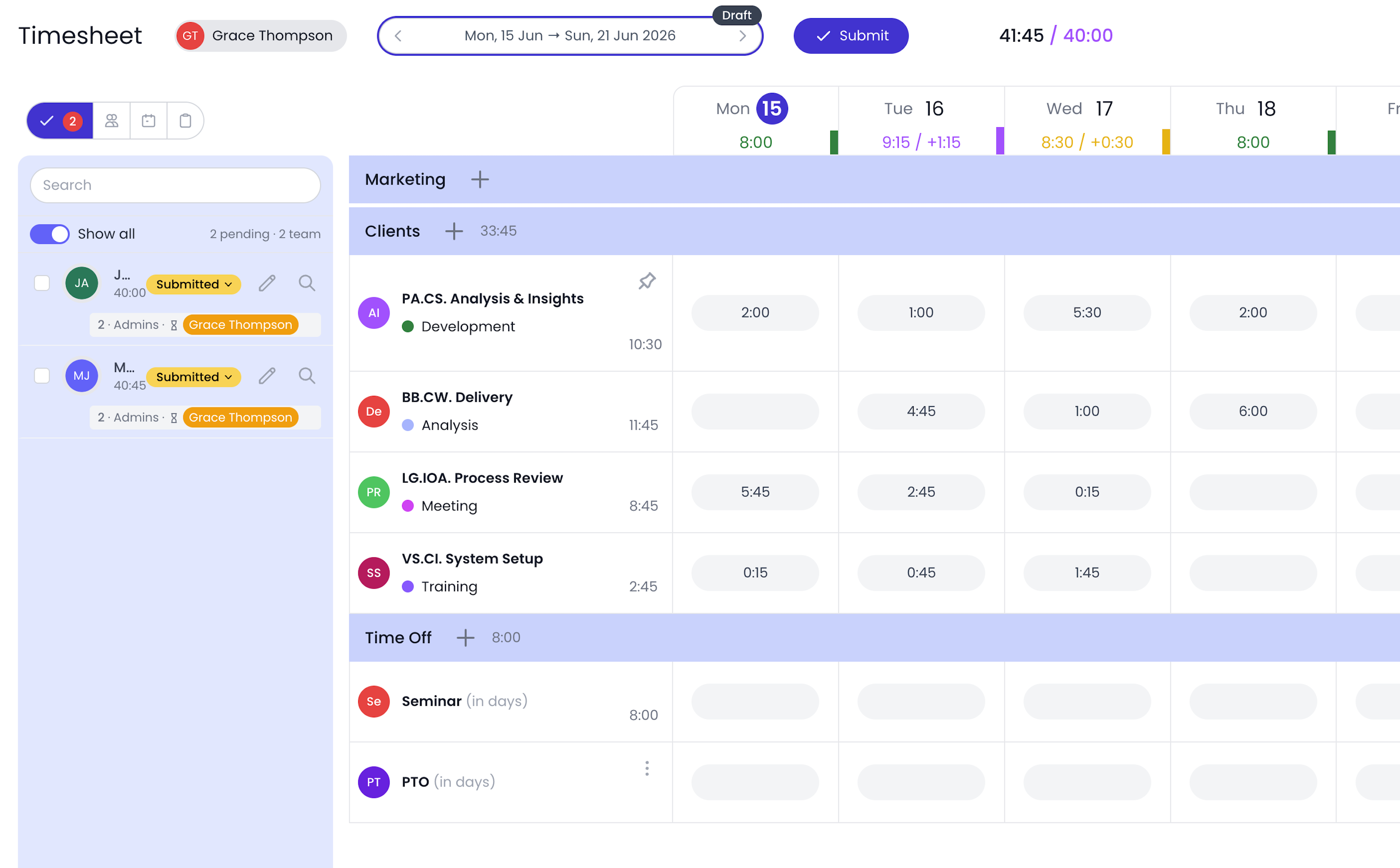
[More about time tracking](https://beebole.com/project-time-tracking.md)
### Turn logged time into the reports managers need
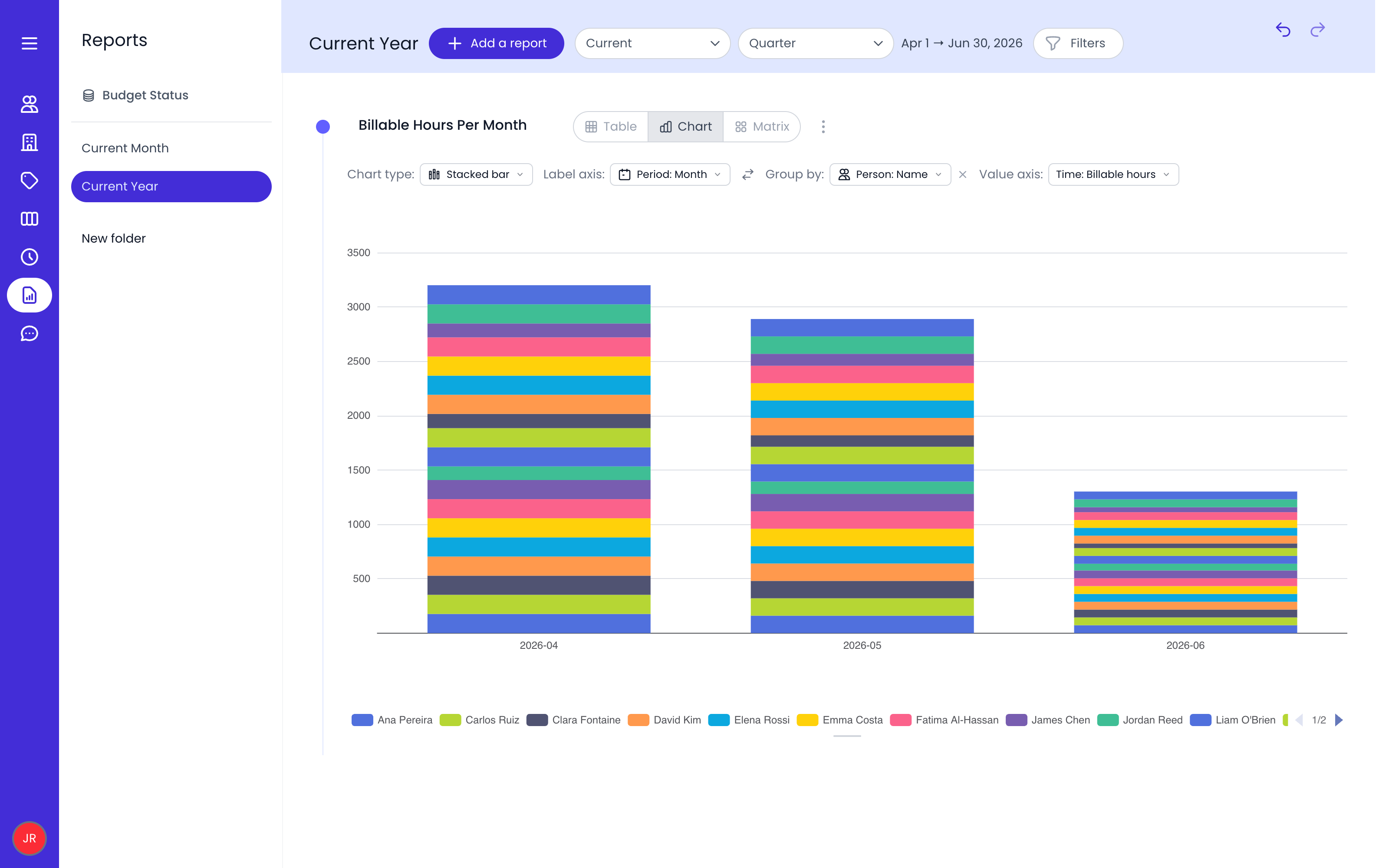
Project managers get budget, plan-vs-actual, and revenue-at-risk reports. Finance controllers get cost, billing, billable hours, and margin data down to the person or task. HR and admins get utilization, compliance, and time-off reporting. Build your own in a few clicks, or just describe what you need and let Beebole's AI create it.
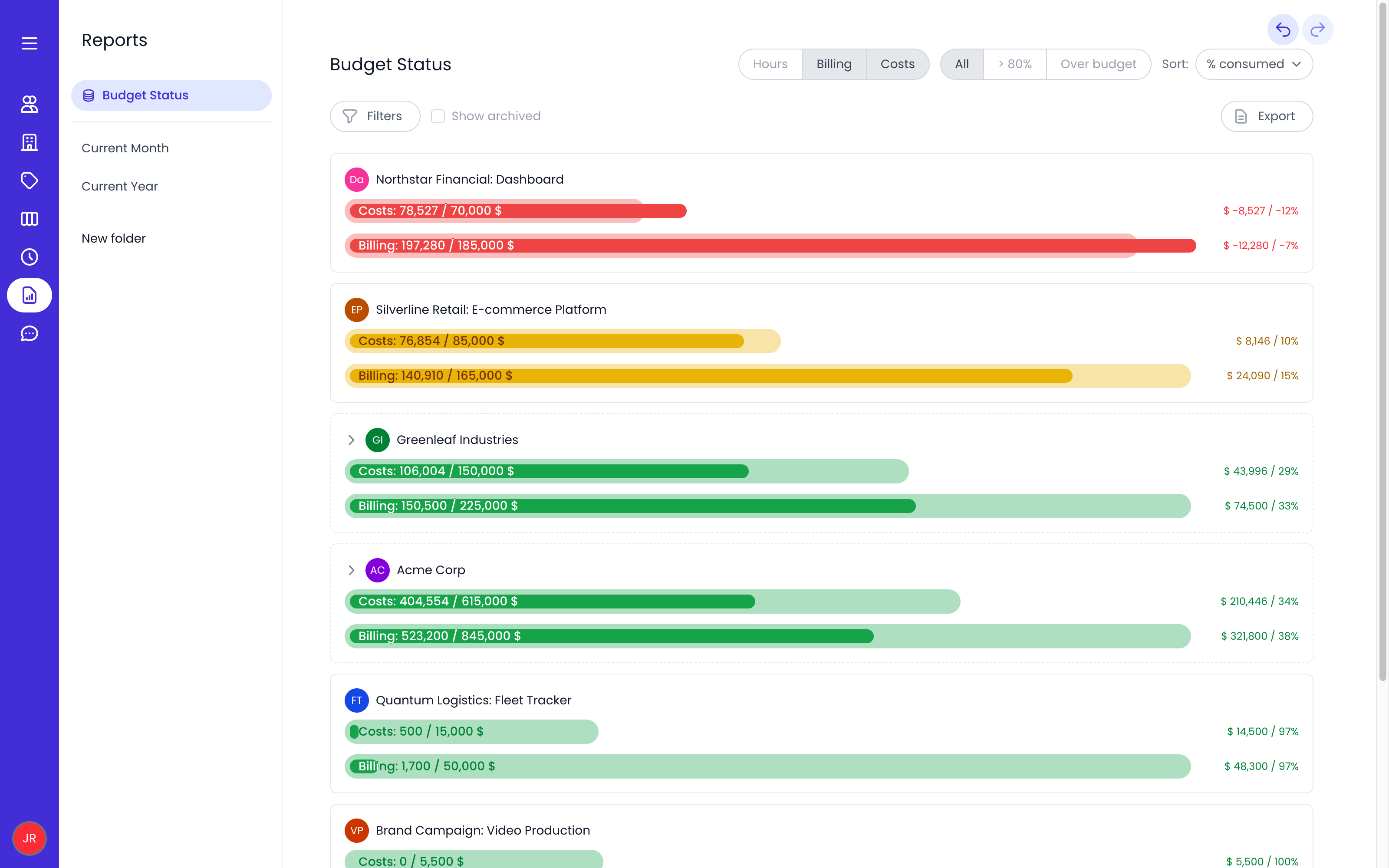
[More about reporting](https://beebole.com/employee-timesheet-reports.md)
## Where planning, tracking, and reporting meet
Connect planning, tracking, and reporting in one time tracking system - so the hours your team logs turn into budgets, invoices, and reports without anyone re-entering them.
### Plan Resources
Plan with confidence, keep budgets and workloads in sync
Visualize team capacity and allocations to balance workloads and keep projects on track. Compare planned hours and budgets with actuals in real time, so you can adjust early and avoid delays and overspending.
[Read more](https://beebole.com/resource-planning.md)
### Track Time
Spend less time tracking and more time doing
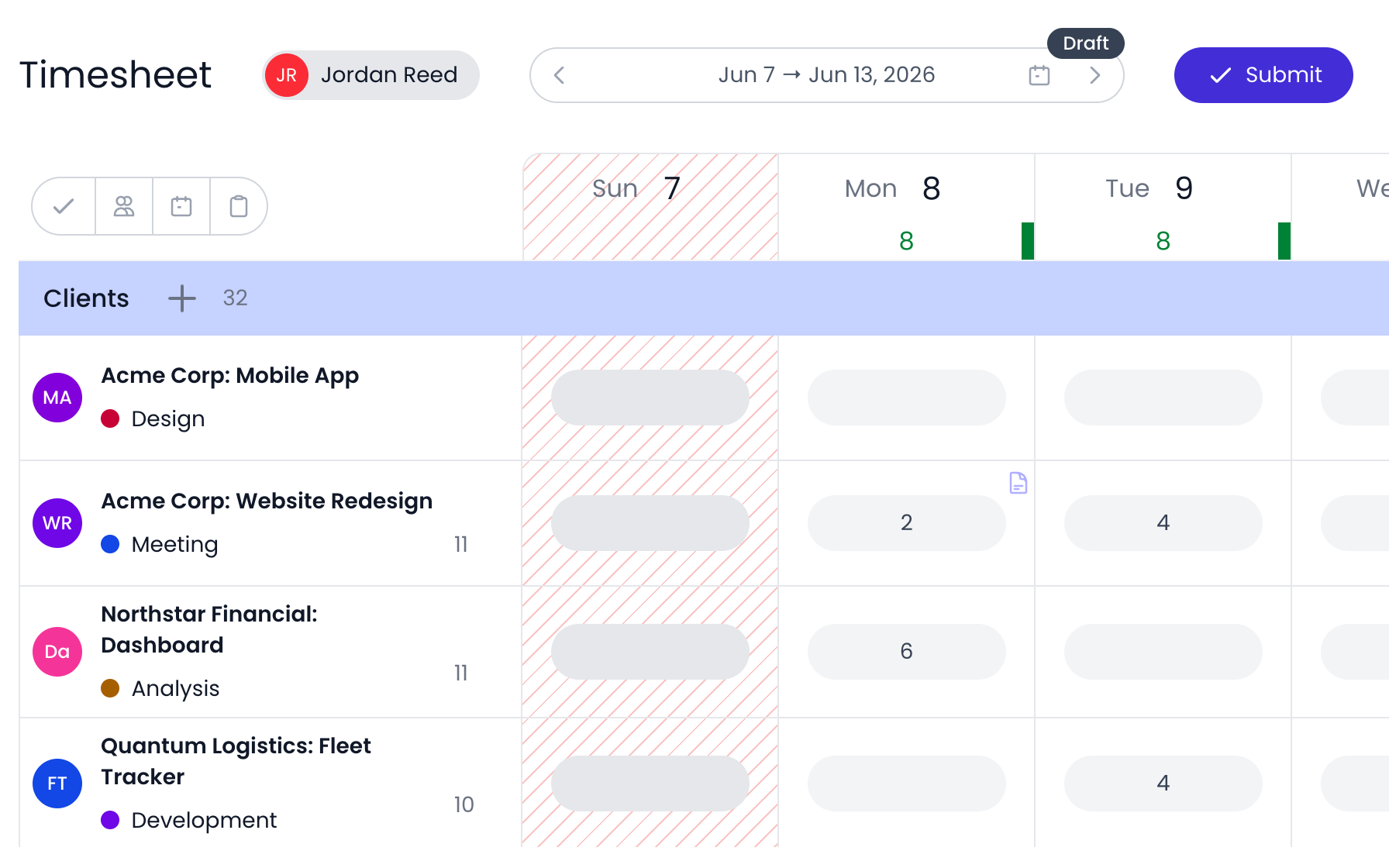
Make time tracking work for you with flexible configurations to fit your needs, from entry modes and work schedules to multi-stage approval chains. When the tool adapts to your workflow, submissions arrive complete and on time, and managers see accurate data before approvals are due.
[Read more](https://beebole.com/project-time-tracking.md)
### Build Reports
Discover the value of your time data
Build the exact report you need with our report builder, or just describe it in plain language and let Beebole's private AI create it. Export to Excel or Google Sheets whenever you need the numbers outside Beebole.
[Read more](https://beebole.com/employee-timesheet-reports.md)
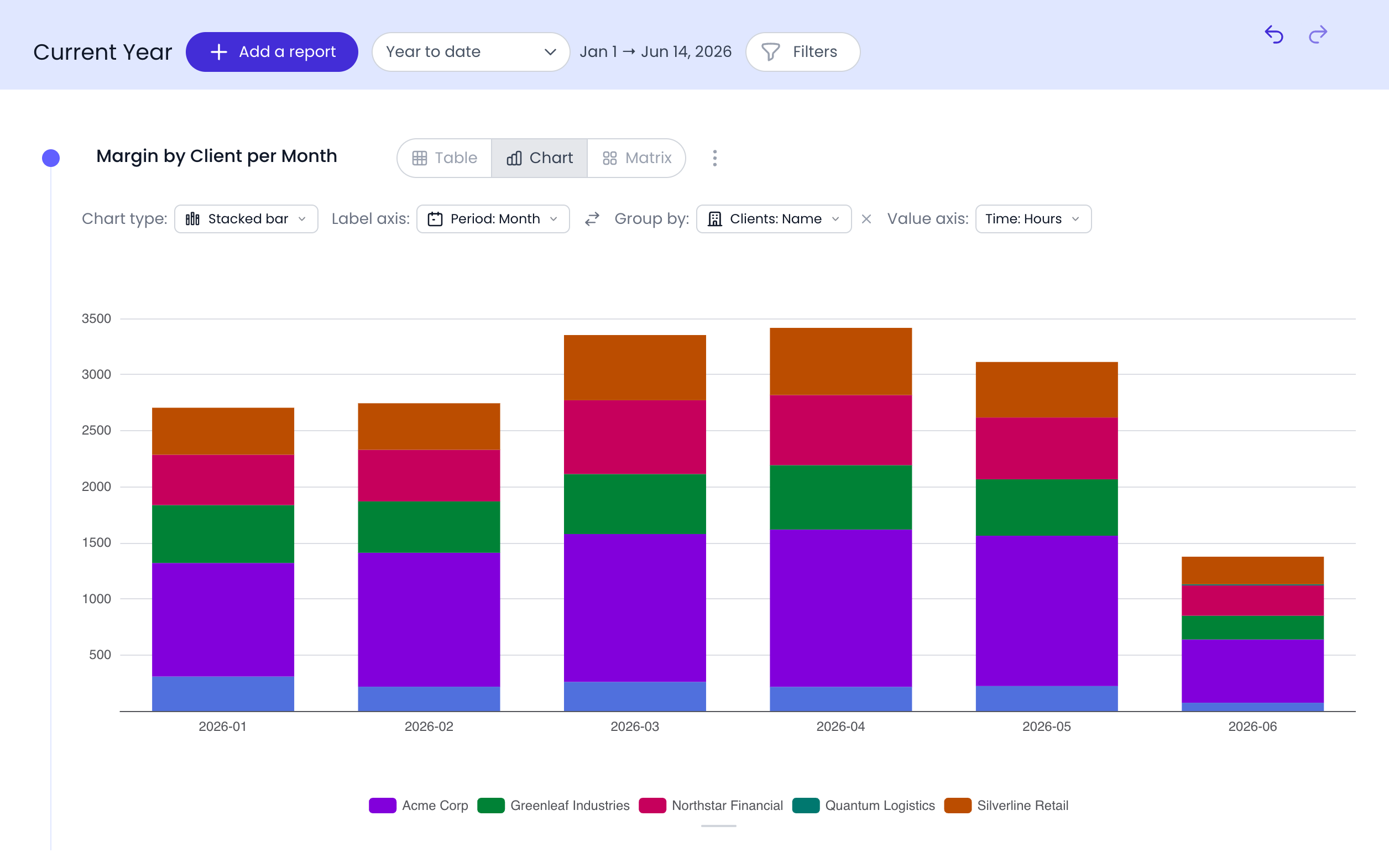
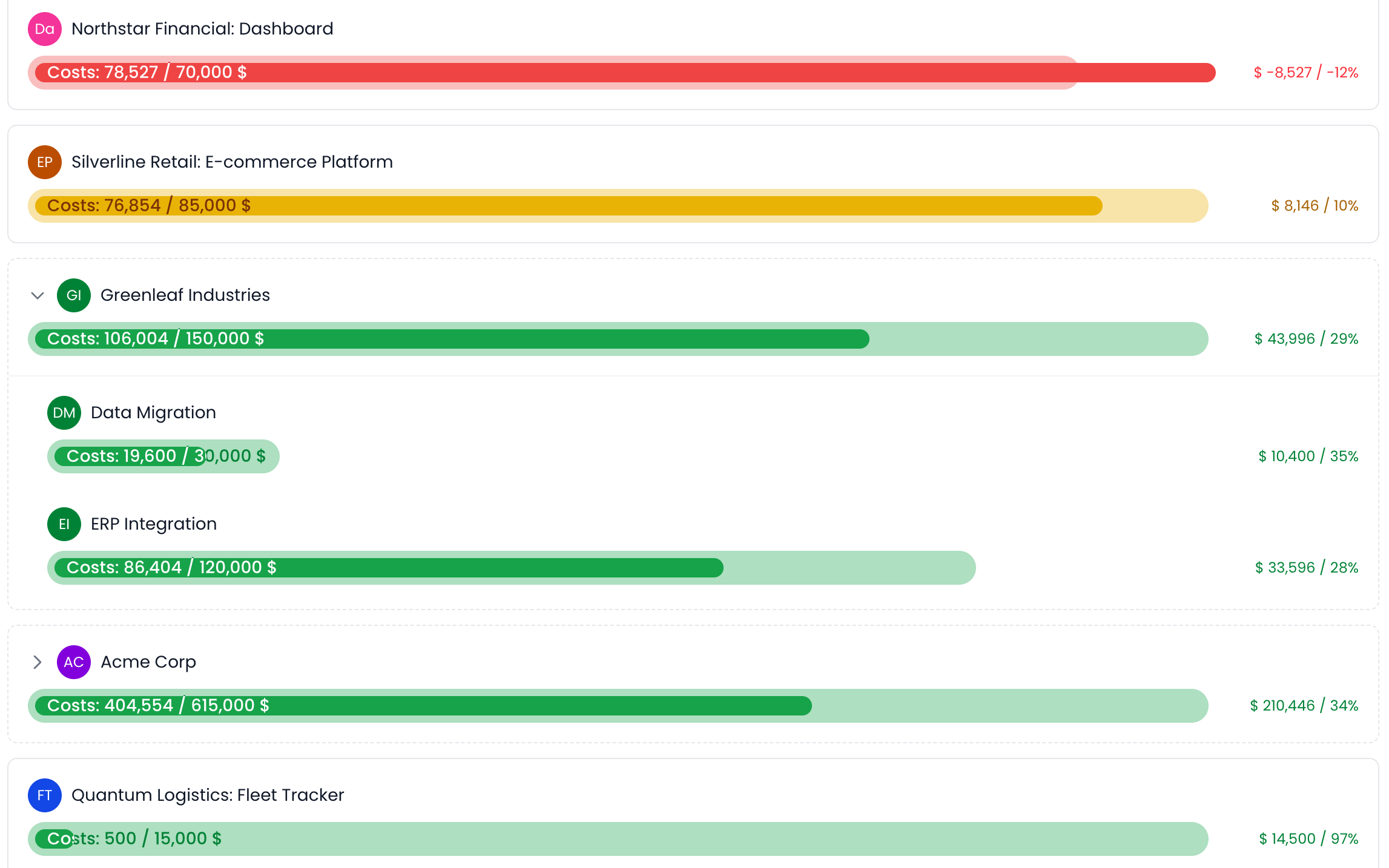
### Control Costs
Check project health at a glance
Bring costs, billing rates, budgets, and expenses into one system, so every project decision is backed by real financial insights. Track billable and non-billable hours and see how time spent translates into cost, revenue, and margin without jumping between reports.
[Read more](https://beebole.com/project-financials.md)
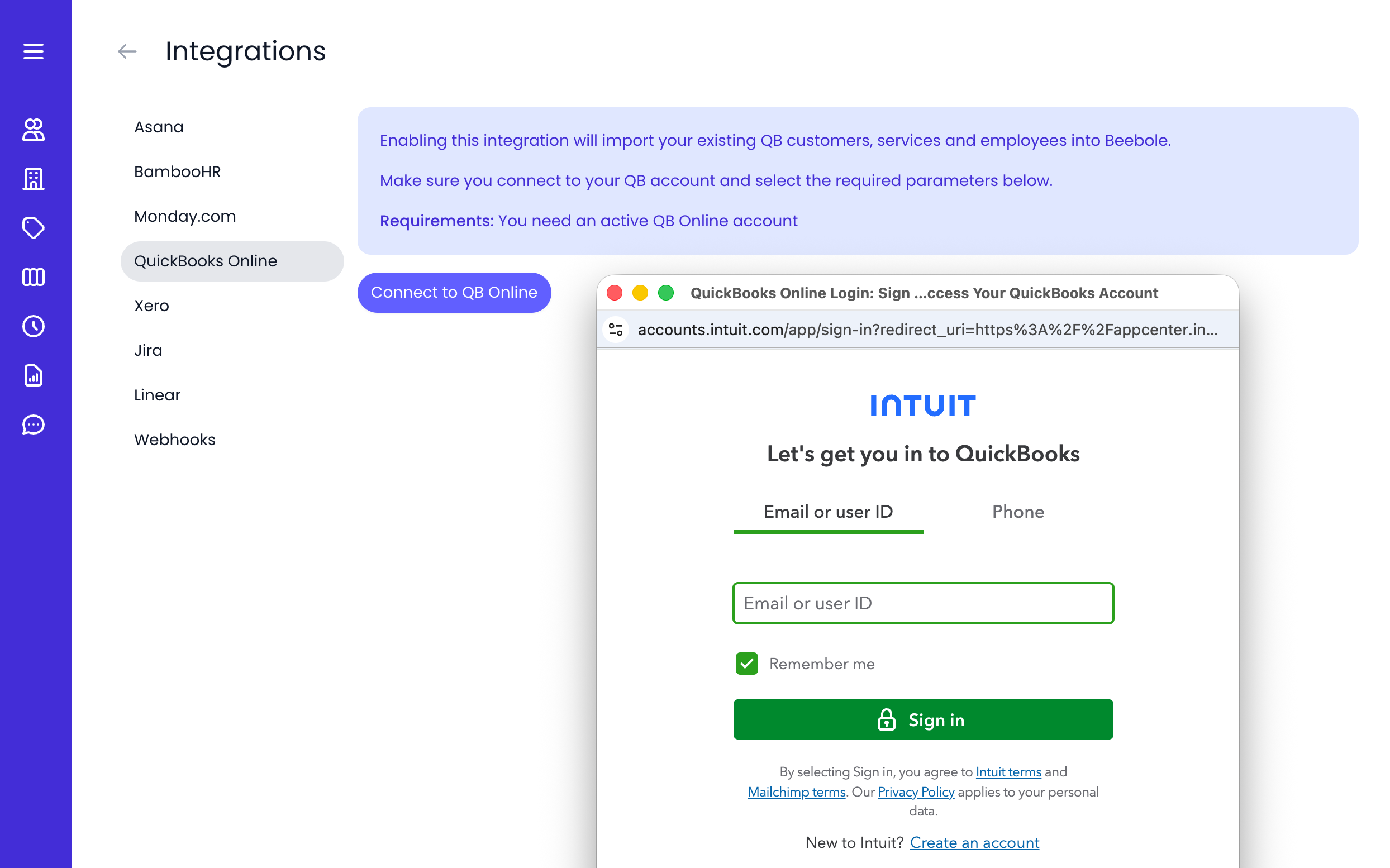
### Connect Tools
Integrate for better workflow performance
Sync projects and tasks from your favorite project management tools, like Asana or Jira. Export time and costs straight to QuickBooks or Xero. Connect Google Calendar or Outlook to pull events onto the timesheet, and use the open GraphQL API, free on every plan, to build whatever else your stack needs.
[Read more](https://beebole.com/integrations.md)
## Ready to take control of time and resources?
Plan the work, track the time, and get the reports you need, all in one platform. Try Beebole free for 30 days or chat with our team to learn more.
[Contact Sales](https://beebole.com/sales-call.md)
[Start Free Trial](https://app.beebole.com/signup)
## AI-Assisted Time and Reporting
### AI suggested time entries and reports, on your terms
Turn on the desktop app and get suggested time entries, entirely optional, yours to accept, edit, or dismiss. Ask for a report in plain language and AI builds it for you, running on Beebole-operated servers, never shared with third-party AI providers. Prefer your own assistant? Connect Claude, ChatGPT, or any other one through Beebole's MCP server, with exactly the permissions you choose to grant.
## Time Off Tracking
### Straightforward PTO management
Request, approve, and manage all types of time off. Create custom absence types and allowances, assign them to your team, and track balances and accruals in one place. Be notified of new requests and approve them in a few clicks. Keep resource planning and forecasting accurate before PTO impacts delivery.
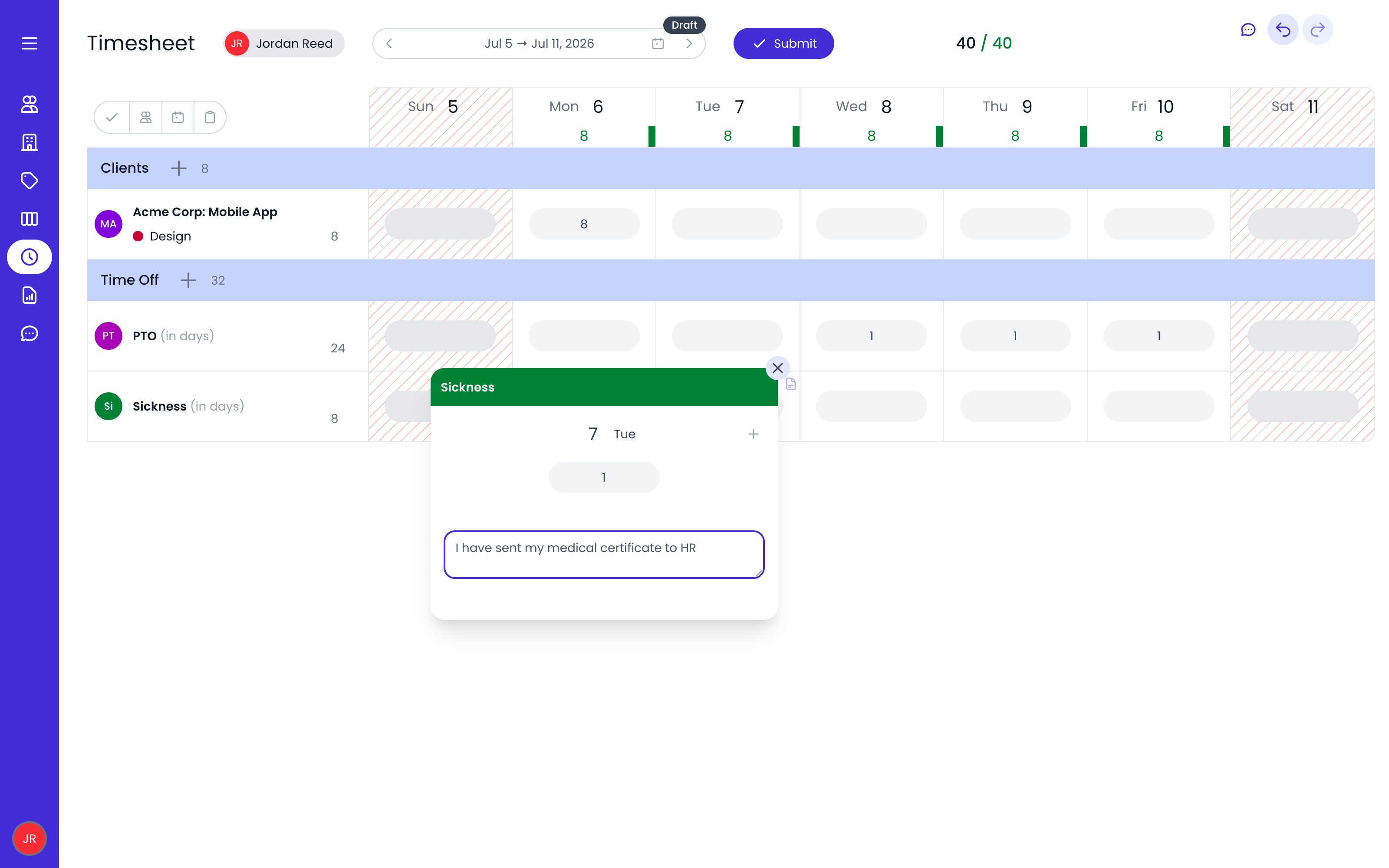
[Learn more](https://beebole.com/time-off-pto-tracking.md)
## Timesheet Approvals
### Approvals that keep work moving
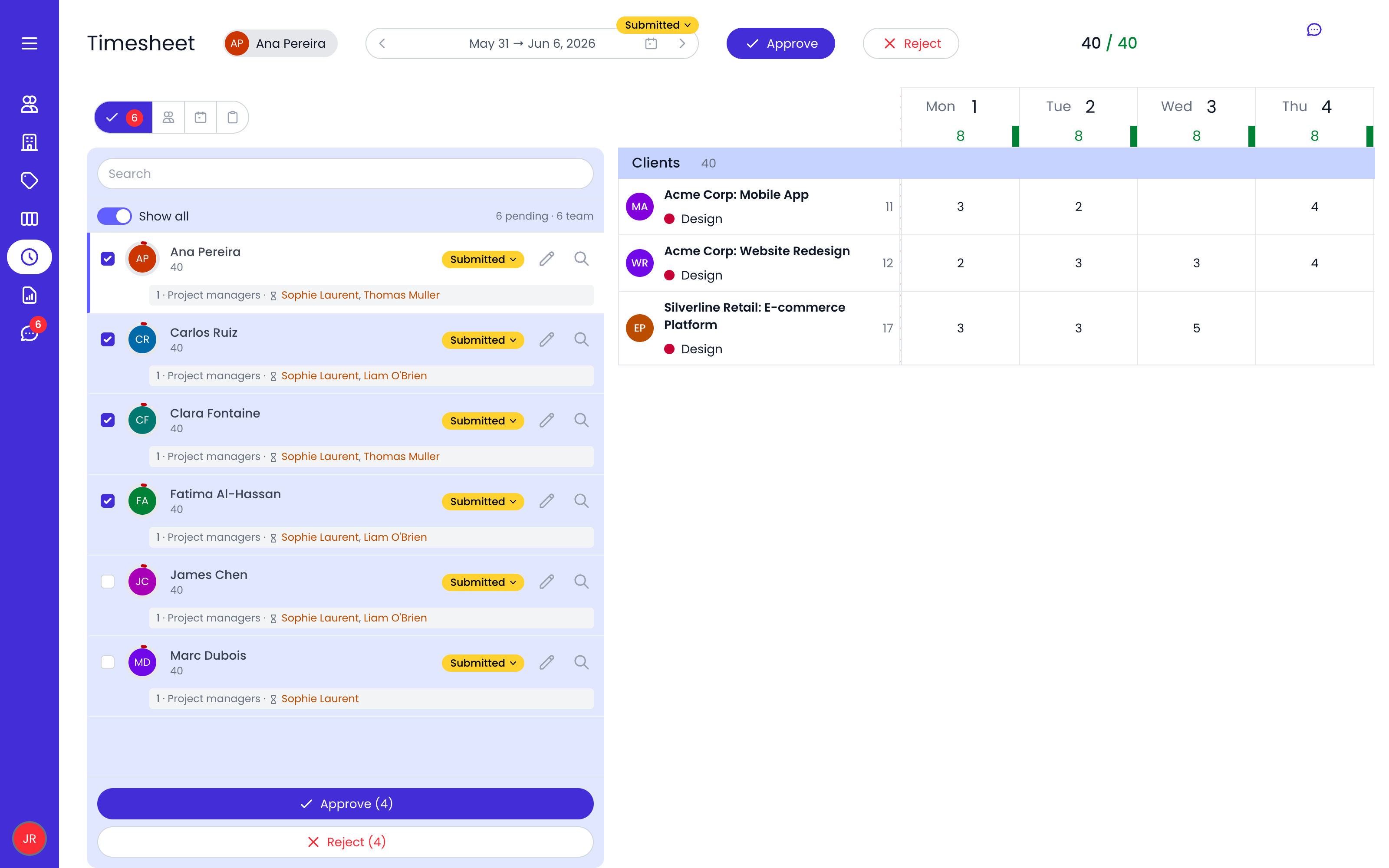
Flexible approval workflows keep timesheets moving without bottlenecks, giving managers oversight while teams keep momentum. Quickly review and approve time entries with a clear view of hours worked and time off. Automated reminders and a transparent approval queue keep data accurate and up to date.
## Integrations & Automations
### Connected systems for consistent data
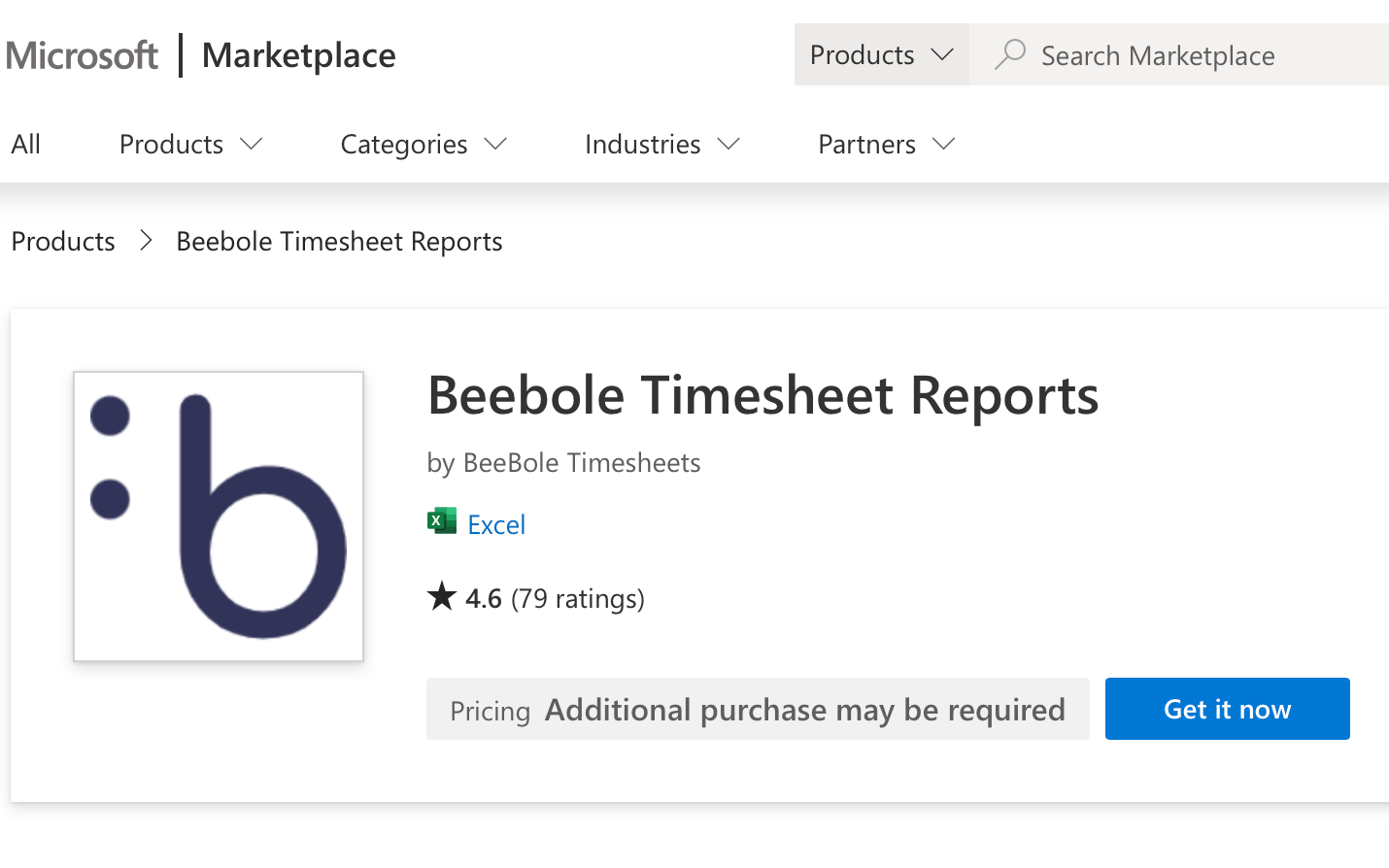
Integrate with your team's preferred tools to keep data flowing across your stack. Use Beebole's API to connect time, resource, and financial data with payroll, billing, or custom workflows. Connect reporting with Google Workspace and Excel for deeper analysis, automated sharing, and a setup tailored to your business.
[Learn more](https://beebole.com/integrations.md)
## Your time data, wherever you need it
Connect hundreds of apps, from project management and payroll to accounting and CRM. Everything stays in sync.
[Check Integrations](https://beebole.com/integrations.md)
## Trusted by
Supporting teams worldwide with reliable time and project insights
- dfin
- hitachi
- michelin
- maersk
- schneider
- invest cloud
- hitachi
- invest cloud
## The essentials, covered.
With features like single sign-on, multilevel approvals, and GDPR compliance, Beebole meets your existing operational and security requirements.
- Mobile-ready
- Billable & non-billable
- Free API
- Work schedules
- Expense tracking
- 10 languages
- Single-sign-on
- Permissions
- MCP server
- Integrations
- GDPR compliant
- Multiple currencies
- Activity feed
- Multilevel approvals
- AI-suggested entries
- Private AI
[Compare All Features](https://beebole.com/pricing.md)
## What our customers say...
### Reviews:
Maria Harvey - Project Data Analysis Administrator: 4.0 stars
"Quick, efficient, and reliable! I can't stress enough the flexibility of the reporting functions. As someone who does daily reporting on timesheets per project, this cuts my delivery time in half."
Donatella Torre - CAO: 5.0 stars
"A complete and flexible tool. Since adopting Beebole, our reporting speed has increased significantly. The margins of error have decreased, and our database is always up to date!"
Dmitri Savitski - Solutions Expert: 5 stars
"Beebole allows us to clearly track the hours per employee, contractor, and vendor within each individual project, to set deliveries, control budgets, and analyse project margins."
Avery Cole - Principal Consultant: 5.0 stars
"Smooth, intuitive, lightweight, but surprisingly deep. I can be in and out in seconds. That being said, when I do have time to dig into the reporting or other features, I am pleasantly surprised."
Tate Gould - CEO: 5.0 stars
"We've tried 6 other apps and not one could match the ease of use or customization of Beebole. They give us so much flexibility with reports that we now use Beebole for much of our financial reporting as well."
Andrew Hadfield - Director: 5.0 stars
"We've used Beebole for over five years, and it's the backbone of our consulting business. It has an intuitive interface, but allows us to drill down into what's happening with an array of reporting options."
Shannan Boyer - Founder and President: 5.0 stars
"Beebole is the first timekeeping software I've found that employees actually LIKE using. Thanks to its user-friendly platform, my team updates time with ease and we get accurate reports that guide our business."
## Every type of business, every way to track time.
No matter the size, sector, or location of your workforce, Beebole adapts to the way you work. Teams across 60+ countries rely on flexible tracking and planning to cut admin time and get accurate, real-time data on project costs, margins, and team capacity.
### From spreadsheets to real-time insights: How
Rancho Biosciences avoids project cost overruns
- Industry: Research Services
- Employees: 51-200
- Headquarters: San Diego, California
Link to case study: [Read more](https://beebole.com/customer-cases/rancho-biosciences.md)
### From Excel blind spots to granular cost control:
How Cevotec mastered project budgeting
- Industry: Manufacturing
- Employees: 11-50
- Headquarters: Munich, Germany
Link to case study: [Read more](https://beebole.com/customer-cases/cevotec.md)
### Olsys’ 185% boost in PM performance
started with better timesheets
- Industry: IT Consulting
- Employees: 51-200
- Headquarters: Chicago, Illinois
Link to case study: [Read more](https://beebole.com/customer-cases/olsys.md)
### How Umanova created its own client portal and
sped up timesheet processing by 150%
- Industry: Software Consultancy
- Employees: 11-50
- Headquarters: Croatia
Link to case study: [Read more](https://beebole.com/customer-cases/umanova.md)
### Jira vs Beebole: How InData Labs gained AI
project profitability intelligence
- Industry: AI Services
- Employees: 51-200
- Headquarters: Nicosia, Cyprus
Link to case study: [Read more](https://beebole.com/customer-cases/indata-labs.md)
## Our awards
Proudly recognized as a top project time tracking tool across leading marketplaces
- Beebole is a front runner for time tracking on Software Advice
- Beebole is a best value tool on Capterra
- Beebole is a certified premium time tracking software on Appvizer
- Beebole is a time tracking category leader on GetApp
- Beebole is a certified top software on SoftDoit
- Beebole is a high performer in project time tracking on G2
- Beebole is a top time tracking software on Tekpon
- Beebole is a top rated time tracking software on Software World
- Beebole has some of the happiest users on Crozdesk
## Turn time into clear
project insights
Plan the work, track the time, and get the reports your managers and your finance leads both rely on. Start your free trial or talk to our team.
[Contact Sales](https://beebole.com/sales-call.md)
[Start Free Trial](https://app.beebole.com/signup)
--------------------------------
[Time Tracking Integrations - Beebole](https://beebole.com/integrations.md): Beebole integrates with your finance, HR, project management, and collaboration tools. Connect your stack and keep time data flowing automatically.
--------------------------------
# Time tracking that works with your existing stack
Browse Beebole's integrations with the apps your team relies on, from HR and payroll to project management.
### Google Calendar
Turn your calendar events into time entries in Beebole with a click.
Productivity,Communication & Calendars
[Go to Google Calendar](https://beebole.com/integrations/google-calendar.md)
### Asana
Import your Asana tasks and employees into Beebole.
Productivity
[Go to Asana](https://beebole.com/integrations/asana.md)
### Google Sheets
Pull your live time tracking data into Google Sheets.
Analytics
[Go to Google Sheets](https://beebole.com/integrations/google-sheets.md)
### QuickBooks Online
Sync your QuickBooks customers, services, and employees.
Finance & HR
[Go to QuickBooks Online](https://beebole.com/integrations/quickbooks.md)
### Outlook Calendar
Add your Outlook calendar to Beebole to track time on events.
Communication & Calendars,Productivity
[Go to Outlook Calendar](https://beebole.com/integrations/outlook-calendar.md)
### BambooHR
Import employees and approved time off from BambooHR.
Finance & HR
[Go to BambooHR](https://beebole.com/integrations/bamboohr.md)
### Excel
Connect Beebole reports with your Excel workbooks.
Analytics
[Go to Excel](https://beebole.com/integrations/excel.md)
### Webhooks
Push data to external systems via webhooks.
Productivity,Communication & Calendars,Analytics,Finance & HR,Sales & Marketing,IT
[Go to Webhooks](https://beebole.com/integrations/webhooks.md)
### Google Workspace
Deploy Beebole across your Google Workspace organization.
Productivity,Finance & HR
[Go to Google Workspace](https://beebole.com/integrations/google-workspace.md)
### Linear
Import your Linear projects and issues to track time against them.
Productivity,IT
[Go to Linear](https://beebole.com/integrations/linear.md)
### Xero
Import Xero contacts and items, and export tracked time as invoices.
Finance & HR
[Go to Xero](https://beebole.com/integrations/xero.md)
### monday.com
Sync monday.com boards and items so you can track time against them.
Productivity
[Go to monday.com](https://beebole.com/integrations/monday.md)
### Jira
This integration is coming soon.
Productivity,IT
## Looking for something specific?
If you can't find what you need here, get in touch with us. We may already be working on it, or we can explore a custom solution together.
[Start a Conversation](https://beebole.com/home.md)
## Ready to take control of time and resources?
Plan the work, track the time, and get the reports you need, all in one platform. Try Beebole free for 30 days or chat with our team to learn more.
[Contact Sales](https://beebole.com/sales-call.md)
[Start Free Trial](https://app.beebole.com/signup)
--------------------------------
[Asana Time Tracking Integration: Log Hours on Tasks - Beebole](https://beebole.com/integrations/asana.md): Track team hours on Asana projects without a separate tool. Beebole connects to your tasks, applies billing rates, and reports on project costs and budgets.
--------------------------------
# Track time on Asana tasks with
billing rates and budgets
Import your Asana projects, tasks, and team members into Beebole. Track time, apply billing rates, and manage budgets against the work you already manage in Asana.
[Sign Up to Connect](https://app.beebole.com/signup)
## Your Asana work, ready to bill
Asana is a work management platform where teams organize, track, and run their projects, tasks, and subtasks in one shared workspace.
Beebole imports your Asana projects, tasks, subtasks, and users automatically and keeps them in sync as your workspace changes. Your team [tracks time](https://beebole.com/project-time-tracking.md) against the same structure they already manage in Asana, with no duplicate setup and nothing to maintain.
#### How it works
Connect to Asana just once from inside your Beebole dashboard, and your active projects, tasks, subtasks, and users flow straight in. From there, log time, apply [billing rates](https://beebole.com/project-financials.md), manage budgets, or assign resources against the work that already lives in Asana.
### Hands-off
- No manual updates, no duplicate entries
### Simple setup
- Your data appears in Beebole in a few clicks
### Built for billing
- Add rates & budgets to your Asana work
####
#### Two ways to connect
You choose where Asana data appears in Beebole. Import into projects and activities to add billing rates, costs, and budgets, or into planning and tasks to assign work in [resource planning](https://beebole.com/resource-planning.md). Either way, you can associate planned tasks with existing projects, rates, budgets, and tags.
Activating the Beebole and Asana integration only takes a few minutes. Start from your Beebole account settings. Once you're set up, your team logs time against the same projects and tasks they already manage in Asana. Project managers can get a clear, consistent view of progress, capacity, costs, and billing for their teams and tasks.
## Have more questions?
Our documentation covers setup, sync behavior, and how to configure the integration for your workflow.
[Learn more](https://beebole.com/help/integrations/asana)
- Do I need admin access in both Asana and Beebole?
Yes. You need administrative privileges in both your Asana workspace and your Beebole account to set up and configure the integration.
- What happens to imported data if I disable the integration?
When the integration is disabled, future changes in Asana will no longer sync with your Beebole account. All previously imported people, tasks, and projects will remain in Beebole. Syncing resumes if the integration is re-enabled.
- Can I choose which Asana data to import?
This integration imports all active tasks and projects from your Asana workspace. While you can't selectively import individual projects, you can organize and filter imported items once added to Beebole. If you have multiple Asana workspaces, you can choose which account to import.
## Explore other integrations
Beebole connects with the tools you already use. See what else fits your stack.
- Google Calendar
Turn your calendar events into time entries in Beebole with a click.
[Go to Google Calendar](https://beebole.com/integrations/google-calendar.md)
- BambooHR
Import employees from BambooHR and export approved absences.
[Go to BambooHR](https://beebole.com/integrations/bamboohr.md)
- monday.com
Sync monday.com boards and items so you can track time against them.
[Go to monday.com](https://beebole.com/integrations/monday.md)
- Outlook Calendar
Add your Outlook calendar to Beebole to track time on events.
[Go to Outlook Calendar](https://beebole.com/integrations/outlook-calendar.md)
- QuickBooks Online
Sync your QuickBooks customers, services, and employees.
[Go to QuickBooks Online](https://beebole.com/integrations/quickbooks.md)
- Linear
Import your Linear projects and issues to track time against them.
[Go to Linear](https://beebole.com/integrations/linear.md)
- Google Sheets
Pull your live time tracking data into Google Sheets.
[Go to Google Sheets](https://beebole.com/integrations/google-sheets.md)
- Xero
Import Xero contacts and items, and export tracked time as invoices.
[Go to Xero](https://beebole.com/integrations/xero.md)
- Excel
Connect Beebole reports with your Excel workbooks.
[Go to Excel](https://beebole.com/integrations/excel.md)
- Google Workspace
Deploy Beebole across your Google Workspace organization.
[Go to Google Workspace](https://beebole.com/integrations/google-workspace.md)
[See all integrations](https://beebole.com/integrations.md)
## Ready to take control of time and resources?
Plan the work, track the time, and get the reports you need, all in one platform. Try Beebole free for 30 days or chat with our team to learn more.
[Contact Sales](https://beebole.com/sales-call.md)
[Start Free Trial](https://app.beebole.com/signup)
--------------------------------
[Outlook Calendar Time Tracking: Log Hours from Events - Beebole](https://beebole.com/integrations/outlook-calendar.md): If your team lives in Outlook, why fill in time trackers manually? Beebole connects to Outlook Calendar and turns events into tracked project time.
--------------------------------
# Turn your Outlook schedule into a timesheet
Beebole lists your Outlook Calendar events beside your timesheet. Drag one onto a row to log time without switching apps.
[Sign Up to Connect](https://app.beebole.com/signup)
## If it's in your calendar, it should probably be in your timesheet
Outlook Calendar is where your workday lives: meetings, client calls, internal syncs, blocked focus time. Beebole puts each one a click away from your timesheet.
Connect your Microsoft account from the timesheet toolbar, and your Outlook events for the current period appear in a dedicated panel beside your timesheet. Drag any event directly onto a row to record the time against a project. Beebole marks events you've already logged, so you can see what's left to record.
### How it works
Click the calendar icon in the Beebole timesheet toolbar, then click the Microsoft icon. A one-time authorization prompt asks you to sign in with your Microsoft account and grant calendar access. Once authorized, your events for the active timesheet period load straight away, with no additional configuration needed.
### Instant logging
- Drag Outlook events into timesheet rows to log time
### Duplicate-proof
- See which events you've already logged
### Simple auth
- Sign in with Microsoft once and you're connected
### From Outlook events to billable hours in seconds
For teams that run their day through Outlook, the calendar panel closes the gap between what's in your schedule and what actually ends up in your timesheet. Your meetings, calls, and work blocks are already in Outlook, ready to drag onto a timesheet row.
The integration is personal to each team member. Anyone can connect their own Outlook account directly from their timesheet, without needing an administrator to configure anything on their behalf. Their calendar data stays private and is not visible to the rest of the team.
## Have more questions?
Beebole's documentation covers connecting your Outlook Calendar and using the calendar panel step by step.
[Learn more](https://beebole.com/help/integrations/microsoft-calendar)
- Does this work with Microsoft 365 and personal Outlook accounts?
Yes. The integration works with both Microsoft 365 accounts (work or school) and personal Microsoft accounts. You'll be prompted to sign in with whichever account you use for Outlook Calendar.
- Can my manager or admin see my Outlook events in Beebole?
No. Your Outlook connection is personal to you and stays in your browser. Your events appear only in your own calendar panel.
- What if an event has already been added to my timesheet?
Beebole marks events you've already logged with a green Tracked badge and dims them in the calendar panel. You can see at a glance what's been recorded and what still needs to be assigned to a project.
## Explore other integrations
Beebole connects with the tools you already use. See what else fits your stack.
- Google Calendar
Turn your calendar events into time entries in Beebole with a click.
[Go to Google Calendar](https://beebole.com/integrations/google-calendar.md)
- BambooHR
Import employees and approved time off from BambooHR.
[Go to BambooHR](https://beebole.com/integrations/bamboohr.md)
- monday.com
Sync monday.com boards and items so you can track time against them.
[Go to monday.com](https://beebole.com/integrations/monday.md)
- QuickBooks Online
Sync your QuickBooks customers, services, and employees.
[Go to QuickBooks Online](https://beebole.com/integrations/quickbooks.md)
- Asana
Import your Asana tasks and employees into Beebole.
[Go to Asana](https://beebole.com/integrations/asana.md)
- Google Workspace
Deploy Beebole across your Google Workspace organization.
[Go to Google Workspace](https://beebole.com/integrations/google-workspace.md)
- Excel
Connect Beebole reports with your Excel workbooks.
[Go to Excel](https://beebole.com/integrations/excel.md)
- Xero
Import Xero contacts and items, and export tracked time as invoices.
[Go to Xero](https://beebole.com/integrations/xero.md)
- Google Sheets
Pull your live time tracking data into Google Sheets.
[Go to Google Sheets](https://beebole.com/integrations/google-sheets.md)
- Linear
Import your Linear projects and issues to track time against them.
[Go to Linear](https://beebole.com/integrations/linear.md)
[See all integrations](https://beebole.com/integrations.md)
## Ready to take control of time and resources?
Plan the work, track the time, and get the reports you need, all in one platform. Try Beebole free for 30 days or chat with our team to learn more.
[Contact Sales](https://beebole.com/sales-call.md)
[Start Free Trial](https://app.beebole.com/signup)
--------------------------------
[Google Calendar Time Tracking: Log Hours from Events - Beebole](https://beebole.com/integrations/google-calendar.md): Stop re-entering what's already in your calendar. Connect Beebole to Google Calendar and turn your events into timesheet entries - no manual input, no guessing at the end of the day.
--------------------------------
# Log time straight from your Google Calendar
Beebole pulls your Google Calendar events into your timesheet. Drag and drop them onto your projects to log time in seconds.
[Sign Up to Connect](https://app.beebole.com/signup)
### Your calendar already knows how you spent your day
Google Calendar keeps a running record of your meetings, calls, and scheduled work. Beebole turns that record into a timesheet.
Connect your Google account from the timesheet toolbar, and your calendar events for the current period appear in a panel right alongside your timesheet. Drag any event onto a timesheet row to log the time. Beebole flags events you've already tracked, so nothing gets logged twice.
#### How it works
Click the calendar icon in the Beebole timesheet toolbar and select Google Calendar. A one-time authorization prompt asks you to sign in to your Google account and grant calendar access. Once connected, your events load immediately, with no settings to configure and nothing to import.
### Drag and drop
- Drop events into timesheet rows to log time.
### No double entry
- Automatically detects already-tracked events.
### One-time setup
- Authorize just once from your timesheet.
####
#### A real record, not a rough approximation
Most people fill timesheets at the end of the day or week, trying to piece together where their time went. With your Google Calendar visible beside the timesheet, you work from a real record instead of a rough approximation. Meetings, calls, focus blocks: they're all there, ready to log.
Because the integration lives inside the timesheet itself, there's no separate setup flow and no configuration to manage. Any team member can connect their own Google account independently, and their calendar stays private.
## Have more questions?
The Beebole help documentation walks you through the calendar panel, event assignment, and how to manage your connection.
[Learn more](https://beebole.com/help/integrations/google-calendar)
- Do I need a specific Google Workspace plan to use this?
No. The integration works with any Google account, whether that's a personal Gmail account or a Google Workspace account. You just need to grant Beebole calendar access during the authorization step.
- Will Beebole store or share my calendar events?
Beebole reads your events to display them in the calendar panel. Beebole does not store your calendar data, and other users or administrators in your account cannot see it.
- What if I've already logged time for an event?
Beebole detects which events you've already logged and marks them in the calendar panel. You can see at a glance what still needs a timesheet entry.
## Explore other integrations
Beebole connects with the tools you already use. See what else fits your stack.
- Outlook Calendar
Add your Outlook calendar to Beebole to track time on events.
[Go to Outlook Calendar](https://beebole.com/integrations/outlook-calendar.md)
- Google Sheets
Pull your live time tracking data into Google Sheets.
[Go to Google Sheets](https://beebole.com/integrations/google-sheets.md)
- Google Workspace
Deploy Beebole across your Google Workspace organization.
[Go to Google Workspace](https://beebole.com/integrations/google-workspace.md)
- Xero
Import Xero contacts and items, and export tracked time as invoices.
[Go to Xero](https://beebole.com/integrations/xero.md)
- QuickBooks Online
Sync your QuickBooks customers, services, and employees.
[Go to QuickBooks Online](https://beebole.com/integrations/quickbooks.md)
- Asana
Import your Asana tasks and employees into Beebole.
[Go to Asana](https://beebole.com/integrations/asana.md)
- monday.com
Sync monday.com boards and items so you can track time against them.
[Go to monday.com](https://beebole.com/integrations/monday.md)
- BambooHR
Import employees from BambooHR and export approved absences.
[Go to BambooHR](https://beebole.com/integrations/bamboohr.md)
- Excel
Connect Beebole reports with your Excel workbooks.
[Go to Excel](https://beebole.com/integrations/excel.md)
- Linear
Import your Linear projects and issues to track time against them.
[Go to Linear](https://beebole.com/integrations/linear.md)
[See all integrations](https://beebole.com/integrations.md)
## Ready to take control of time and resources?
Plan the work, track the time, and get the reports you need, all in one platform. Try Beebole free for 30 days or chat with our team to learn more.
[Contact Sales](https://beebole.com/sales-call.md)
[Start Free Trial](https://app.beebole.com/signup)
--------------------------------
[Time Tracking Software with Webhooks and Real-Time API - Beebole](https://beebole.com/integrations/webhooks.md): Need a time tracking platform that fits your stack? Beebole supports webhooks - real-time notifications for time entries, approvals, and budget changes.
--------------------------------
# React to Beebole events in real time, with webhooks
Beebole's outgoing webhooks send signed POST requests to any endpoint you control, so your systems, scripts, and automations can respond as changes happen.
[Sign Up to Connect](https://app.beebole.com/signup)
## Build on Beebole events as they happen, without polling
Webhooks send a live feed of changes in your workspace, from projects and time records to approvals, people, and budgets.
Configure a webhook with a URL, a secret, and the events you care about. Beebole sends a JSON POST request to your endpoint every time a matching event fires. Beebole signs each payload with HMAC-SHA256, so you can verify the sender before acting.
### How it works
Webhook configurations live in Settings → Integrations → Webhooks. Add a webhook, paste in your endpoint URL, choose which events to subscribe to, and you'll start receiving payloads. You can run multiple webhooks in parallel and enable or disable them individually without deleting them.
### Real time
- Payloads arrive within seconds of an event firing
### Verified payloads
- Every request is HMAC-SHA256 signed
### Granular subscriptions
- Subscribe to the events your integration needs
### A foundation for custom integrations
Webhooks work alongside the Beebole GraphQL API, which comes with every plan at no extra cost. When a webhook fires, the payload tells you what changed and which entity IDs were affected. Use the API to fetch the current state of those records and do whatever your integration needs to do next. Events fire regardless of how the change was made: via the Beebole web app, the API, or another integration.
There's no persistent connection to maintain and nothing to poll. Set up your endpoint, and Beebole handles delivery, including retries if the endpoint is temporarily unavailable.
## Have more questions?
The Beebole documentation covers payload format, signature verification, available events, and retry behavior in full.
[Learn more](https://beebole.com/help/integrations/webhooks)
- Can I subscribe only to specific event types?
Yes. When configuring a webhook, you can choose "All events" or select individual event types from the list. Each webhook subscription has its own event filter, so you can route different events to different endpoints.
- What happens if my endpoint is unavailable?
Beebole retries failed deliveries up to five times with increasing delays, then abandons the delivery and keeps no queue of missed events. Your webhook stays active for future events, but Beebole shows no delivery log. For high-availability requirements, consider a fallback polling strategy using the Beebole API.
- Do webhooks fire for changes made by other integrations?
Yes. Webhooks fire for any subscribed event, whether the change came from the web app, the API, or an integration such as Monday.com or Asana.
## Explore other integrations
Beebole connects with the tools you already use. See what else fits your stack.
- Linear
Import your Linear projects and issues to track time against them.
[Go to Linear](https://beebole.com/integrations/linear.md)
- Excel
Connect Beebole reports with your Excel workbooks.
[Go to Excel](https://beebole.com/integrations/excel.md)
- Asana
Import your Asana tasks and employees into Beebole.
[Go to Asana](https://beebole.com/integrations/asana.md)
- BambooHR
Import employees and approved time off from BambooHR.
[Go to BambooHR](https://beebole.com/integrations/bamboohr.md)
- Outlook Calendar
Add your Outlook calendar to Beebole to track time on events.
[Go to Outlook Calendar](https://beebole.com/integrations/outlook-calendar.md)
- QuickBooks Online
Sync your QuickBooks customers, services, and employees.
[Go to QuickBooks Online](https://beebole.com/integrations/quickbooks.md)
- Google Calendar
Turn your calendar events into time entries in Beebole with a click.
[Go to Google Calendar](https://beebole.com/integrations/google-calendar.md)
- Xero
Import Xero contacts and items, and export tracked time as invoices.
[Go to Xero](https://beebole.com/integrations/xero.md)
- Google Sheets
Pull your live time tracking data into Google Sheets.
[Go to Google Sheets](https://beebole.com/integrations/google-sheets.md)
- monday.com
Sync monday.com boards and items so you can track time against them.
[Go to monday.com](https://beebole.com/integrations/monday.md)
- Google Workspace
Deploy Beebole across your Google Workspace organization.
[Go to Google Workspace](https://beebole.com/integrations/google-workspace.md)
[See all integrations](https://beebole.com/integrations.md)
## Ready to take control of time and resources?
Plan the work, track the time, and get the reports you need, all in one platform. Try Beebole free for 30 days or chat with our team to learn more.
[Contact Sales](https://beebole.com/sales-call.md)
[Start Free Trial](https://app.beebole.com/signup)
--------------------------------
[Beebole Customer Stories: Project Time Tracking in the Real World](https://beebole.com/customer-cases.md): Beebole customer stories: see how real teams use project time tracking to control costs, manage resources, and report on project financials. Engineering, consulting, biotech, and more.
--------------------------------
# What teams achieve with Beebole
Explore how organizations across industries track time, manage projects, and stay on budget.
## Empowering teams with better project insights since 2008
- 70% - time saved on admin
- 1B+ - hours tracked
- 98% - of users recommend us
- 100K+ - active users
## What changes when you use Beebole
From smarter reporting to tighter budget control, here's what our customers notice most.
### ALGIM
> ALGIM supports the ICT sector for local governments across New Zealand, where getting consistent buy-in from staff is essential. With Beebole, the ease of entering timesheets has made a tangible difference - employees fill them in reliably each week without being chased, saving leadership time and reducing administrative headaches. The tool's straightforward approach to time tracking has also helped ALGIM stay on top of project budgets and allocate resources more effectively. For a team where accuracy and compliance matter, Beebole has become a dependable part of how they operate.
-
- INDUSTRY - Information Services
- EMPLOYEES - 11-50
- HEADQUARTERS - New Zealand
- CUSTOMER SINCE - 2013
"Features:
- Time Reports
- Financial Reports
- Budgeting
### Skytop Consulting
> Skytop Consulting works with utilities, non-profits, and governments to advance clean energy programs - a context where accurate reporting on time and costs is essential for accountability. The team uses Beebole to monitor labor costs, track project budgets, and maintain billing accuracy across their work. What stands out most for Skytop is how easy the tool is to navigate, moving fluidly between timesheets and reports without friction. It's a straightforward solution that fits naturally into the rhythms of a consulting team managing complex, multi-stakeholder projects.
-
- INDUSTRY - Utilities
- EMPLOYEES - 2-10
- HEADQUARTERS - Shelburne, Vermont
- CUSTOMER SINCE - 2025
"Features:
- Time Reports
- Financial Reports
- Employee Costs
### Xmateria
> Xmateria is a data transformation consultancy helping companies modernize their SAP systems, where keeping time tracking and billing tightly connected is a priority. The team's primary use case is timesheet management - collecting hours worked and moving quickly into billing those hours to clients. Beebole makes that transition seamless, reducing the gap between time logged and invoices sent. For a services firm where billing speed and accuracy directly affect cash flow, that efficiency is a meaningful advantage.
-
- INDUSTRY - IT Services
- EMPLOYEES - 11-50
- HEADQUARTERS - London, England
- CUSTOMER SINCE - 2023
"Features:
- Client Billing
- Time Off Management
- Time Reports
### Migra
> Migra Software Evolution is a boutique data management and business intelligence firm that requires a high degree of flexibility in how it tracks and reports on time and costs. The team particularly values Beebole's customizable reporting, which allows them to slice data across hours, costs, fees, clients, projects, subprojects, activities, and team members - a level of granularity that supports both internal oversight and client-facing accountability. Budget tracking, profitability measurement, compliance, and forecasting are all part of how they use the platform. It's a tool that adapts to the complexity of their work rather than forcing them to simplify it.
-
- INDUSTRY - IT Services
- EMPLOYEES - 2-10
- HEADQUARTERS - Milán, Italy
- CUSTOMER SINCE - 2019
"Features:
- Overtime
- Employee Costs
- Time Off Management
- Financial Reports
### Albert Fry Associates
> Albert Fry Associates is a structural and civil engineering consultancy that uses Beebole to keep a close eye on labor costs, project budgets, and resource allocation across their work. The tool supports everything from forecasting and staffing decisions to billing accuracy and payroll, giving the team a comprehensive view of project finances. One practical benefit they highlight is the ability to produce clear, detailed printouts of project activity - something they send directly to clients when asked for a breakdown of work completed. It's a straightforward way to back up their billing with transparent, accurate records.
-
- INDUSTRY - Engineering
- EMPLOYEES - 2-10
- HEADQUARTERS - Belfast, Ireland
- CUSTOMER SINCE - 2020
"Features:
- Employee Costs
- Time Reports
- Financial Reports
- Client Billing
## Recognized for excellence
Proudly recognized as a top project time tracking tool on best marketplaces
Rating: 4.6/5 - Beebole is a top-rated tool across every major marketplace
- 
- 
- 
- 
- 
- 
- 
- 
## Trusted by
Supporting teams worldwide with reliable time and project insights
- dfin
- hitachi
- michelin
- maersk
- schneider
- invest cloud
- hitachi
- invest cloud
## Ready to take control of time and resources?
Plan the work, track the time, and get the reports you need, all in one platform. Try Beebole free for 30 days or chat with our team to learn more.
[Contact Sales](https://beebole.com/sales-call.md)
[Start Free Trial](https://app.beebole.com/signup)
--------------------------------
[Xero Time Tracking Integration: Export Billable Hours - Beebole](https://beebole.com/integrations/xero.md): Need billable hours in Xero without manual entry? Beebole tracks time and expenses by project and exports them to Xero, ready to invoice.
--------------------------------
# Turn tracked time into Xero invoices
Import Xero contacts and items as Beebole projects. Your team tracks time and expenses against them, and you export both to Xero as an invoice.
[Sign Up to Connect](https://app.beebole.com/signup)
## Track and bill time for Xero clients
Xero is a cloud accounting platform where businesses manage invoicing, bank reconciliation, and financial reporting.
Beebole imports your Xero contacts and items as projects, so your team tracks time and expenses against the same structure you invoice from. While the integration is active, Beebole automatically picks up contacts and items you create or rename in Xero. Manual sync is there whenever you want to pull changes.
### How it works
Connect to Xero once from your Beebole account settings. Your contacts and items are imported as projects. When it's time to bill, select a client and a period, and Beebole creates a Xero invoice from that period's time entries and expenses. Time and expenses are shown as separate line items. Beebole confirms how many lines it created and flags anything it couldn't export.
### Shared structure
- Your Xero contacts and items as Beebole projects
### Stays current
- New and renamed Xero items appear in Beebole
### Invoice-ready
- Export time and expenses as a Xero invoice
### From approved hours to invoices
Exporting to Xero is manual, so you decide exactly what gets billed and when. Each invoice lands in Xero ready for your review. Run the export after your approvers sign off on the period, so the hours and expenses you send are final.
Setup takes a few minutes from your Beebole account settings, and each Beebole account connects to one Xero organization. Once you're up and running, billing stops being a re-entry job: the time your team already tracks becomes the invoice your clients receive.
## Have more questions?
Our Xero guide covers setup, contact and item sync, and invoice export.
[Learn more](https://beebole.com/help/integrations/xero)
- Is data exported to Xero automatically?
No, exporting is always a manual step. Choose a Xero client and a period from the integration page in Beebole. Then click Create invoice to send that period's time entries and expenses to Xero. Your Xero contacts and items sync automatically while the integration is active.
- Can I connect more than one Xero organization?
Each Beebole account connects to one Xero account and organization. If your Xero login has access to several organizations, you select one during setup.
- What happens if I disconnect the integration?
To disconnect, reset the Xero connection in Beebole. This removes the link between the two accounts, and you can reconnect at any time. Invoices you already created in Xero stay as they are. Projects imported from Xero and the time tracked against them stay in Beebole.
## Explore other integrations
Beebole connects with the tools you already use. See what else fits your stack.
- QuickBooks Online
Sync your QuickBooks customers, services, and employees.
[Go to QuickBooks Online](https://beebole.com/integrations/quickbooks.md)
- Excel
Connect Beebole reports with your Excel workbooks.
[Go to Excel](https://beebole.com/integrations/excel.md)
- Google Calendar
Turn your calendar events into time entries in Beebole with a click.
[Go to Google Calendar](https://beebole.com/integrations/google-calendar.md)
- monday.com
Sync monday.com boards and items so you can track time against them.
[Go to monday.com](https://beebole.com/integrations/monday.md)
- BambooHR
Import employees and approved time off from BambooHR.
[Go to BambooHR](https://beebole.com/integrations/bamboohr.md)
- Google Sheets
Pull your live time tracking data into Google Sheets.
[Go to Google Sheets](https://beebole.com/integrations/google-sheets.md)
- Asana
Import your Asana tasks and employees into Beebole.
[Go to Asana](https://beebole.com/integrations/asana.md)
- Linear
Import your Linear projects and issues to track time against them.
[Go to Linear](https://beebole.com/integrations/linear.md)
- Outlook Calendar
Add your Outlook calendar to Beebole to track time on events.
[Go to Outlook Calendar](https://beebole.com/integrations/outlook-calendar.md)
- Google Workspace
Deploy Beebole across your Google Workspace organization.
[Go to Google Workspace](https://beebole.com/integrations/google-workspace.md)
[See all integrations](https://beebole.com/integrations.md)
## Ready to take control of time and resources?
Plan the work, track the time, and get the reports you need, all in one platform. Try Beebole free for 30 days or chat with our team to learn more.
[Contact Sales](https://beebole.com/sales-call.md)
[Start Free Trial](https://app.beebole.com/signup)
--------------------------------
[Excel Time Tracking: Get Time Reports in Excel - Beebole](https://beebole.com/integrations/excel.md): Project financials belong in Excel. Get your time reports in Excel with the Beebole add-in, always current and with no manual exports.
--------------------------------
# Get your project time reports in Excel, always current and ready
Keep your time data where your finance and operations teams already work. Connect Beebole to Excel and your saved reports land directly in the spreadsheet, with no manual exports and no outdated files.
[Sign Up to Connect](https://app.beebole.com/signup)
## Excel time tracking data, straight from your saved reports
Excel is the standard for financial modeling, cost analysis, and management reporting. The Beebole add-in connects it with your time tracking data.
Once you've installed the add-in, any report you've saved in Beebole is available to pull into your Excel workbook. The add-in keeps each report's filters, date ranges, and configurations from Beebole. From there, add your own formulas, build Power Pivot models, connect to Power BI, or distribute reports to stakeholders outside of Beebole.
### How it works
Install the Beebole add-in from Microsoft AppSource and open a workbook. Open the add-in, enter the API key from your Beebole user menu, and your saved reports appear right away. Link any report to an existing sheet or a new one. The add-in comes with every Beebole plan.
### Always updated
- Data refreshes on open or on demand
### Easy setup
- Install from AppSource and connect with your API key
### Power BI ready
- Use your data in Power BI or Power Pivot models
### The spreadsheet your team already knows
Work with your Beebole project time data in the Excel workbooks you use every day. Add your own calculations, merge time data with budgeting or payroll, and build the exact reports your organization needs. Anyone you share a refreshed workbook with can view up-to-date project time data.
Each workbook can pull as many reports as you need. Reports will refresh on open, or on demand in a few clicks.
## Have more questions?
The Beebole documentation covers linking reports, refreshing data, and sharing workbooks in full.
[Learn more](https://beebole.com/help/documentation/excel-addin)
- Which Beebole reports can I load into Excel?
You can load any report you've saved in Beebole. The report's columns, filters, and period carry over, so set them up in Beebole before linking.
- Can I add my own formulas to a linked sheet?
Yes, on a separate sheet. Refreshing clears the linked sheet before writing the new data, so keep your formulas and calculations on another sheet that references it.
- Can colleagues refresh a workbook I share?
The report links travel with the file, but your API key doesn't. Colleagues see the data from the last refresh and need their own API key to refresh it. The data they get then depends on their Beebole role and authorizations.
## Explore other integrations
Beebole connects with the tools you already use. See what else fits your stack.
- Google Sheets
Pull your live time tracking data into Google Sheets.
[Go to Google Sheets](https://beebole.com/integrations/google-sheets.md)
- Linear
Import your Linear projects and issues to track time against them.
[Go to Linear](https://beebole.com/integrations/linear.md)
- Google Calendar
Turn your calendar events into time entries in Beebole with a click.
[Go to Google Calendar](https://beebole.com/integrations/google-calendar.md)
- Xero
Import Xero contacts and items, and export tracked time as invoices.
[Go to Xero](https://beebole.com/integrations/xero.md)
- monday.com
Sync monday.com boards and items so you can track time against them.
[Go to monday.com](https://beebole.com/integrations/monday.md)
- BambooHR
Import employees and approved time off from BambooHR.
[Go to BambooHR](https://beebole.com/integrations/bamboohr.md)
- Google Workspace
Deploy Beebole across your Google Workspace organization.
[Go to Google Workspace](https://beebole.com/integrations/google-workspace.md)
- Outlook Calendar
Add your Outlook calendar to Beebole to track time on events.
[Go to Outlook Calendar](https://beebole.com/integrations/outlook-calendar.md)
- QuickBooks Online
Sync your QuickBooks customers, services, and employees.
[Go to QuickBooks Online](https://beebole.com/integrations/quickbooks.md)
- Asana
Import your Asana tasks and employees into Beebole.
[Go to Asana](https://beebole.com/integrations/asana.md)
[See all integrations](https://beebole.com/integrations.md)
## Ready to take control of time and resources?
Plan the work, track the time, and get the reports you need, all in one platform. Try Beebole free for 30 days or chat with our team to learn more.
[Contact Sales](https://beebole.com/sales-call.md)
[Start Free Trial](https://app.beebole.com/signup)
--------------------------------
[Google Workspace Time Tracker with Google Sign-In - Beebole](https://beebole.com/integrations/google-workspace.md): Need time tracking for your Google Workspace organization? With Beebole, your team plans, tracks, and reports on project time, all with a Google sign-in.
--------------------------------
# A time tracker built for Google Workspace
With Beebole, your team plans, tracks, and reports on project time, all with a Google sign-in and no extra setup.
[Sign Up to Connect](https://app.beebole.com/signup)
## Roll out time tracking across your Google Workspace org
For organizations running on Google Workspace, a new time tracking tool usually means manual user provisioning and an IT ticket every time someone joins. Beebole's Google Workspace integration removes that work. Your admin installs Beebole once for the whole domain from the Google Workspace Marketplace, and your team signs in with the accounts they already use.
Access runs through the Google account each person already has, so there are no separate passwords to manage. With automatic user creation enabled, Beebole creates a new user the first time a team member signs in with their Google account.
### How it works
Install Beebole from the [Google Workspace Marketplace](https://workspace.google.com/marketplace/app/beebole/78927179074). Admins can deploy it to the whole domain from the Google Admin console, and Beebole appears in each person's Google apps launcher. If you install with an email that isn't linked to a Beebole account yet, Beebole creates one with your domain already linked and automatic user creation turned on.
Already using Beebole? Link your Google Workspace domain in the single sign-on settings, then follow the link to the Marketplace to finish setup. From there, you can create users automatically or make Google the only accepted sign-in method. SSO with Google is simpler for users and more secure for your organization.
### Sign in with Google
- Access using your existing Google account
### User creation
- Create Beebole users on their first Google sign-in
### App launcher
- Open Beebole from your Google Workspace apps
### Works with the rest of your Google stack
Beebole connects with Google beyond the Workspace app. Use [Google Calendar](https://beebole.com/integrations/google-calendar.md) alongside your timesheet to log hours on calendar events. Or use the [Google Sheets add-on](https://beebole.com/integrations/google-sheets.md) to pull live reports into custom spreadsheets.
## Have more questions?
The Beebole help documentation covers linking your Google Workspace domain and managing sign-in for your team.
[Learn more](https://beebole.com/help/integrations/google)
- How do I add Beebole to my Google Workspace?
Install it from the Google Workspace Marketplace. A Google Workspace admin can deploy it to the whole domain from the Admin console, so Beebole appears in everyone's Google apps launcher with no individual setup. If you're new to Beebole, installing from the Marketplace also creates your Beebole account, with your domain linked and automatic user creation on.
- Do I need to set anything up before my team can sign in with Google?
Not for basic Google sign-in. The option is available on the Beebole sign-in screen without any configuration. Linking your Google Workspace domain in the single sign-on settings is a separate, optional step. It gives you organization-level controls, including automatic user creation and the ability to restrict sign-in to Google only.
- Does Beebole create user accounts automatically for new team members?
It can, but it won't by default. Once you've linked your Google Workspace domain, you can enable automatic user creation in Beebole's single sign-on settings. Then, anyone signing in with a matching domain for the first time will have a Beebole account created automatically. Each new user takes a seat on your subscription.
- Can I require my team to sign in through Google only?
Yes. Once your domain is linked, you can disable other sign-in methods so that Google is the only way your team can authenticate. Before turning this on, confirm that sign-in is working for at least one test user. If there's an issue with Google authentication while this restriction is active, your team won't be able to sign in through any other method.
## Explore other integrations
Beebole connects with the tools you already use. See what else fits your stack.
- Google Calendar
Turn your calendar events into time entries in Beebole with a click.
[Go to Google Calendar](https://beebole.com/integrations/google-calendar.md)
- Google Sheets
Pull your live time tracking data into Google Sheets.
[Go to Google Sheets](https://beebole.com/integrations/google-sheets.md)
- QuickBooks Online
Sync your QuickBooks customers, services, and employees.
[Go to QuickBooks Online](https://beebole.com/integrations/quickbooks.md)
- BambooHR
Import employees and approved time off from BambooHR.
[Go to BambooHR](https://beebole.com/integrations/bamboohr.md)
- Linear
Import your Linear projects and issues to track time against them.
[Go to Linear](https://beebole.com/integrations/linear.md)
- Outlook Calendar
Add your Outlook calendar to Beebole to track time on events.
[Go to Outlook Calendar](https://beebole.com/integrations/outlook-calendar.md)
- Excel
Connect Beebole reports with your Excel workbooks.
[Go to Excel](https://beebole.com/integrations/excel.md)
- monday.com
Sync monday.com boards and items so you can track time against them.
[Go to monday.com](https://beebole.com/integrations/monday.md)
- Xero
Import Xero contacts and items, and export tracked time as invoices.
[Go to Xero](https://beebole.com/integrations/xero.md)
- Asana
Import your Asana tasks and employees into Beebole.
[Go to Asana](https://beebole.com/integrations/asana.md)
[See all integrations](https://beebole.com/integrations.md)
## Ready to take control of time and resources?
Plan the work, track the time, and get the reports you need, all in one platform. Try Beebole free for 30 days or chat with our team to learn more.
[Contact Sales](https://beebole.com/sales-call.md)
[Start Free Trial](https://app.beebole.com/signup)
--------------------------------
[Google Sheets Time Tracking: Auto-Sync Reports - Beebole](https://beebole.com/integrations/google-sheets.md): Stop exporting CSVs every time you need time data. Beebole pulls saved reports into Google Sheets automatically - filters and date ranges included.
--------------------------------
# Your time tracking data, live in Google Sheets
If your team analyzes time data in Google Sheets, why export CSVs every time? Beebole connects directly. Pull your saved project reports into Sheets automatically, ready to analyze, visualize, and share.
[Sign Up to Connect](https://app.beebole.com/signup)
## Your time reports always in sync with Google Sheets
Google Sheets is where teams organize, visualize, and analyze their data. The Beebole add-on brings your time tracking data directly into Sheets, with no manual exports or copy-pasting.
Once connected, Beebole report data flows directly into your Sheets, including filters, date ranges, and configurations. From there, the full range of Google Sheets is available: analysis, visualization, sharing, and live dashboards for stakeholders who don't need Beebole access.
### How it works
In Google Sheets, go to Extensions > Add-ons > Get add-ons, search for [Beebole Reports](https://workspace.google.com/marketplace/app/beebole_reports/200484843477) and click Install. Open the Beebole Reports sidebar, paste the API key from your Beebole user menu, then pick the saved reports you want and link each one to a sheet. The data loads straight in and refreshes each time you open the spreadsheet, or whenever you click Refresh.
Note: Choose Beebole Reports. The Marketplace also lists Beebole for Google Sheets (Legacy), an older add-on that only works with the previous version of Beebole.
### Always current
- Reports refresh on open or with a button click.
### Simple setup
- Up and running in minutes, no technical configuration.
### Built for analysis
- Create pivot tables, charts, and custom calculations.
### Reports on your terms
Once time tracking data lands in a real spreadsheet, the full power of Google Sheets is yours. Add columns and formulas, build pivot tables, create charts, or connect to Looker Studio for BI-grade dashboards. Stakeholders who don't need access to the time tracking tool can view reports through a shared sheet, no extra logins required.
Each sheet can hold as many reports as you need. Open the file, and they all refresh automatically, so your charts and tables always reflect the latest data. Refresh all or select reports on demand with the click of a button.
## Have more questions?
The Beebole documentation covers linking reports, refreshing data, and sharing spreadsheets in full.
[Learn more](https://beebole.com/help/documentation/gsheets-addon)
- Does my Google Sheets data refresh automatically?
Yes. Opening the spreadsheet launches the Beebole sidebar, which refreshes every linked sheet. Click Refresh This Sheet or Refresh All whenever you want newer numbers.
- Will a refresh overwrite my changes?
It overwrites anything on the linked sheet, because each refresh clears the sheet before writing fresh data. Build your formulas and charts on a separate tab that pulls from the linked one.
- What do collaborators need to refresh my spreadsheet?
They need their own Beebole API key. Yours stays private to your Google account and never travels with the spreadsheet. Each collaborator sees only the reports their role and authorizations allow.
## Explore other integrations
Beebole connects with the tools you already use. See what else fits your stack.
- Google Calendar
Turn your calendar events into time entries in Beebole with a click.
[Go to Google Calendar](https://beebole.com/integrations/google-calendar.md)
- Google Workspace
Deploy Beebole across your Google Workspace organization.
[Go to Google Workspace](https://beebole.com/integrations/google-workspace.md)
- Excel
Connect Beebole reports with your Excel workbooks.
[Go to Excel](https://beebole.com/integrations/excel.md)
- BambooHR
Import employees and approved time off from BambooHR.
[Go to BambooHR](https://beebole.com/integrations/bamboohr.md)
- monday.com
Sync monday.com boards and items so you can track time against them.
[Go to monday.com](https://beebole.com/integrations/monday.md)
- Outlook Calendar
Add your Outlook calendar to Beebole to track time on events.
[Go to Outlook Calendar](https://beebole.com/integrations/outlook-calendar.md)
- QuickBooks Online
Sync your QuickBooks customers, services, and employees.
[Go to QuickBooks Online](https://beebole.com/integrations/quickbooks.md)
- Asana
Import your Asana tasks and employees into Beebole.
[Go to Asana](https://beebole.com/integrations/asana.md)
- Linear
Import your Linear projects and issues to track time against them.
[Go to Linear](https://beebole.com/integrations/linear.md)
- Xero
Import Xero contacts and items, and export tracked time as invoices.
[Go to Xero](https://beebole.com/integrations/xero.md)
[See all integrations](https://beebole.com/integrations.md)
## Ready to take control of time and resources?
Plan the work, track the time, and get the reports you need, all in one platform. Try Beebole free for 30 days or chat with our team to learn more.
[Contact Sales](https://beebole.com/sales-call.md)
[Start Free Trial](https://app.beebole.com/signup)
--------------------------------
[How InData Labs Gets Accurate Project Costs and Billing](https://beebole.com/customer-cases/indata-labs.md): With Beebole, InData Labs achieves precise project profitability insights, timely contractor payments, and greater operational efficiency.
--------------------------------
## Jira vs Beebole: How InData Labs gained AI project profitability intelligence
"Beebole is our primary source of cost and billing data. I honestly can't imagine how we'd manage without it."
Dmitri Savitski - Operational Analyst, InData Labs
InData Labs runs complex projects with diverse billing models and a global contractor network. Since adopting [Beebole](https://beebole.com/home.md), they've gained reliable profitability insights, streamlined billing, and ensured accurate contractor payments-all while keeping costs under control.
- Overview
Before Beebole, managing project costs and billing was a challenge for this AI company, which worked across multiple countries with contractors and varied client billing models. Beebole became the single source of truth for project hours, costs, and payments. This helped finance, operations, and project managers align on profitability and make timely business decisions.
- KEY features
[Project Time Tracking](https://beebole.com/project-time-tracking.md)[Reporting](https://beebole.com/employee-timesheet-reports.md)[Time Off Tracking](https://beebole.com/time-off-pto-tracking.md)[Billable Hours](https://beebole.com/project-financials.md)
INDUSTRY - AI Services
COMPANY SIZE - 51-200
HEADQUARTERS - Nicosia, Cyprus
## The challenge: Complex billing models and global teams
Founded in 2014, [InData Labs](https://indatalabs.com) is an AI and data science company that designs and develops intelligent solutions for startups and bigger enterprise clients, ranging from predictive analytics, computer vision, and recommendation systems to GenAI applications and end-to-end AI products, including virtual assistants and advisory systems. With around 80 employees from 20 nationalities and contractors based primarily across Europe, LATAM, and other regions, managing finances was becoming increasingly complex.
Their biggest pain points before Beebole included:
- Varied billing models (fixed price, time and materials, retainers, per-project, per-person rates)
- Manual contractor payments tied to hourly tracking
- Profitability blind spot without consolidating reporting
- Complex data handoffs between Jira (for projects) and finance
""Beebole is essential for billing and invoicing. It's also how we know how much to pay contractors, since each tracked person has a rate.""
Dmitri Savitski - Operational Analyst @ InData Labs
## The solution: One source of truth for costs and profitability
The company has tracked all project hours in Beebole since 2018, using it as the backbone for cost and billing data. Jira remains their project management tool, but Beebole mirrors the same setup-teams, projects, and tasks-so [reporting](https://beebole.com/employee-timesheet-reports.md) is seamless.
Beebole enables them to:
- Unify billing data: Project hours and costs feed directly into finance, replacing spreadsheet reconciliation.
- Run profitability reviews: Monthly meetings rely on Beebole data to evaluate project gross margins.
- Support finance teams: Finance staff prefer Beebole to Jira, as they find Jira too complex.
- Track leave costs: Absenteeism, holidays, and bench time are measured against budgets.
- Master their billable rate: They can control their budget against actuals and monitor their billable rate. The billable rate is key because non-billable activities can quickly create overhead. If their billable rate drops below 65%, they know they're facing significant workload and some profitability issues. Conversely, a rate above 75% indicates strong performance.
""It's a great tool for the cost level. Very competitive compared to others with similar functionality. The multicurrency feature is especially useful for us.""
Dmitri Savitski - Operational Analyst @ InData Labs
## The implementation: Steady rollout and supportive onboarding
The company began using Beebole in 2018, but full implementation came in 2020. Dmitri, as a Beebole administrator, manually sets up project structures to match Jira tickets, ensuring consistency across tools on a day-to-day basis.
The onboarding was supported by Beebole's customer success team, who helped [configure cost settings](https://beebole.com/project-financials.md) and permissions. Today, Dmitri manages the system with ease, relying on support only for advanced questions.
"Support is very positive and responsive. I've had help with cost settings and permission issues," says Savitski.
## What could your team achieve?
Join thousands of companies that have transformed the way they track time and manage projects.
[Start Free Trial](https://app.beebole.com/signup)
## The results: Smarter profitability control and accurate payments
Since adopting Beebole, the company has achieved significant improvements in cost visibility and billing accuracy. With insights from Beebole, they can pivot faster and smarter.Key outcomes:
- Billing accuracy: Reliable data for invoices across varied client models
- Billing and profitability insights: Monthly project-level reviews with real-time budget vs. actual analysis. According to Dmitri, "It certainly allows us to quickly assess company performance, typically on a weekly basis. This helps us make timely operational decisions regarding project resources within dedicated budgets to achieve the demanded profitability levels. It's an excellent tool for managing our resource mix."
- Timely contractor payments: Beebole is the single source for rates and pay calculations.
- Operational efficiency: Finance avoids Jira complexity, relying on Beebole's clean reporting.
- Cost savings: Robust, efficient functionality at a competitive [price point](https://beebole.com/pricing.md).
""Beebole helps us monitor, control, and make timely decisions on project profitability. It enables us to effectively manage income and expense budgets and monitor profitability at every operational level-company, client, project, and employee/contractor/vendor.""
Dmitri Savitski - Operational Analyst @ InData Labs
Today, Beebole is a core operational system for InData Labs, underpinning everything from project planning to financial decision-making. As InData Labs continues to grow, Beebole remains a trusted foundation for accurate reporting and confident business decisions.
## Other customer stories
- Olsys chose Beebole because of its flexibility and advanced reporting options - Olsys used Beebole time tracking data to boost PM performance, and it all started with better timesheets. - [Read full story](https://beebole.com/customer-cases/olsys.md)
- How Taptu automated project workflows with a custom integration - Learn how Taptu used Beebole's open API to build a custom integration for more accurate billing and invoicing. In doing so, they streamlined their project management, time tracking, billing, and invoicing. - [Read full story](https://beebole.com/customer-cases/taptu.md)
- SIS achieved better budgeting and human resource management - Beebole provides Sports Information Services with clear insights into budgets, costs, staff availability, and PTO, saving time, money, and headaches. - [Read full story](https://beebole.com/customer-cases/sports-information-services.md)
- HungaroTrial monitors project workload with Beebole and Excel - How HungaroTrial used our add-ins and API to integrate Beebole with a resource planning template on Excel. - [Read full story](https://beebole.com/customer-cases/hungaro-trial.md)
- Avoid project overruns with highly-configurable rates and budgeting features - Even with 100+ active projects, Rancho Biosciences easily tracks hours and costs, manages budgets, and optimizes invoicing with Beebole. - [Read full story](https://beebole.com/customer-cases/rancho-biosciences.md)
- Umanova built a custom client portal and streamlined timesheet processing - The software consultancy used Beebole's robust API to create a client portal, while also achieving faster reporting, better forecasting, and scalable operations. - [Read full story](https://beebole.com/customer-cases/umanova.md)
- Simplify time tracking and get full visibility into project costs and budgeting - Cevotec, which once depended heavily on Excel and macros, has made Beebole the central pillar of its reporting infrastructure. - [Read full story](https://beebole.com/customer-cases/cevotec.md)
## Ready to take control of time and resources?
Plan the work, track the time, and get the reports you need, all in one platform. Try Beebole free for 30 days or chat with our team to learn more.
[Contact Sales](https://beebole.com/sales-call.md)
[Start Free Trial](https://app.beebole.com/signup)
--------------------------------
[Linear Time Tracking Integration: Log Issue Hours - Beebole](https://beebole.com/integrations/linear.md): Work happens in Linear but hours go untracked? Beebole logs time on Linear issues, applies billing rates, and turns it into project cost reports.
--------------------------------
# Log time against your Linear issues, billing rates and budgets included
Beebole builds your team's timesheet from the Linear issues they're already working on. Apply rates, track project costs and margins, and get accurate financials.
[Sign Up to Connect](https://app.beebole.com/signup)
## Log time against Linear work inside Beebole
Linear is an issue tracking and project management tool built for modern software teams to plan and ship work.
Connecting Beebole to Linear gives your team a timesheet that mirrors their Linear workspace. Beebole imports your projects, issues, and members on setup and keeps them current as your workspace evolves. New issues and renamed projects in Linear appear in Beebole as soon as they change.
### How it works
You choose how Beebole structures your Linear data. Import into projects and activities to track time against billing rates, costs, and budgets, or into planning and tasks to support resource assignment. Either way, Beebole builds the timesheet from the issues your team is already working on in Linear.
### Live updates
- Changes in Linear appear in Beebole automatically
### Flexible import
- Import as project activities or planning tasks
### Zero admin
- One source of truth, maintained by the sync
### Getting started
Connect with Linear in a few minutes from your Beebole account settings. Once enabled, Beebole pulls in all active projects, issues, and members. Syncing with Linear leaves your finances, approvals, and timesheet history intact.
## Have more questions?
Visit our documentation to learn how to connect Linear to Beebole and track time against your Linear issues.
[Learn more](https://beebole.com/help/integrations/linear)
- Do I need admin rights in both tools to integrate?
Yes. You'll need administrator privileges in both your Linear workspace and your Beebole account to configure the integration.
- What happens to my Linear data if I turn the integration off?
Imported projects, issues, and people remain in Beebole as local records. Changes you make in Linear after disabling won't appear in Beebole until you re-enable the integration.
- Can I select specific Linear projects to import?
Beebole imports all active projects and issues from your Linear workspace. Selective importing isn't available at setup, but once the data is in Beebole, you can organize and filter it to suit your team.
## Explore other integrations
Beebole connects with the tools you already use. See what else fits your stack.
- Xero
Import Xero contacts and items, and export tracked time as invoices.
[Go to Xero](https://beebole.com/integrations/xero.md)
- Excel
Connect Beebole reports with your Excel workbooks.
[Go to Excel](https://beebole.com/integrations/excel.md)
- QuickBooks Online
Sync your QuickBooks customers, services, and employees.
[Go to QuickBooks Online](https://beebole.com/integrations/quickbooks.md)
- Outlook Calendar
Add your Outlook calendar to Beebole to track time on events.
[Go to Outlook Calendar](https://beebole.com/integrations/outlook-calendar.md)
- Google Calendar
Turn your calendar events into time entries in Beebole with a click.
[Go to Google Calendar](https://beebole.com/integrations/google-calendar.md)
- Asana
Import your Asana tasks and employees into Beebole.
[Go to Asana](https://beebole.com/integrations/asana.md)
- Google Workspace
Deploy Beebole across your Google Workspace organization.
[Go to Google Workspace](https://beebole.com/integrations/google-workspace.md)
- monday.com
Sync monday.com boards and items so you can track time against them.
[Go to monday.com](https://beebole.com/integrations/monday.md)
- BambooHR
Import employees and approved time off from BambooHR.
[Go to BambooHR](https://beebole.com/integrations/bamboohr.md)
- Google Sheets
Pull your live time tracking data into Google Sheets.
[Go to Google Sheets](https://beebole.com/integrations/google-sheets.md)
[See all integrations](https://beebole.com/integrations.md)
## Ready to take control of time and resources?
Plan the work, track the time, and get the reports you need, all in one platform. Try Beebole free for 30 days or chat with our team to learn more.
[Contact Sales](https://beebole.com/sales-call.md)
[Start Free Trial](https://app.beebole.com/signup)
--------------------------------
[How Beebole Improved Olsys' Cost & Utilization Reports](https://beebole.com/customer-cases/olsys.md): See how Olsys achieved 80% utilization and a 185% boost in PM productivity by switching from Harvest to Beebole’s flexible cost and time tracking reports.
--------------------------------
## Olsys’ 185% boost in PM performance started with better timesheets
“Beebole gives me a visual sense of readiness for timesheets. I can see who’s filled in their hours, who hasn’t, and follow up instantly. It saves me a lot of time.”
Alexey Tsiunchik - Olsys Chief Technology Officer
[Olsys](https://olsysltd.com), an international IT services company, needed a smarter way to track time, manage payroll, and motivate teams. By switching from Harvest to Beebole, the company gained flexibility, automation, and total visibility across its delivery teams-along with robust custom reporting capabilities that Harvest couldn’t match.
The result? Timesheet preparation was twice as fast as it was with Harvest, and there was a 185% increase in PM productivity through a new incentive program powered by Beebole data.
- Overview
Olsys is a U.S.-based technology services company providing custom software development and managed IT services. The team needed a time tracking and reporting solution to support a growing global workforce and streamline payroll and invoicing.
- KEY features
[Customizable Reports](https://beebole.com/employee-timesheet-reports.md)
[Role-based Permissions](https://beebole.com/advanced-configurations.md)
[Billing Rates & Profitability](https://beebole.com/project-financials.md)
INDUSTRY - IT Consulting
COMPANY SIZE - 51-200
HEADQUARTERS - Chicago, Illinois
## The challenge: Managing global teams and complex timesheets
Olsys manages software development and managed IT services projects for clients across the U.S. and Europe. With 100 team members-80 of whom are in delivery-CTO Alexey Tsiunchik faced a growing challenge: how to ensure accurate, timely [time tracking](https://beebole.com/project-time-tracking.md) and reporting across distributed teams.
Before adopting Beebole, Olsys relied on Harvest and manual spreadsheets. While Harvest handled basic time tracking, it offered limited reporting flexibility, making it difficult to customize views or create detailed performance and billing reports. This slowed down Alexey’s monthly processes and made it more difficult to get the insights he needed.
Pain points before Beebole:
- Lack of visibility into timesheet completion
- Manual approval processes that wasted hours
- Inflexible reporting and limited customization in Harvest
- Inaccurate profitability data due to monthly salary rates
"“In Harvest, I had to open each timesheet individually to see if it was filled properly. It wasn’t easy. Beebole gives me an instant visual overview.”"
Alexey Tsiunchik - CTO @ Olsys
## The solution: Flexible, visual time tracking built for growth
Beebole offered Olsys exactly what they needed-a flexible, visual, and customizable platform that fits complex operations and delivers deep, dynamic reporting.
Alexey describes Beebole as a “LEGO-style” tool, giving him the freedom to build dashboards, visualizations, and reports tailored to his team’s workflow. Beebole’s custom reporting solved one of his biggest frustrations with Harvest by allowing him to track performance, billable hours, and data accuracy in a single, centralized place.
The Team Calendar widget also became a game-changer: it shows at a glance who has completed their timesheets, which days are missing, and where overtime occurred.
Olsys now uses Beebole to:
- Run monthly “check reports” for data accuracy and compliance
- Track billable vs. non-billable hours per project and person
- Export clean data for payroll, invoicing, and profitability reviews
- Support a PM incentive program that rewards efficiency and utilization
"“Beebole lets me build what I need myself. I can create visualizations, reports, and modify fields as I like-it’s the flexibility I was looking for.”"
Alexey Tsiunchik - CTO @ Olsys
## The implementation: Fast, self-managed, and supported
Olsys implemented Beebole in mid-2022, migrating smoothly from Harvest. Alexey, a former developer, configured Beebole himself using the documentation and online resources.
The Beebole support team, led by Miguel, provided prompt responses to advanced setup questions, particularly regarding permissions and user roles.“I like to explore tools on my own. Beebole’s documentation made it easy to set up. Support was quick to respond whenever I needed help," explained Alexey.
## What could your team achieve?
Join thousands of companies that have transformed the way they track time and manage projects.
[Start Free Trial](https://app.beebole.com/signup)
## The results: Accuracy, speed, and 185% growth in PM productivity
Beebole is now at the core of Olsys’s operations - powering payroll, invoicing, and performance tracking. The company’s monthly timesheet process is completed in just two working days.
Custom reporting plays a central role in their success. Alexey’s team builds tailored reports each month to validate data, identify missing information, and run their PM incentive program-all directly in Beebole, without needing to export to multiple tools.
Key results:
- Faster monthly close: Timesheets ready by day 2 of each month
- Full visibility: The Team Calendar eliminated manual checks
- Powerful reporting: Custom reports replaced Harvest’s rigid templates and improved payroll accuracy
- 185% performance increase: PMs now cover 80% of their cost through billable hours, up from 28%
- Improved motivation: A new bonus program rewards PMs up to 22% of their salary monthly, powered by Beebole data
"“When we started the incentive program in mid-2024, PMs covered 28% of their costs through billable hours. Now it’s 80%. Beebole data made that possible.”"
Alexey Tsiunchik - CTO @ Olsys
## What’s next for Olsys
Olsys plans to expand its use of Beebole’s reports for quarterly business reviews and to adopt upcoming updates that will support monthly salary rates and improved role-based access control.
The company continues to rely on Beebole as a central source of truth for all delivery, payroll, and performance tracking.
## Other customer stories
- How Taptu automated project workflows with a custom integration - Learn how Taptu used Beebole's open API to build a custom integration for more accurate billing and invoicing. In doing so, they streamlined their project management, time tracking, billing, and invoicing. - [Read full story](https://beebole.com/customer-cases/taptu.md)
- Avoid project overruns with highly-configurable rates and budgeting features - Even with 100+ active projects, Rancho Biosciences easily tracks hours and costs, manages budgets, and optimizes invoicing with Beebole. - [Read full story](https://beebole.com/customer-cases/rancho-biosciences.md)
- Umanova built a custom client portal and streamlined timesheet processing - The software consultancy used Beebole's robust API to create a client portal, while also achieving faster reporting, better forecasting, and scalable operations. - [Read full story](https://beebole.com/customer-cases/umanova.md)
- Simplify time tracking and get full visibility into project costs and budgeting - Cevotec, which once depended heavily on Excel and macros, has made Beebole the central pillar of its reporting infrastructure. - [Read full story](https://beebole.com/customer-cases/cevotec.md)
- HungaroTrial monitors project workload with Beebole and Excel - How HungaroTrial used our add-ins and API to integrate Beebole with a resource planning template on Excel. - [Read full story](https://beebole.com/customer-cases/hungaro-trial.md)
- SIS achieved better budgeting and human resource management - Beebole provides Sports Information Services with clear insights into budgets, costs, staff availability, and PTO, saving time, money, and headaches. - [Read full story](https://beebole.com/customer-cases/sports-information-services.md)
- InData Labs ensures accurate payments and profitability insights with time tracking - This AI-powered solutions provider utilizes Beebole to track project hours, costs, and payments more accurately. - [Read full story](https://beebole.com/customer-cases/indata-labs.md)
## Ready to take control of time and resources?
Plan the work, track the time, and get the reports you need, all in one platform. Try Beebole free for 30 days or chat with our team to learn more.
[Contact Sales](https://beebole.com/sales-call.md)
[Start Free Trial](https://app.beebole.com/signup)
--------------------------------
[Taptu Automates Project Time Tracking and Xero Invoicing with Beebole](https://beebole.com/customer-cases/taptu.md): Discover how Taptu built a custom integration using Beebole’s open API to automate project time tracking, billing, and Xero invoicing.
--------------------------------
## How Taptu automated their project management, time tracking, and invoicing pipelines
"Our business implements client engagements, invoicing, and remuneration in a non-standard way. This allows our business to be far more agile than our competitors and empowers staff to control the type of work engagements they agree on with our clients."
Luca Gnezda - Taptu CEO
Discover how Taptu, an Adelaide-based IT consulting firm, used [Beebole's open API](https://beebole.com/help/api) to build a custom integration that fits the company's exact needs for accurate billing and invoicing. In doing so, they streamlined their project management, time tracking, billing, and invoicing operations.
- Overview
Taptu needed a complex and highly customized integration to connect multiple systems for accurate time tracking, project management, billing, and reporting. With Beebole's open API, they successfully integrated with Xero, Office 365, their bespoke platform in Azure, and their data warehouse. Using a data mashup of client, employee, contractor, and service management, client projects, employee and contractor timesheets, client invoicing, remuneration, and reporting, Taptu created a seamless data workflow that aligned with their unique business processes.
- KEY features
[API Integrations](https://beebole.com/integrations.md)
[Project Time Tracking](https://beebole.com/project-time-tracking.md)
[Employee Timesheets](https://beebole.com/employee-timesheet-reports.md)
INDUSTRY - IT Consulting
COMPANY SIZE - 2-10
HEADQUARTERS - Adelaide, South Australia
## Building the perfect integration between project time tracking, billing, & invoicing software
Taptu is a boutique IT consulting and advisory firm that provides services ranging from digital leadership and software development to security solutions and bespoke solutions like workflows, integrations, and reporting.
While Taptu typically creates custom integrations for its clients, it faced a challenge of its own: integrating data from multiple sources to manage projects, track time, generate invoices, and accurately handle remuneration. To do so, they needed a flexible time tracking solution with a robust open API.
""Ideally, you want to try to isolate data down to a single source of truth and held within a single software platform, pushing to one or more customer systems. That makes for the easiest and most robust integration.""
Luca Gnezda - CEO @ Taptu
Taptu was in search of its own single source of truth, and to achieve it, it turned to Beebole.
## The solution: Beebole's powerful, accessible API
Beebole's open API gave Taptu the freedom to design and build a fully [tailored integration](https://beebole.com/integrations.md) to meet its specific operational needs. Unlike out-of-the-box solutions, Beebole's API allows businesses to create custom workflows and connections with the tools their teams use every day.
In the case of Taptu, their complex integration incorporated multiple elements and steps, including:
- A one-way sync of client records from Xero to all other systems
- A two-way sync of employee records between Xero and Beebole
- A one-way sync of project data from Beebole to the bespoke platform, where additional master data is added
- A one-way sync of timesheet data from Beebole
- The definition of services connecting people, time, and client projects
- The automated generation and transfer of invoices to Xero
- The automated calculation and transfer of remuneration details to Xero
""We really enjoy using Beebole," said Gnezda. "It's simple but effective. Most other timesheet systems try to be too much, and make usability worse and integration harder. Beebole is elegant in its simplicity. The API itself is robust and reliable.""
Luca Gnezda - CEO @ Taptu
## A fully automated business operations and invoicing workflow
Thanks to Beebole's API, Taptu was able to create a custom, end-to-end integration that automates key business processes. As Gnezda explained, "Our business implements client engagements, invoicing, and remuneration in a non-standard way. This allows our business to be far more agile than our competitors and empowers staff to control the type of work engagements they agree on with our clients."
While Taptu is still refining the front-end user experience, the integration has already transformed the way they manage internal operations, reducing manual work and improving operational efficiency.
## What could your team achieve?
Join thousands of companies that have transformed the way they track time and manage projects.
[Start Free Trial](https://app.beebole.com/signup)
## Open APIs for custom integrations, no matter your skillset
Taptu's story illustrates the value of robust, accessible APIs for businesses with unique processes and requirements. Given their expertise, Taptu created its integration independently and with relative ease. But there is no denying that these custom solutions require time, resources, and know-how.
Beebole's support team is always ready to help. Whether you need advice or a fully bespoke solution, we're here to ensure your systems work together exactly as you need them to. Get in touch so we can better understand your needs.
## Explore more success stories
- InData Labs ensures accurate payments and profitability insights with time tracking - This AI-powered solutions provider utilizes Beebole to track project hours, costs, and payments more accurately. - [Read full story](https://beebole.com/customer-cases/indata-labs.md)
- Olsys chose Beebole because of its flexibility and advanced reporting options - Olsys used Beebole time tracking data to boost PM performance, and it all started with better timesheets. - [Read full story](https://beebole.com/customer-cases/olsys.md)
- SIS achieved better budgeting and human resource management - Beebole provides Sports Information Services with clear insights into budgets, costs, staff availability, and PTO, saving time, money, and headaches. - [Read full story](https://beebole.com/customer-cases/sports-information-services.md)
- HungaroTrial monitors project workload with Beebole and Excel - How HungaroTrial used our add-ins and API to integrate Beebole with a resource planning template on Excel. - [Read full story](https://beebole.com/customer-cases/hungaro-trial.md)
- Avoid project overruns with highly-configurable rates and budgeting features - Even with 100+ active projects, Rancho Biosciences easily tracks hours and costs, manages budgets, and optimizes invoicing with Beebole. - [Read full story](https://beebole.com/customer-cases/rancho-biosciences.md)
- Umanova built a custom client portal and streamlined timesheet processing - The software consultancy used Beebole's robust API to create a client portal, while also achieving faster reporting, better forecasting, and scalable operations. - [Read full story](https://beebole.com/customer-cases/umanova.md)
- Simplify time tracking and get full visibility into project costs and budgeting - Cevotec, which once depended heavily on Excel and macros, has made Beebole the central pillar of its reporting infrastructure. - [Read full story](https://beebole.com/customer-cases/cevotec.md)
## Ready to take control of time and resources?
Plan the work, track the time, and get the reports you need, all in one platform. Try Beebole free for 30 days or chat with our team to learn more.
[Contact Sales](https://beebole.com/sales-call.md)
[Start Free Trial](https://app.beebole.com/signup)
--------------------------------
[QuickBooks Time Tracking Integration: Export Timesheets - Beebole](https://beebole.com/integrations/quickbooks.md): Stop retyping hours into your accounting software. Connect Beebole to QuickBooks Online and export approved project hours for invoicing and payroll.
--------------------------------
# Send approved hours to QuickBooks Online in one click
Beebole connects to QuickBooks in both directions. It imports your customers, items, and employees at setup. Whenever you're ready to bill, export your approved hours as QuickBooks time activities.
[Sign Up to Connect](https://app.beebole.com/signup)
## Close the gap between time tracking and accounting
QuickBooks Online is where your invoicing and payroll happen. This integration connects it with Beebole's project time tracking and planning, with no manual transfer in between.
When you enable the integration, Beebole imports your QuickBooks customers, items, and people, so your team tracks time against the right activities from day one. Once you approve a period and the hours are final, export everything to QuickBooks as time activities. Only errors surface on screen, for a clean export that needs no confirmation.
### How it works
Connect your QuickBooks Online account from Beebole's integration settings. Beebole imports your customers and items as projects and your employees as people, then waits until you're ready to export. Select a period, trigger the export, and Beebole creates the corresponding time activities in QuickBooks.
### Shared entities
- QuickBooks entities appear in Beebole at setup
### Export on demand
- Push hours to QuickBooks when you're ready
### Clean exports
- Only errors appear, for quick & clear exports
### Built around the billing cycle
The export is intentionally manual. You trigger it once approval is done and hours are locked. That's what lands in QuickBooks for invoicing and payroll. Beebole and QuickBooks share the same customers, items, and employees from the start. Each time entry arrives in QuickBooks already linked to the right entity, so nothing needs remapping.
The integration handles time entries only; expenses stay in Beebole. Because you control exactly when data crosses over, you're never pushing provisional or unapproved hours into accounting by accident. Beebole lists failed entries individually so you can correct and re-export without touching the rest of the batch.
## Have more questions?
Our help documentation covers setup, running exports, and managing your QuickBooks connection.
[Learn more](https://beebole.com/help/integrations/quickbooks)
- Does this integration work with QuickBooks Desktop?
This integration covers QuickBooks Online only. It doesn't support QuickBooks Desktop.
- What if I need to export the same period twice?
You can, but it risks creating duplicate time activities in QuickBooks. Beebole warns you if you attempt to export a date range you've already exported, so you can decide whether to proceed.
- Are expenses exported to QuickBooks as well?
No. Beebole exports only time entries, as time activities. Expenses stay in Beebole and aren't sent to QuickBooks in either direction.
## Ready to take control of time and resources?
Plan the work, track the time, and get the reports you need, all in one platform. Try Beebole free for 30 days or chat with our team to learn more.
[Contact Sales](https://beebole.com/sales-call.md)
[Start Free Trial](https://app.beebole.com/signup)
--------------------------------
[Customer Success Story: Project Budgeting and Time Tracking with Beebole](https://beebole.com/customer-cases/sports-information-services.md): How Sports Information Services used Beebole to unify project budgets, time tracking, costs, and staff availability in one place - and cut admin overhead.
--------------------------------
## How Sports Information Services improved project budgeting with time tracking
"Being responsible for a number of engineers and multiple workstreams, Beebole makes my life easier by providing easy-to-access insights on costs and budgets, current work, staff availability, and holiday and absence tracking."
Viktor Peacock - SIS Software Development Manager
Sports Information Services (SIS) is a leading global provider of betting services to retail and online operators. Known for its engaging content and commitment to innovation, SIS continually evolves to meet the betting industry's fast-paced demands. We spoke with their team to learn how they use [Beebole's time tracking app](https://beebole.com/home.md) to streamline workflows and meet product goals.
- Overview
SIS needed a flexible project time tracking tool that could adapt to their specific needs and integrate budget, payroll, and attendance features all in one system. With a fast-paced software development environment, they lacked a centralized way to track time, costs, and staff availability efficiently. Beebole provided an adaptable solution that not only simplified time tracking but also offered powerful insights into project budgets and team performance.
- KEY features
[Time Tracking](https://beebole.com/project-time-tracking.md)[Reporting](https://beebole.com/employee-timesheet-reports.md)[Budgeting & planning](https://beebole.com/resource-planning.md)
INDUSTRY - Spectator Sports
COMPANY SIZE - 201-500
HEADQUARTERS - Kingston, England
## Searching for a flexible time tracking solution with budgets, costs, & staff availability
Software development moves at breakneck speed, and Viktor Peacock knows this firsthand. As a Software Development Manager at SIS, Viktor leads a team of 12 engineers and oversees the products being built. He wears many hats: ensuring systems and products meet specifications, monitoring team progress, and providing the right coaching and training to help them advance.
Viktor was tasked with finding a timesheet solution that would help him understand his team's project performance and workload at a high level. In addition to his many other responsibilities, he needed to assess and gather insights in areas like activity and [cost tracking](https://beebole.com/project-financials.md) across all projects. The software needed to simplify this process without requiring hours spent piecing together scattered data. It had to provide visibility and free up time for strategic leadership and mentoring.
## Beebole: the all-in-one solution for budgeting, payroll, & attendance
When Viktor set out looking for a timesheet service, he had a clear set of criteria. As a developer himself, he cared about how the tool was built and valued smart design, adaptability, and control. The flexibility and versatility of Beebole caught his attention.
"My favorite feature is flexibility around administration as it's highly granular and adaptable to suit our current processes," he said.
Beebole stood out for its ability to deliver detailed insights into time spent on tasks and projects, as well as budgets. With real-time tracking, SIS can better understand how time is spent, compare spending across projects, and create more accurate and realistic budgets.
Beyond [time tracking](https://beebole.com/project-time-tracking.md), Beebole also helps Viktor monitor team availability, holidays, and absences, all of which are critical for accurate forecasting and resource planning.
""We use Beebole in delivery and PMO departments on a daily basis for activity tracking. The insights gathered are then used at the end of the financial year for budget planning purposes, cross-charging, and tracking costs.""
Viktor Peacock - Software Development Manager @ SIS
## Smooth software implementation with dedicated support
Beebole's flexibility isn't just in the software, but in the service. We understand that every company is unique and requires tailored implementation and attention. Viktor noted how easy it was to tailor the tool to SIS's specific needs, thanks to Beebole's hands-on support.
"It's a very strong point how motivated the Beebole team is about giving support," he said.
Beebole's dedicated human team works closely with every customer to ensure a seamless setup and long-term success.
## What could your team achieve?
Join thousands of companies that have transformed the way they track time and manage projects.
[Start Free Trial](https://app.beebole.com/signup)
## Streamlined daily operations and actionable insights
Beebole goes beyond basic timesheets and approvals. For SIS, it is also a vital source of actionable data that informs smarter budgeting and forecasting. With better visibility into performance and costs, SIS can now:
- Plan and allocate budgets more accurately
- Track project progress and team workloads in real time
- Make proactive decisions around staffing and deadlines
In an industry where accuracy and speed matter, Beebole helps SIS stay on track, optimize its resources, and continue delivering innovative solutions to its clients.
""Being responsible for a number of engineers and multiple work streams, Beebole makes my life easier by providing easy-to-access insights on costs and budgets, current work, staff availability, and holiday and absence tracking.""
Viktor Peacock - Software Development Manager @ SIS
## Explore more success stories
- HungaroTrial monitors project workload with Beebole and Excel - How HungaroTrial used our add-ins and API to integrate Beebole with a resource planning template on Excel. - [Read full story](https://beebole.com/customer-cases/hungaro-trial.md)
- Umanova built a custom client portal and streamlined timesheet processing - The software consultancy used Beebole's robust API to create a client portal, while also achieving faster reporting, better forecasting, and scalable operations. - [Read full story](https://beebole.com/customer-cases/umanova.md)
- Olsys chose Beebole because of its flexibility and advanced reporting options - Olsys used Beebole time tracking data to boost PM performance, and it all started with better timesheets. - [Read full story](https://beebole.com/customer-cases/olsys.md)
- Simplify time tracking and get full visibility into project costs and budgeting - Cevotec, which once depended heavily on Excel and macros, has made Beebole the central pillar of its reporting infrastructure. - [Read full story](https://beebole.com/customer-cases/cevotec.md)
- Avoid project overruns with highly-configurable rates and budgeting features - Even with 100+ active projects, Rancho Biosciences easily tracks hours and costs, manages budgets, and optimizes invoicing with Beebole. - [Read full story](https://beebole.com/customer-cases/rancho-biosciences.md)
- How Taptu automated project workflows with a custom integration - Learn how Taptu used Beebole's open API to build a custom integration for more accurate billing and invoicing. In doing so, they streamlined their project management, time tracking, billing, and invoicing. - [Read full story](https://beebole.com/customer-cases/taptu.md)
- InData Labs ensures accurate payments and profitability insights with time tracking - This AI-powered solutions provider utilizes Beebole to track project hours, costs, and payments more accurately. - [Read full story](https://beebole.com/customer-cases/indata-labs.md)
## Ready to take control of time and resources?
Plan the work, track the time, and get the reports you need, all in one platform. Try Beebole free for 30 days or chat with our team to learn more.
[Contact Sales](https://beebole.com/sales-call.md)
[Start Free Trial](https://app.beebole.com/signup)
--------------------------------
[BambooHR Time Tracking Integration: Sync Employee Leave - Beebole](https://beebole.com/integrations/bamboohr.md): Stop entering approved leave twice. Connect Beebole to BambooHR and sync PTO, absences, and time off to your timesheets in one click.
--------------------------------
# Keep time off in sync with your HR data
Connect BambooHR to Beebole and approved leave requests come in as absence records each time you sync, with no manual entry and no reconciliation.
[Sign Up to Connect](https://app.beebole.com/signup)
## Sync BambooHR absences to Beebole
BambooHR is an HR platform that helps businesses manage employee data, time off, and leave requests in one place.
When you connect with BambooHR, Beebole creates an absence record for each approved request and updates it as requests change. Beebole keeps your team's leave current, without anyone having to enter it twice.
### How it works
Setting up the integration takes just a few minutes in your Beebole account settings. Beebole imports your BambooHR employees and maps your time-off types to Beebole absence types by name, creating new absence types when no match exists. Leave status updates each time you run a sync from the integration settings.
### Sync on demand
- Run a sync from your settings whenever you need it
### Zero duplication
- People and absence types map automatically
### Schedule-aware
- Calculates PTO hours from each person's schedule
### PTO and time off hours that follow your team's schedules
For day-based requests, Beebole calculates absence duration from each employee's assigned work schedule. The hours recorded reflect how that person actually works, costs included. Syncing with BambooHR leaves your timesheet entries, billing rates, and approval workflows untouched.
## Have more questions?
Our documentation covers the full setup for connecting BambooHR to Beebole and keeping leave in sync.
[Learn more](https://beebole.com/help/integrations/bamboohr)
- What date range does Beebole pull from BambooHR?
The integration covers approved requests from January 1st of the current year through one year ahead. You run the sync from the integration settings whenever you need it.
- What happens if a time off request is modified or cancelled in BambooHR?
Beebole updates or removes the corresponding absence record on the next sync to match the current state of approved requests in BambooHR.
- Do I need admin access in both tools to set up the integration?
Yes, you need admin access in both BambooHR and Beebole to configure the integration.
## Explore other integrations
Beebole connects with the tools you already use. See what else fits your stack.
- Asana
Import your Asana tasks and employees into Beebole.
[Go to Asana](https://beebole.com/integrations/asana.md)
- Google Calendar
Turn your calendar events into time entries in Beebole with a click.
[Go to Google Calendar](https://beebole.com/integrations/google-calendar.md)
- monday.com
Sync monday.com boards and items so you can track time against them.
[Go to monday.com](https://beebole.com/integrations/monday.md)
- Excel
Connect Beebole reports with your Excel workbooks.
[Go to Excel](https://beebole.com/integrations/excel.md)
- Quickbooks Online
Sync your QuickBooks customers, services, and employees.
[Go to Quickbooks Online](https://beebole.com/integrations/quickbooks.md)
- Outlook Calendar
Add your Outlook calendar to Beebole to track time on events.
[Go to Outlook Calendar](https://beebole.com/integrations/outlook-calendar.md)
- Google Workspace
Deploy Beebole across your Google Workspace organization.
[Go to Google Workspace](https://beebole.com/integrations/google-workspace.md)
- Linear
Import your Linear projects and issues to track time against them.
[Go to Linear](https://beebole.com/integrations/linear.md)
- Google Sheets
Pull your live time tracking data into Google Sheets.
[Go to Google Sheets](https://beebole.com/integrations/google-sheets.md)
- Xero
Import Xero contacts and items, and export tracked time as invoices.
[Go to Xero](https://beebole.com/integrations/xero.md)
[See all integrations](https://beebole.com/integrations.md)
## Ready to take control of time and resources?
Plan the work, track the time, and get the reports you need, all in one platform. Try Beebole free for 30 days or chat with our team to learn more.
[Contact Sales](https://beebole.com/sales-call.md)
[Start Free Trial](https://app.beebole.com/signup)
--------------------------------
[Integrating resource planning with time tracking: Beebole and Excel](https://beebole.com/customer-cases/hungaro-trial.md): See how HungaroTrial replaced subjective hour tracking with Beebole and Excel - gaining exact planned vs. actual hours and the project visibility their planning needed.
--------------------------------
## Monitor project workload with Beebole and Excel: HungaroTrial’s resource planning integration
“We needed a system to track working hours for better planning and Beebole was that solution”.
Matyas Petho - HungaroTrial US Country Operations Manager
We all know that there is power in data, but what does that mean, really? The answer depends on your daily operations, strategy, and business goals. Here, we look at how HungaroTrial went from having a rough idea of employees' hours worked to implementing a well-oiled, precise project time tracking system. With this system, they can see exact working hours and gain enough insight to plan each of their projects at least six months in advance, if not longer.
- Overview
HungaroTrial’s project managers previously tracked employee time based on their feedback. This subjective approach led to inaccuracies and holes in planning. They decided to implement Beebole’s project time tracking and sync their data with our Excel add-in to create a resource planning template. They can now easily see the exact number of hours worked vs. planned, and they’re able to pinpoint project delays and top-performing employees. It is now the company’s number-one tool for understanding when and how to hire more people.
- KEY features
[Project Time Tracking](https://beebole.com/project-time-tracking.md)[Reporting](https://beebole.com/employee-timesheet-reports.md)[Excel Add-in](https://beebole.com/integrations.md)[API](https://beebole.com/help/api)
INDUSTRY - Health
COMPANY SIZE - 51-200
HEADQUARTERS - Budapest, Hungary
## Any similarities with your organization? About HungaroTrial
[HungaroTrial](https://hungarotrial.com) is a contract research organization that helps healthcare organizations worldwide with clinical trial management, consulting, and recruitment. Founded in Hungary in 1999, they have since expanded across Europe and opened offices in the United States and South Korea.
Operationally, HungaroTrial chose not to work with freelancers; their team comprises more than 100 employees worldwide. They are currently working on more than 50 ongoing projects, including conducting clinical trials, managing trial sites, enrolling patients for studies, performing audits, and supporting regulatory inspections. Their projects can last anywhere from six months to several years, and they often involve numerous moving parts. Depending on project size and type, project managers take on between three and five projects simultaneously. This could involve anything from obtaining regulatory and ethics committee approvals to setting up the project, as well as site visits, assisting sites with recruiting, training, monitoring, and more.
HungaroTrial has experienced steady growth over the past five years, expanding its team from 70 to more than 100 employees. Having used Beebole's [project time tracking](https://beebole.com/project-time-tracking.md) for over a decade, the company has continued to refine how it supports project and employee time management. As their team has grown, they have increasingly relied on the system's precise data to keep their resource allocation tracking spreadsheet accurate and reliable.
""Certainly when we first implemented Beebole, I remember quite a few instances where our previous methods to track workload were proven to be completely way off what we thought it was.""
Matyas Petho - US Country Operations Manager @ HungaroTrial
## Goal: Removing the guesswork from project time tracking and planning
Before finding and implementing [Beebole](https://beebole.com/home.md), HungaroTrial had a less precise setup: Project managers tracked their employees’ hours based on regular feedback. That feedback was then translated into a spreadsheet with shades of gray. The darker the gray, the more overloaded the employee was, and the less capacity they had for more work.
Matyas Petho has been with HungaroTrial since well before they implemented Beebole. Beyond wanting a more accurate way to track time, HungaroTrial was also drawn to Beebole's cloud-based system, which is ideal for employees frequently traveling to hospitals and trial sites.
When Petho worked solely based on employee feedback, this spreadsheet, with its shades of gray, painted a picture that did not reflect reality.
""In the case of some colleagues, you know, we were just going off the employees’ feedback, and then some of their workloads were shaded very dark in the previous tracker, and they were thought to be very overloaded.""
Matyas Petho - US Country Operations Manager @ HungaroTrial
## How Beebole changed HungaroTrial's resource planning process-and how your team could benefit too
Using our project time tracking software changed how HungaroTrial's employees track time, how their project managers understand current workloads, and how they forecast future projects.
Each day, employees [track the number of hours they’ve worked](https://beebole.com/employee-timesheet-reports.md). With this daily process, there is less opportunity for misleading or subjective data, and less confusion or doubt about the total worked time.
Project managers are expected to plan each employee's working hours down to the hour on a monthly basis. This should be done at least six months in advance, but ideally, hours are planned through a project’s end date.
Employees submit their hours on Beebole at the end of each week, allowing project managers to approve them at the beginning of the following week. Beebole offers a straightforward, built-in timesheet approval system, complete with permissions, notifications, and bulk review and approval capabilities.
Thanks to a handy Excel Macro, approved hours are sent to a spreadsheet with a single click. This seamless setup gives project managers a detailed view of planned versus worked hours, which they can then use to adjust for the remainder of the project.
""We need to see the actual working hours based on the true work burden of the employee, and this allows us to see the actual number of approved working hours for each month.""
Matyas Petho - US Country Operations Manager @ HungaroTrial
This clear breakdown between planned and worked hours sheds light on actual employee workloads, providing project managers with the data they need to either give employees more work or scale back. And the insight doesn’t stop there. According to Petho, this data makes it very clear when they can take on more projects and even when it is the right time to hire more employees.
""Beebole has allowed us to be much more confident and precise about the workload. Previously, there might have been hesitation about when the time came to hire someone. Using Beebole to support this resource allocation tracker has allowed us to be very confident about knowing when there is going to be too high an allocation and when the current team is too overloaded to take on a new project our sales team is working on.""
Matyas Petho - US Country Operations Manager @ HungaroTrial
## Custom project time tracking integrations with an API
The integration used by HungaroTrial was easily set up internally via [Beebole’s API](https://beebole.com/help/api) and Microsoft Excel. For spreadsheet pros, it’s as simple as setting up a Macro.
[Project time tracking integrations](https://beebole.com/integrations.md) are one of the best ways to fully utilize your time tracking data. In the case of HungaroTrial, this simple integration gives them an accurate and reliable view of projected hours versus hours worked. This has altered how they understand their team's work and how they plan future projects.
## What could your team achieve?
Join thousands of companies that have transformed the way they track time and manage projects.
[Start Free Trial](https://app.beebole.com/signup)
## The importance of accurate time tracking
You might think project time tracking is superfluous or doesn’t add value to your operations, but take it from HungaroTrial: It couldn’t be more critical. Their project time tracking data has helped pinpoint inefficiencies, underutilized employees who can take on more work, and even the right moment to expand their team.
Beebole is now an integral part of their daily operations. According to Petho, new employees receive Beebole training from day one!
""The function that Beebole fills in our company is something that the tool was a straightforward solution for-We needed a system to track working hours, and Beebole was that solution.""
Matyas Petho - US Country Operations Manager @ HungaroTrial
## Explore more success stories
- Avoid project overruns with highly-configurable rates and budgeting features - Even with 100+ active projects, Rancho Biosciences easily tracks hours and costs, manages budgets, and optimizes invoicing with Beebole. - [Read full story](https://beebole.com/customer-cases/rancho-biosciences.md)
- Simplify time tracking and get full visibility into project costs and budgeting - Cevotec, which once depended heavily on Excel and macros, has made Beebole the central pillar of its reporting infrastructure. - [Read full story](https://beebole.com/customer-cases/cevotec.md)
- Umanova built a custom client portal and streamlined timesheet processing - The software consultancy used Beebole's robust API to create a client portal, while also achieving faster reporting, better forecasting, and scalable operations. - [Read full story](https://beebole.com/customer-cases/umanova.md)
- InData Labs ensures accurate payments and profitability insights with time tracking - This AI-powered solutions provider utilizes Beebole to track project hours, costs, and payments more accurately. - [Read full story](https://beebole.com/customer-cases/indata-labs.md)
- Olsys chose Beebole because of its flexibility and advanced reporting options - Olsys used Beebole time tracking data to boost PM performance, and it all started with better timesheets. - [Read full story](https://beebole.com/customer-cases/olsys.md)
- How Taptu automated project workflows with a custom integration - Learn how Taptu used Beebole's open API to build a custom integration for more accurate billing and invoicing. In doing so, they streamlined their project management, time tracking, billing, and invoicing. - [Read full story](https://beebole.com/customer-cases/taptu.md)
- SIS achieved better budgeting and human resource management - Beebole provides Sports Information Services with clear insights into budgets, costs, staff availability, and PTO, saving time, money, and headaches. - [Read full story](https://beebole.com/customer-cases/sports-information-services.md)
## Ready to take control of time and resources?
Plan the work, track the time, and get the reports you need, all in one platform. Try Beebole free for 30 days or chat with our team to learn more.
[Contact Sales](https://beebole.com/sales-call.md)
[Start Free Trial](https://app.beebole.com/signup)
--------------------------------
[Monday.com Time Tracking: Billable Hours and Budgets - Beebole](https://beebole.com/integrations/monday.md): Managing work in monday.com but no time data? Beebole tracks time against your boards and items, adds billing rates and budgets, and reports costs.
--------------------------------
# Time tracking for monday.com boards, with billing rates and budgets built in
Connect Beebole to monday.com and your team logs time against the boards and items they already work in, with billing rates, costs, and budgets on every board.
[Sign Up to Connect](https://app.beebole.com/signup)
### Your monday.com boards, ready for time tracking
Monday.com is a work management platform that helps teams plan, track, and collaborate on projects.
Beebole's integration imports your boards, items, and team members, and keeps your boards and items automatically in sync. Rename a board in monday.com, and it updates in Beebole. Add a new item, and it appears automatically. Your team logs time against the same work they're already tracking, and you get the cost and billing data behind every board and item.
### How it works
You can choose how your monday.com structure maps into Beebole depending on how your team works. Import into projects to track time with billing rates, costs, and budgets. Or import into planning and tasks to assign work and manage resource planning. Either way, your team tracks time against the same structure they're already using in monday.com. Your project structure stays consistent across both tools without any manual upkeep.
### Always in sync
- Changes in monday.com update automatically
### Zero rebuild
- Your existing board structure is ready to use
### Financial clarity
- Add rates & costs to your monday.com work
Setup only takes a few minutes from Beebole's integrations settings. Once the integration is enabled, Beebole imports all your active boards, items, and users.
For teams that already live in monday.com, the payoff is immediate. No duplicate data entry, no rebuilding project structures, and billing data that matches what was actually tracked. Everyone logs time against work they recognize, and managers see costs, billing rates, and budgets for every board.
## Have more questions?
Find full setup instructions and configuration details in Beebole's help documentation.
[Learn more](https://beebole.com/help/integrations/monday)
- Do I need admin access to set up the integration?
Yes. You need administrator access in both monday.com and Beebole to authorize the connection and configure the integration.
- What happens to imported data if I disable the integration?
All imported data stays in Beebole exactly as it is. No data is removed. Monday.com will stop sending new updates until you re-enable the integration.
- I have multiple monday.com workspaces. How does that work?
If your monday.com account has more than one workspace, you'll see a workspace selector during setup. Pick the one you want to connect. You can link only one workspace to a Beebole account at a time.
## Explore other integrations
Beebole connects with the tools you already use. See what else fits your stack.
- QuickBooks Online
Import your QuickBooks customers, services, and employees.
[Go to QuickBooks Online](https://beebole.com/integrations/quickbooks.md)
- Asana
Import your Asana tasks and employees into Beebole.
[Go to Asana](https://beebole.com/integrations/asana.md)
- Linear
Import your Linear projects and issues to track time against them.
[Go to Linear](https://beebole.com/integrations/linear.md)
- Google Calendar
Import calendar events and assign them to timesheet rows.
[Go to Google Calendar](https://beebole.com/integrations/google-calendar.md)
- Excel
Connect Beebole reports with your Excel workbooks.
[Go to Excel](https://beebole.com/integrations/excel.md)
- Outlook Calendar
Import events from Microsoft Outlook and assign them to timesheet rows.
[Go to Outlook Calendar](https://beebole.com/integrations/outlook-calendar.md)
- Google Workspace
Deploy Beebole across your Google Workspace organization.
[Go to Google Workspace](https://beebole.com/integrations/google-workspace.md)
- Google Sheets
Pull your live time tracking data into Google Sheets.
[Go to Google Sheets](https://beebole.com/integrations/google-sheets.md)
- Xero
Import Xero contacts and items, and export tracked time as invoices.
[Go to Xero](https://beebole.com/integrations/xero.md)
- BambooHR
Import employees and approved time off from BambooHR.
[Go to BambooHR](https://beebole.com/integrations/bamboohr.md)
[See all integrations](https://beebole.com/integrations.md)
## Ready to take control of time and resources?
Plan the work, track the time, and get the reports you need, all in one platform. Try Beebole free for 30 days or chat with our team to learn more.
[Contact Sales](https://beebole.com/sales-call.md)
[Start Free Trial](https://app.beebole.com/signup)
--------------------------------
[Rancho Biosciences Replaces Spreadsheets, Prevents Cost Overruns](https://beebole.com/customer-cases/rancho-biosciences.md): See how Rancho Biosciences uses Beebole to replace spreadsheets, prevent project cost overruns, and improve decisions across 100+ data projects.
--------------------------------
## From spreadsheets to real-time insights: How Rancho Biosciences avoids project cost overruns
"Beebole allows us an easy way to maximize value and make sure we are doing our jobs."
Brad Farrell - Rancho Biosciences Senior Project Manager Team Lead
Rancho Biosciences is a global scientific data company supporting pharma, biotech, foundations, and governmental organizations with end-to-end expertise across data consulting, data engineering, curation, bioinformatics, and data science. Their team of PhD and PhD MD scientists works across single-cell, spatial, genomics, imaging, clinical, and multi-modal datasets with scientific rigor. Rancho also provides AI-ready biomedical data products and leads collaborative consortia that deliver harmonized, analysis-ready datasets for research and AI development.
Given the scale of their team and projects, staying on top of project budgets and timelines is critical. Since 2016, they've relied on [Beebole's project time tracking](https://beebole.com/project-time-tracking.md) and budget management capabilities to replace spreadsheets, prevent cost overruns, and improve decision-making.
- Overview
Faced with the challenge of managing over 100 simultaneous projects across a global team, Rancho Biosciences needed a centralized solution to track hours, monitor budgets, and provide clear, real-time project visibility. Beebole delivered that solution, offering powerful reporting, API integrations, budget tracking, and a bird's-eye view of projects, enabling the company to make proactive decisions and avoid costly overruns.
- KEY features
[Project Time Tracking](https://beebole.com/project-time-tracking.md)[Reporting](https://beebole.com/employee-timesheet-reports.md)
[Budget Tracking](https://beebole.com/project-financials.md)[API](https://beebole.com/help/api)
INDUSTRY - Research Services
COMPANY SIZE - 51-200
HEADQUARTERS - San Diego, California
## The challenge of scaling project budgets and oversight
As Senior Project Management Team Lead, Brad Farrell oversees a large portfolio of over one hundred ongoing projects, while managing his own assignments and communicating nuanced project updates to senior leadership.
Before Beebole, [Rancho Biosciences'](https://ranchobiosciences.com) project tracking relied heavily on spreadsheets and a combination of tools like Excel, Microsoft Project, and Jira. While these tools helped manage deliverables, they lacked the integrated view needed for monitoring hours against budgets in real time. With so many projects running in parallel, it was challenging to identify problems early, and potential budget overruns were often detected too late to take corrective action.
The growing complexity of Rancho Biosciences' operations required a system that could:
- Track hours worked against set budgets with precision
- Provide instant status updates for 100+ active projects
- Show actionable alerts before budgets are exceeded
- Integrate with financial processes for more accurate invoicing
- Give leadership the detailed and nuanced insights they need for strategic decisions
""I've been challenged the past few years to communicate project nuance to senior leadership. The ability to add that nuance was really powerful and allowed for more focused discussion when talking to senior leadership about projects.""
Brad Farrell - Senior Project Manager Team Lead @ Rancho Biosciences
## Real-time control and visibility across all your active projects
Beebole quickly became Rancho Biosciences' central hub for tracking project hours, [budgets](https://beebole.com/project-financials.md), and project health. Brad Farrell now has a clear, bird's-eye view of all ongoing projects and subprojects, including costs, rates, and hours worked. This visibility makes it easier to identify issues early and keep projects on track.
Farrell says Beebole is a place he can go to see exactly what hours have been worked against the total budget, as well as project status.
""It sure beats spreadsheets. I love the snapshot view it gives me. I can log in and easily see the status of 130-140 active projects. I can easily see where they are all at, and if I want to dig deep, all the data is there.""
Brad Farrell - Senior Project Manager Team Lead @ Rancho Bioscienecs
Furthermore, Rancho Biosciences' project budgets are set in hours, making it easy to translate a purchase order into an hour-based amount with Beebole. "Every purchase order is translated into a Beebole project where we can track hours used against total budget, and that's also where our accounting department pulls data from to invoice," says Farrell. "It does a lot of things really nicely."
## Turning project data into actionable intelligence with Beebole's API
Farrell noted that Beebole is great for project managers looking for answers to quick questions at a glance. For deeper insights, he uses Beebole's [open API](https://beebole.com/help/api) to feed time tracking data into Rancho Biosciences' internal program using Python scripts. The internal dashboard uses data on projects, subprojects, costs, rates, and budgets to create burndown reports. Reports are updated in real-time to provide insights into the completed and remaining work for any given project.
Farrell says that thanks to Beebole's wealth of primary data and robust API, their reports clearly indicate whether projects will finish on time and within budget, and if work is being done consistently or sporadically.
Apart from internal [reporting](https://beebole.com/employee-timesheet-reports.md), Beebole's data is also used for invoicing, in conjunction with other financials-focused systems in place at Rancho Biosciences. Cross-referencing invoices with time tracking data helps keep budgets accurate.
## What could your team achieve?
Join thousands of companies that have transformed the way they track time and manage projects.
[Start Free Trial](https://app.beebole.com/signup)
## Preventing overruns with budget status indicators
This comprehensive reporting, combined with the budget alerts in Beebole, is key to Rancho Biosciences' project management. When a project or subproject reaches 80% of its budget in Beebole, the budget status changes to yellow. If it turns red, you know that you have exceeded the project budget. These at-a-glance indicators are a clear sign to Brad and his team when they need to take a closer look and adopt remedial measures to accelerate a project or reallocate resources.
""We're communicating about these things every week; I'm talking to the PMs. But if something is going wrong, they communicate that and we figure it out then, versus waiting until the end of the project when suddenly we have an overrun. Beebole allows us to do that at a glance.""
Brad Farrell - Senior Project Manager Team Lead @ Rancho Biosciences
## Helping Rancho Biosciences focus on its mission
In the big picture, it is now easier for senior leadership at Rancho Biosciences to pinpoint what's in their control to advance projects and what's not. This leads to strategic discussions on the exact levers they can pull to speed up projects or find ways to maximize output.
"Beebole allows us an easy way to maximize value and make sure we're doing our jobs," Farrell said.
Rancho Biosciences is making significant contributions to scientific data transformation, biomedical AI, and research acceleration, and continues to work towards its mission of saving lives through data-driven solutions. Beebole supports the operational discipline needed to deliver this work reliably at scale.
## Other customer stories
- InData Labs ensures accurate payments and profitability insights with time tracking - This AI-powered solutions provider utilizes Beebole to track project hours, costs, and payments more accurately. - [Read full story](https://beebole.com/customer-cases/indata-labs.md)
- How Taptu automated project workflows with a custom integration - Learn how Taptu used Beebole's open API to build a custom integration for more accurate billing and invoicing. In doing so, they streamlined their project management, time tracking, billing, and invoicing. - [Read full story](https://beebole.com/customer-cases/taptu.md)
- HungaroTrial monitors project workload with Beebole and Excel - How HungaroTrial used our add-ins and API to integrate Beebole with a resource planning template on Excel. - [Read full story](https://beebole.com/customer-cases/hungaro-trial.md)
- Olsys chose Beebole because of its flexibility and advanced reporting options - Olsys used Beebole time tracking data to boost PM performance, and it all started with better timesheets. - [Read full story](https://beebole.com/customer-cases/olsys.md)
- SIS achieved better budgeting and human resource management - Beebole provides Sports Information Services with clear insights into budgets, costs, staff availability, and PTO, saving time, money, and headaches. - [Read full story](https://beebole.com/customer-cases/sports-information-services.md)
- Umanova built a custom client portal and streamlined timesheet processing - The software consultancy used Beebole's robust API to create a client portal, while also achieving faster reporting, better forecasting, and scalable operations. - [Read full story](https://beebole.com/customer-cases/umanova.md)
- Simplify time tracking and get full visibility into project costs and budgeting - Cevotec, which once depended heavily on Excel and macros, has made Beebole the central pillar of its reporting infrastructure. - [Read full story](https://beebole.com/customer-cases/cevotec.md)
## Ready to take control of time and resources?
Plan the work, track the time, and get the reports you need, all in one platform. Try Beebole free for 30 days or chat with our team to learn more.
[Contact Sales](https://beebole.com/sales-call.md)
[Start Free Trial](https://app.beebole.com/signup)
--------------------------------
[How Umanova Uses Data-Driven Insights to Predict Billed Project Hours](https://beebole.com/customer-cases/umanova.md): Discover how software consultancy Umanova cut timesheet processing from five days to two and built a custom client portal with Beebole's API for better forecasting.
--------------------------------
## How Umanova created their own client portal and sped up timesheet processing by 150%
"Forecasting was a challenge - we couldn't predict how many hours would be billed in projects. Beebole helps with that."
Sunčica Likar - Umanova's Director
Umanova d.o.o. is a Croatia-based consulting and development company partnered with a Swiss company. They transitioned to [Beebole](https://beebole.com/home.md) from a temporary Excel solution in a short period to meet client demands for structured timesheets, reduce reporting headaches, and improve project forecasting. But they didn't stop there - using Beebole's open API, they built a custom internal reporting system that delivers real-time project visibility, spots issues early on, and provides clients with clear and reliable data.
- Overview
[Umanova](https://umanova.com) needed a reliable way to track time and forecast project hours more accurately. Excel couldn't keep up with the growing number of projects, complex billing structures, and distributed teams, nor was it a reliable system to inform clients about hours worked. Now, Beebole data powers their own internal platform to understand project profitability and success; this structure and visibility made it easier to generate accurate reports and understand where project time and effort were going.
- KEY features
[Project Time Tracking](https://beebole.com/project-time-tracking.md)[Custom Reporting](https://beebole.com/employee-timesheet-reports.md)[API](https://beebole.com/help/api)
INDUSTRY - Software Consultancy
COMPANY SIZE - 11-50
HEADQUARTERS - Croatia
## The challenge: Forecasting and project visibility
Umanova supports large international clients (via a Swiss parent company) while running a distributed team across Croatia, Bosnia, and Serbia. They deliver consultancy, software development, and support - sometimes contracting developers who work directly with clients while remaining on Umanova's payroll.
As the company grew, communication with clients and project forecasting became big challenges. Before Beebole, the team relied on Excel sheets that couldn't provide real-time visibility or reliable data for predicting workloads and billed hours.
Key challenges before Beebole:
- Forecasting uncertainty: Project managers struggled to accurately estimate the number of hours to be billed per project.
- Limited visibility: Excel sheets made it hard to see where time was really being spent.
- Reporting strain: Producing reports required manual work and often resulted in errors, and there was no simple way to share hours worked with clients.
- Timesheet processing: This used to take five working days each month.
- Operational complexity: Umanova manages separate time tracking structures due to different legal and client-specific requirements, and they sought to consolidate everything into a single reporting layer.
""Since implementing Beebole in December 2023, we have standardized rates, introduced reminders, and ensured much more accurate and timely reviews. Overall, my rating for Beebole is five stars - I truly enjoy using it. It's quick, accurate, and easy to use once you get familiar with how it works.""
Sunčica Likar - Director @ Umanova
## The solution: Structure, reporting, and forecasting in one place
Umanova built upon its already structured internal processes with Beebole. They used Beebole's features to enhance forecasting, reporting, and client communication. Likar set up the system to mirror their client and project hierarchy, giving both management and project leads a clear view of time allocation. And Umanova managing partner Luka Kurelić used Beebole's open API to create their own internal reporting system and client portal.
Today, project managers record time in both Beebole and Notion, then compare results to forecast project duration more accurately. Reports that once took hours to build in Excel are now created in minutes. The best part? All of that time tracking data is also filtered into their internal program, which is shared with clients.
This internal system relies on the tracked and approved hours as a single source of truth for visibility, evaluation, and decision-making.
""Beebole is a centralized point for us. We pull everything through the API, and other applications use this knowledge as the main source of a lot of decisions.""
Luka Kurelić - Managing Partner @ Umanova
The [open API](https://beebole.com/help/api) marked the difference - Umanova's internal reporting program can process 10,000 records in 30 seconds, and Beebole serves as a reliable source of structured time tracking data within their wider operational systems.
How Beebole addressed the issues:
- Open API: Clear documentation that allowed them to create their own internal program for client relationships and instant analysis.
- Clear data structure: Beebole's customizability made it easy for them to have a clear data structure of client → project → task setup across teams.
- Accurate time capture: Employees and freelancers log hours directly in Beebole, reducing duplication.
- Billable vs. non-billable hours: Easy separation between client work and internal tasks.
- Actionable insights: Reports show where time is spent, helping inform project time allotments and budgets.
- Improved forecasting: Historical data enables better planning and more realistic project estimates.
"Clients demanded timesheets, and Beebole was already known to some of them. It gave us proper structure, which Excel couldn't," explained Sunčica.
""Beebole gave us a stable foundation for time tracking, and the API allowed us to build our own automation layer that significantly improved the way we operate. Thanks to that, we were able to scale in line with our long-term strategy, with minimal costs and great flexibility.""
Luka Kurelić - Managing Partner @ Umanova
## The implementation: Hands-on setup with helpful guidance
Likar, Umanova's director, took on the setup of Beebole herself - entering clients, projects, and tasks to build a structure that matched their workflow. While it required effort initially, Beebole's support team, especially Miguel, guided her through the process.
Now, she independently manages updates, reports, and new project setups without outside help.
What stood out:
- Straightforward onboarding: A few guided sessions made setup manageable.
- Empowered administration: Likar can now customize and update reports independently.
- Responsive support: Quick, practical help when issues arise.
On the other hand, Kurelić took care of setting up Beebole's API, which he said was a straightforward process that didn't require external assistance.
## What could your team achieve?
Join thousands of companies that have transformed the way they track time and manage projects.
[Start Free Trial](https://app.beebole.com/signup)
## The results: Faster reporting, confident forecasting, and scalable operations
Umanova's main goal was to gain better control and visibility over its projects. With Beebole, the team now builds accurate reports, identifies trends in billable hours, communicates seamlessly with their clients, and forecasts workloads with far more confidence. Plus, processing monthly timesheets went from taking an entire week to just two days - that's 150% faster.
The integration has transformed how they operate - turning Beebole into the core of their operational intelligence. The API provides them with the flexibility to customize their internal systems, scale without incurring heavy investment, and continuously adapt to new business needs.
""Beebole's API allowed us to connect everything - project time tracking data, our internal systems, and our client-facing workflows. It became a great support for how we run our operations.""
Luka Kurelić - Managing Partner @ Umanova
## Other customer stories
- InData Labs ensures accurate payments and profitability insights with time tracking - This AI-powered solutions provider utilizes Beebole to track project hours, costs, and payments more accurately. - [Read full story](https://beebole.com/customer-cases/indata-labs.md)
- HungaroTrial monitors project workload with Beebole and Excel - How HungaroTrial used our add-ins and API to integrate Beebole with a resource planning template on Excel. - [Read full story](https://beebole.com/customer-cases/hungaro-trial.md)
- Simplify time tracking and get full visibility into project costs and budgeting - Cevotec, which once depended heavily on Excel and macros, has made Beebole the central pillar of its reporting infrastructure. - [Read full story](https://beebole.com/customer-cases/cevotec.md)
- How Taptu automated project workflows with a custom integration - Learn how Taptu used Beebole's open API to build a custom integration for more accurate billing and invoicing. In doing so, they streamlined their project management, time tracking, billing, and invoicing. - [Read full story](https://beebole.com/customer-cases/taptu.md)
- Olsys chose Beebole because of its flexibility and advanced reporting options - Olsys used Beebole time tracking data to boost PM performance, and it all started with better timesheets. - [Read full story](https://beebole.com/customer-cases/olsys.md)
- Avoid project overruns with highly-configurable rates and budgeting features - Even with 100+ active projects, Rancho Biosciences easily tracks hours and costs, manages budgets, and optimizes invoicing with Beebole. - [Read full story](https://beebole.com/customer-cases/rancho-biosciences.md)
- SIS achieved better budgeting and human resource management - Beebole provides Sports Information Services with clear insights into budgets, costs, staff availability, and PTO, saving time, money, and headaches. - [Read full story](https://beebole.com/customer-cases/sports-information-services.md)
## Ready to take control of time and resources?
Plan the work, track the time, and get the reports you need, all in one platform. Try Beebole free for 30 days or chat with our team to learn more.
[Contact Sales](https://beebole.com/sales-call.md)
[Start Free Trial](https://app.beebole.com/signup)
--------------------------------
[Scaling Engineering Operations: Cevotec’s Path to Better Cost Management](https://beebole.com/customer-cases/cevotec.md): Learn how German engineering firm Cevotec replaced manual Excel macros with Beebole to achieve granular cost center tracking and real-time project budget oversight.
--------------------------------
## From Excel blind spots to granular cost control: How Cevotec mastered project budgeting
"Without a tracking tool like Beebole, that visibility would be impossible. Otherwise, you're working blind."
Christian Fleischfresser - Cevotec Head of Operations
Cevotec, a [German engineering company](https://www.cevotec.com) specializing in automated composite manufacturing through fiber patch placement, faced the common growing pains of scaling from a development-focused startup to a production-oriented business. Managing costs, tracking employee time across multiple complex projects, and ensuring legal compliance with working hours were critical challenges. [Beebole](https://beebole.com/home.md) became the central pillar of Cevotec's reporting infrastructure, enabling the company to monitor project budgets in real time, reduce administrative overhead, and make smarter data-backed decisions.
- Overview
Cevotec needed a reliable way to go beyond basic time tracking and gain detailed insights into how employees' efforts were distributed across cost centers and projects. Before Beebole, the team relied heavily on Excel and macros, but this approach was not scalable. By implementing Beebole, Cevotec achieved greater granularity, streamlined reporting, and the ability to anticipate budget overruns before they became critical.
- KEY features
[Project Time Tracking](https://beebole.com/project-time-tracking.md)
[API Integrations](https://beebole.com/help/api)
[Budgeting](https://beebole.com/project-financials.md)
[Reporting](https://beebole.com/employee-timesheet-reports.md)
INDUSTRY - Manufacturing
COMPANY SIZE - 11-50
HEADQUARTERS - Munich, Germany
## The challenge: From startup spreadsheets to scalable reporting
Cevotec was founded as a spin-off from the Technical University of Munich, developing robotics and software for the automated manufacturing of aerospace parts and hydrogen pressure vessels. With clients in one of the most conservative and highly regulated industries, Cevotec needed robust internal operations to support growth.
But the way the team tracked time and project costs wasn't keeping pace. Initially, everything was run out of Excel, which meant:
- Employees manually entered hours
- They relied heavily on macros in Excel to pull data together
- Visibility into projects was limited, and scaling wasn't manageable
Germany's legal requirement to record working time pushed the need for a professional solution. Beyond compliance, Cevotec wanted deeper insights into:
1. How much time employees spent on development versus administration
1. Whether project budgets were at risk of being exceeded
1. How to allocate costs fairly across multiple cost centers
Head of operations Christian Fleischfresser put it plainly: "Excel can only take you so far. We needed a professional tool."
## The solution: Customizable, granular, and integrated
After testing several tools, Christian chose Beebole for its ability to track time at multiple levels-cost centers, projects, and even tasks. This granularity was essential for Cevotec, whose engineers often work on four to five different projects in a single day.
Here are the key ways Cevotec uses Beebole today:
- Cost center tracking: Every activity is assigned to a cost center, ensuring total visibility.
- Project-level reporting: Projects within cost centers are tracked for budget vs. actual hours.
- API Integration: Beebole data is pulled into Excel-based reporting tools and compared against Zoho Projects for planning and budgeting.
The flexibility to customize fields and adapt the system without external consultants was decisive. For Fleischfresser, it was important not to be held back by a tool that wouldn't let him easily adjust it on his own.
""All the tools I select must be customizable. If I have to rely on external partners, it becomes expensive and slow. With Beebole, we can adapt on our own.""
Christian Fleischfresser - Head of Operations @ Cevotec
## The implementation: Fast setup, smooth support
Fleischfresser set up Beebole himself, completing the first version of the configuration in about two weeks. It was straightforward and customizable at a granular level, which meant he could build the exact system he needed.
When questions came up-especially around setting up API calls and custom fields-Beebole's support team was quick and effective.
For employees, daily time tracking is simple: at the end of each day, they log hours to the appropriate cost centers and projects. Simple and user-friendly enough not to get employee complaints. You can't ask for much more than that.
## What could your team achieve?
Join thousands of companies that have transformed the way they track time and manage projects.
[Start Free Trial](https://app.beebole.com/signup)
## The results: From blind spots to informed decisions
Beebole quickly became what Fleischfresser called a "decisive pillar" of Cevotec's reporting ecosystem. By using Beebole, Cevotec has:
- Real-time budget control: Project managers can identify when efforts exceed planned budgets and raise red flags early.
- Improved forecasting: Historical data helps Cevotec budget future projects more accurately.
- Better resource allocation: By comparing the time spent on administration versus development, leadership can take steps to reduce overhead.
- Fair employee policies: The time tracking data supports Cevotec's "hour bank," allowing employees to exchange overtime for extra time off.
Christian summed it up best: "Beebole doesn't just record hours; it helps us understand reality. That's how we make better decisions."
## Key takeaways
- Excel-based reporting wasn't scalable for a growing engineering company with complex cost structures.
- Beebole's flexibility and granularity allowed Cevotec to gain full visibility into projects and budgets.
- With API integrations, the team consolidated Beebole data into their reporting systems, enhancing accuracy and efficiency.
- The result: smarter project budgeting, real-time oversight, and a foundation for scaling operations in a highly demanding industry.
## Other customer stories
- InData Labs ensures accurate payments and profitability insights with time tracking - This AI-powered solutions provider utilizes Beebole to track project hours, costs, and payments more accurately. - [Read full story](https://beebole.com/customer-cases/indata-labs.md)
- Olsys chose Beebole because of its flexibility and advanced reporting options - Olsys used Beebole time tracking data to boost PM performance, and it all started with better timesheets. - [Read full story](https://beebole.com/customer-cases/olsys.md)
- Avoid project overruns with highly-configurable rates and budgeting features - Even with 100+ active projects, Rancho Biosciences easily tracks hours and costs, manages budgets, and optimizes invoicing with Beebole. - [Read full story](https://beebole.com/customer-cases/rancho-biosciences.md)
- Umanova built a custom client portal and streamlined timesheet processing - The software consultancy used Beebole's robust API to create a client portal, while also achieving faster reporting, better forecasting, and scalable operations. - [Read full story](https://beebole.com/customer-cases/umanova.md)
- HungaroTrial monitors project workload with Beebole and Excel - How HungaroTrial used our add-ins and API to integrate Beebole with a resource planning template on Excel. - [Read full story](https://beebole.com/customer-cases/hungaro-trial.md)
- SIS achieved better budgeting and human resource management - Beebole provides Sports Information Services with clear insights into budgets, costs, staff availability, and PTO, saving time, money, and headaches. - [Read full story](https://beebole.com/customer-cases/sports-information-services.md)
- How Taptu automated project workflows with a custom integration - Learn how Taptu used Beebole's open API to build a custom integration for more accurate billing and invoicing. In doing so, they streamlined their project management, time tracking, billing, and invoicing. - [Read full story](https://beebole.com/customer-cases/taptu.md)
## Ready to take control of time and resources?
Plan the work, track the time, and get the reports you need, all in one platform. Try Beebole free for 30 days or chat with our team to learn more.
[Contact Sales](https://beebole.com/sales-call.md)
[Start Free Trial](https://app.beebole.com/signup)
--------------------------------
[Project Time Tracking Plans & Pricing - Beebole](https://beebole.com/pricing.md): Beebole time tracking pricing: flat fee per user, no surprises. Free plan for up to 5 users. Essential and Advanced tiers. 30-day free trial, no credit card.
--------------------------------
## Clarity starts with plans that fit every need
Flexible pricing for teams of every size, built to help you track time, manage budgets and profitability, and deliver projects with confidence.
Plans:
## Plan - Free
Price (Monthly): 0 EUR/0 GBP/0 USD ()
Price (Annual): 0 EUR/0 GBP/0 USD () - Save 10%
- for up to 5 users
- Ideal for small teams and startups getting started with time tracking and project planning. Track work, gain visibility, and stay organized for up to 5 users.
Features:
- Project time tracking
- Resource planning
- Basic time off tracking
- Custom reports
- Integrations
[Get started](https://app.beebole.com/signup)
## Plan - Essential
Price (Monthly): 10 EUR/9 GBP/10 USD (per user, per month)
Price (Annual): 9 EUR/8 GBP/9 USD (per user, per month) - Save 10%
- billed annually
- Built for teams that want more control over time, projects, and billing. Measure progress, improve planning, and stay on track with the features that matter most.
Features:
- Billing rates
- Time off allowances
- Multi-level timesheet approvals
- Multiple currencies
- Custom single sign-on
[Get started](https://app.beebole.com/signup)
## Plan - Advanced
Price (Monthly): 20 EUR/18 GBP/20 USD (per user, per month)
Price (Annual): 18 EUR/16 GBP/18 USD (per user, per month) - Save 10%
- billed annually
- For teams that need cost tracking, project budgets, and custom roles. Get the financial, reporting, security, and configuration tools to scale without outgrowing your tool.
Features:
- Costs & profitability
- Expense tracking
- Project budgets
- Custom fields
- Configurable roles & permissions
- Advanced configurations
[Get started](https://app.beebole.com/signup)
## Find the right fit for your team
### Time Tracking & Planning
- Track time on people and projects
Free: Yes
Essential: Yes
Advanced: Yes
- Resource planning & task management
Free: Yes
Essential: Yes
Advanced: Yes
- Unlimited activity & task levels
Free: Yes
Essential: Yes
Advanced: Yes
- Work schedule management
Free: Yes
Essential: Yes
Advanced: Yes
- Mobile app for planning and tracking
Free: Yes
Essential: Yes
Advanced: Yes
- Automated reminders
Free: Yes
Essential: Yes
Advanced: Yes
- Desktop app and browser extension
Free: Yes
Essential: Yes
Advanced: Yes
### Time Off Management
- Time off tracking for your whole team
Free: Yes
Essential: Yes
Advanced: Yes
- Public holidays
Free: Yes
Essential: Yes
Advanced: Yes
- Sync time off from BambooHR
Free: Yes
Essential: Yes
Advanced: Yes
- Time off allowances and balances
Free: No
Essential: Yes
Advanced: Yes
### Finance & Budgeting
- Multi-currency support
Free: No
Essential: Yes
Advanced: Yes
- Billing rates and revenue tracking
Free: No
Essential: Yes
Advanced: Yes
- Cost management and profitability insights
Free: No
Essential: Add-on
Advanced: Yes
- Expense tracking across projects and clients
Free: No
Essential: Add-on
Advanced: Yes
- Project budget monitoring in real time
Free: No
Essential: Add-on
Advanced: Yes
### Management & Notifications
- Journal and notifications hub
Free: Yes
Essential: Yes
Advanced: Yes
- Attach files to journal entries
Free: Yes
Essential: Yes
Advanced: Yes
- Organize work & people with tags
Free: Yes
Essential: Yes
Advanced: Yes
- Multi-level approval workflows
Free: No
Essential: Yes
Advanced: Yes
- Advanced tag configurations
Free: No
Essential: Add-on
Advanced: Yes
- Custom roles & permissions
Free: No
Essential: Add-on
Advanced: Yes
- Custom fields
Free: No
Essential: Add-on
Advanced: Yes
### Data & Compliance
- Customizable reports
Free: Yes
Essential: Yes
Advanced: Yes
- Download reports as CSV, Excel, or PDF
Free: Yes
Essential: Yes
Advanced: Yes
- Shared report folders
Free: Yes
Essential: Yes
Advanced: Yes
- Google Sheets and Excel add-ons
Free: Yes
Essential: Yes
Advanced: Yes
- Single sign-on for secure access
Free: Yes
Essential: Yes
Advanced: Yes
- Lock dates and entry rules
Free: Yes
Essential: Yes
Advanced: Yes
- Custom SSO
Free: No
Essential: Yes
Advanced: Yes
- Audit trail for accountability and DCAA compliance
Free: No
Essential: Yes
Advanced: Yes
### Beebole AI
- Suggested time entries
Free: Yes
Essential: Yes
Advanced: Yes
- Connect your AI assistant
Free: Yes
Essential: Yes
Advanced: Yes
- Build reports in plain language
Free: Yes
Essential: Yes
Advanced: Yes
- AI that runs on Beebole's servers
Free: Yes
Essential: Yes
Advanced: Yes
### Integrations
- API access to build and extend your workflows
Free: Yes
Essential: Yes
Advanced: Yes
- Connect with the tools your team already uses
Free: Yes
Essential: Yes
Advanced: Yes
- Integrate Google or Outlook calendar in timesheets
Free: Yes
Essential: Yes
Advanced: Yes
- Custom integrations for your unique stack
Free: No
Essential: No
Advanced: Yes
### Support
- Community support
Free: Yes
Essential: Yes
Advanced: Yes
- Help center and documentation
Free: Yes
Essential: Yes
Advanced: Yes
- Live human support
Free: Yes
Essential: Yes
Advanced: Yes
- Dedicated account manager
Free: No
Essential: No
Advanced: Yes
- Custom onboarding
Free: No
Essential: No
Advanced: Yes
- Flexible invoicing terms & custom contracts
Free: No
Essential: No
Advanced: Yes
## Time tracking for less guesswork and more insights
Try all of Beebole's features free - no credit card, no commitment. Discover how we can help your team track time, manage projects, and make smarter decisions in just 30 days.
[Start Free Trial](https://app.beebole.com/signup)
## Have more questions? We have answers...
Find answers to the most common questions about plans and billing. If you need more details, our team is always available.
[Contact Us](https://beebole.com/sales-call.md)
- Is there a free trial?
Yes. Every new account starts with a 30-day free trial - no credit card required. You'll have access to all features during the trial, so you can explore everything Beebole offers before deciding. Before your trial ends, choose the plan that suits your team. If you'd prefer not to commit to a paid plan, you can switch to our Free plan instead and keep using Beebole at no cost.
- Can I change my plan at any time?
Of course. You can upgrade or downgrade your plan, as well as add or remove seats, at any time from within your account settings. Changes take effect immediately, and billing is adjusted on a pro-rata basis for the remainder of your billing cycle. Moving to the Free plan ends your paid subscription right away, with no refund for the remaining period.
- What payment methods do you accept?
We accept payment by credit card or SEPA direct debit. Wire transfers are accepted for yearly payments. Reach out to our team if you have questions.
- How does billing work? Am I billed monthly or annually?
Our Free plan supports up to 5 users at no cost. All other plans are billed on a per-user, per-month basis. You can choose to pay monthly or annually, and annual billing offers a discount compared to the monthly rate. You pay for the seats you choose, and you can add or remove seats at any time from your account settings.
- Do you offer any discounts?
We offer special pricing for nonprofits and educational institutions. If your organization qualifies, please reach out to our team, and we'll find the right arrangement for you. We evaluate requests on a case-by-case basis to make sure Beebole is accessible to the teams that need it most. We also offer scaling discounts starting at 50+ users.
- What are add-on features, and how do they work?
Add-ons bring selected Advanced features to the Essential plan without upgrading to a higher tier. There are two: Costs, Expenses & Budgets, which covers cost tracking and profitability, expense tracking, and project budgets, and Custom fields, custom roles & advanced configuration, which covers custom fields, custom roles and permissions, and advanced tag configurations. Add-ons are billed per user per month, with the same 10% saving on annual billing, and you can add or remove them at any time from your subscription page. The Advanced plan already includes both. Not sure which one is right for you? Get in touch, and we’ll walk you through the options.
## Why teams choose Beebole
Hear from finance leads, project managers, and operations teams on what Beebole gets right - from setup and support to time tracking and budgets
- Scott Gustafson - Design Leader @ Maison Orion - "I chose Beebole several years ago because it was the easiest, best and most cost-effective time tracking and project budgeting software I found. Since then, I have never had a need or even a desire to look for an alternative."
- George Koulakis - Managing Director @ XIPNOS - "Beebole has a great range of core functionality, and we have scaled licensing up and down based on changes within our company. Integration is simple, and best of all, when you have questions, the Customer Support team is right there with timely responses."
- Faisal Farooq - AI Executive @ Kashmir Education Initiative - "We are a small non-profit and have just renewed our subscription for Beebole because we're so happy with it. We've been really happy with many aspects - pricing, ease of use, support. Beebole has very generous pricing models for charities and non-profits, which is critical for small non-profits with budgetary constraints."
- Darcie Saunders - Director of Finance @ Cardinal Engineering - "We have been using Beebole for over 5 years now. The support staff is excellent and delivers the fastest and most efficient response times ever received from a software product. The product itself is reliable, flexible, bug-free and robust enough for us to have molded over time into a powerful tool. The cost is beyond reasonable for what you receive. We can highly recommend Beebole as an excellent product."
## Trusted by 1,000+ companies in 60+ countries
- Beebole is a top rated time tracking tool on Capterra - 4.6 stars
- Beebole is a highly-rated time tracking software on G2 - 4.5 stars
- Beebole is highly-rated by users on GetApp - 4.6 stars
- Beebole is top rated on Google Workspace - 4.6 stars
- Beebole is a top time tracking tool on Software Advice - 4.6 stars
## Real companies, real results
Explore in-depth stories of how some of our customers put Beebole to work, including the challenges that brought them to us and the results they've seen over time.
### From Excel blind spots to granular cost control:
How Cevotec mastered project budgeting
- Industry: Manufacturing
- Employees: 11-50
- Headquarters: Munich, Germany
Link to case study: [Read more](https://beebole.com/customer-cases/cevotec.md)
### Jira vs Beebole: How InData Labs gained AI
project profitability intelligence
- Industry: AI Services
- Employees: 51-200
- Headquarters: Nicosia, Cyprus
Link to case study: [Read more](https://beebole.com/customer-cases/indata-labs.md)
### From spreadsheets to real-time insights: How
Rancho Biosciences avoids project cost overruns
- Industry: Research Services
- Employees: 51-200
- Headquarters: San Diego, California
Link to case study: [Read more](https://beebole.com/customer-cases/rancho-biosciences.md)
### Olsys’ 185% boost in PM performance
started with better timesheets
- Industry: IT Consulting
- Employees: 51-200
- Headquarters: Chicago, Illinois
Link to case study: [Read more](https://beebole.com/customer-cases/olsys.md)
### How Umanova created its own client portal and
sped up timesheet processing by 150%
- Industry: Software Consultancy
- Employees: 11-50
- Headquarters: Croatia
Link to case study: [Read more](https://beebole.com/customer-cases/umanova.md)
## Our awards
Proudly recognized as a top project time tracking tool across leading marketplaces
- Beebole is a front runner for time tracking on Software Advice
- Beebole is a best value tool on Capterra
- Beebole is a certified premium time tracking software on Appvizer
- Beebole is a time tracking category leader on GetApp
- Beebole is a certified top software on SoftDoit
- Beebole is a high performer in project time tracking on G2
- Beebole is a top time tracking software on Tekpon
- Beebole is a top rated time tracking software on Software World
- Beebole has some of the happiest users on Crozdesk
## Ready to get started?
Set up your account in minutes and try every feature free for 30 days. No credit card. No commitment.
[Contact Sales](https://beebole.com/sales-call.md)
[Start Free Trial](https://app.beebole.com/signup)
--------------------------------
[Resource & Capacity Planning Software with Timesheets - Beebole](https://beebole.com/resource-planning.md): Plan capacity, staff projects, and schedule each employee's hours. Planned hours pre-fill their timesheets, so there's nothing to reconcile. Try free.
--------------------------------
# Plan your people, and their timesheets follow
See who's free and who's overbooked, staff projects by skill, then schedule each person's hours. They confirm or adjust as they go, so there's nothing to reconcile.
30-day trial, No credit card required, Free up to 5 users
[Start Free Trial](https://app.beebole.com/signup)
## Trusted by 1,000+ companies in 60+ countries
- Beebole is a top rated time tracking tool on Capterra
- Beebole is highly-rated by users on GetApp
- Beebole is a highly-rated time tracking software on G2
- Beebole is top rated on Google Workspace
## Resource planning from capacity to timesheet
### Capacity planning that shows who has room to spare
Capacity planning starts from real availability: work schedules, time off, and public holidays. You see which weeks each team can take on more work, and where it's already stretched.
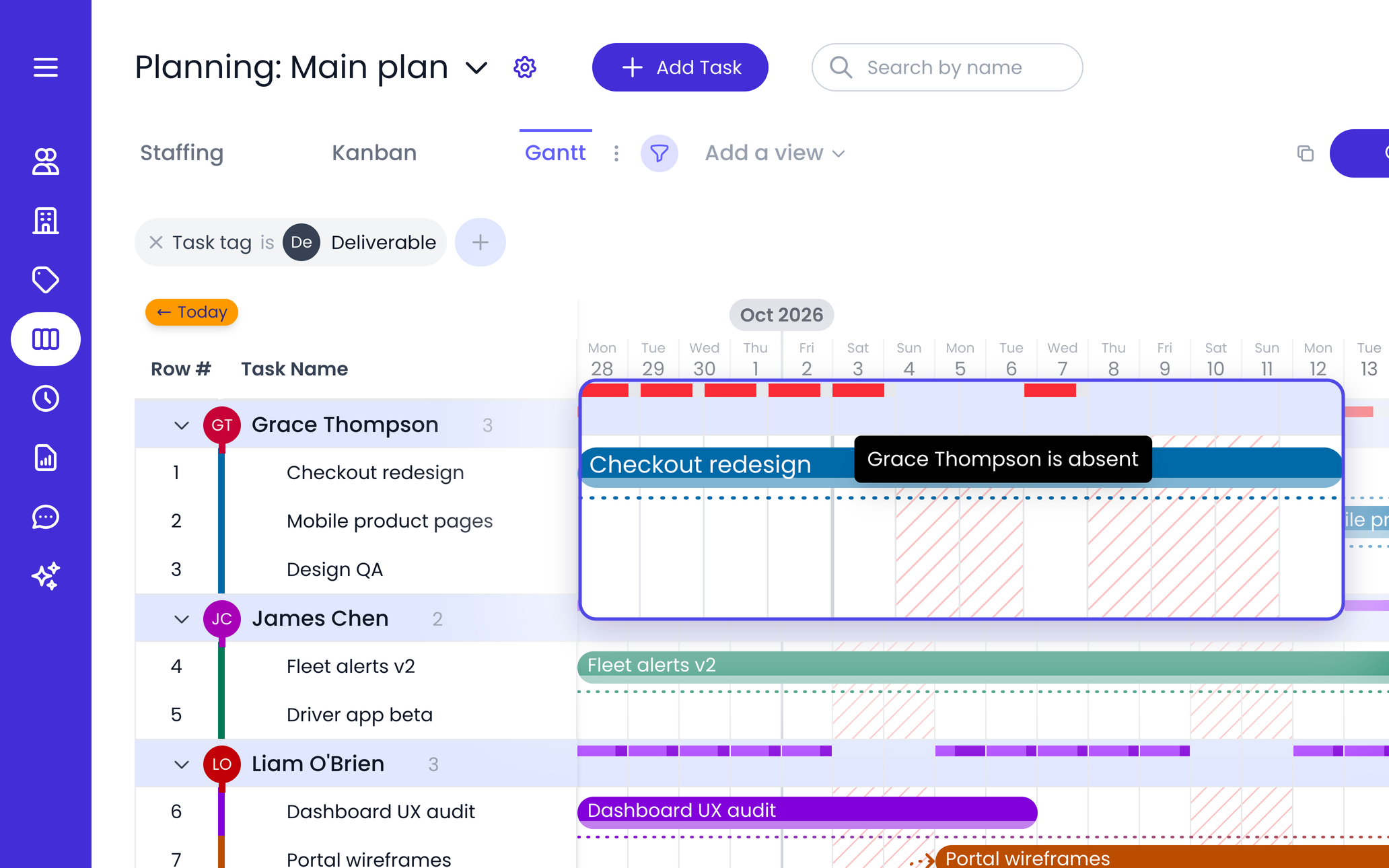
[More about time off management](https://beebole.com/time-off-pto-tracking.md)
### The right people, free when the project needs them
Staffing planning determines who works on what. Find people with matching skills who are free on the project's dates, and book them. Bookings can stay tentative while plans firm up.
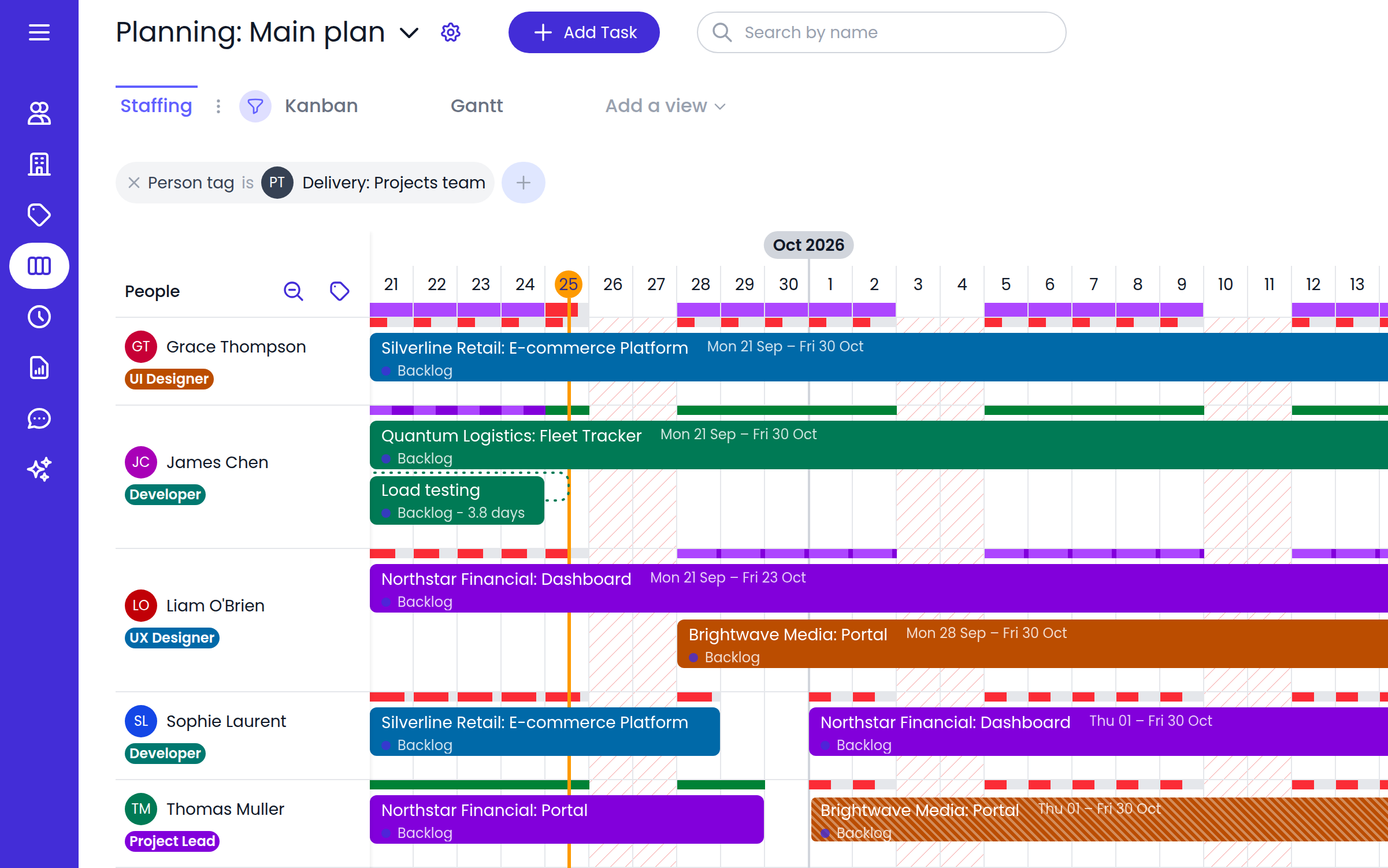
### Planned hours, ready to confirm or adjust
Employee scheduling sets each person's hours on projects. Those hours appear in each person's timesheet, in calendar or grid view, as suggested entries to accept or change.
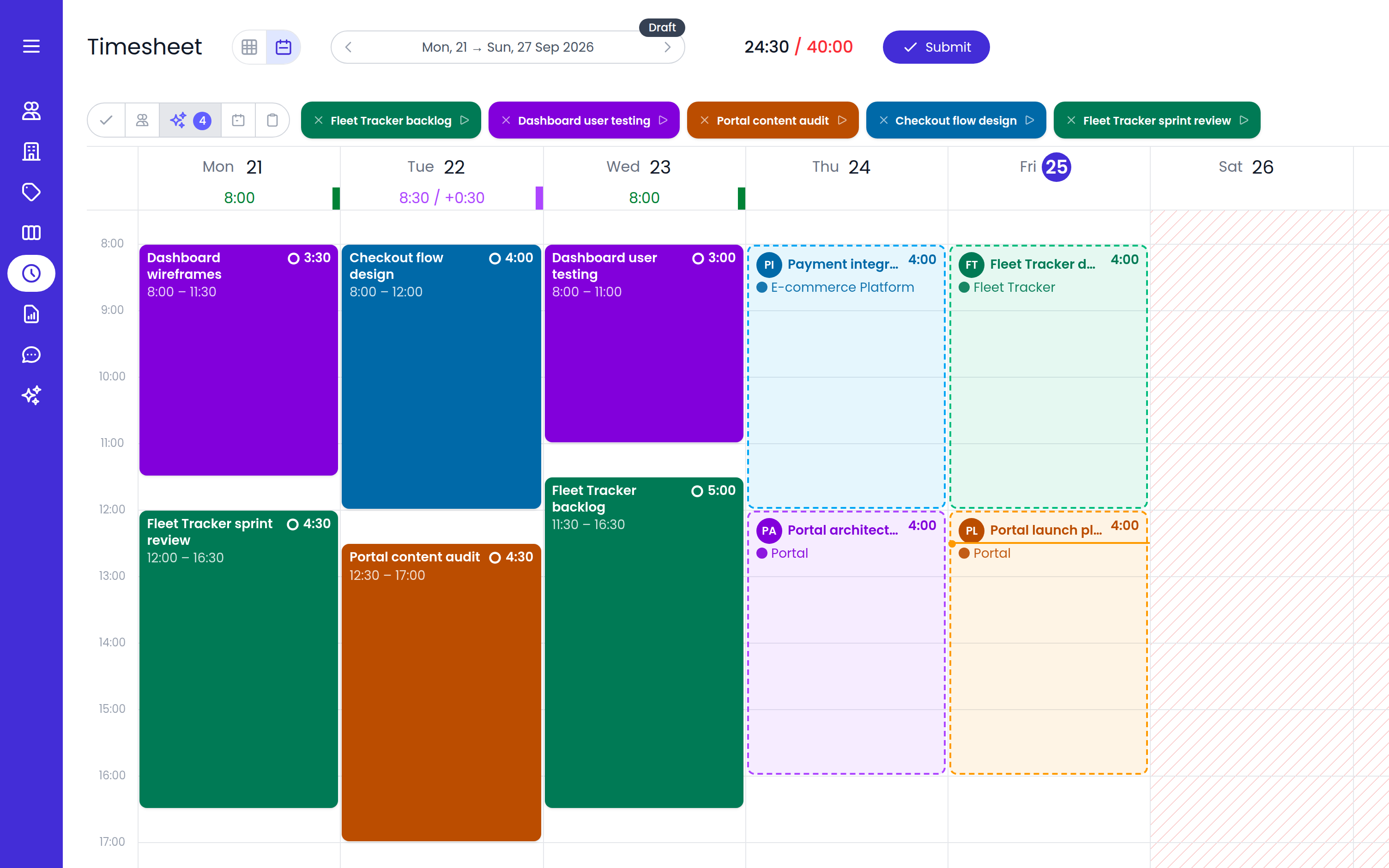
[More about time tracking](https://beebole.com/project-time-tracking.md)
## Ready to take control of time and resources?
Plan the work, track the time, and get the reports you need, all in one platform. Try Beebole free for 30 days or chat with our team to learn more.
[Contact Sales](https://beebole.com/sales-call.md)
[Start Free Trial](https://app.beebole.com/signup)
## What changes when staffing meets the timesheet
From assigning people to forecasting next quarter, here's what managers get when planning and time tracking run on the same data.
### Balance Workloads
Keep workloads fair and sustainable
The Gantt heatmap shows each team's effort against its capacity per day or week. The staffing view displays each person's remaining capacity and flags anyone overbooked. Days off and non-working hours stay marked on the timeline, so you see who's away before booking anyone.
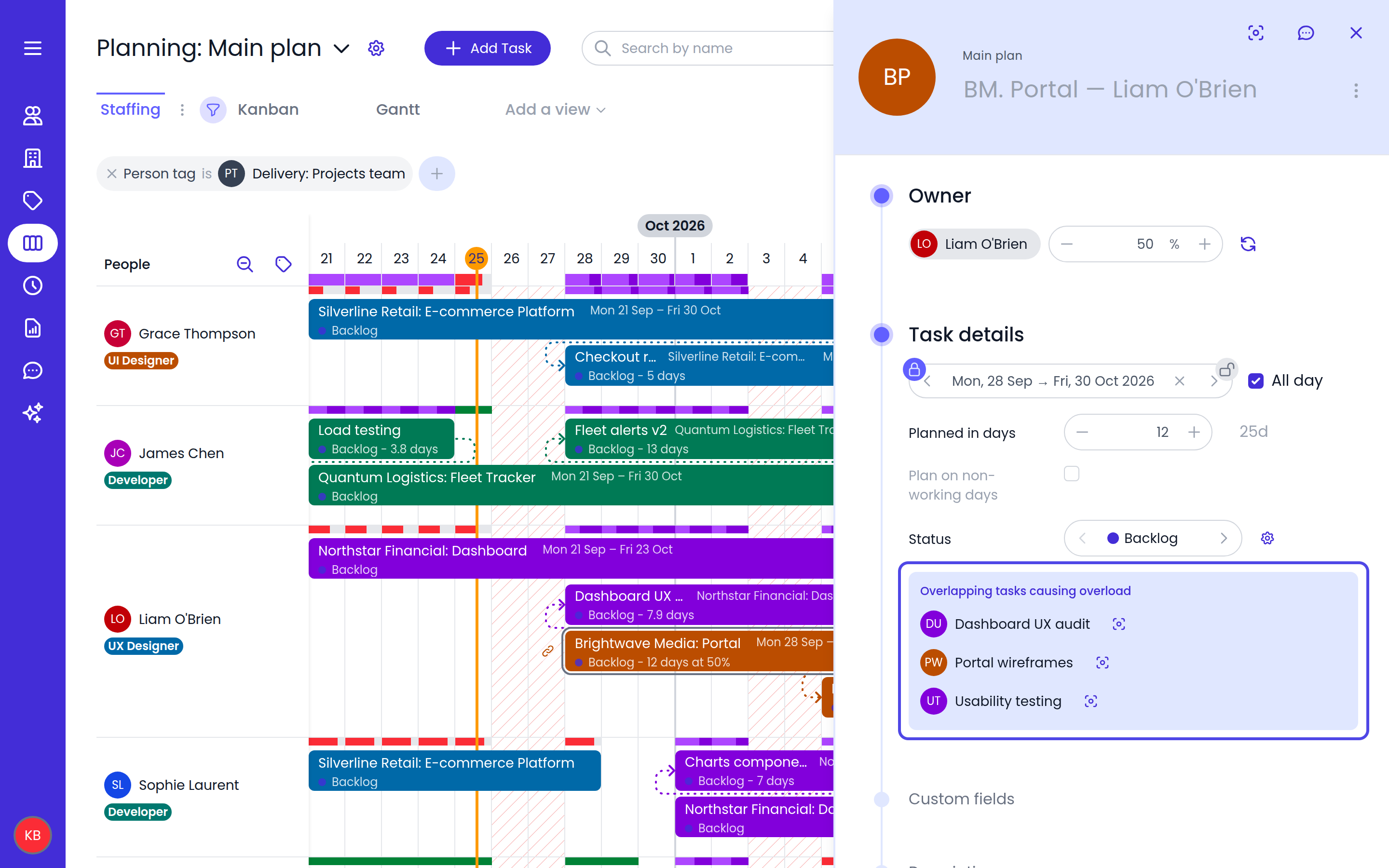
### Assign Smarter
Match the right people to the right tasks
Filter people by skill tags or any other tag you use, such as location. Availability filters find who's free, who has nothing planned, and who's overbooked in a period. Each booking sets an allocation as a percentage, hours per day, or a total. Gantt, Kanban, and the staffing view show the same plan, so a booking appears in all three.
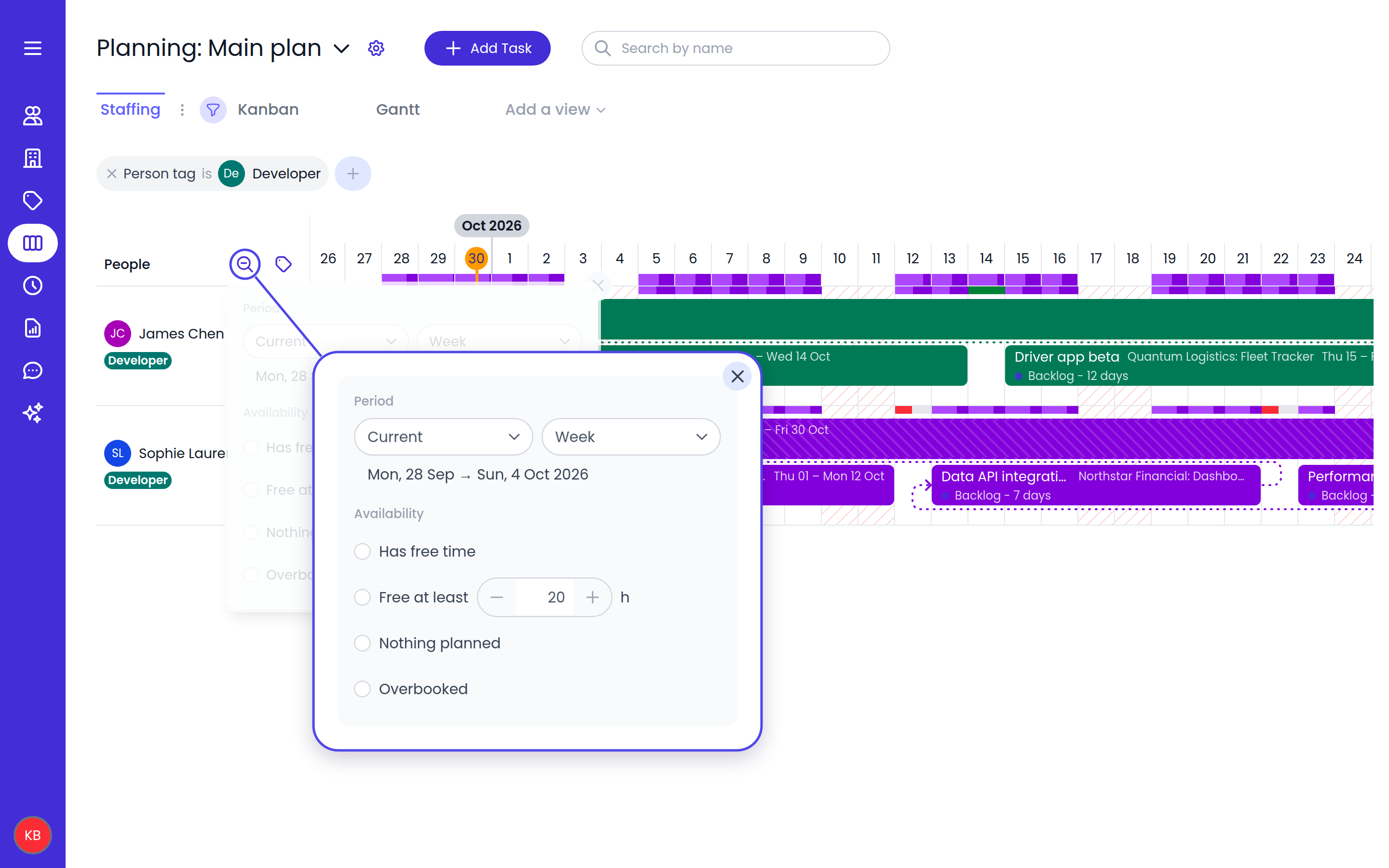
### Save Time
Planned hours that go straight to timesheets
Resource scheduling works to the minute, around each person's breaks, days off, and absences. Planned hours reach each person's timesheet as private suggestions, so managers only see the time people have confirmed. Turn on auto timesheet from planning, and changing a task's status generates suggested entries for its owner to accept.
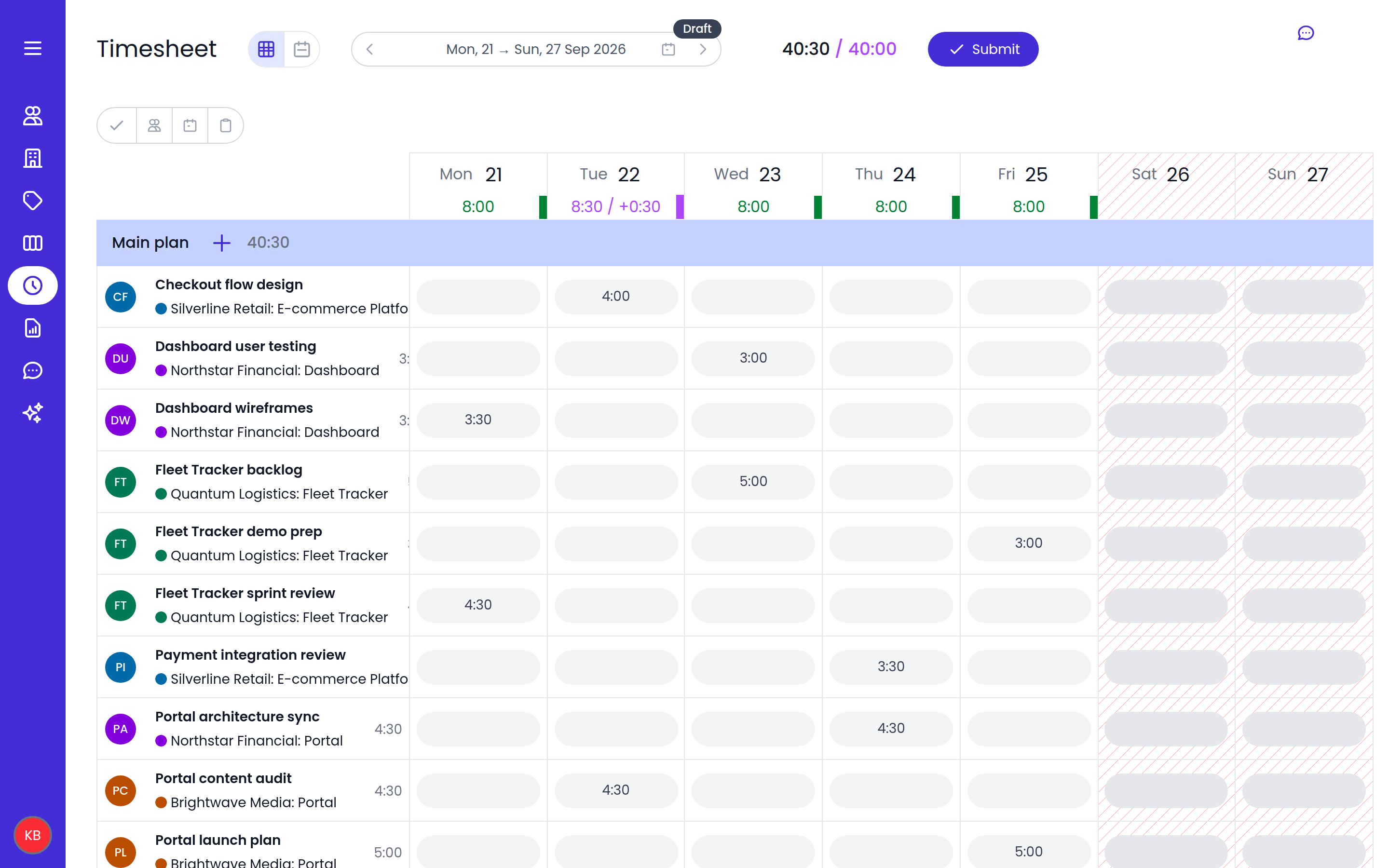
### Forecast Confidently
See where hours, costs, and billing are heading
Budgets, cost rates, and billing rates apply to planned and logged time alike. The planned vs. real report compares the two in hours, days, billing, cost, or margin. A pace headline says whether the plan is behind, on track, or ahead. The billable utilization report shows each person's billable hours against their capacity, with a projection for the coming month.
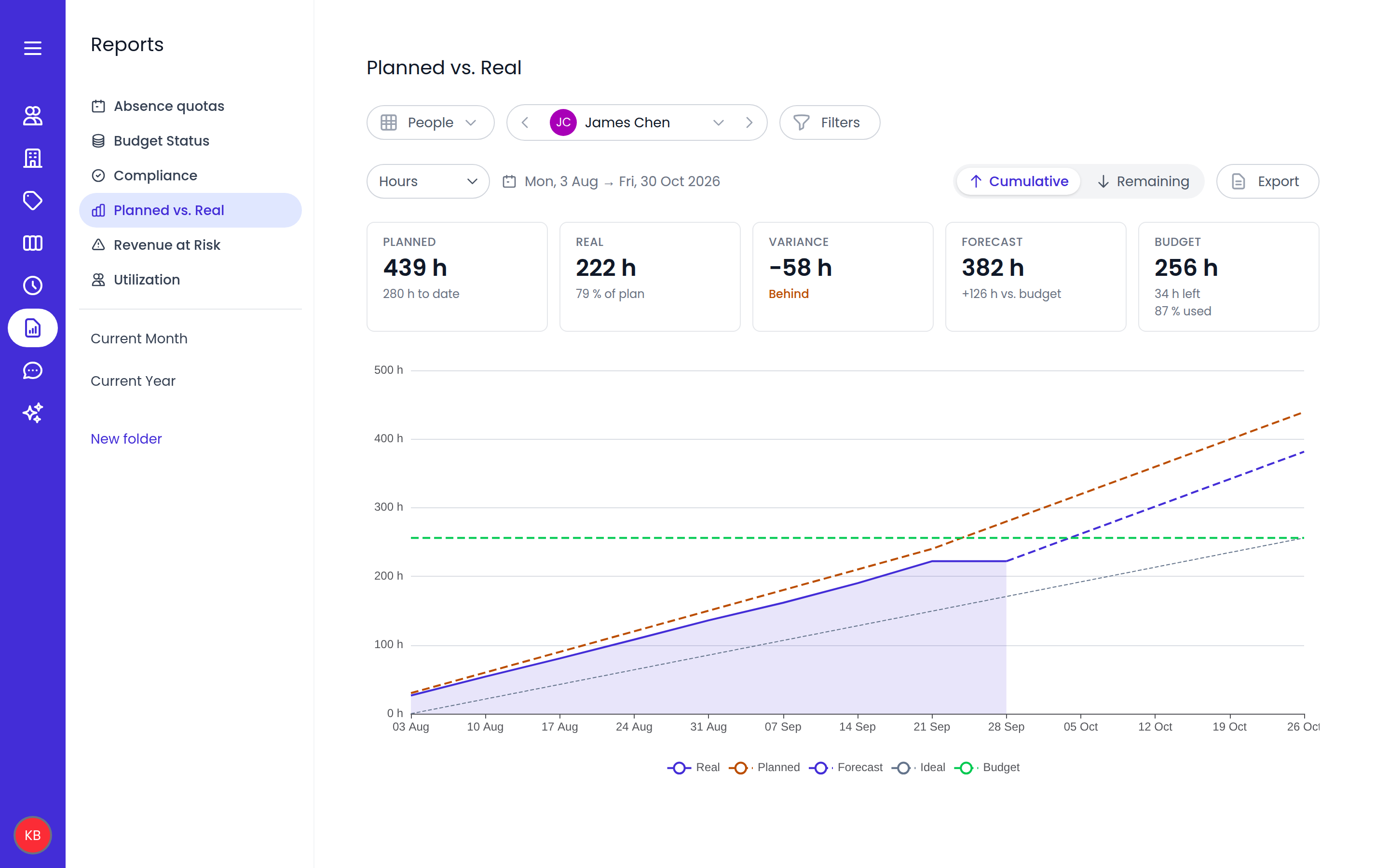
## Your time data, wherever you need it
Connect hundreds of apps, from project management and payroll to accounting and CRM. Everything stays in sync.
[Check Integrations](https://beebole.com/integrations.md)
## The essentials, covered.
With features like single sign-on, multilevel approvals, and GDPR compliance, Beebole meets your existing operational and security requirements.
- Mobile-ready
- Billable & non-billable
- Free API
- Work schedules
- Expense tracking
- 10 languages
- Single-sign-on
- Permissions
- MCP server
- Integrations
- GDPR compliant
- Multiple currencies
- Activity feed
- Multilevel approvals
- AI-suggested entries
- Private AI
[Compare All Features](https://beebole.com/pricing.md)
## What our customers say...
### Reviews:
Matyas Petho - U.S. Country Operations Manager: 5.0 stars
"Using Beebole to support resource allocation tracking has allowed us to be more confident about when there is going to be too high an allocation and when the team is too overloaded to take on a new project."
Edward Mangan - Manager: 5.0 stars
"We use Beebole to view who is under- and over-utilized throughout the year. Beebole reporting has become an integral part of resource discussions with upper management."
Jessica Concors - Operations Manager: 5.0 stars
"We're really able to understand what departments need more support based on hours reported. We're also able to report to our board of directors on specific projects, which allows them to give valuable insight."
Dmitri Savitski - Solutions Expert: 5.0 stars
"Beebole allows us to quickly assess company performance. It helps us make timely operational decisions, like adjusting assignments to boost profitability or bringing in more team members when the budget allows."
Tate Gould - CEO: 5.0 stars
"We've tried 6 other apps and none could match the ease of use or customization of Beebole. We now use it for most of our financial reports. I love when a product gives you more functionality than it advertises."
Andrew Hadfield - Director: 5.0 stars
"We've used Beebole for over five years. It's the backbone of our consulting business. It has an intuitive UI and array of reporting options. As our business has grown, it's provided us with the tools we need."
## Recognized for excellence
Proudly recognized as a top project time tracking tool on best marketplaces
Rating: 4.6/5 - Beebole is a top-rated tool across every major marketplace
- 
- 
- 
- 
- 
- 
- 
- 
## Trusted by
Supporting teams worldwide with reliable time and project insights
- dfin
- hitachi
- michelin
- maersk
- schneider
- invest cloud
- hitachi
- invest cloud
## More profitable projects
start with better planning
No credit card. No commitment. Just 30 days to see the difference.
[Contact Sales](https://beebole.com/sales-call.md)
[Start Free Trial](https://app.beebole.com/signup)
--------------------------------
[Mobile Time Tracking & Timesheet App for Teams - Beebole](https://beebole.com/mobile-time-tracking.md): Not all work happens at a desk. Beebole's mobile time tracking lets your team log hours from any phone, wherever the work takes them.
--------------------------------
# Mobile time tracking that works anywhere, anytime
Track time, manage tasks, and approve hours from any phone or tablet. Hours get logged while the work is fresh, so your project data is always up to date.
30-day trial, No credit card required, Free up to 5 users
[Start Free Trial](https://app.beebole.com/signup)
## Trusted by 1,000+ companies in 60+ countries
- Beebole is a top rated time tracking tool on Capterra
- Beebole is highly-rated by users on GetApp
- Beebole is a highly-rated time tracking software on G2
- Beebole is top rated on Google Workspace
## Full mobile time tracking across every location
One app for everyone to log time, manage approvals, and check reports, right from their phone.
### Log Hours
A timesheet built for speed
Your team can [track time](https://beebole.com/project-time-tracking.md) in a few taps, so no hours get lost. Every entry lands on the right project, task, or location you set up with [flexible tags](https://beebole.com/advanced-configurations.md), and your project costs stay accurate.
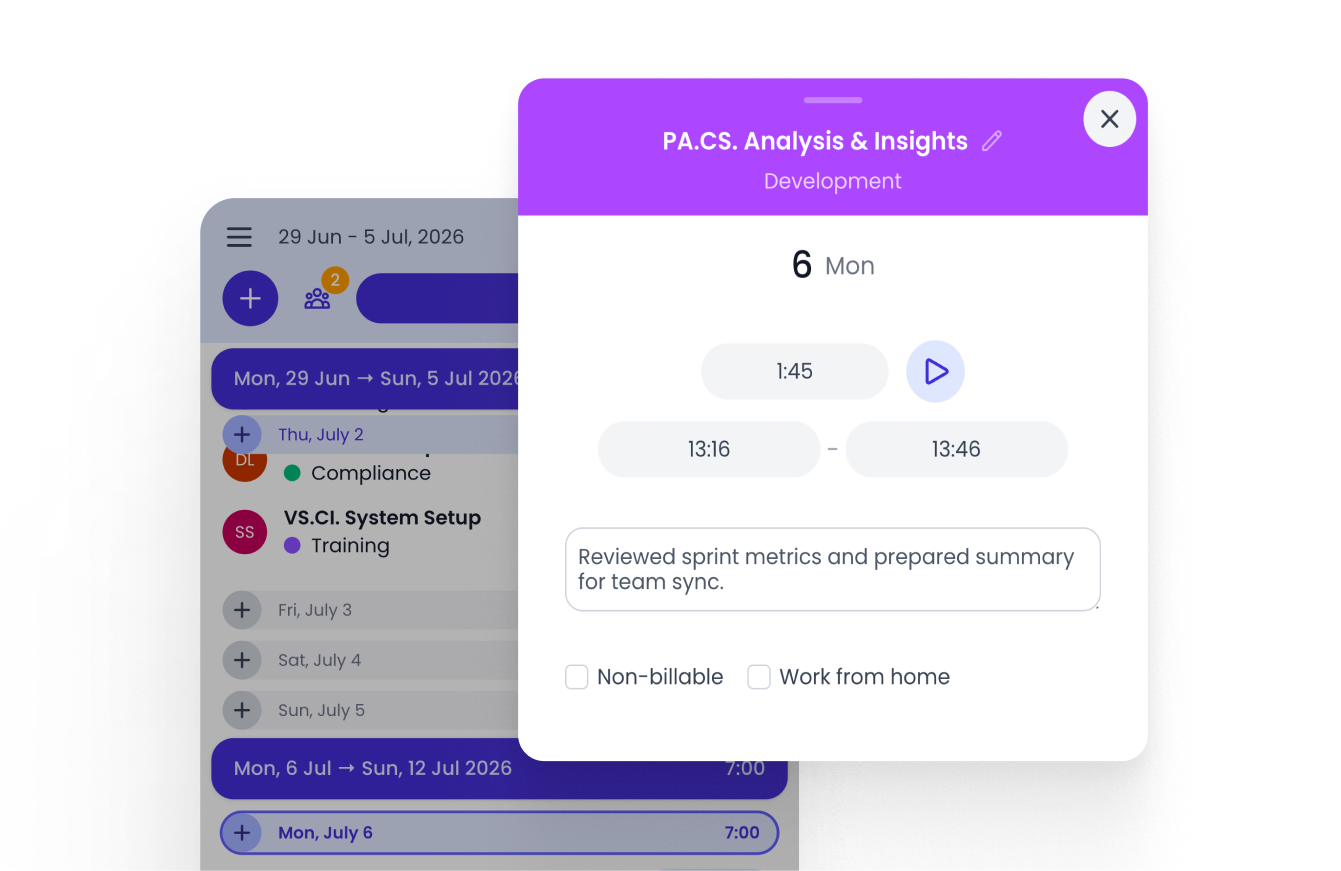
### Fill Faster
Your timesheet, ready before you open it
The best timesheet is one your team doesn't have to fill in. When managers [plan and assign tasks](https://beebole.com/resource-planning.md), that planned work flows into each person's mobile timesheet. Confirm or adjust with a few taps, for less time filling in the blanks and more complete data for everyone.
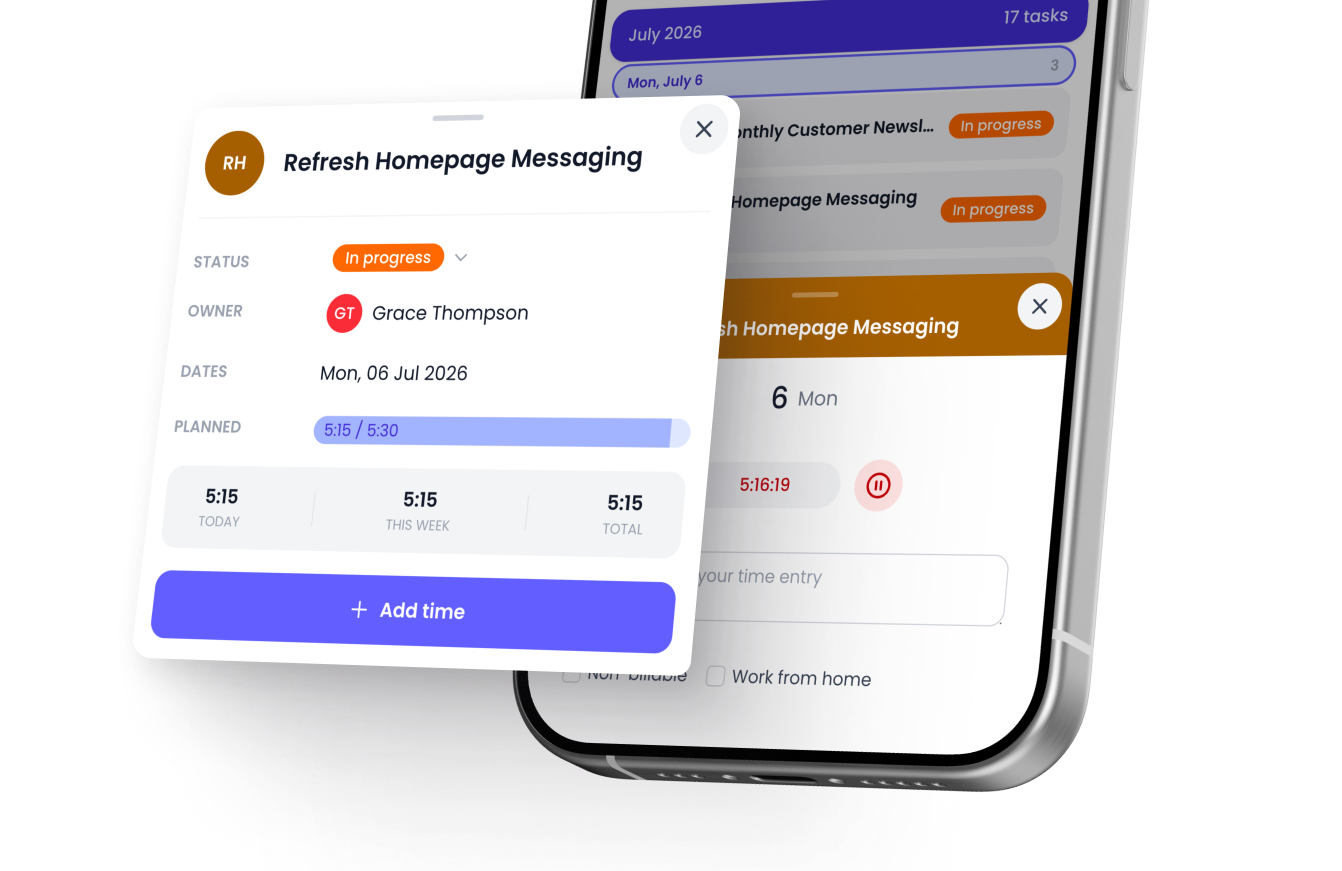
### Manage Approvals
Keep approvals moving
Managers can review pending submissions, check what the team has logged, and approve or request changes, all from their phone. Multi-stage approval chains keep running even when teams are spread across locations.
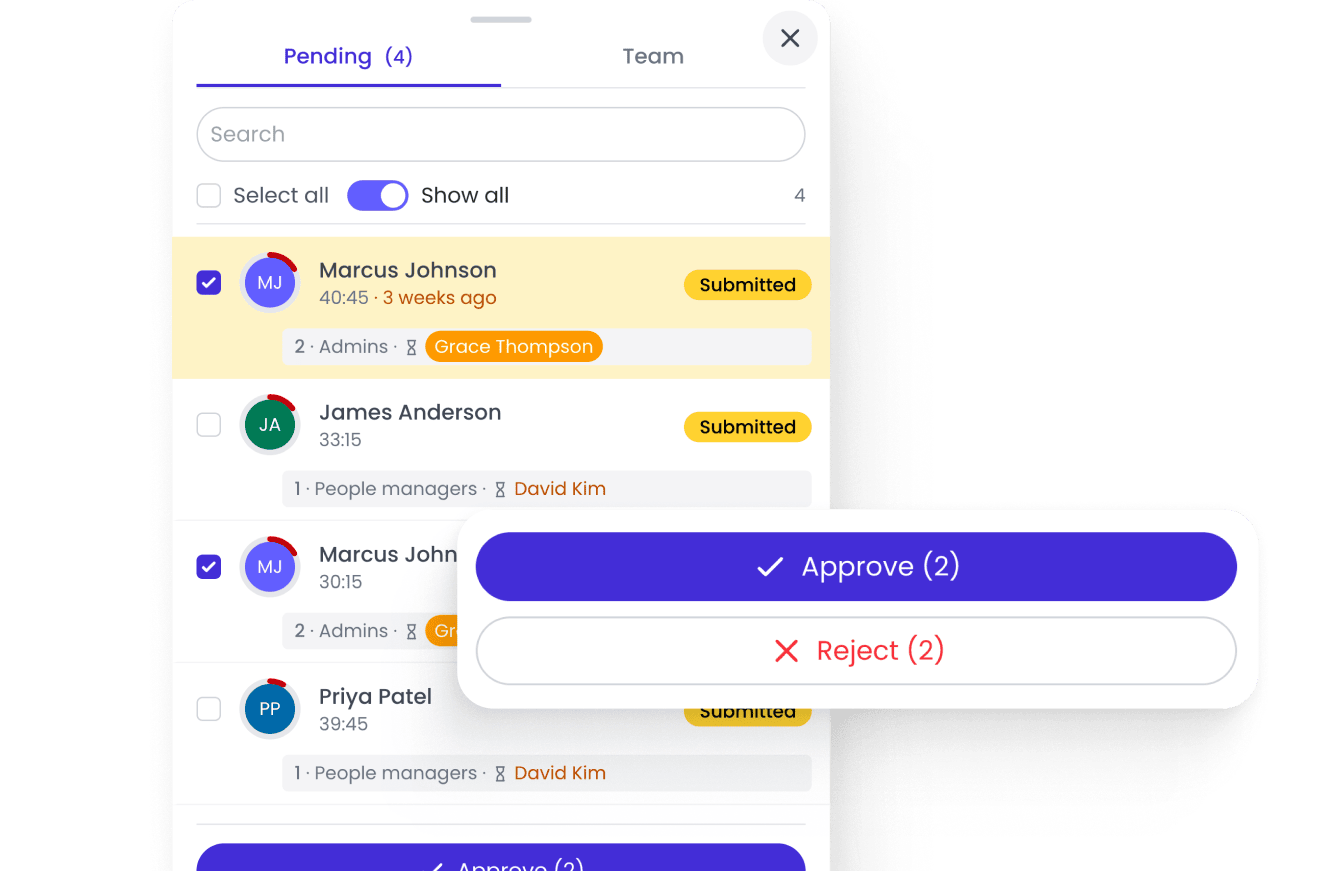
### Read Reports
Project reports, readable from any phone
Your saved reports open on any phone or tablet. Managers and finance teams get project status and budget data between meetings, without opening a laptop.
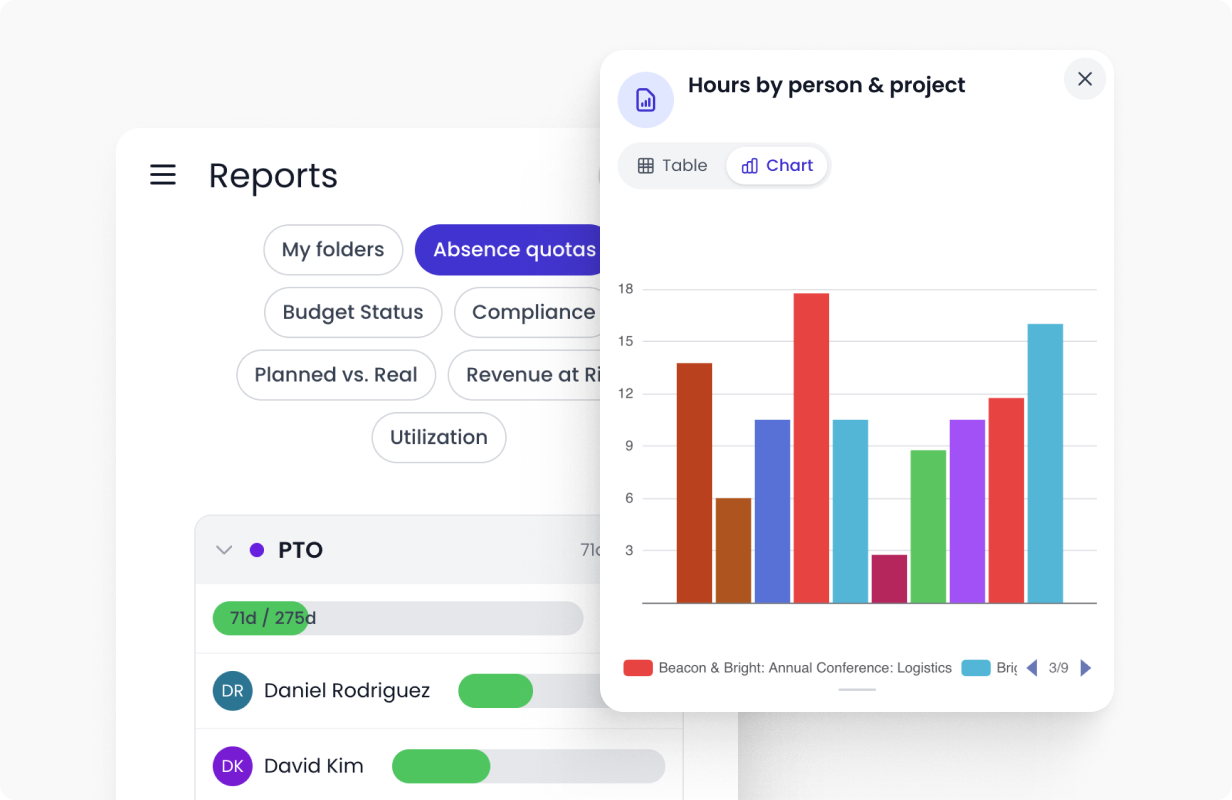
### Access Instantly
Runs on any device in seconds
No app store, no IT deployment. Beebole is ready to use on any phone or tablet. Just add it to your home screen.
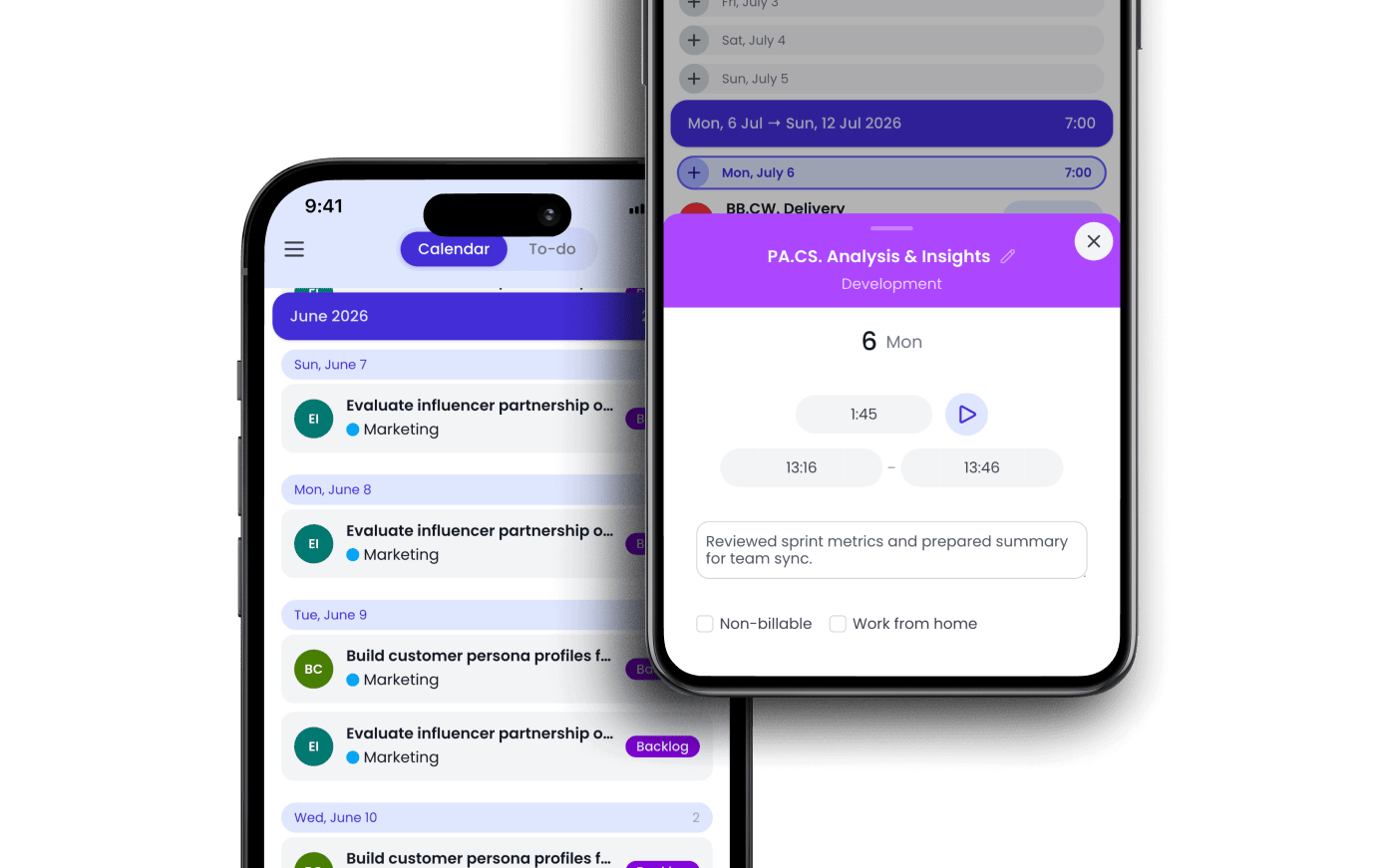
## Plan, track, and report: all from mobile
### Planned work carries through to your mobile timesheet
Managers assign resources to projects and tasks from the planning views. Each employee sees their assigned work in their mobile timesheet and confirms or adjusts the hours. When actual time differs from planned time, both stay visible side by side.
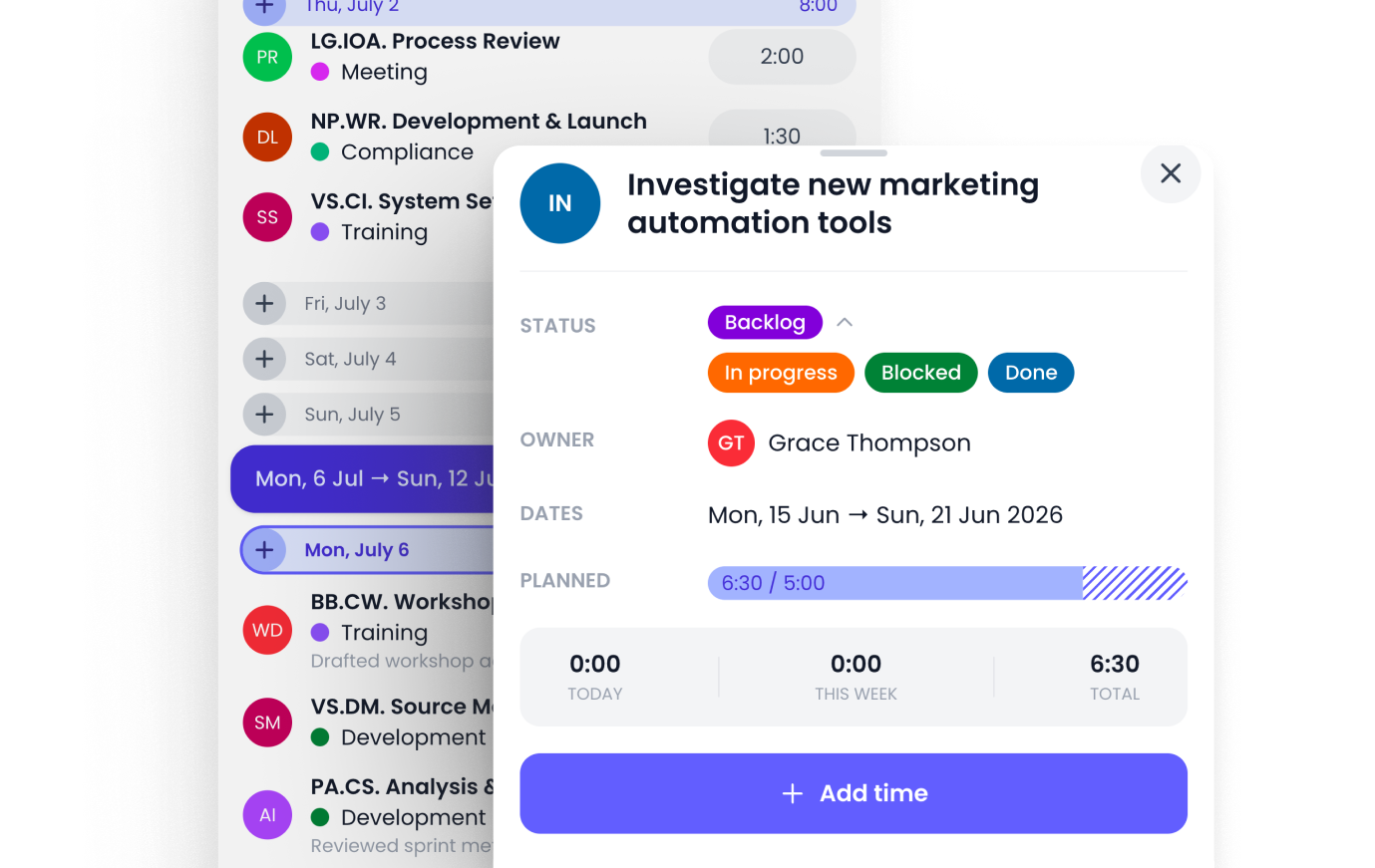
[More about resource planning](https://beebole.com/resource-planning.md)
### Project numbers, a tap away
Saved reports open on your phone in a view built for reading. Pick a folder, change the period, and move between reports to see hours by project and person. They are the same reports your team uses on desktop.
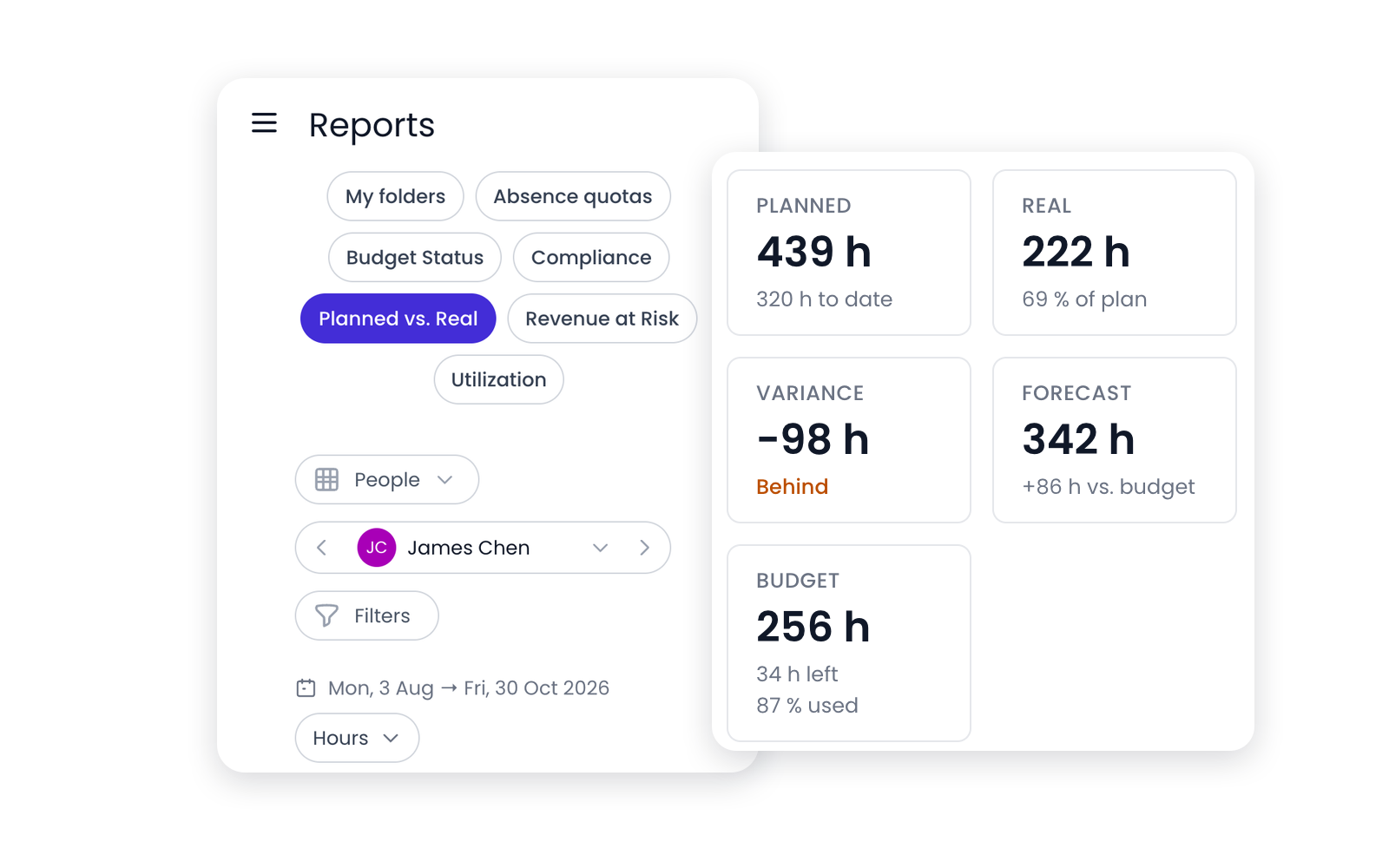
[More about reporting](https://beebole.com/employee-timesheet-reports.md)
### Log time against any project, from any location
Log hours against any project, task, or client using duration, start/end time, or the timer. Pin your most-used rows, add comments, and mark entries as billable or non-billable.
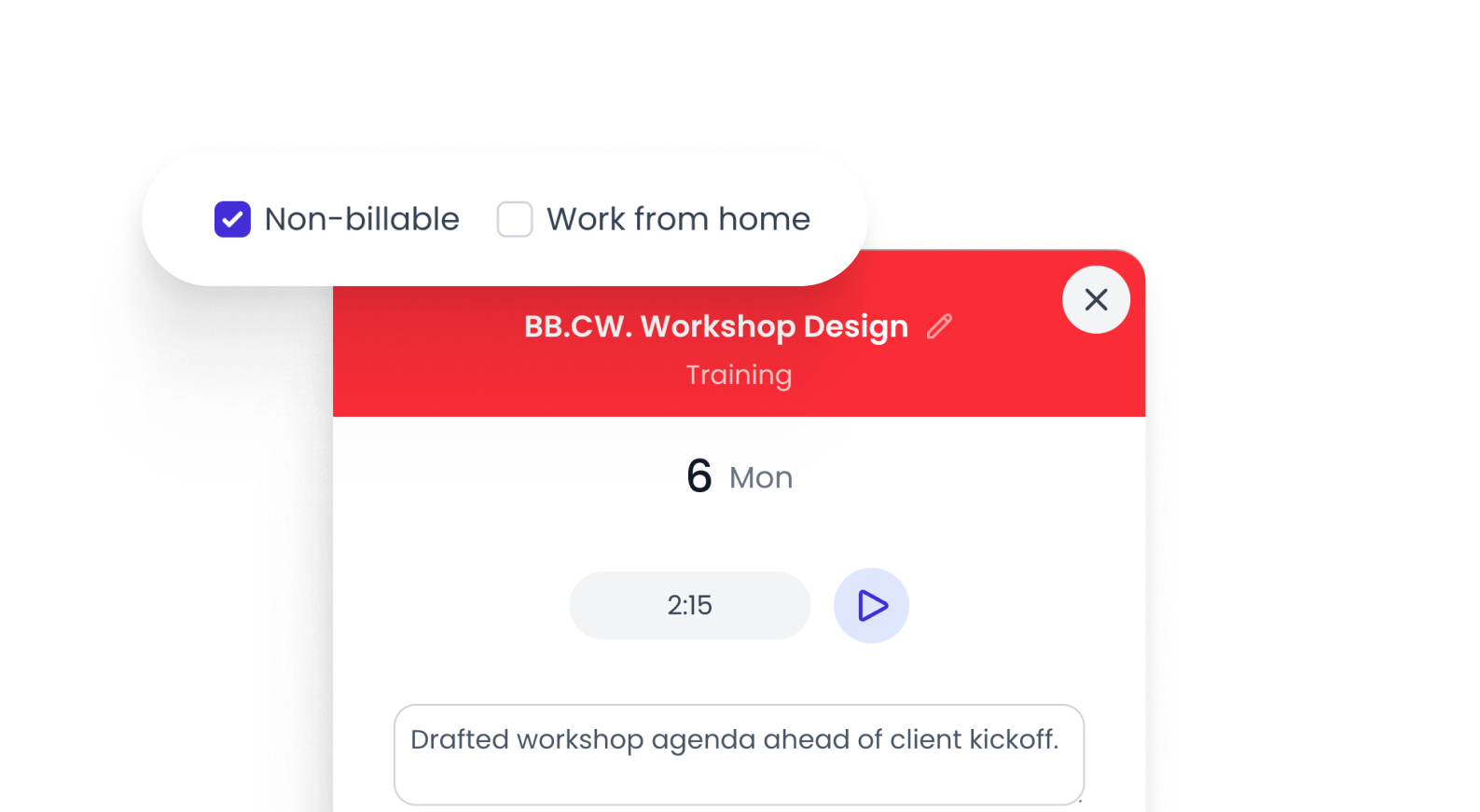
[More about time tracking](https://beebole.com/project-time-tracking.md)
### Install from your browser
Beebole is a PWA. Install it by adding it to your home screen, no app store approval required. It runs on any modern mobile browser and operating system. When a new version ships, a one-tap reload keeps everyone on the same version.
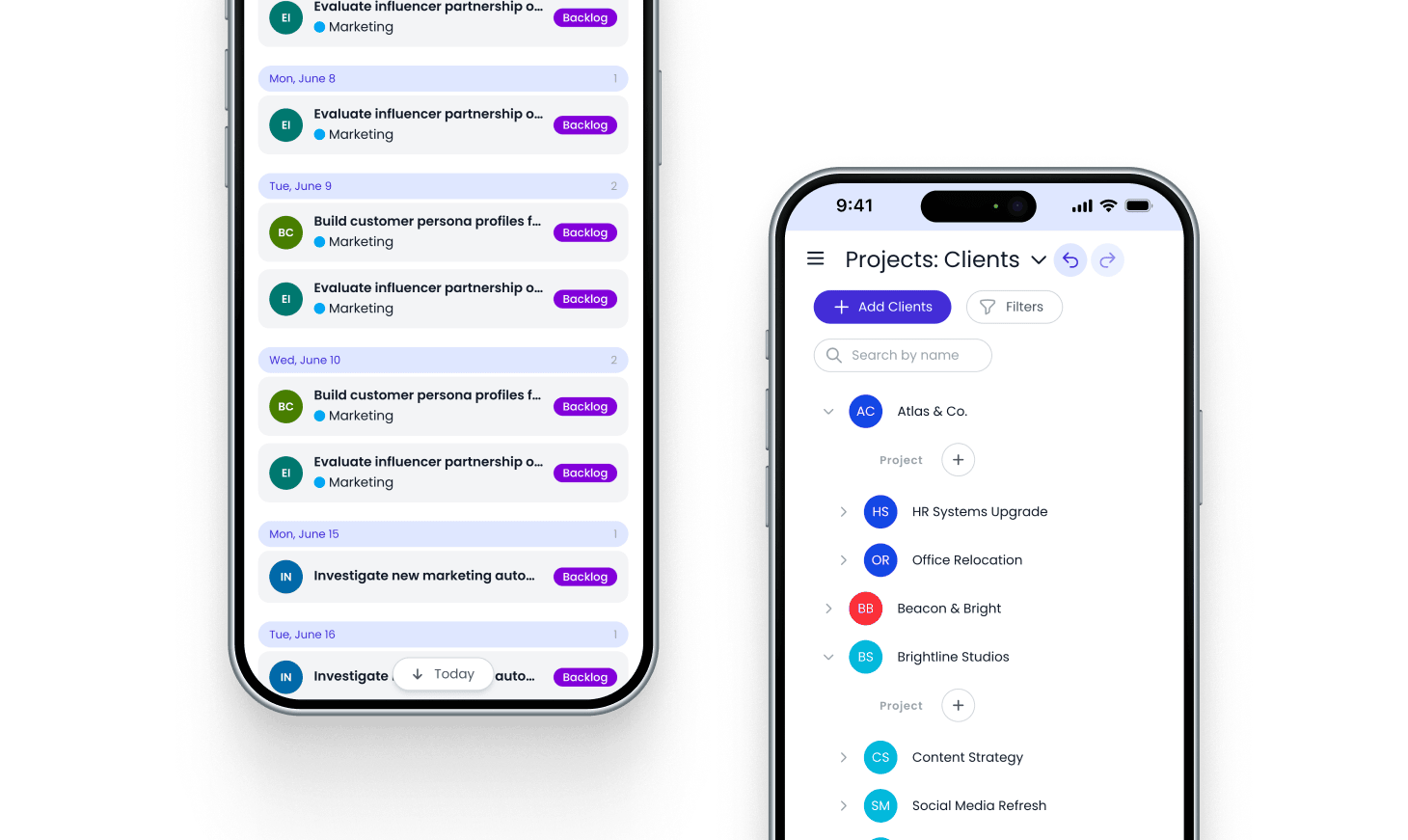
## Your time data, wherever you need it
Connect hundreds of apps, from project management and payroll to accounting and CRM. Everything stays in sync.
[Check Integrations](https://beebole.com/integrations.md)
## Trusted by
Supporting teams worldwide with reliable time and project insights
- dfin
- hitachi
- michelin
- maersk
- schneider
- invest cloud
- hitachi
- invest cloud
## The essentials, covered.
With features like single sign-on, multilevel approvals, and GDPR compliance, Beebole meets your existing operational and security requirements.
- Mobile-ready
- Billable & non-billable
- Free API
- Work schedules
- Expense tracking
- 10 languages
- Single-sign-on
- Permissions
- MCP server
- Integrations
- GDPR compliant
- Multiple currencies
- Activity feed
- Multilevel approvals
- AI-suggested entries
- Private AI
[Compare All Features](https://beebole.com/pricing.md)
## Ready to take control of time and resources?
Plan the work, track the time, and get the reports you need, all in one platform. Try Beebole free for 30 days or chat with our team to learn more.
[Contact Sales](https://beebole.com/sales-call.md)
[Start Free Trial](https://app.beebole.com/signup)
--------------------------------
[Project Time Tracker for Every Client and Task - Beebole](https://beebole.com/project-time-tracking.md): Track time on every client, project, and task with Beebole's project time tracking software, with multi-stage approvals and time off in one place. Free for up to 5 users.
--------------------------------
# The project time tracker for every client, task, and activity
Know where your team's hours go, with timesheets that start from your plans and end up complete for billing and reports.
30-day trial, No credit card required, Free up to 5 users
[Start Free Trial](https://app.beebole.com/signup)
## Trusted by 1,000+ companies in 60+ countries
- Beebole is a top rated time tracking tool on Capterra
- Beebole is highly-rated by users on GetApp
- Beebole is a highly-rated time tracking software on G2
- Beebole is top rated on Google Workspace
## Project time tracking from entry to approval
### Calendar, grid, timer, or straight from the plan
Everyone logs time the way they work, on desktop or phone, or confirms the hours already planned for them. Less effort per entry means fewer gaps in the hours you bill and report on.
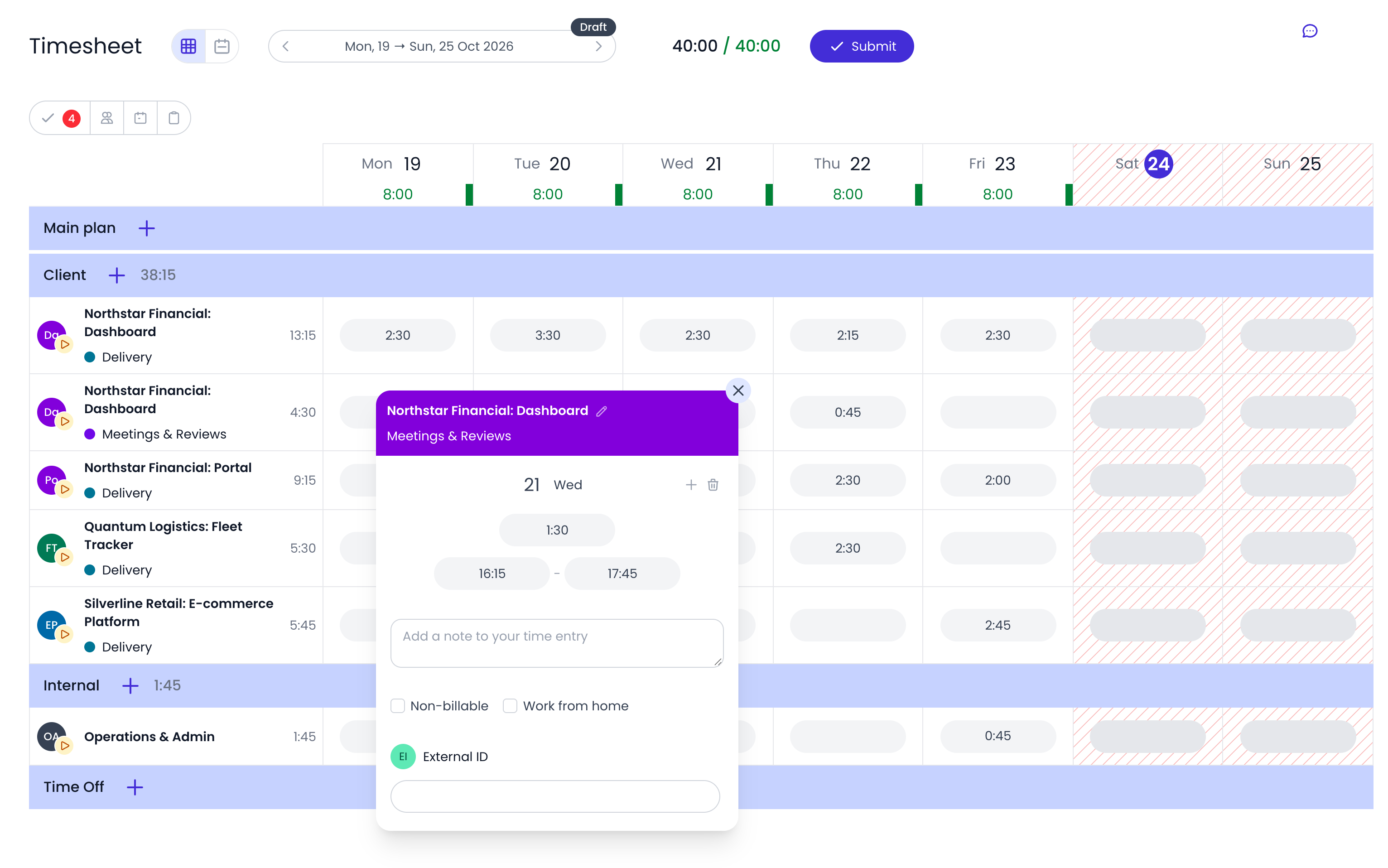
[More about timesheet software](https://beebole.com/timesheet.md)
### Absences and worked hours, side by side
Vacation, sick leave, and public holidays sit in the same timesheet as worked hours. Each person's week adds up in one place, and leave balances stay current.
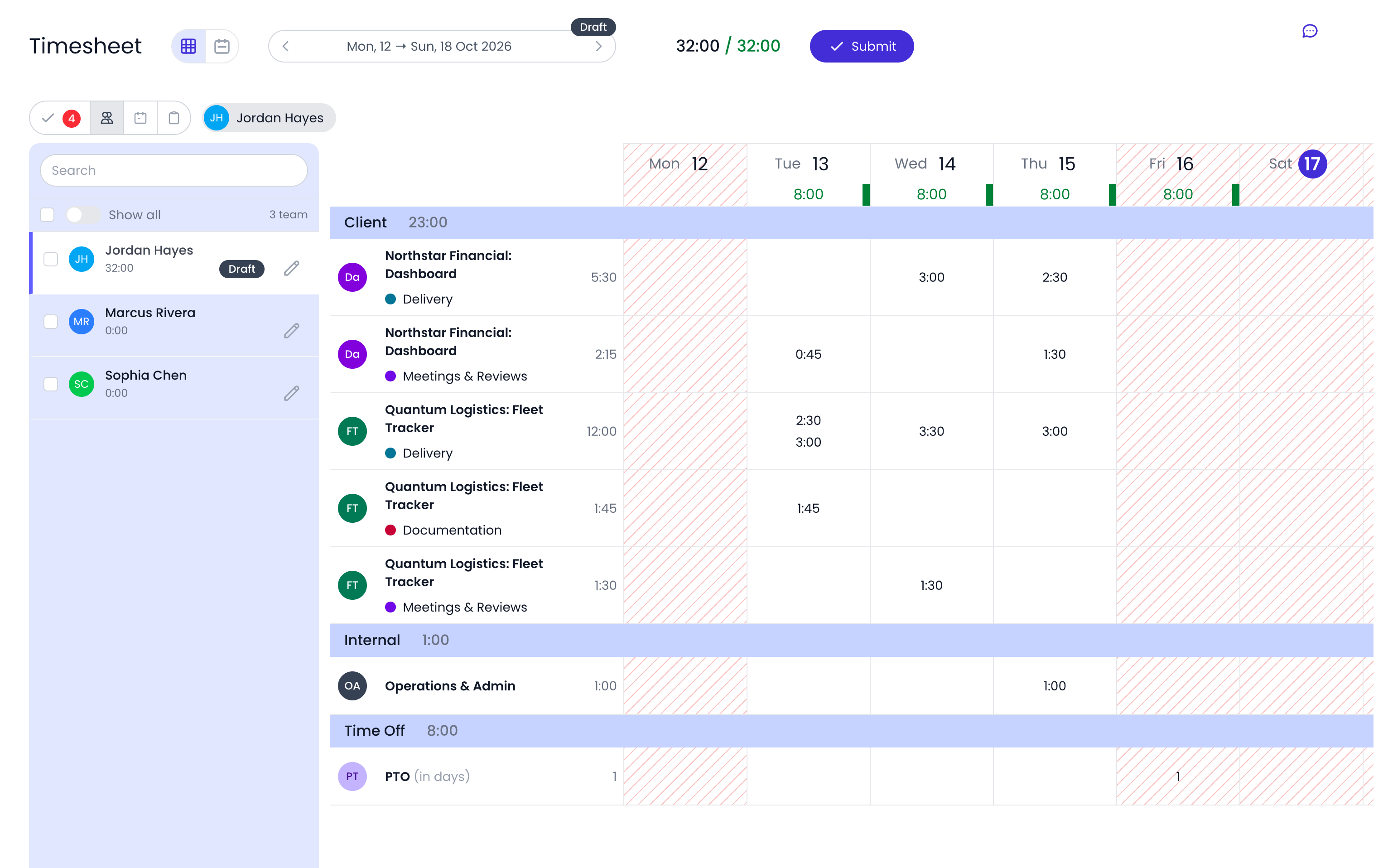
[More about time off tracking](https://beebole.com/time-off-pto-tracking.md)
### The right people sign off before hours move on
Each timesheet reaches its approvers in the sequence you define. Overtime and unusual totals stand out before anyone signs off, so approved hours are ready for billing.
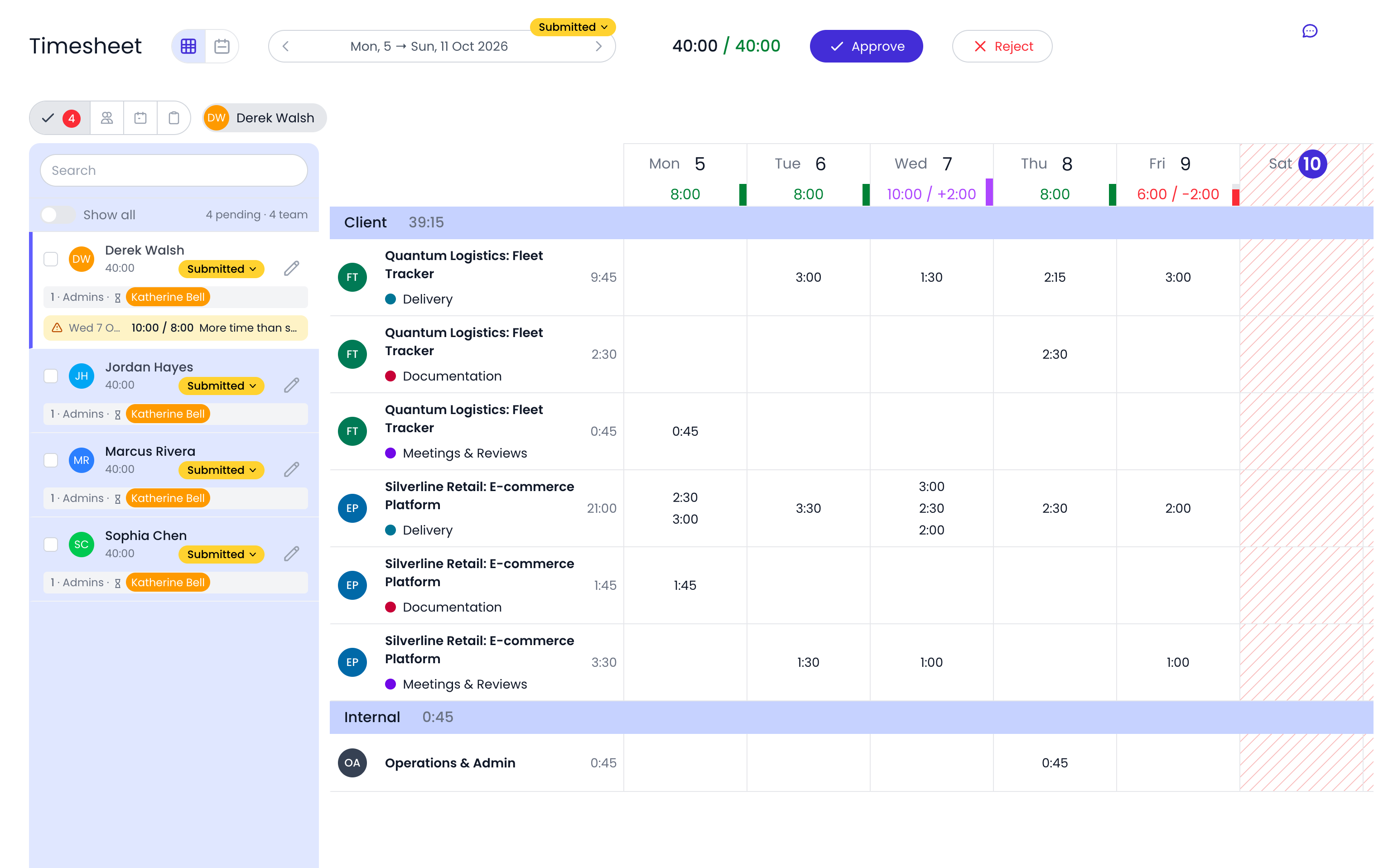
## Ready to take control of time and resources?
Plan the work, track the time, and get the reports you need, all in one platform. Try Beebole free for 30 days or chat with our team to learn more.
[Contact Sales](https://beebole.com/sales-call.md)
[Start Free Trial](https://app.beebole.com/signup)
## Deliver more profitable projects
Project time tracking that gives operations and finance more accurate data, tighter cost control, and cleaner reporting
### Capture Time
Time tracking that adapts to your team
The calendar is the default view: your team drags and resizes entries to set start and end times. The classic grid stays available, and a timer starts from any entry on today's calendar. On a phone, entries logged offline sync once it reconnects.
[More about timesheet software](https://beebole.com/timesheet.md)
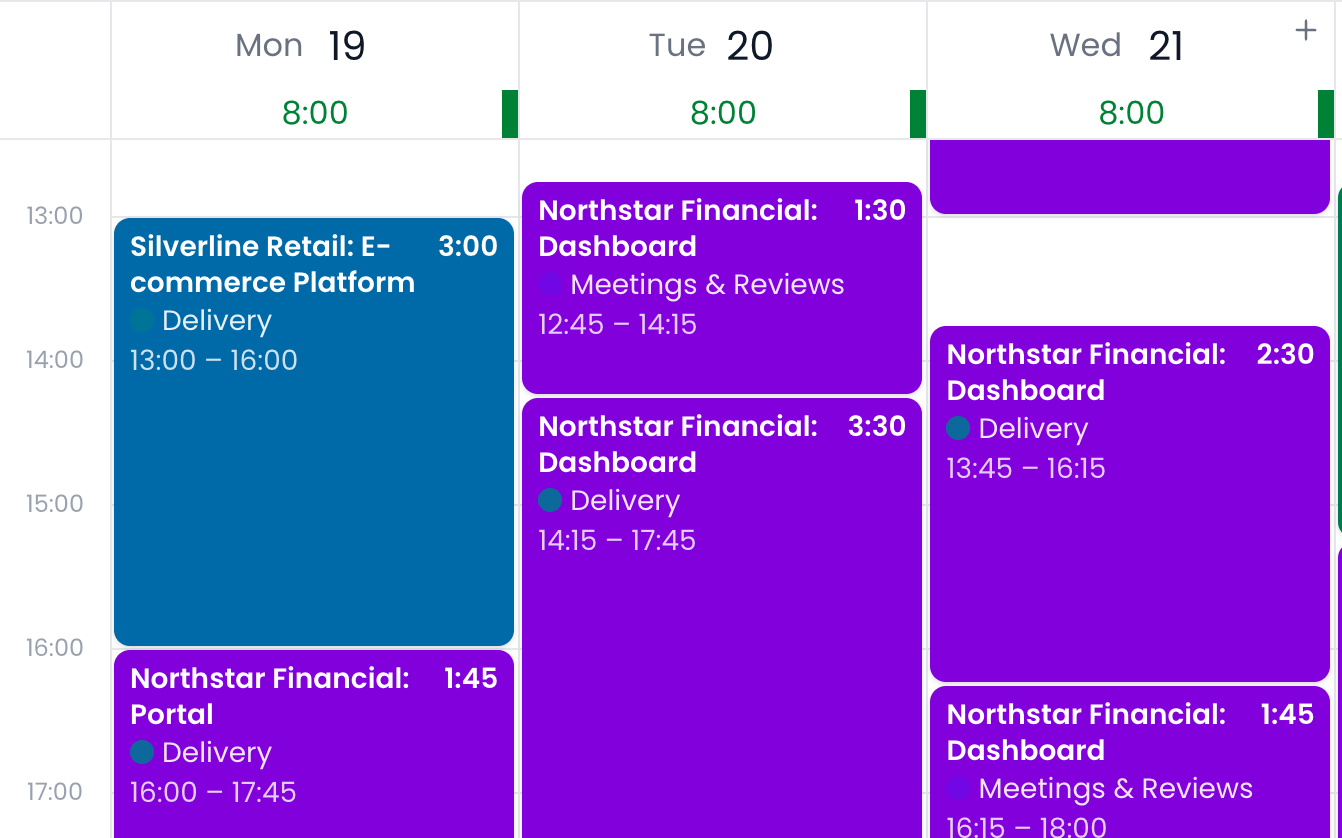
### Pre-fill Timesheets
Your plan writes the first draft
Work planned in the Gantt or Staffing view shows up in the right person's timesheet, ready to confirm or adjust. Turn on Auto Timesheet from planning, and anyone who worked to plan has nothing left to fill. Your team drags Google Calendar or Outlook events straight onto timesheet rows.
[More about resource planning](https://beebole.com/resource-planning.md)
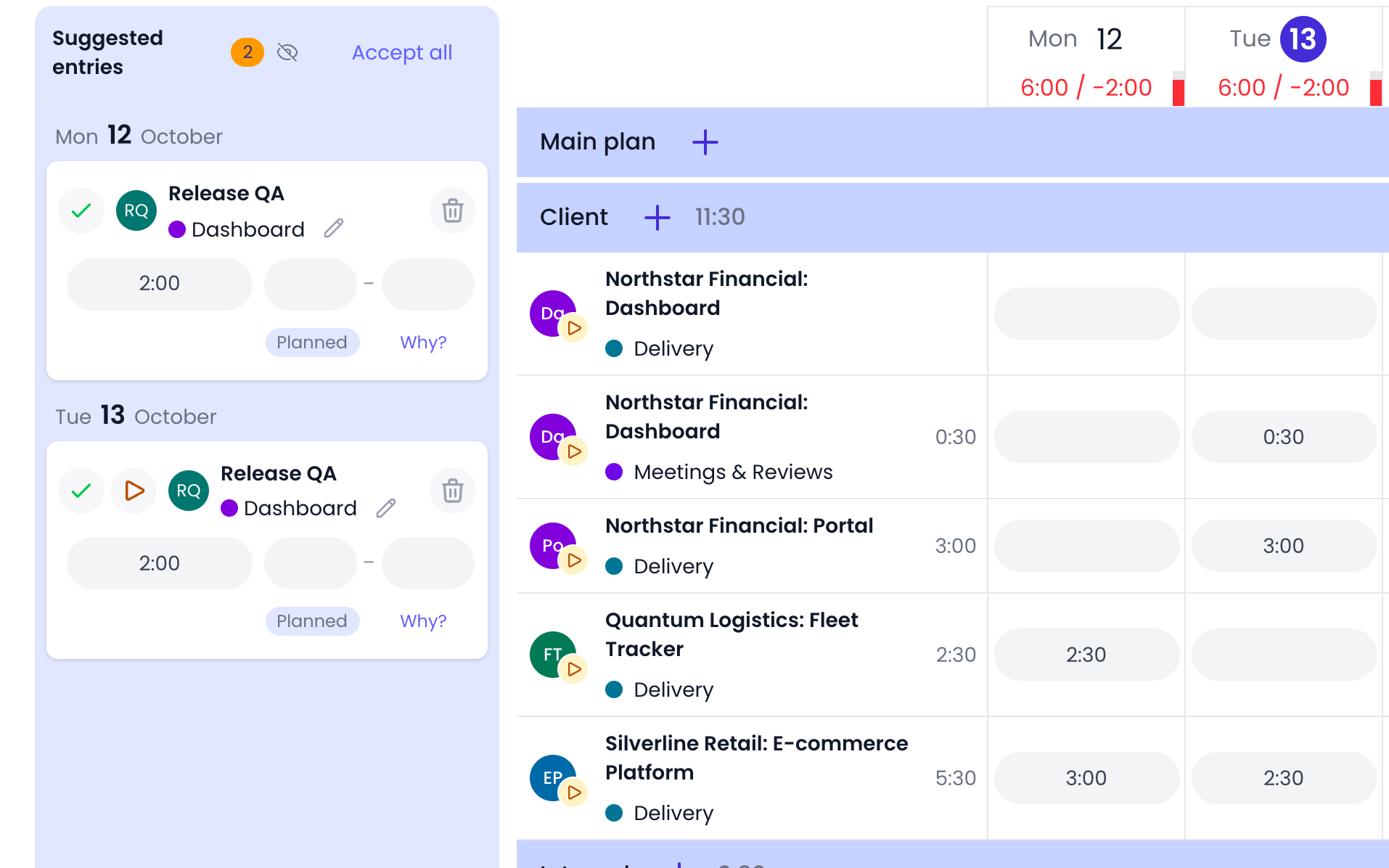
### Approve Hours
Every timesheet checked before it counts
Set approval stages such as manager, then project lead, then finance, with one or all approvers per stage. Approvers act from the app, a phone, or straight from the email. A rules-based review digest flags overtime and unusual totals, and a lock date keeps closed periods closed.
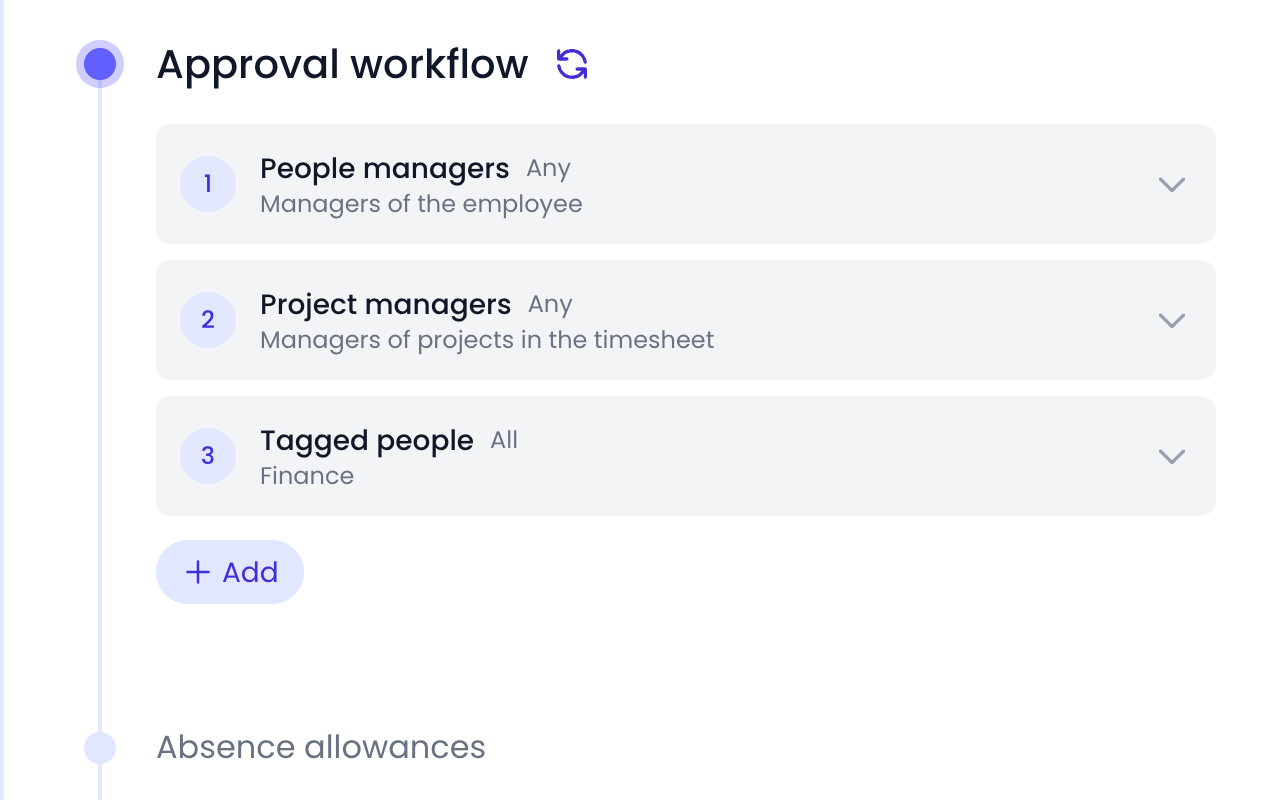
### Track Time Off
Leave balances that stay current
Set absence types such as vacation, sick leave, and parental leave, each with its own allowance. Balances show time taken, available, and accrued, with carry-forward and negative-balance rules. Requests follow the same approval chain as timesheets, and public holidays load by country.
[More about time off tracking](https://beebole.com/time-off-pto-tracking.md)
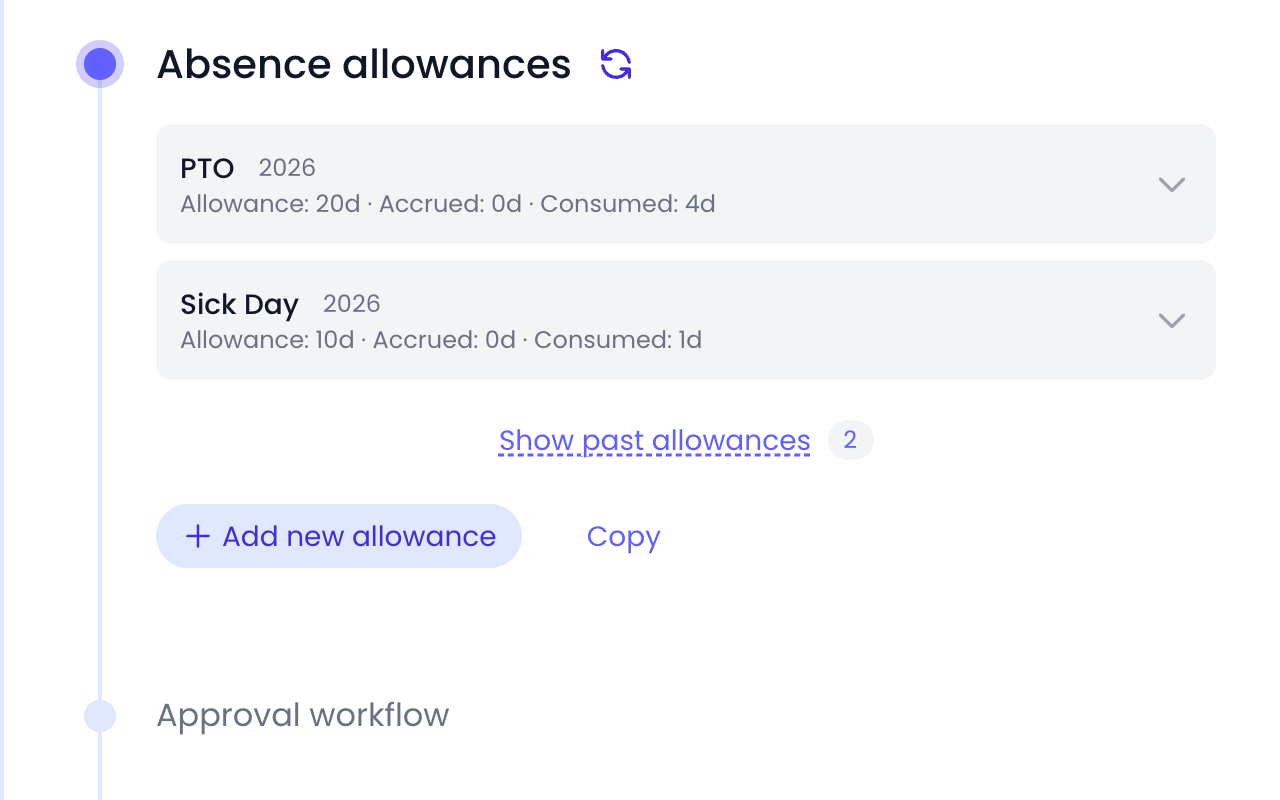
### Uncover Insights
Always know where your time and money are going
Each entry carries its client, project, task, tags, and billable status, so reports can group hours by any of them. Overtime comes from the gap between work schedules and logged time. Send reports to Excel or Google Sheets, or export billable hours to QuickBooks.
[More about timesheet reports](https://beebole.com/employee-timesheet-reports.md)
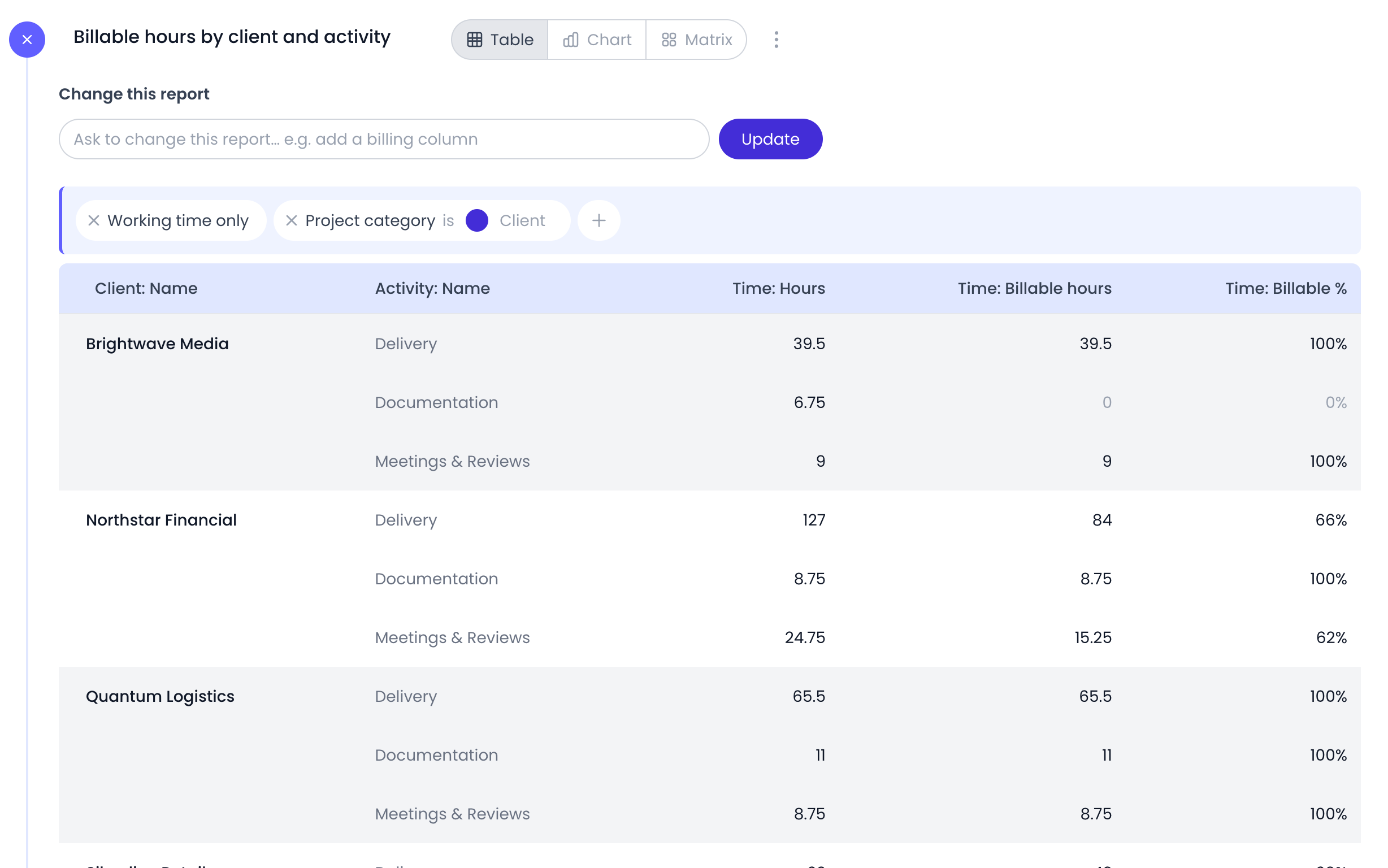
## Your time data, wherever you need it
Connect hundreds of apps, from project management and payroll to accounting and CRM. Everything stays in sync.
[Check Integrations](https://beebole.com/integrations.md)
## The essentials, covered.
With features like single sign-on, multilevel approvals, and GDPR compliance, Beebole meets your existing operational and security requirements.
- Mobile-ready
- Billable & non-billable
- Free API
- Work schedules
- Expense tracking
- 10 languages
- Single-sign-on
- Permissions
- MCP server
- Integrations
- GDPR compliant
- Multiple currencies
- Activity feed
- Multilevel approvals
- AI-suggested entries
- Private AI
[Compare All Features](https://beebole.com/pricing.md)
## What our customers say...
### Reviews:
Brad Farrell - Senior Project Manager: 5.0 stars
"Efficient, lightweight project time tracking. We use Beebole to understand time spent against individual POs. It offers an at-a-glance budget tracking system, approval workflows, and exports for invoicing."
Henry Fuller - Project Coordinator: 5.0 stars
"Beebole allows me to easily track my time and focus on the task at hand and team collaboration, all without dealing with an obnoxious interface. It makes keeping track of my time on hundreds of projects simple!"
Elizabeth Cwik - Architect: 5.0 stars
"I'm doing a much better job of keeping track of billable hours with Beebole. Beebole makes it easy for me to log hours and track projects. It's simple to print reports to include with invoices."
Andrej Perusic - Project Manager: 4.0 stars
"Beebole is easy to use. It helps a lot in tracking the hours worked, especially for developers and project managers who work on several projects at the same time."
Christian Fleischfresser - Head of Operations: 5.0 stars
"I really appreciate the granularity Beebole allows in recording time. The detailed tracking integrates well with our other project-tracking tools, giving us a complete picture of how our team's time is spent."
Keith Emmerson - Finance Manager: 5.0 stars
"Beebole is a really useful product for keeping track of time spent per client and billing accordingly. It also ensures work undertaken is accurately recorded and not forgotten when it comes to billing."
## Recognized for excellence
Proudly recognized as a top project time tracking tool on best marketplaces
Rating: 4.6/5 - Beebole is a top-rated tool across every major marketplace
- 
- 
- 
- 
- 
- 
- 
- 
## Trusted by
Supporting teams worldwide with reliable time and project insights
- dfin
- hitachi
- michelin
- maersk
- schneider
- invest cloud
- hitachi
- invest cloud
## Better project decisions start with better time tracking
No credit card. No commitment. Just 30 days to see the difference.
[Contact Sales](https://beebole.com/sales-call.md)
[Start Free Trial](https://app.beebole.com/signup)
--------------------------------
[Employee Time Off and PTO Tracking - Beebole](https://beebole.com/time-off-pto-tracking.md): Beebole includes PTO and time off tracking: request approvals, set allowances, track balances, and sync absence data with your project timesheets. Free 30-day trial.
--------------------------------
# Time off management, in sync with every project
Review time off requests, set allowances, track balances, and keep your whole team on the same page - all within Beebole's project time tracking platform.
30-day trial, Cancel anytime, No credit card required
[Start Free Trial](https://app.beebole.com/signup)
## Trusted by 1,000+ companies in 60+ countries
- Beebole is a top rated time tracking tool on Capterra
- Beebole is highly-rated by users on GetApp
- Beebole is a highly-rated time tracking software on G2
- Beebole is top rated on Google Workspace
## From requests to accruals, handled end to end
Set up your policies once and let Beebole take care of the rest - approvals, accruals, balances, and public holidays
- Simplify PTO requests
Employees request time off in a click, and approvals flow automatically through your existing workflow - no following up.
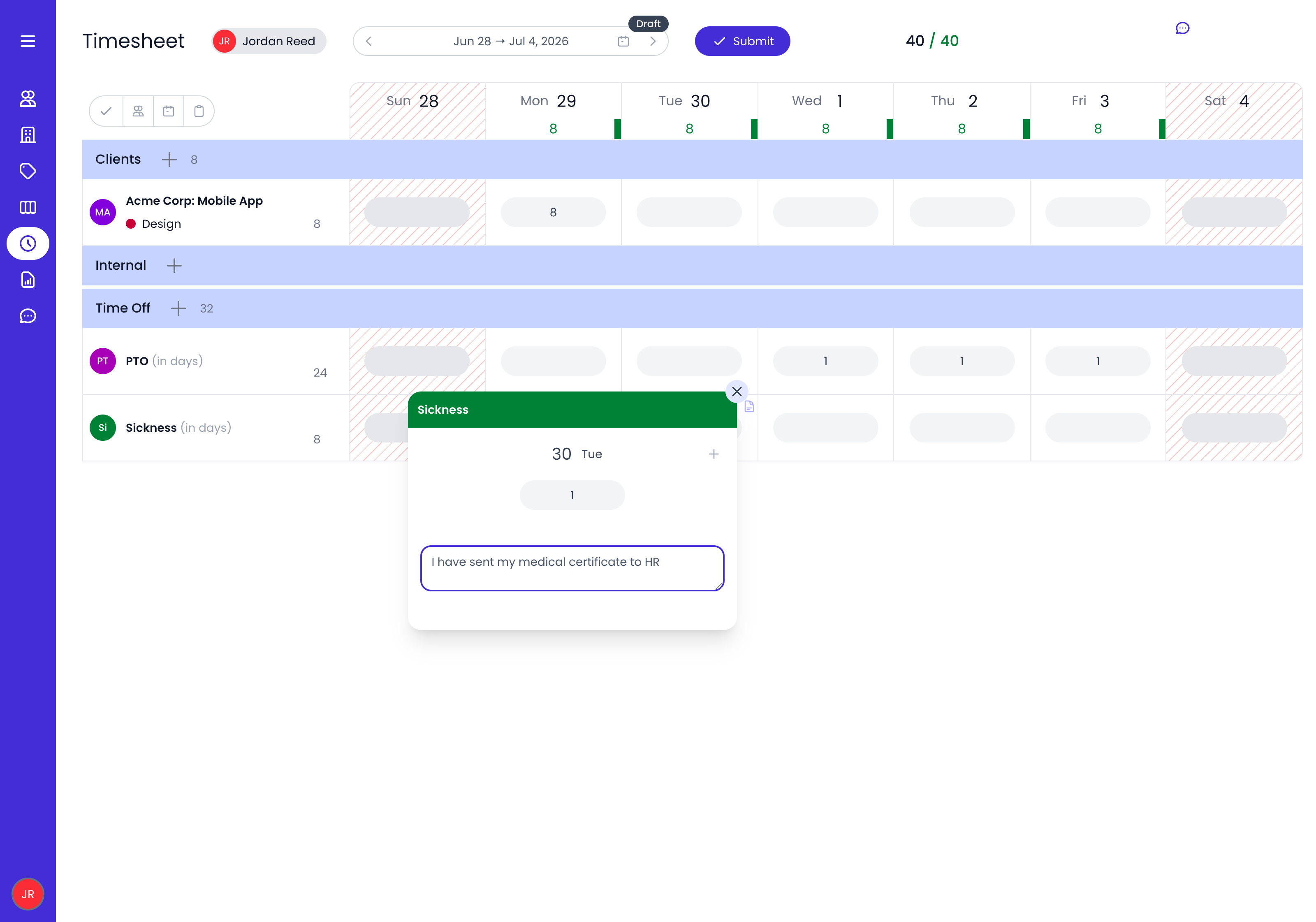
- Automate accrual policies
Configure accrual policies and schedules by absence type, and define exactly how unused time off carries over between periods.
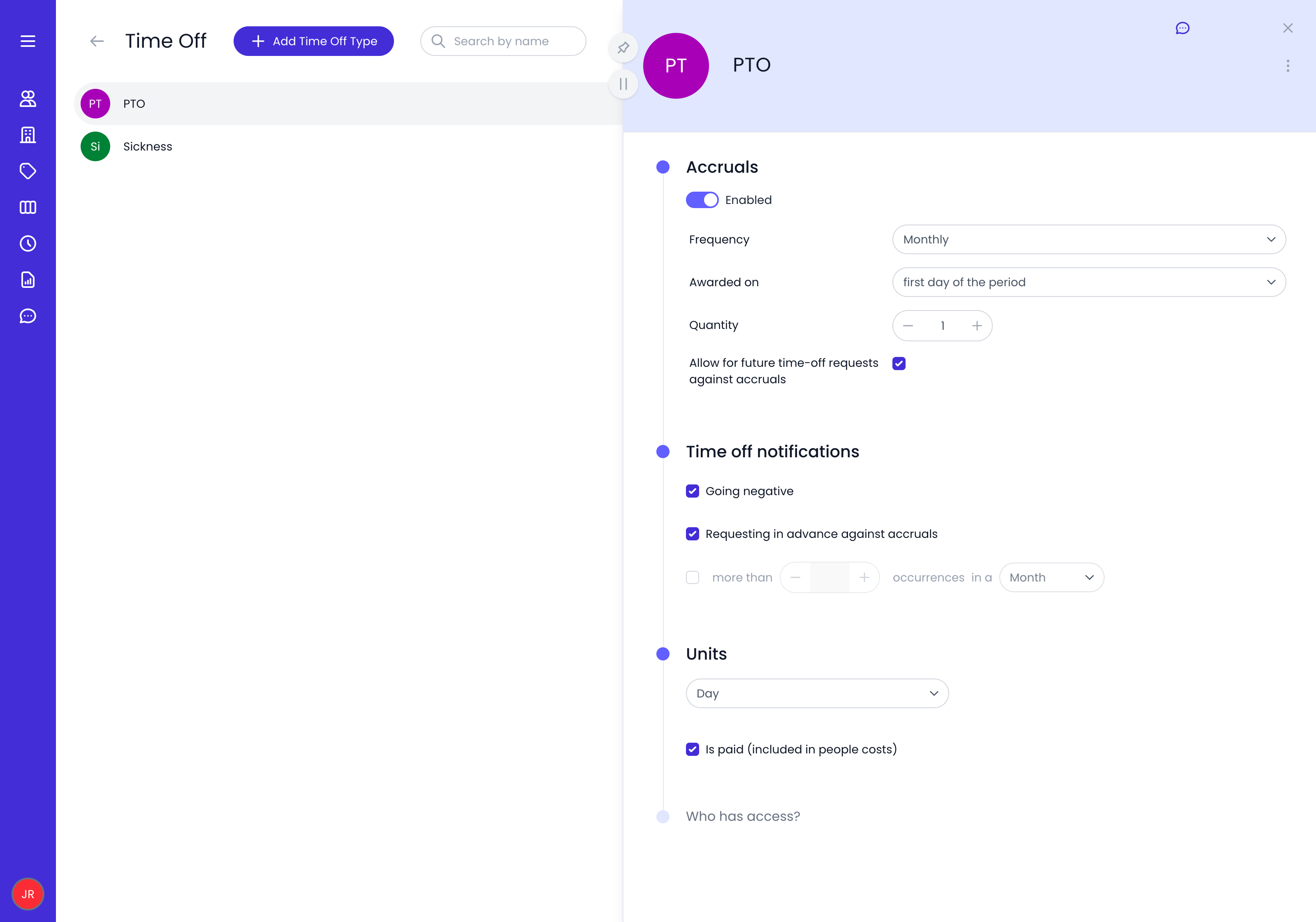
- Monitor balances in real time
Define allowances by person, team, or organization and get a clear, updated view of taken, available, and accrued balances across all absence types.
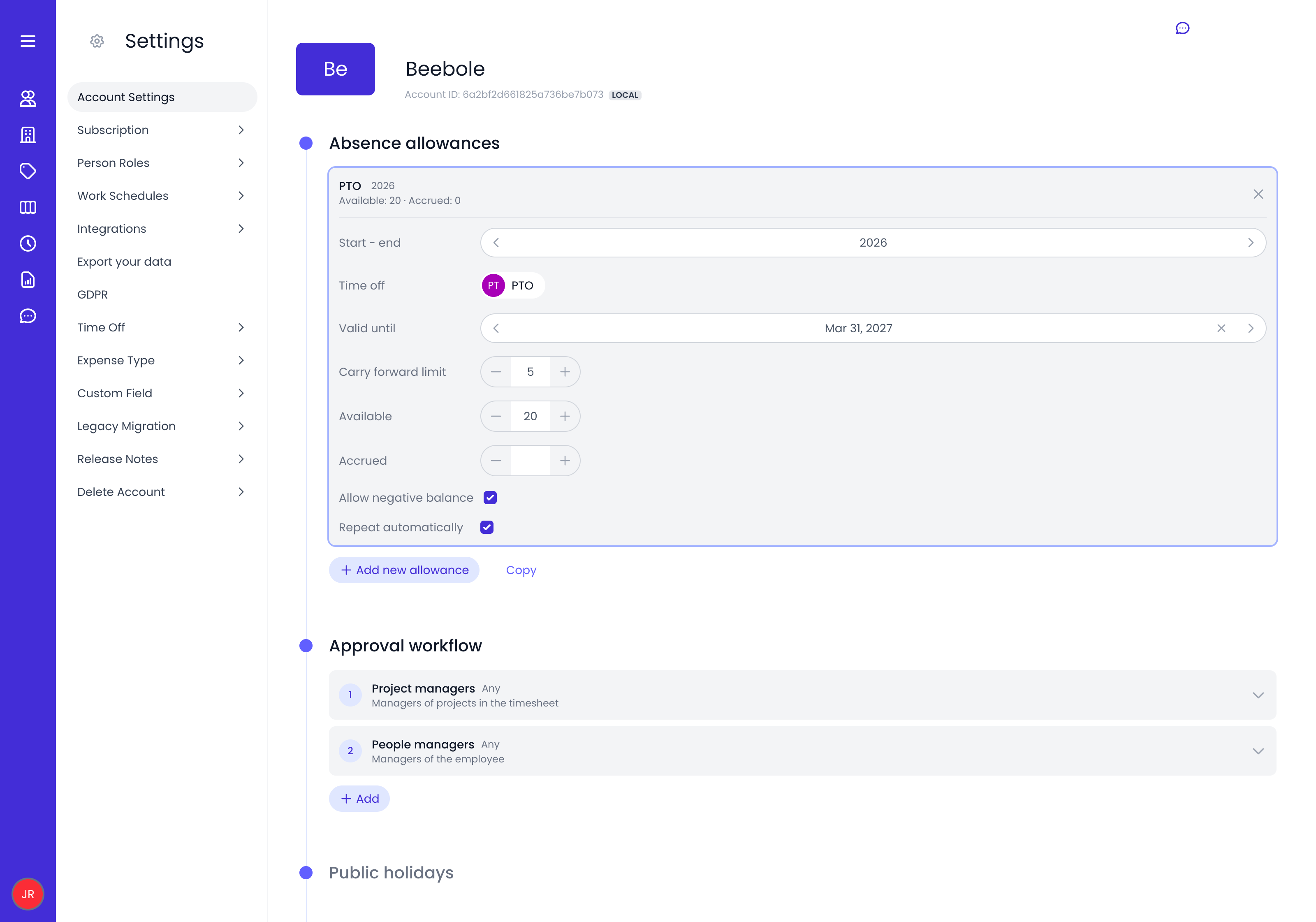
- Assign holidays instantly
Holidays are pre-populated by country and region, and can be assigned at an organization, team, or individual level - with the flexibility to add or edit them manually when needed.
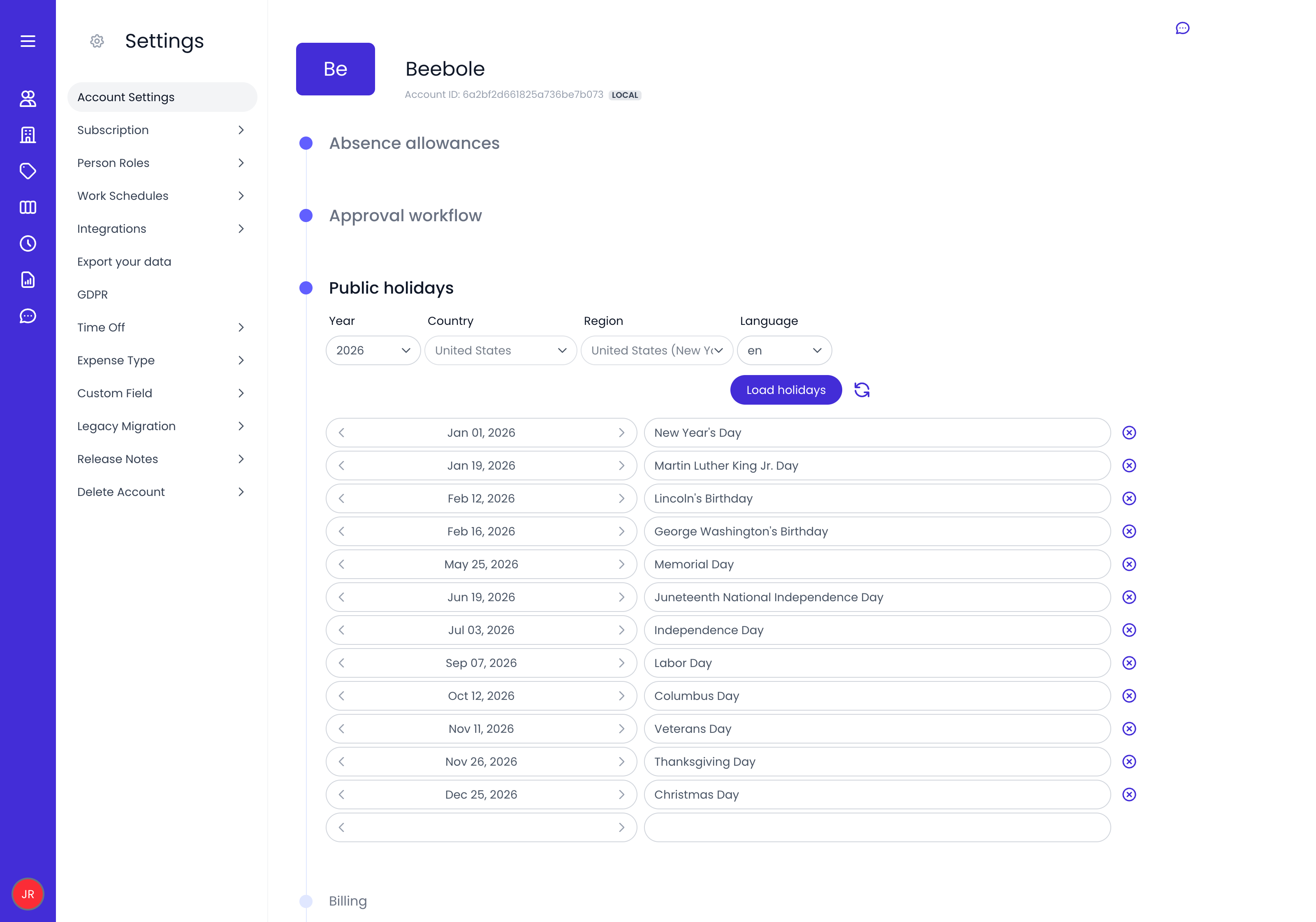
## When time off runs itself, everything else runs better
### Reclaim Time
Fully automated time off management
Bring time and time off into one dashboard, set policies once, and let the system do the rest. No more manual calculations, chasing approvals, or end-of-year surprises - just a straightforward process that keeps your team rested and on the same page.
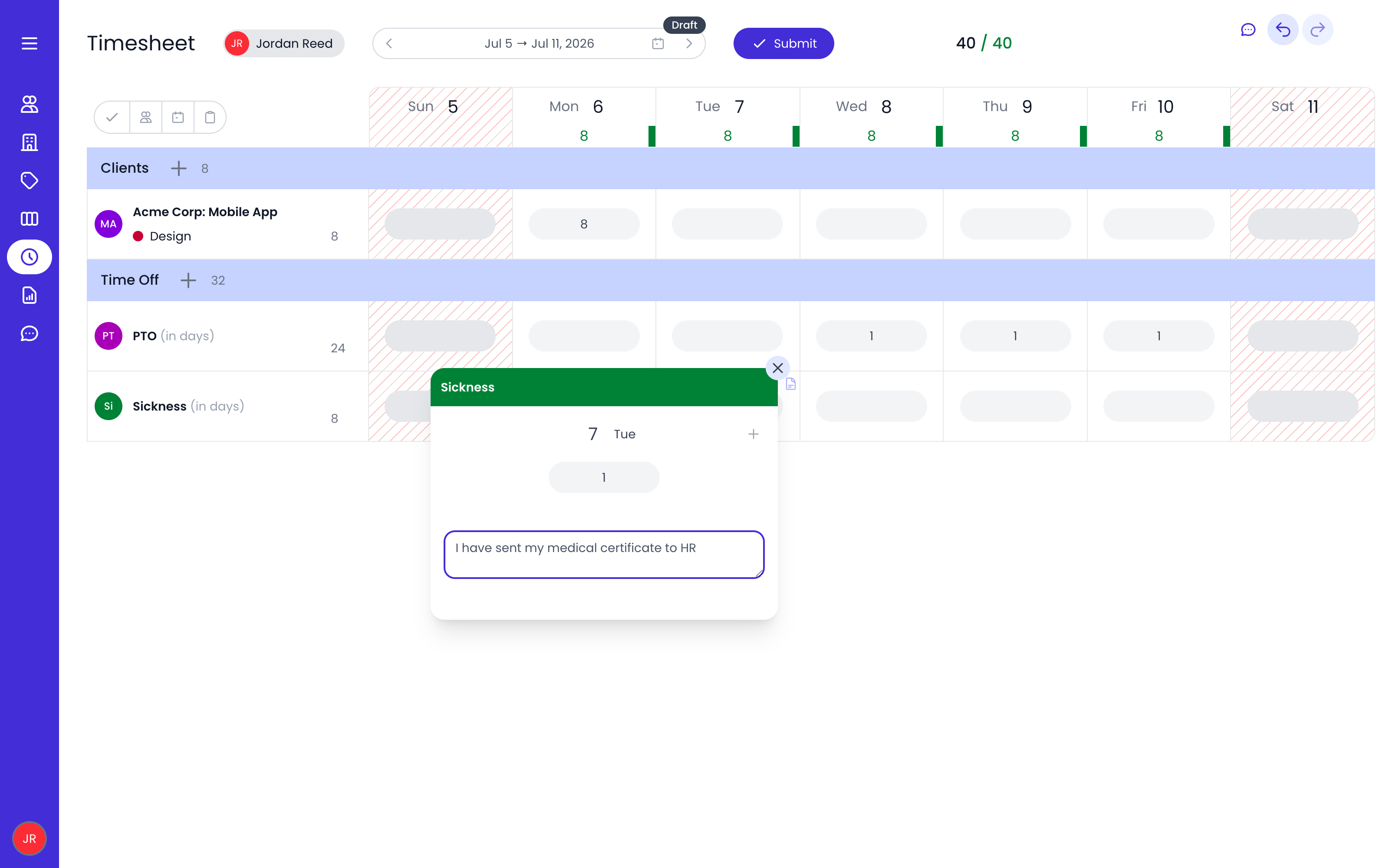
### Stay Transparent
Real-time balances that everyone can trust
Give your team the clarity to plan time off with confidence, and give yourself the peace of mind that every balance is accurate and compliant. Whether you track in hours or days, everyone always has a real-time view of what they've taken, what's available, and what's accrued.
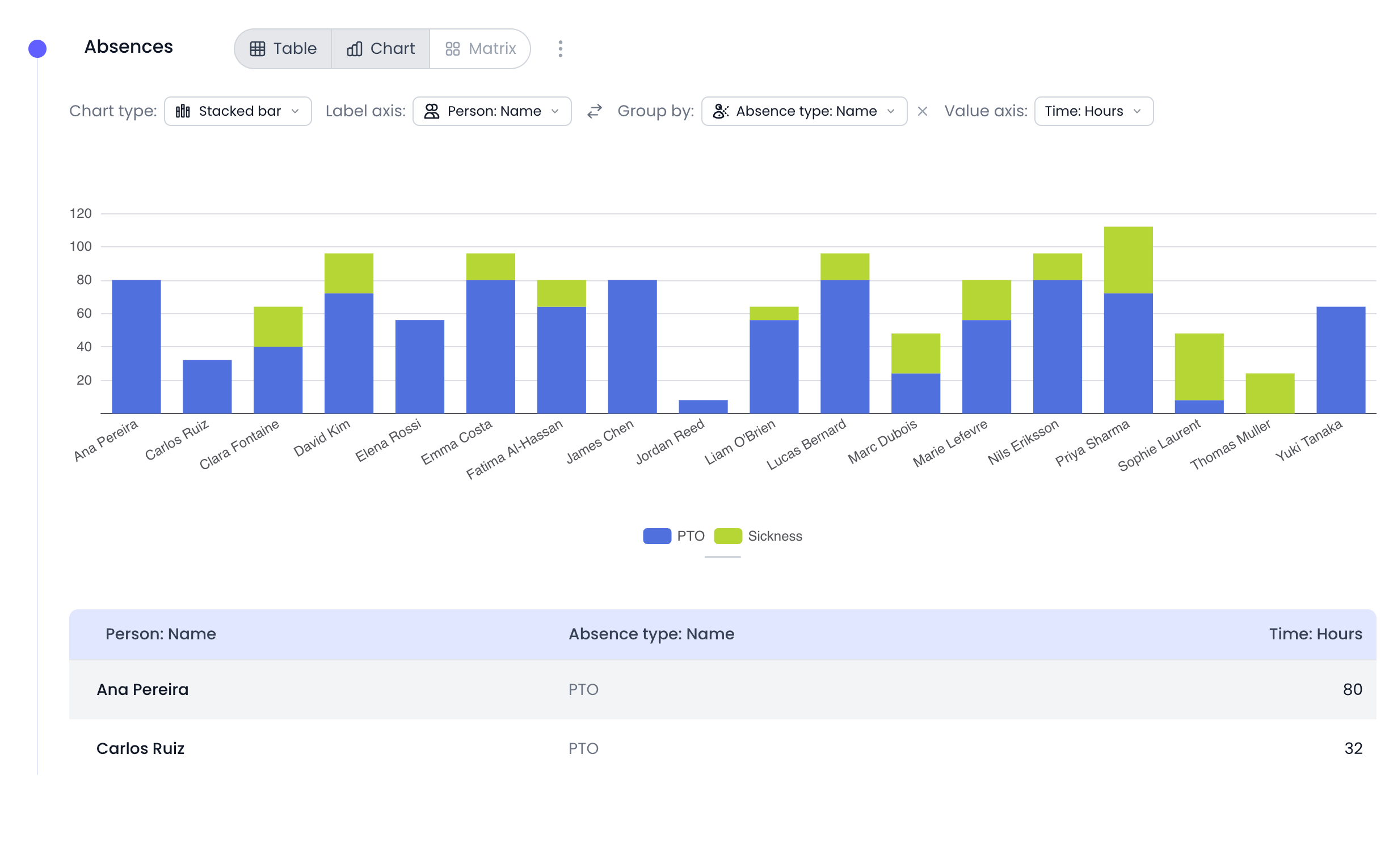
### Automate Entitlements
Accruals that run on autopilot
As people log hours, balances update automatically, with no manual calculations, no risk of human error, and no time spent reconciling records at the end of each pay period. Your accrual policies run in the background so you can focus on people, not paperwork.
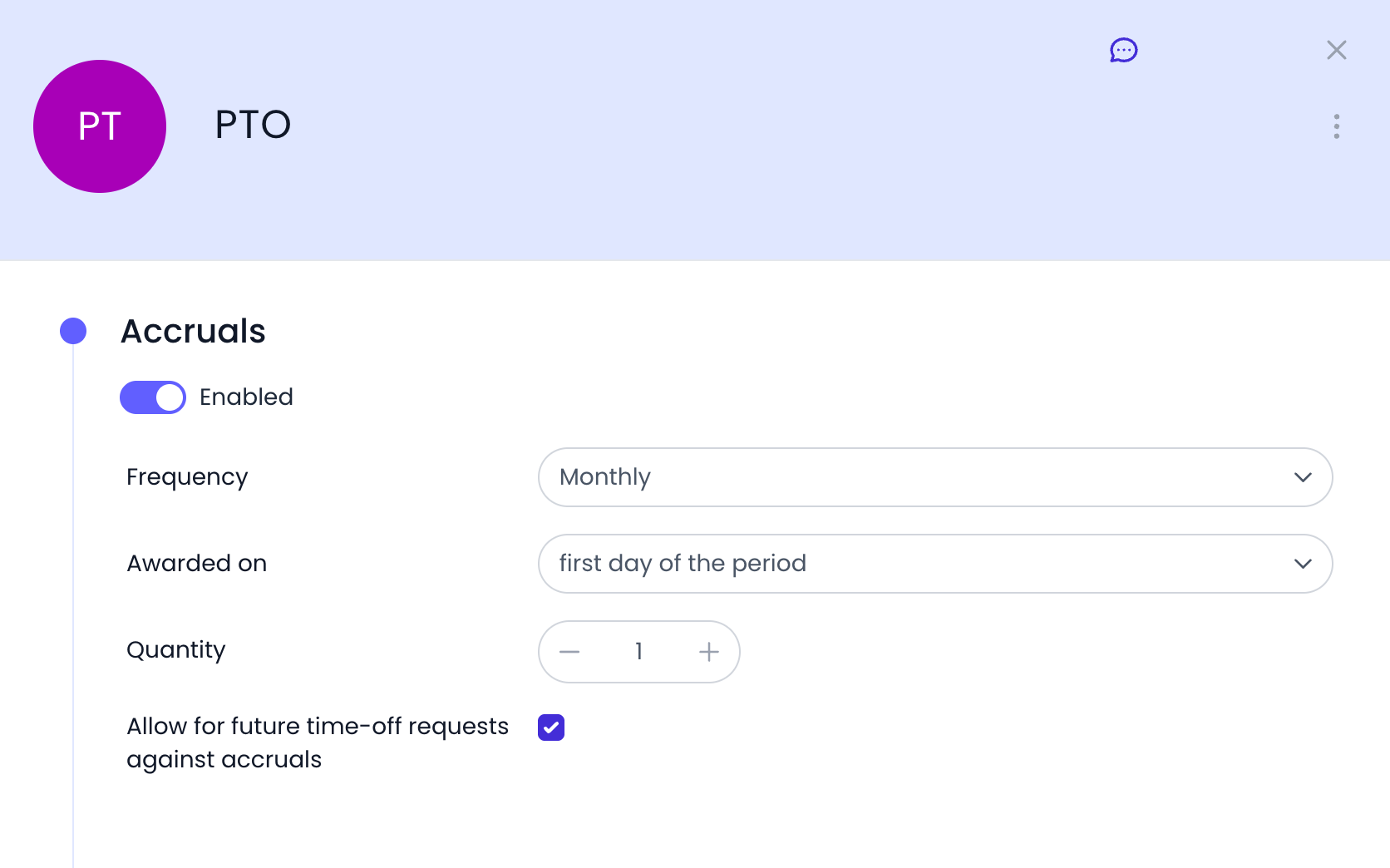
### Approve Confidently
Review PTO with total visibility
Approve or decline time off requests knowing you have the full picture. Notifications keep the right people informed at every stage, so nothing gets missed, no one is caught off guard, and your team's time off is always handled fairly and consistently.
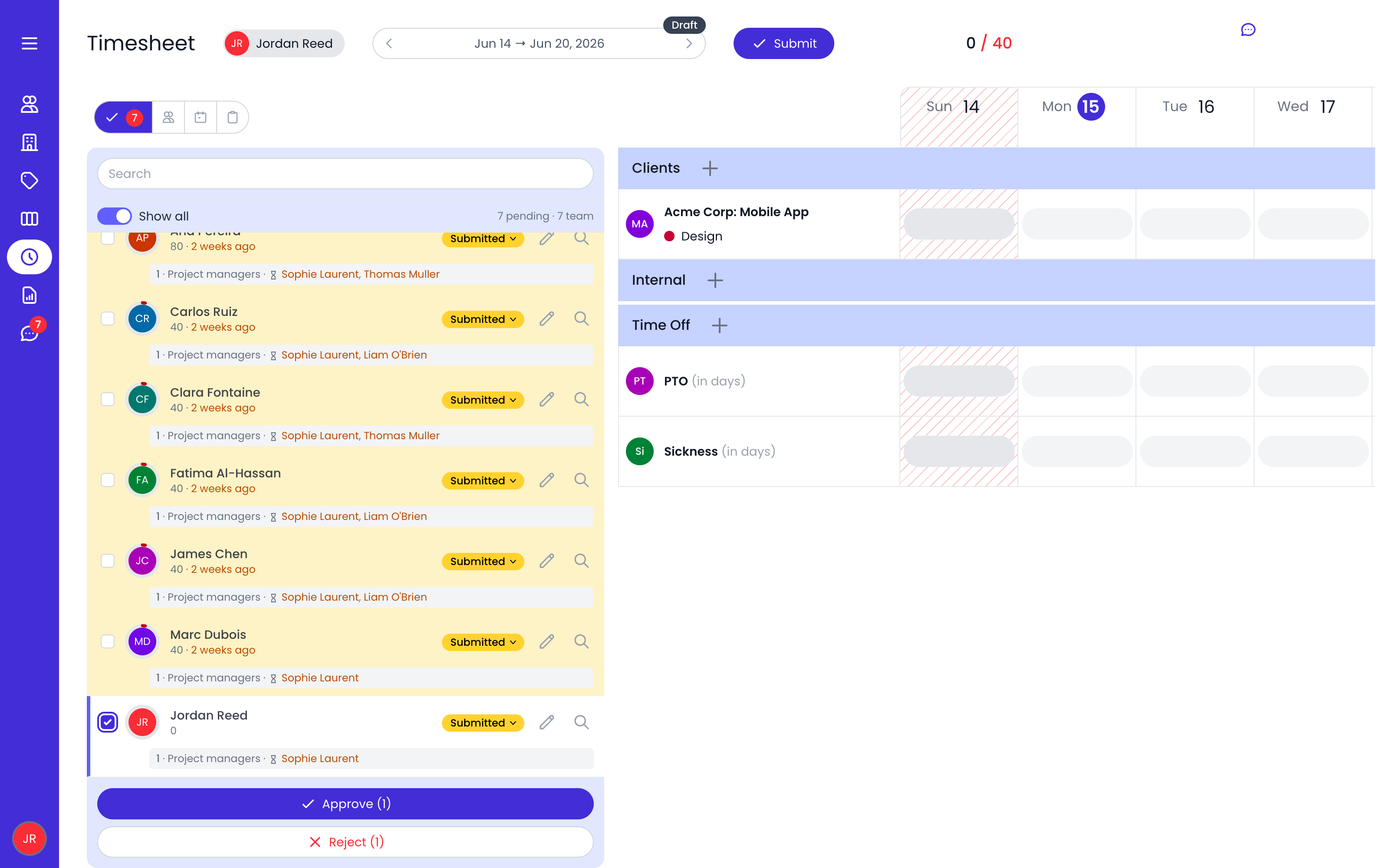
## Your time off, sorted in minutes
- Getting started with time off
Everything you need to configure your time off policies, set up absence types, and get your team up and running from day one.
[Read the guide](https://beebole.com/help/documentation/timeoff)
- Setting up accruals
Learn how to configure accrual policies, carry-forward rules, and more so your PTO management runs automatically from the start.
[Learn more](https://beebole.com/help/documentation/accruals)
- Managing public holidays
Find out how to assign localized public holiday calendars to your organization, teams, or individual employees.
[Learn more](https://beebole.com/help/documentation/public-holidays)
## Resource Planning
### Project planning that accounts for time off
Approved absences flow directly into your resource planning view, so you always know who's available before you assign work. Allocate with confidence and keep projects on track, even when people are away.
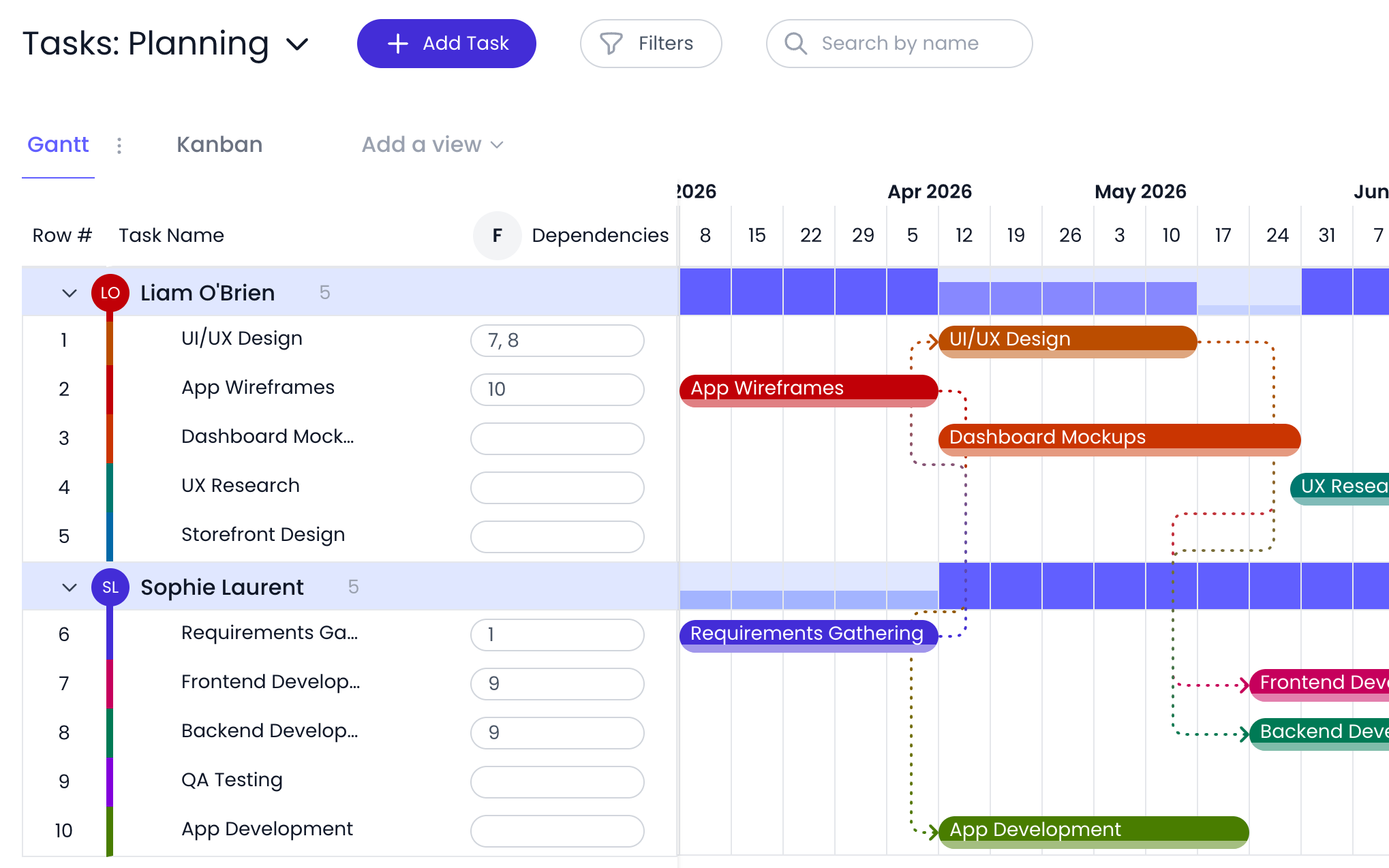
[Explore resource planning](https://beebole.com/resource-planning.md)
## Rated by real teams
Hundreds of companies worldwide trust Beebole with their project and time off management.
- Krista Moore - Human Resource Partner @ Health Resources in Action - "We love the simplicity and accuracy of Beebole. It is easy to use administratively and also easy to train our staff to use it. We can keep track of time worked and also PTO very effectively."
- Shannan Boyer - Founder and President @ Scooter Media - "We've been using Beebole since 2013, and I can't imagine changing timekeeping platforms. I can honestly say that Beebole is the first timekeeping software I've ever utilized that employees actually like using. Because of Beebole's user-friendly platform, my team updates their time with ease."
- George Koulakis - Managing Director @ XIPNOS - "The product is extremely easy to implement and use. We have been using Beebole for many years. Its well-designed UI and daily use mean it has become second nature for our people."
- Mátyás Pethő - Operations Manager @ HungaroTrial - "Our go-to timesheet system. Beebole is user-friendly, intuitive, and easy to use. The initial training for a new employee takes less than 30 minutes."
- Avery Cole - Principal Consultant @ Covalence - "I do a lot of things at work, and I do them fast. Seconds matter. Beebole is crisp and responsive. I'm never waiting around for it to load or process."
## Our awards
Proudly recognized as a top project time tracking tool across leading marketplaces
- Beebole is a front runner for time tracking on Software Advice
- Beebole is a best value tool on Capterra
- Beebole is a certified premium time tracking software on Appvizer
- Beebole is a time tracking category leader on GetApp
- Beebole is a certified top software on SoftDoit
- Beebole is a high performer in project time tracking on G2
- Beebole is a top time tracking software on Tekpon
- Beebole is a top rated time tracking software on Software World
- Beebole has some of the happiest users on Crozdesk
## The essentials, covered.
With features like single sign-on, multilevel approvals, and GDPR compliance, Beebole meets your existing operational and security requirements.
- Mobile-ready
- Billable & non-billable
- Free API
- Work schedules
- Expense tracking
- 10 languages
- Single-sign-on
- Permissions
- MCP server
- Integrations
- GDPR compliant
- Multiple currencies
- Activity feed
- Multilevel approvals
- AI-suggested entries
- Private AI
[Compare All Features](https://beebole.com/pricing.md)
## Simplify time off and resource management
Stop juggling spreadsheets and reports - manage time off, costs, and resources in one platform. Try Beebole free for 30 days or talk with our team to learn more.
[Contact Sales](https://beebole.com/sales-call.md)
[Start Free Trial](https://app.beebole.com/signup)
--------------------------------
[Project Cost Tracking and Financial Reporting - Beebole](https://beebole.com/project-financials.md): Beebole gives finance teams real-time visibility into project costs, billing rates, budgets, and profitability - without waiting for month-end close. Free 30-day trial.
--------------------------------
# Reliable financial data for every project, at any time
Configure billing rates, costs, and budgets at any level - then report on all of it in real time, with the detail finance teams need to track profitability from start to finish.
30-day trial, Cancel anytime, No credit card required
[Start Free Trial](https://app.beebole.com/signup)
## Trusted by 1,000+ companies in 60+ countries
- Beebole is a top rated time tracking tool on Capterra
- Beebole is highly-rated by users on GetApp
- Beebole is a highly-rated time tracking software on G2
- Beebole is top rated on Google Workspace
## Built for every layer of your balance sheet
Granular controls for budgets, rates, and costs - and real-time reporting across all your people and projects
- Budgets, split and tracked
Set billing, cost, and quantity budgets for clients and projects, then split them by person or subproject to track exactly where time and money is being spent.
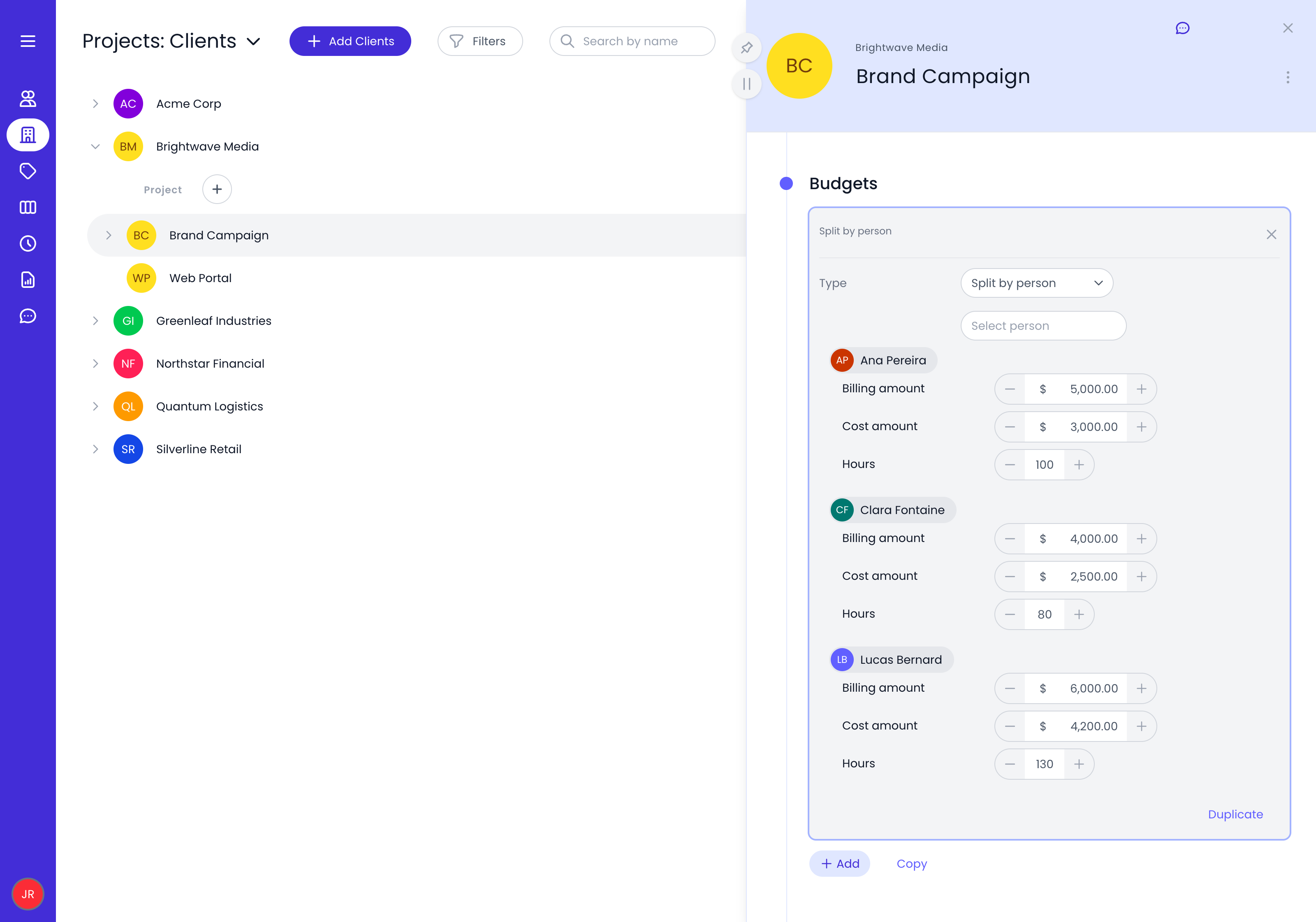
- Rates at every level
Configure billing and cost rates at the person, project, task, or tag level. Choose from fixed, hourly, daily, or non-billable rate methods - with splits, effective dates, and recurring patterns supported.
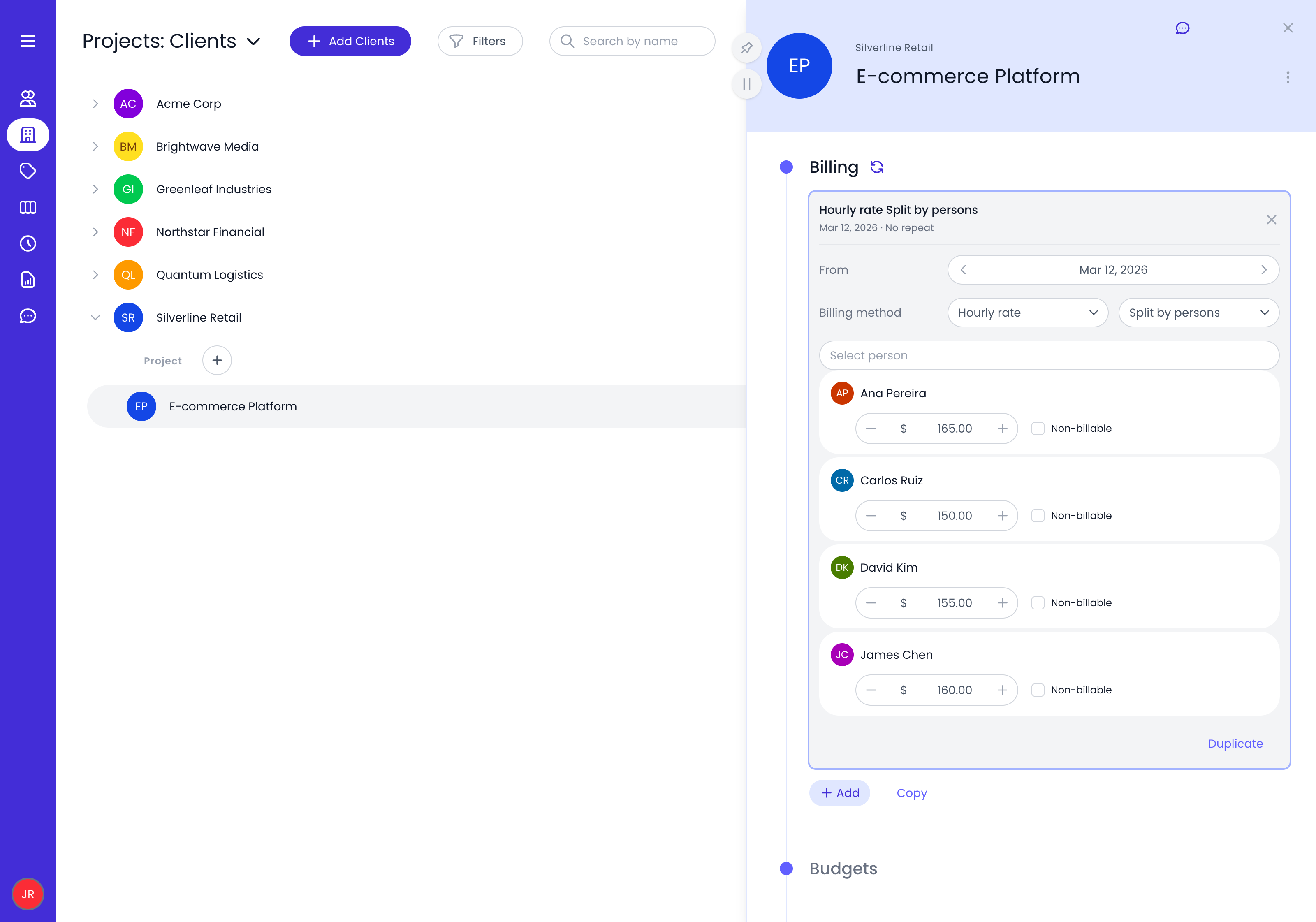
- Reports built to order
Build multidimensional reports filtered by person, project, task, tag, or date range. Group by any period and include billing rates, costs, and profitability to get the full financial picture on any project.
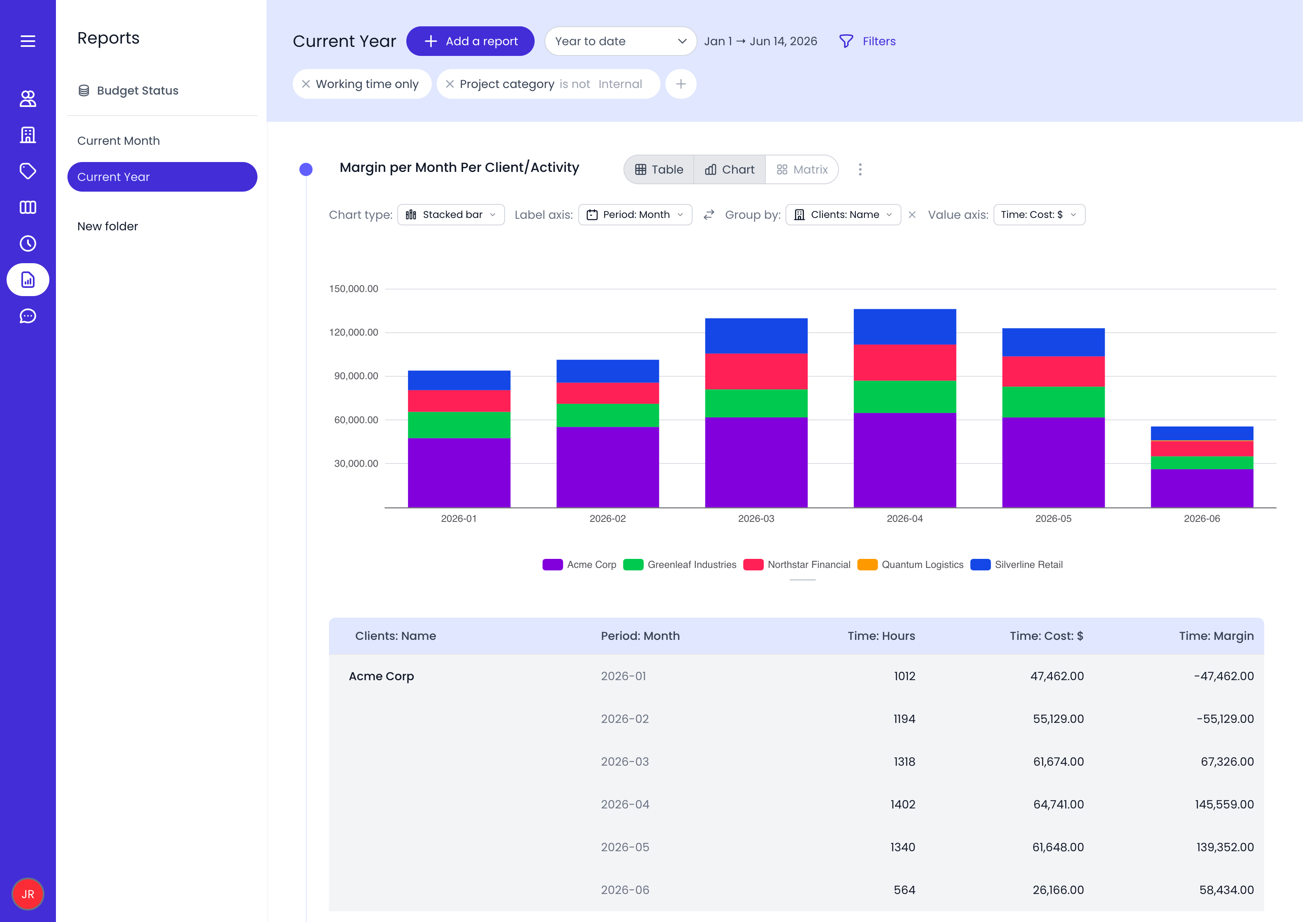
- Expenses, under control
Define which expense types apply per project or person and track them alongside time and billing data - so your reports reflect the true cost of every activity, not just the hours.
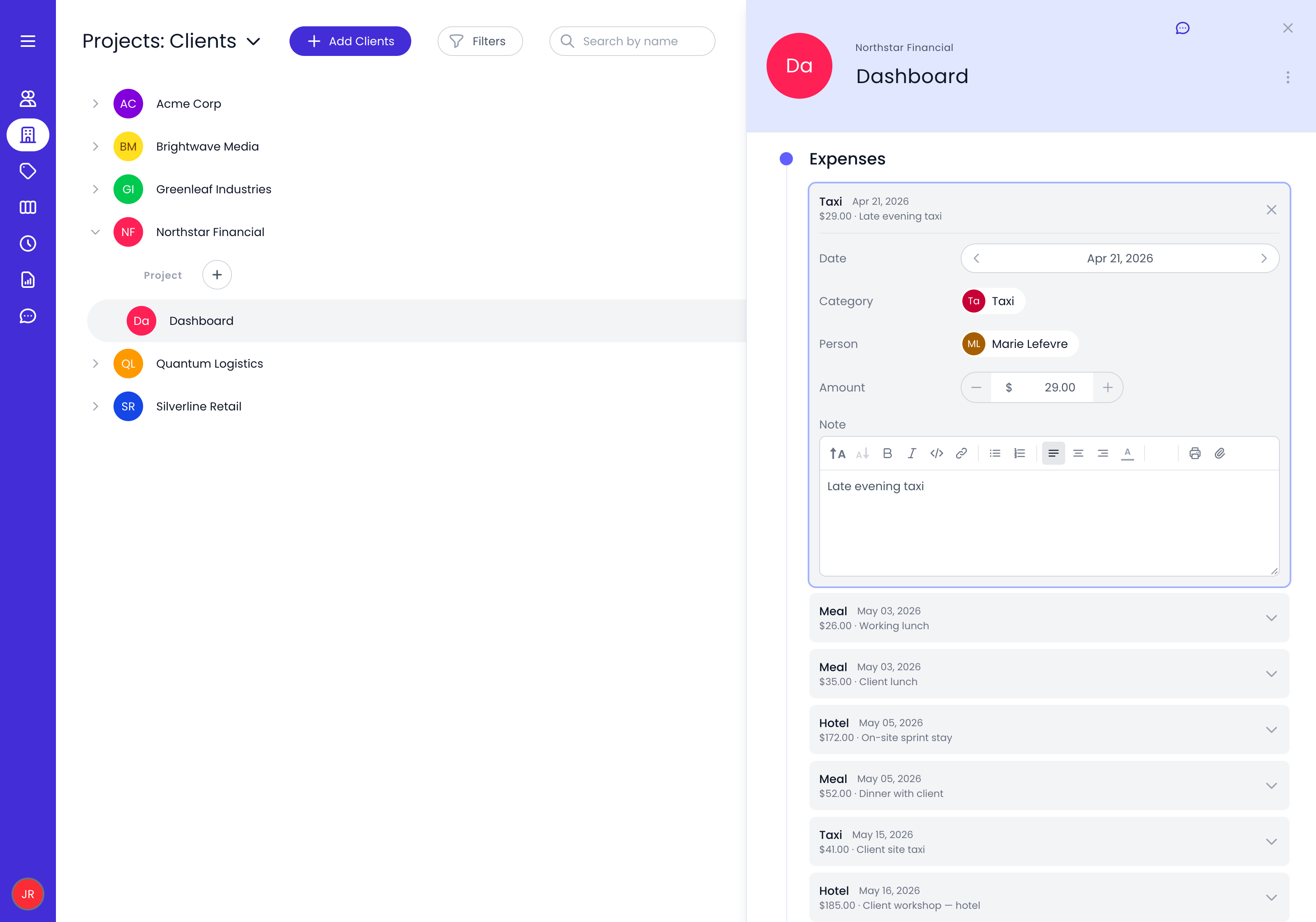
## Financial clarity, from project to portfolio
Beebole gives you real answers on everything from individual budgets to org-wide margins
### Budget confidence
Stay one step ahead of your budget
Identify when a project is trending over budget while there's still time to adjust - so you can protect resources, margins, and [client trust](https://beebole.com/security.md) before small overruns become big problems.
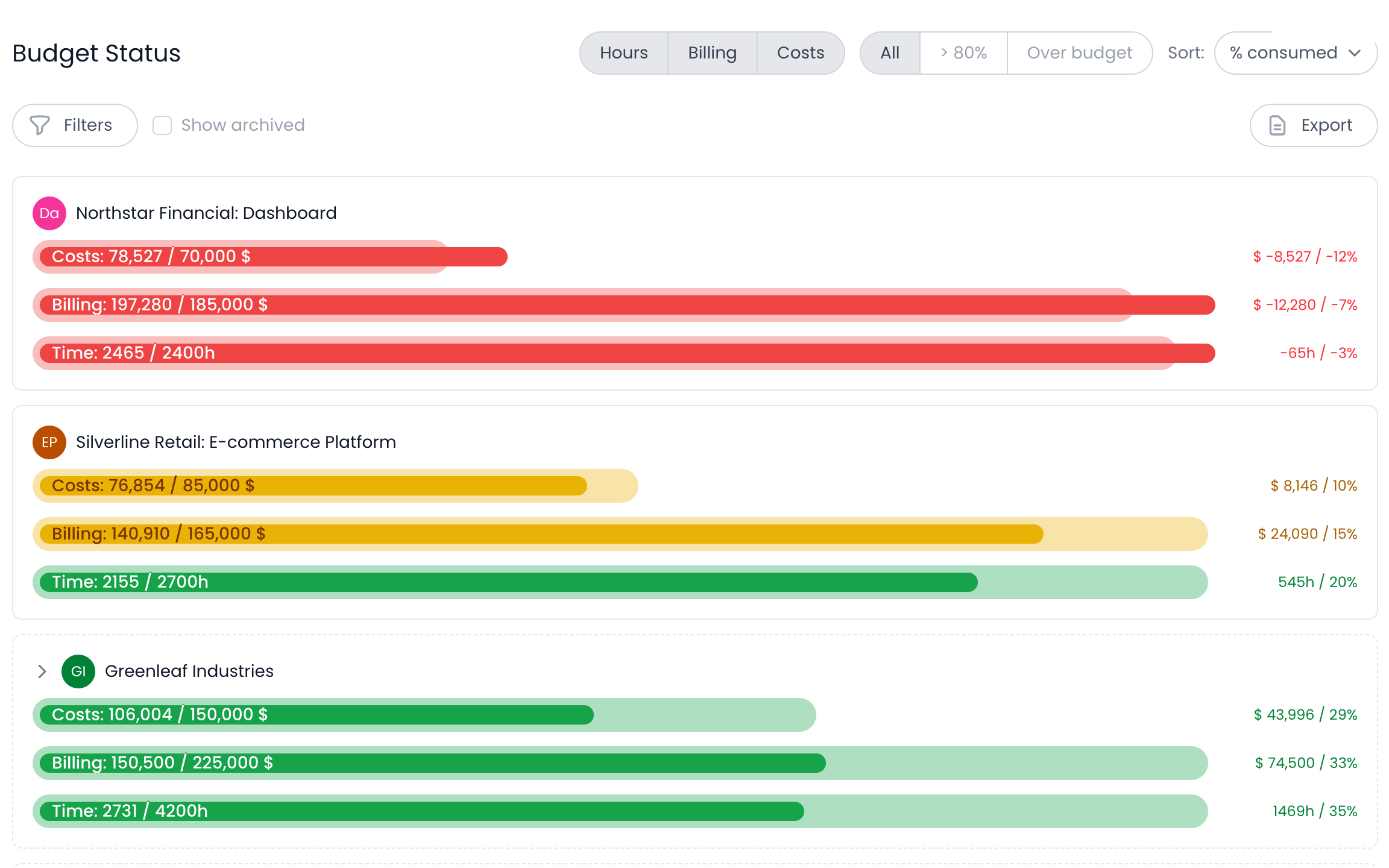
### Cost visibility
See the full cost of every project
Knowing what you charge is one thing. Knowing true costs and margins is what lets you effectively choose, price, and [plan projects](https://beebole.com/resource-planning.md) in the future.
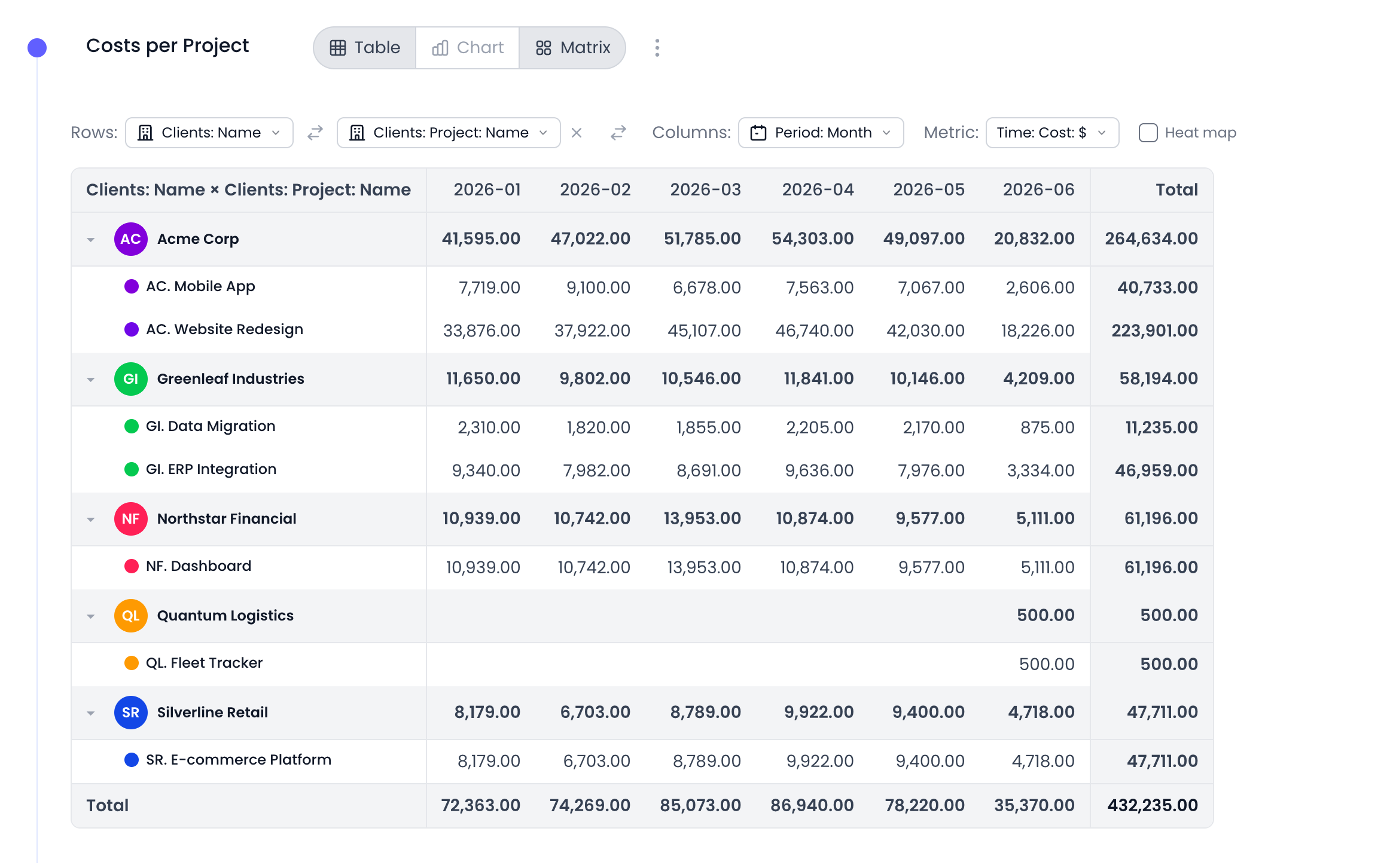
### Forecast accuracy
Plan future projects with confidence
When budgets are built on detailed financial history rather than gut feeling, forecasts are accurate, proposals are grounded in reality, and quotes are defensible.
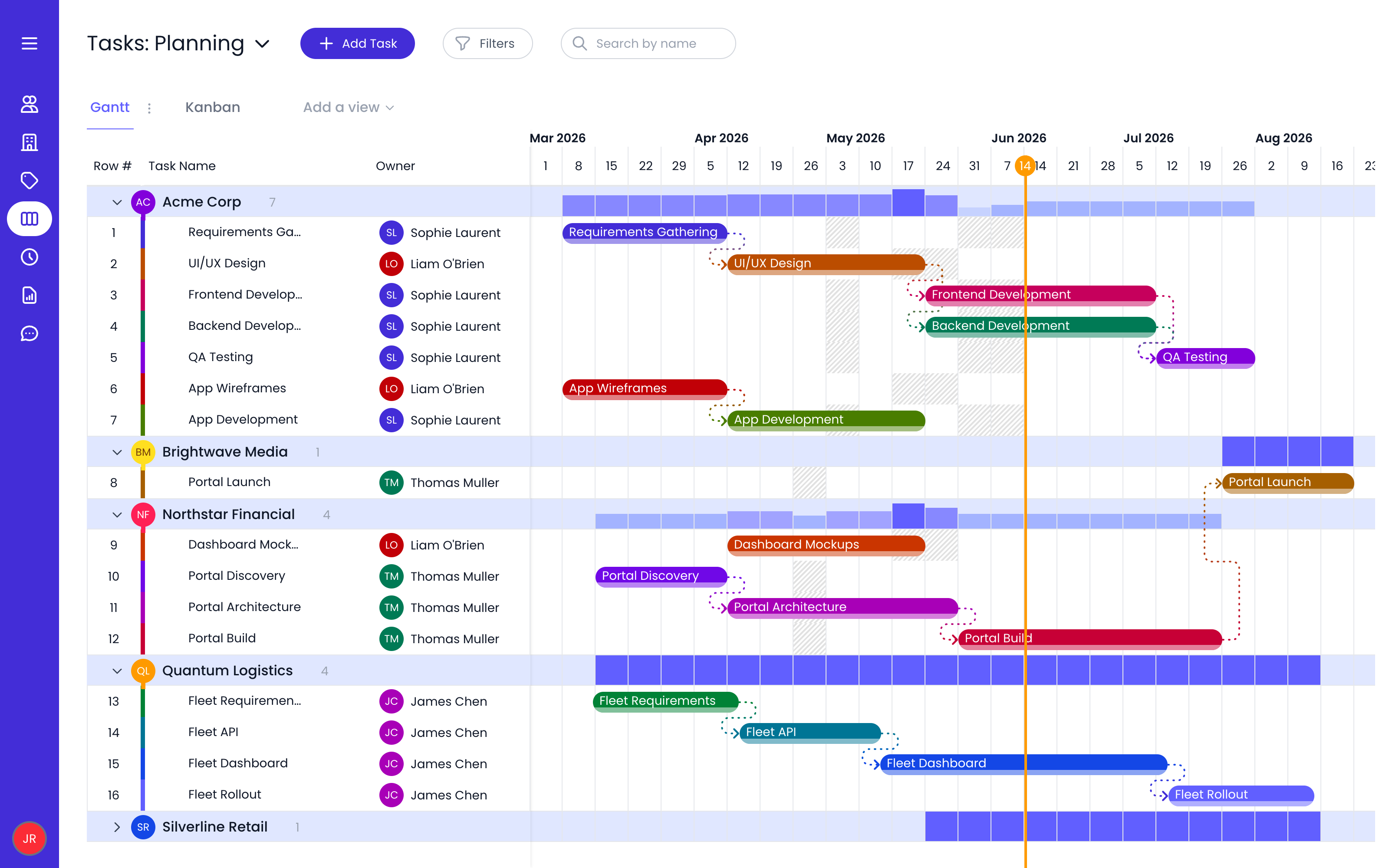
### Portfolio health
Ensure profitability across all projects, not just one
Always have an accurate, [up-to-date view](https://beebole.com/employee-timesheet-reports.md) of financial data across your entire portfolio. No more pulling the numbers together from disconnected sources.
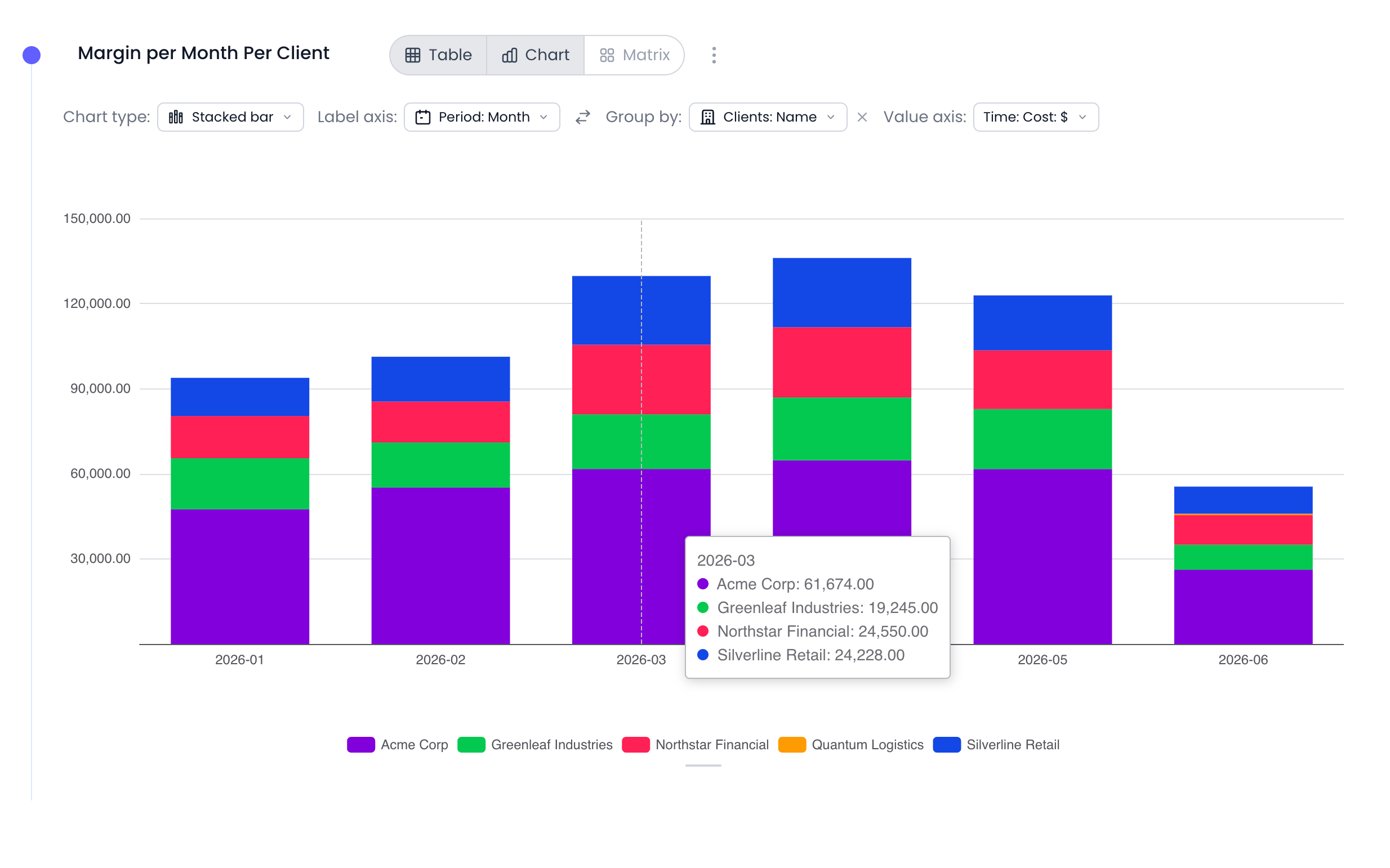
## Go deeper on rates, costs, and budgets
- Configuring billing
From fixed fees, hourly, daily, and non-billable, learn how to configure the right billing rate method for every project, person, task, or tag.
[Learn more](https://beebole.com/help/documentation/billing)
- Setting up costs
Read more about separating cost rates from billing to get an accurate read on margins - configured with the same level of granularity.
[Learn more](https://beebole.com/help/documentation/costs)
- Defining budgets
Discover how to set up budgets and notifications on clients and projects, and split them by person or subproject for reporting precision.
[Learn more](https://beebole.com/help/documentation/budgets)
## Data & Reporting
### Reporting that puts your financial data to work
Beebole's reporting features transform your costs, billing rates, and budgets into multidimensional, real-time insights that can be exported, shared, and integrated.
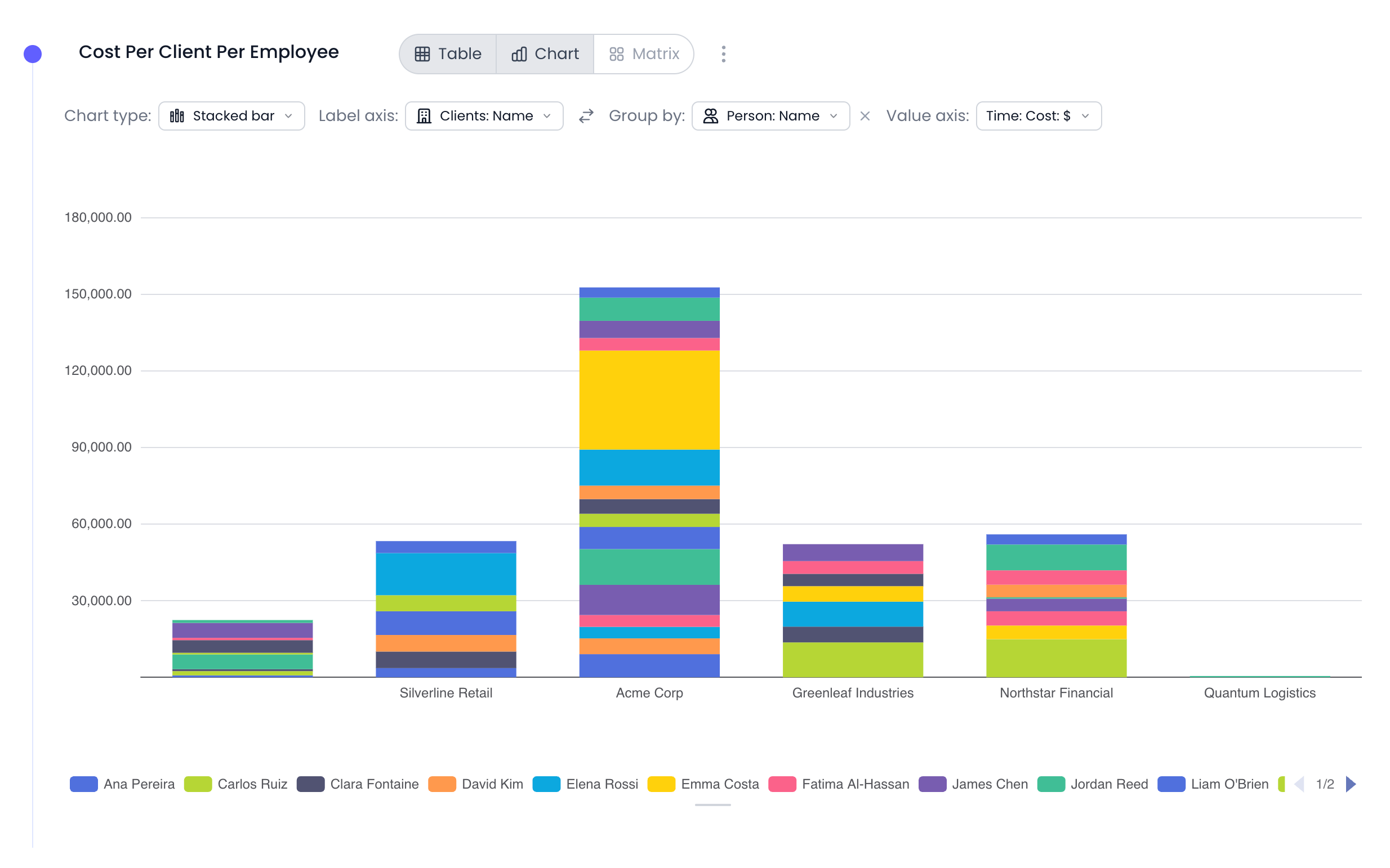
[Learn more about reports](https://beebole.com/employee-timesheet-reports.md)
## Rated by real teams
Hundreds of companies worldwide trust Beebole to keep their project finances accurate and up to date.
- Dmitri Savitski - Operational Analyst @ InData Labs - "I really value how Beebole enables us to monitor performance at every level-company, client, project, and individual. The tool offers a great balance of price and capabilities. It's essential for our billing, invoicing, and profitability analysis, and it helps us make timely operational decisions based on real data."
- Grégory Dehooghe - President @ Pixellence - "We use Beebole daily to manage time spent and tasks completed on our various production projects. It simplifies invoicing, cost management, and project profitability. It's an easy-to-learn tool that can be configured to suit our needs."
- Lavina Liburd - Principal @ TigerQi Architecture - "Easy to use and an excellent value for the money. Beebole helps me track project profitability in relation to fee versus time spent. This allows me to set realistic fee proposals and also better project time and staffing needs on future projects."
- Paul Koufalis - President @ White Start Software - "My biggest challenge was making sure that my subcontractors were paid the correct amount in the current currency. With Beebole, it was easy and painless to standardize on one procedure. It has all the functionality I need to deal with employees, contractors, variable costs and billing rates, and variable currencies."
- Scott Gustafson - Founder @ Maison Orion - "I like the ability to set up budgets for a project and to be able to see how the fee is being used as the work progresses and to compare that against other completion metrics."
## Our awards
Proudly recognized as a top project time tracking tool across leading marketplaces
- Beebole is a front runner for time tracking on Software Advice
- Beebole is a best value tool on Capterra
- Beebole is a certified premium time tracking software on Appvizer
- Beebole is a time tracking category leader on GetApp
- Beebole is a certified top software on SoftDoit
- Beebole is a high performer in project time tracking on G2
- Beebole is a top time tracking software on Tekpon
- Beebole is a top rated time tracking software on Software World
- Beebole has some of the happiest users on Crozdesk
## The essentials, covered.
With features like single sign-on, multilevel approvals, and GDPR compliance, Beebole meets your existing operational and security requirements.
- Mobile-ready
- Billable & non-billable
- Free API
- Work schedules
- Expense tracking
- 10 languages
- Single-sign-on
- Permissions
- MCP server
- Integrations
- GDPR compliant
- Multiple currencies
- Activity feed
- Multilevel approvals
- AI-suggested entries
- Private AI
[Compare All Features](https://beebole.com/pricing.md)
## Ready to take control of time and resources?
Plan the work, track the time, and get the reports you need, all in one platform. Try Beebole free for 30 days or chat with our team to learn more.
[Contact Sales](https://beebole.com/sales-call.md)
[Start Free Trial](https://app.beebole.com/signup)
--------------------------------
[Flexible Project Time Tracking for Any Org Structure - Beebole](https://beebole.com/advanced-configurations.md): Beebole uses hierarchical tags to model your org structure and cascade rates, schedules, and approvals automatically. Set custom roles with granular permissions so every person sees exactly the right data. Free 30-day trial.
--------------------------------
# Your org structure, built into Beebole
Unlike most project time trackers that force your org into their structure, Beebole adapts to yours - with hierarchical tags, custom roles, and granular permissions that reflect how you actually work.
30-day trial, Cancel anytime, No credit card required
[Start Free Trial](https://app.beebole.com/signup)
## Trusted by 1,000+ companies in 60+ countries
- Beebole is a top rated time tracking tool on Capterra
- Beebole is highly-rated by users on GetApp
- Beebole is a highly-rated time tracking software on G2
- Beebole is top rated on Google Workspace
## Control access and data structure
Define who sees what, how your org is organized, and which projects each person works with - all from one configuration layer.
- Custom roles & permissions
Create roles with granular permissions across 24+ authorization scopes. Split view and manage rights separately, and scope access to specific people, projects, or your whole organization.
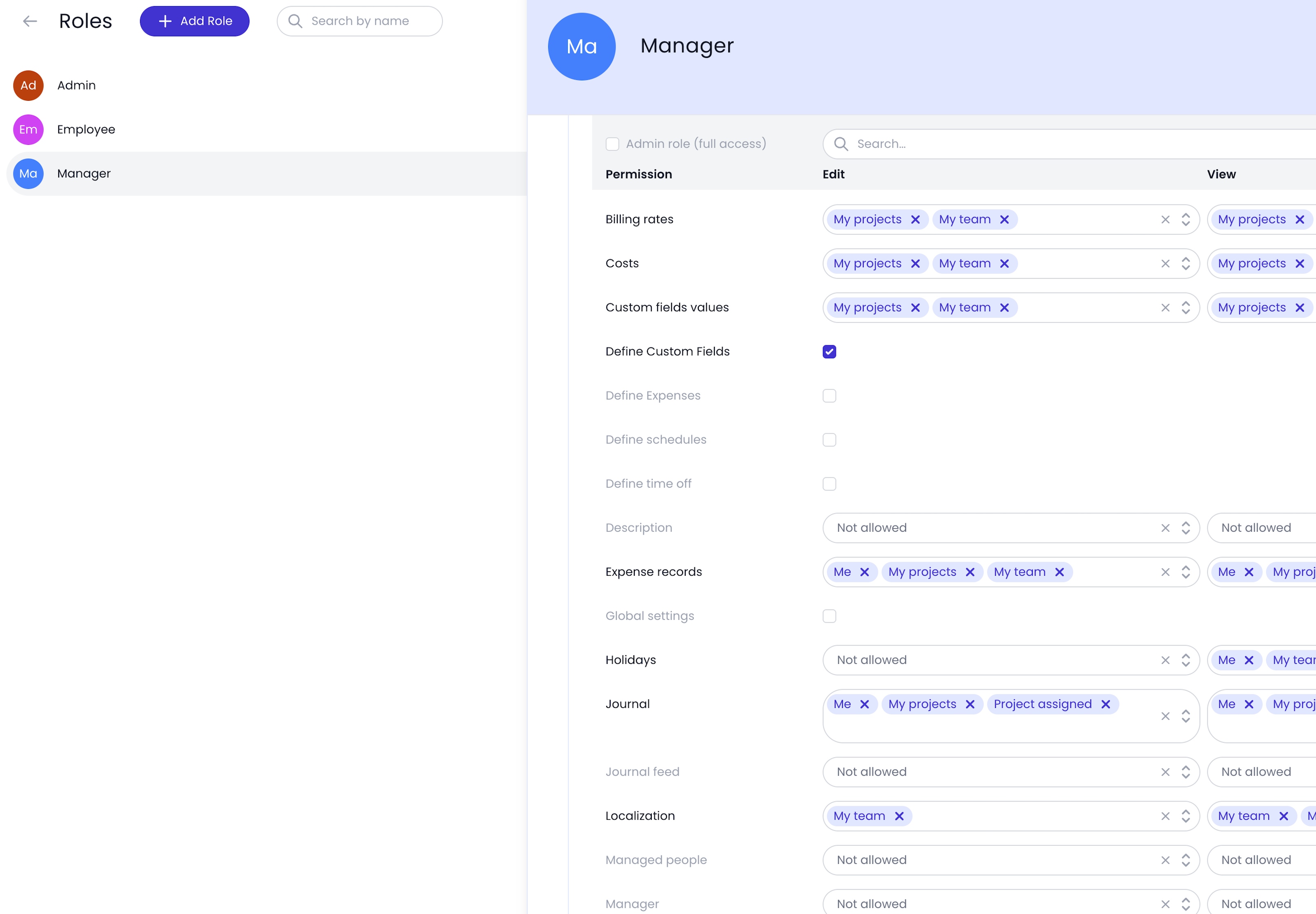
- Hierarchical tags
Build tag trees that reflect your organization's structure - by department, team, location, or any dimension you use. Assign billing rates, schedules, and approval chains to a tag, and they cascade to everyone in it automatically.
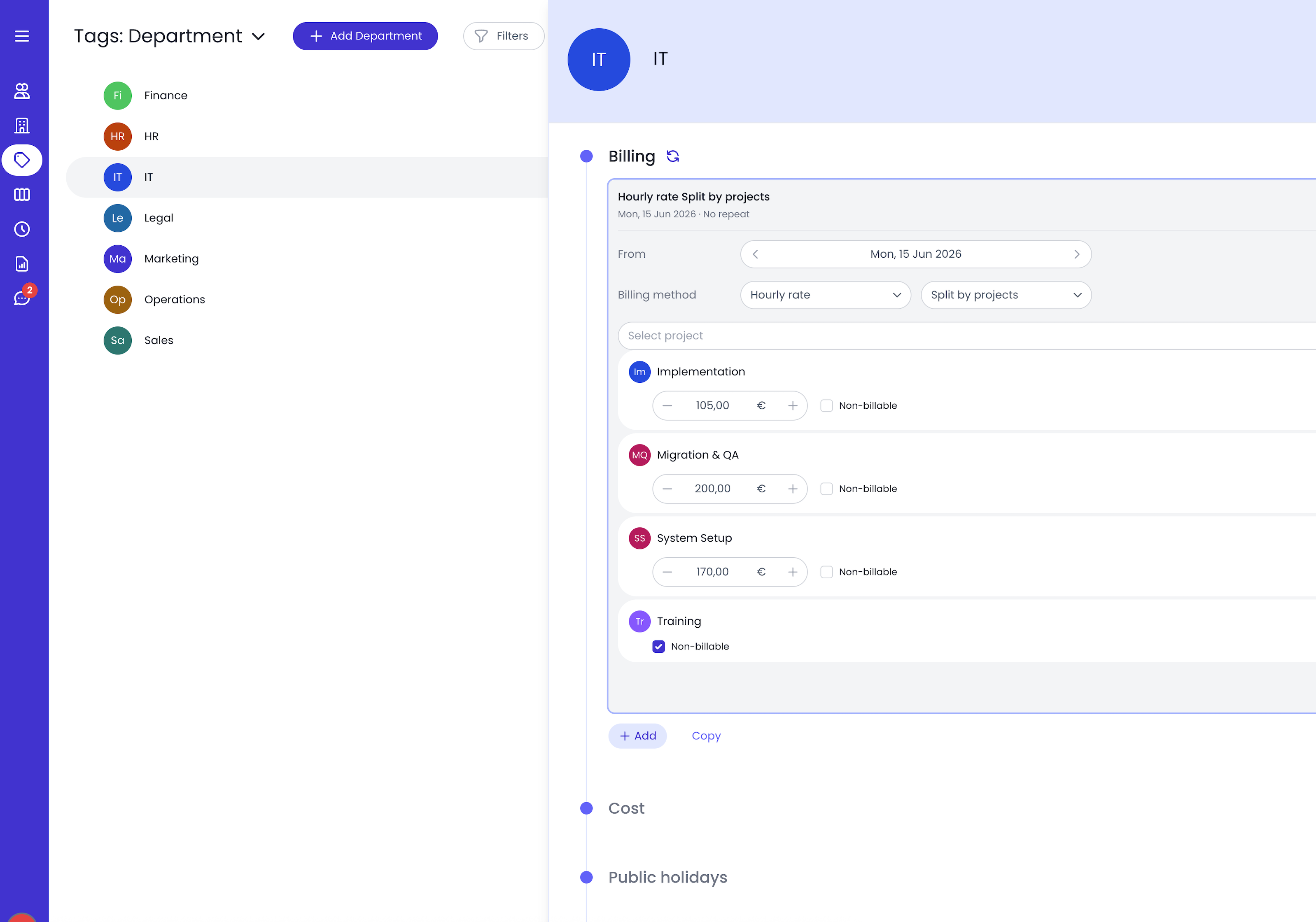
- Custom fields
Add custom fields to time entries, projects, tasks, and people. Choose from text, number, date, boolean, and more - with validation rules and category-level visibility so fields appear only where they're relevant.
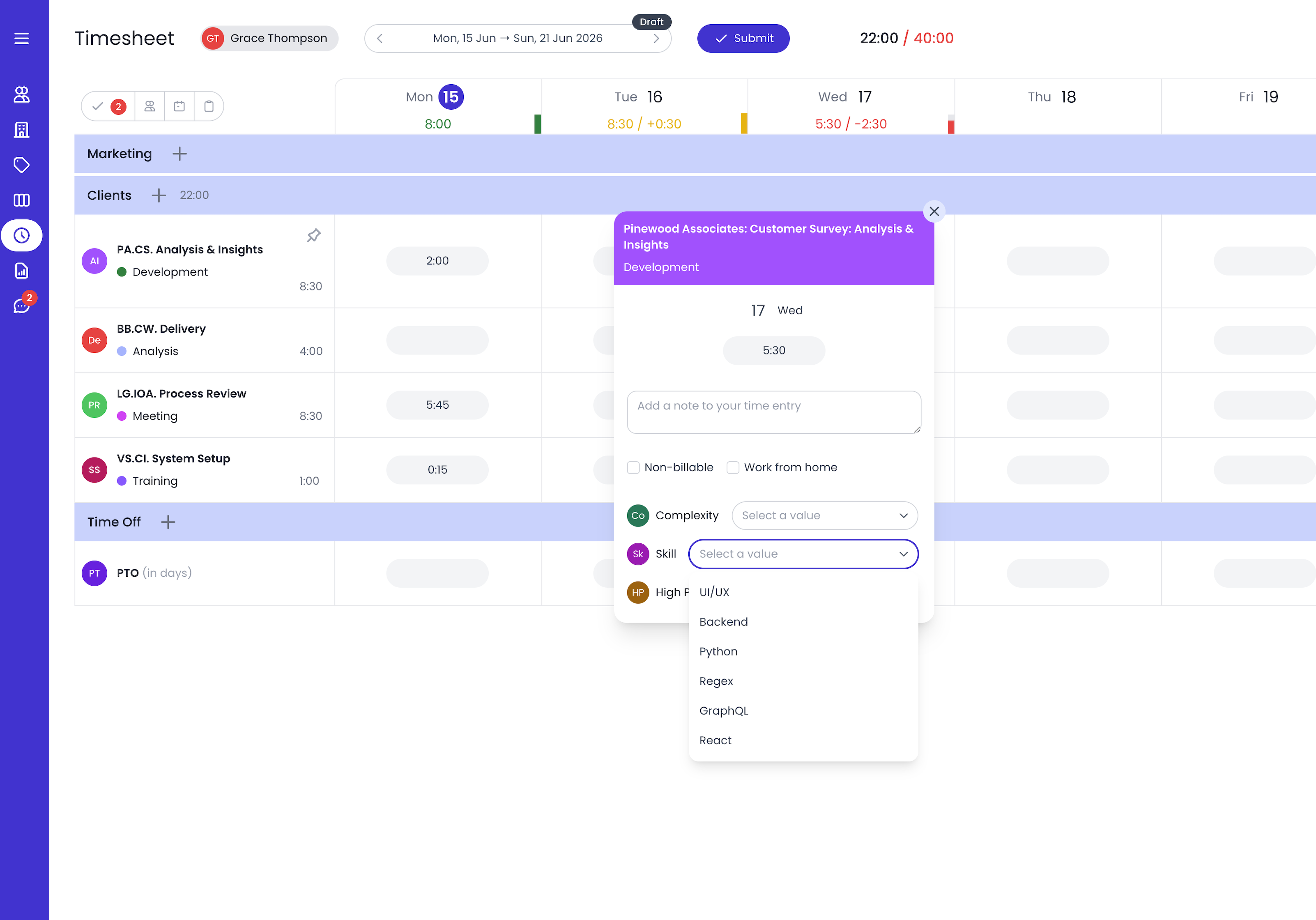
- Availability controls
Keep each person's timesheet focused on what's relevant to them. Set default availability by tag, then override per person or project, so the right projects, tasks, and absence types are there when they need them.
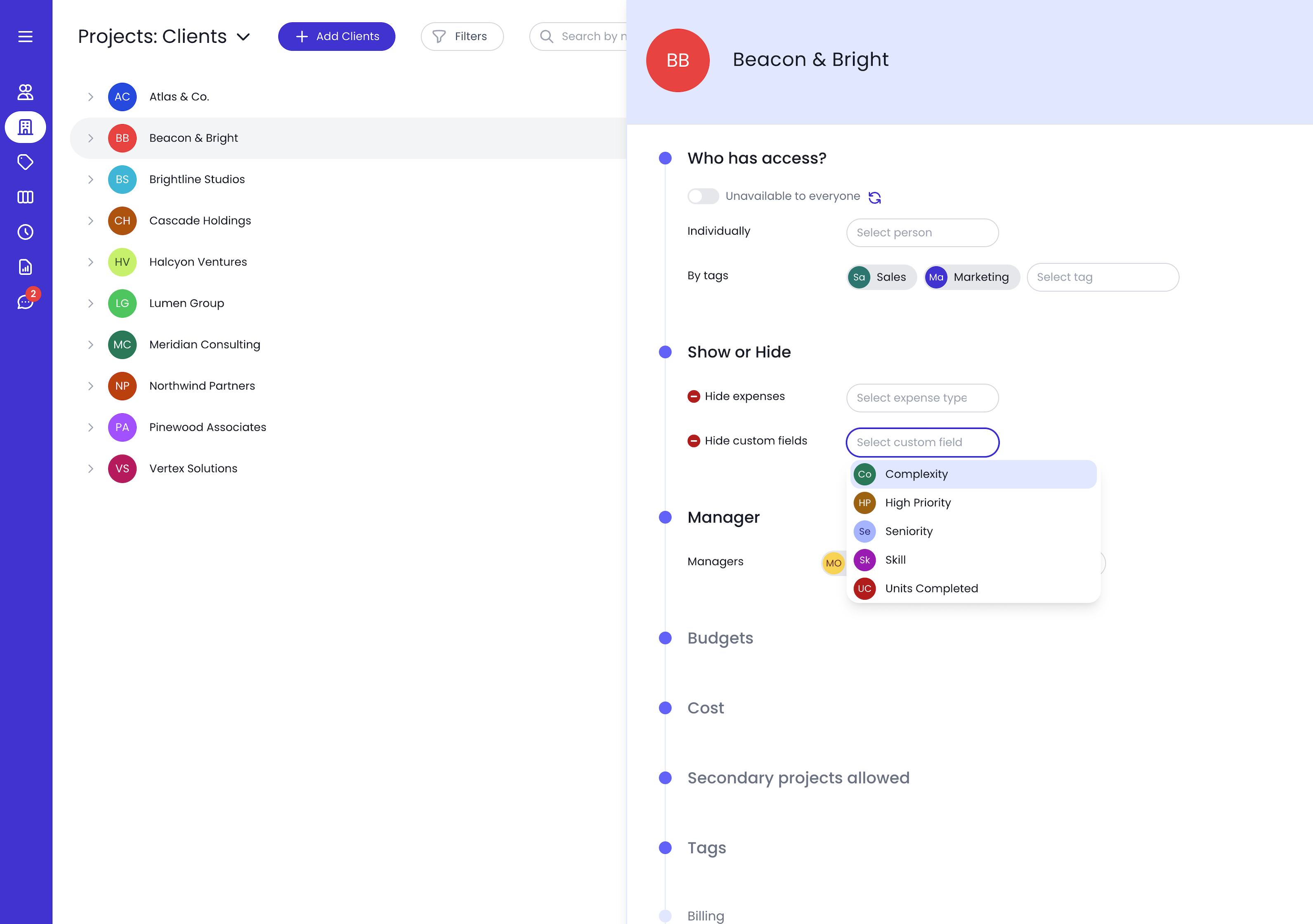
## Configured once, applied everywhere
Set up your structure upfront, and Beebole handles the rest - the right settings cascade to every person automatically.
### Clean time data
Employees log time against the right projects
Time entry is faster, and data is cleaner when each person's [timesheet](https://beebole.com/project-time-tracking.md) shows only what's relevant to them. No more irrelevant rows in your timesheet, and no more hours accidentally logged to the wrong project.
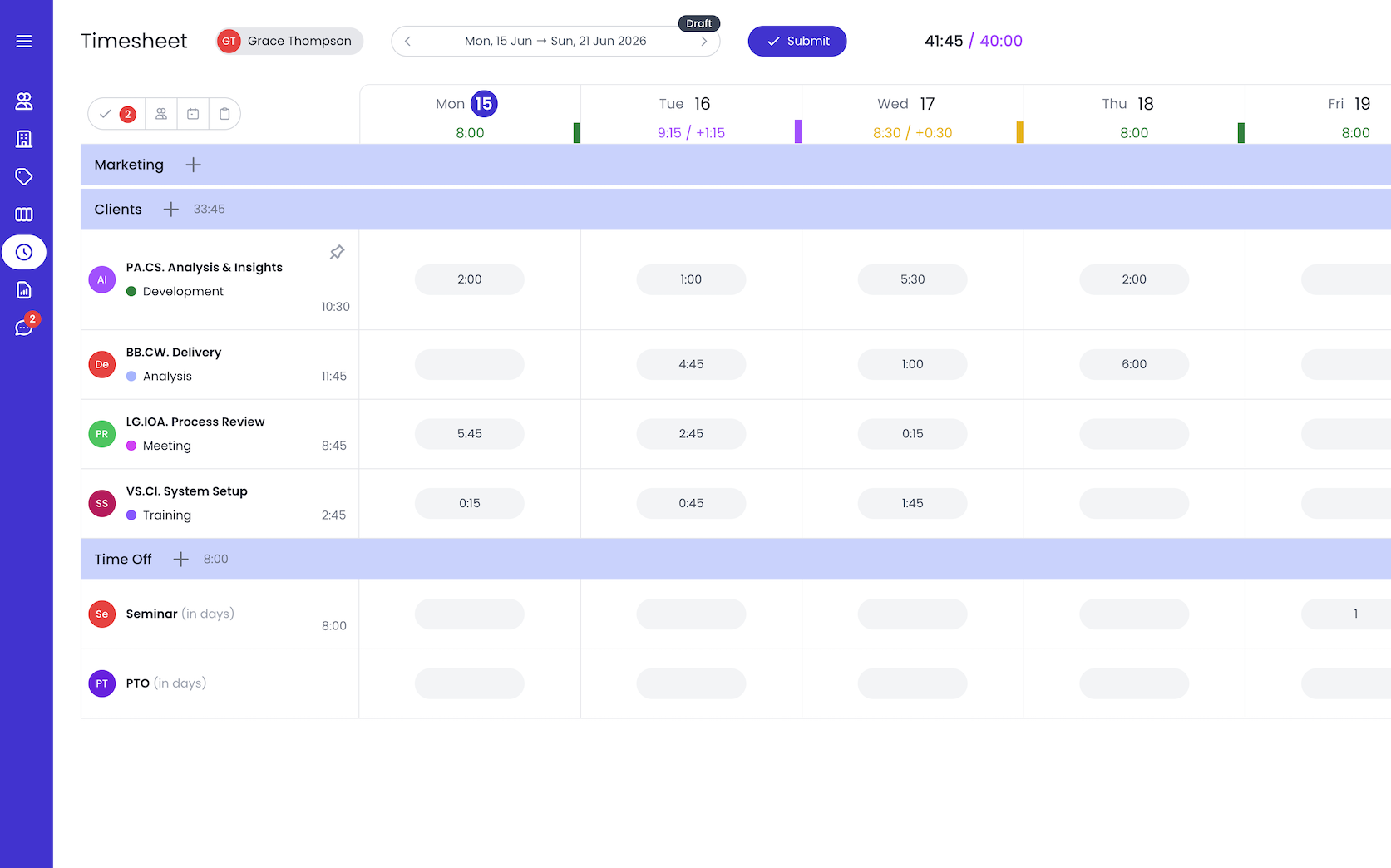
### Role-based visibility
Relevant data for every role
Field-level permissions keep [sensitive data](https://beebole.com/security.md), like billing rates, costs, and margins, visible only to the roles that need it. Project managers see project status. Finance sees financials. Each role gets its own view.
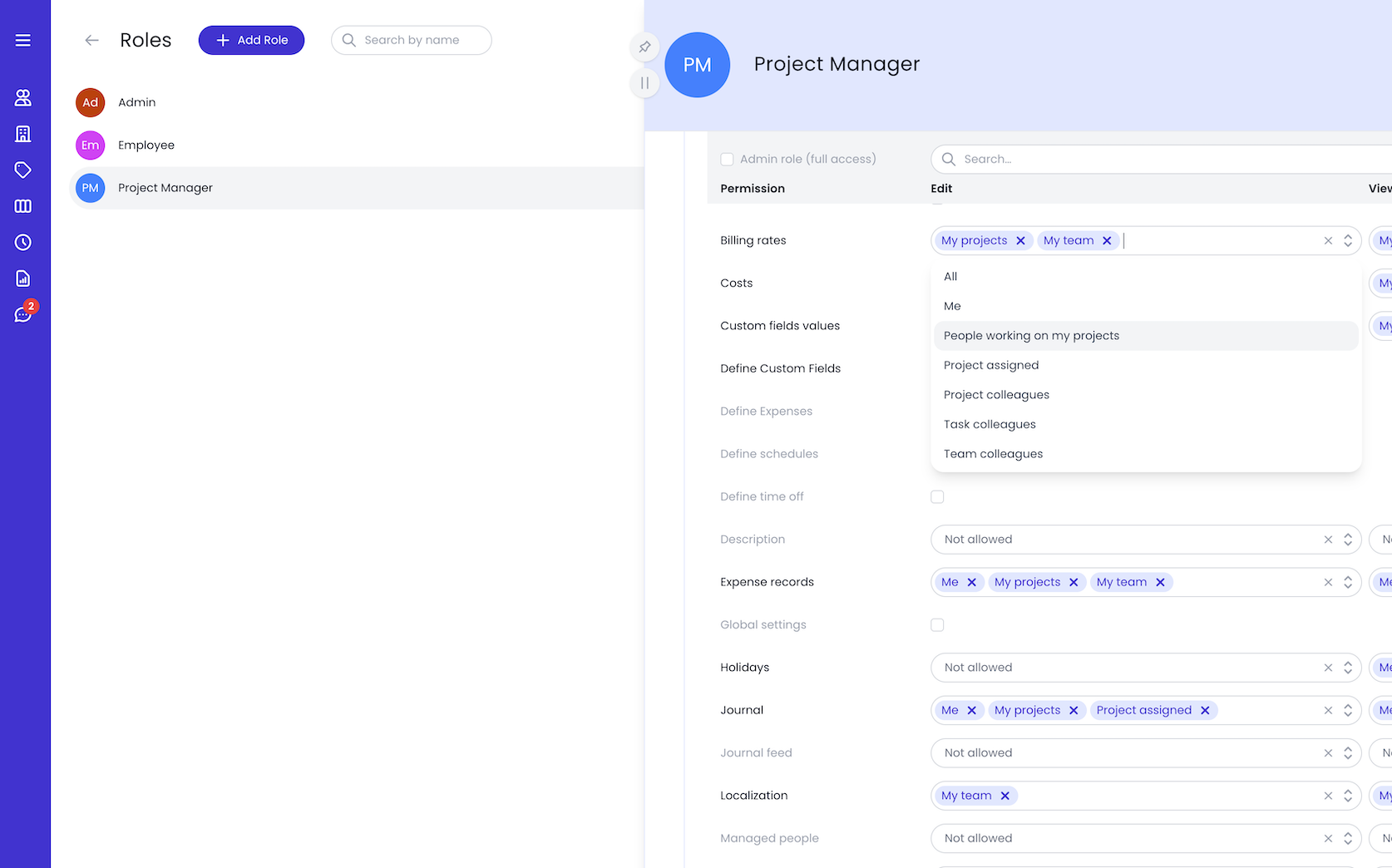
### Org-wide consistency
One change, applied everywhere you need it
Edits and updates are more efficient with tags, with no need to adjust individual profiles. Set [billing rates](https://beebole.com/project-financials.md), work schedules, approval chains, or public holidays on a tag, and every person in it inherits the configuration.
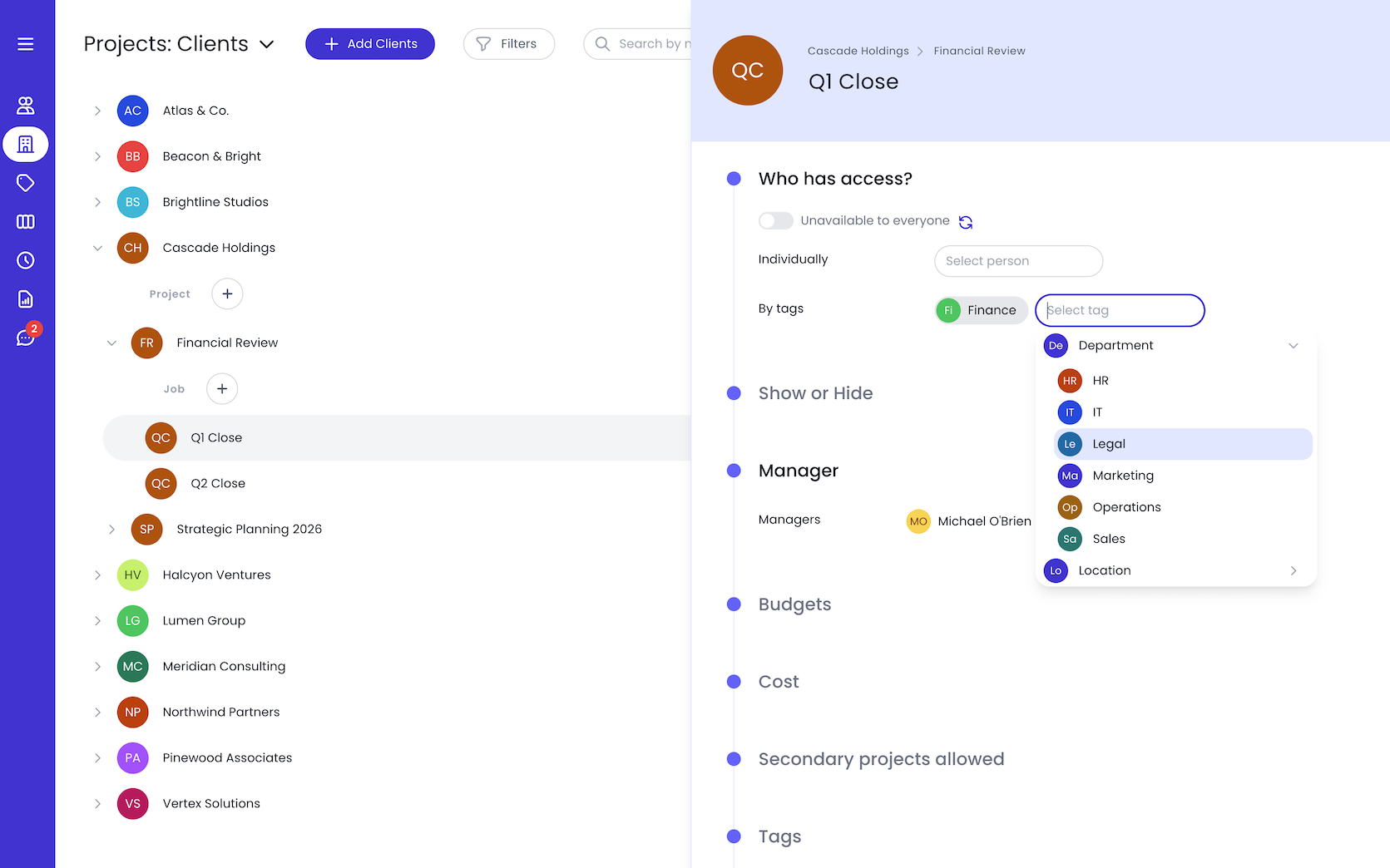
### Custom data dimensions
Track and report on what your business needs
Report on the dimensions your business actually tracks - project phase, client region, billing category. Add custom fields to time records, projects, tasks, and people, and they feed directly into [your reports](https://beebole.com/employee-timesheet-reports.md).
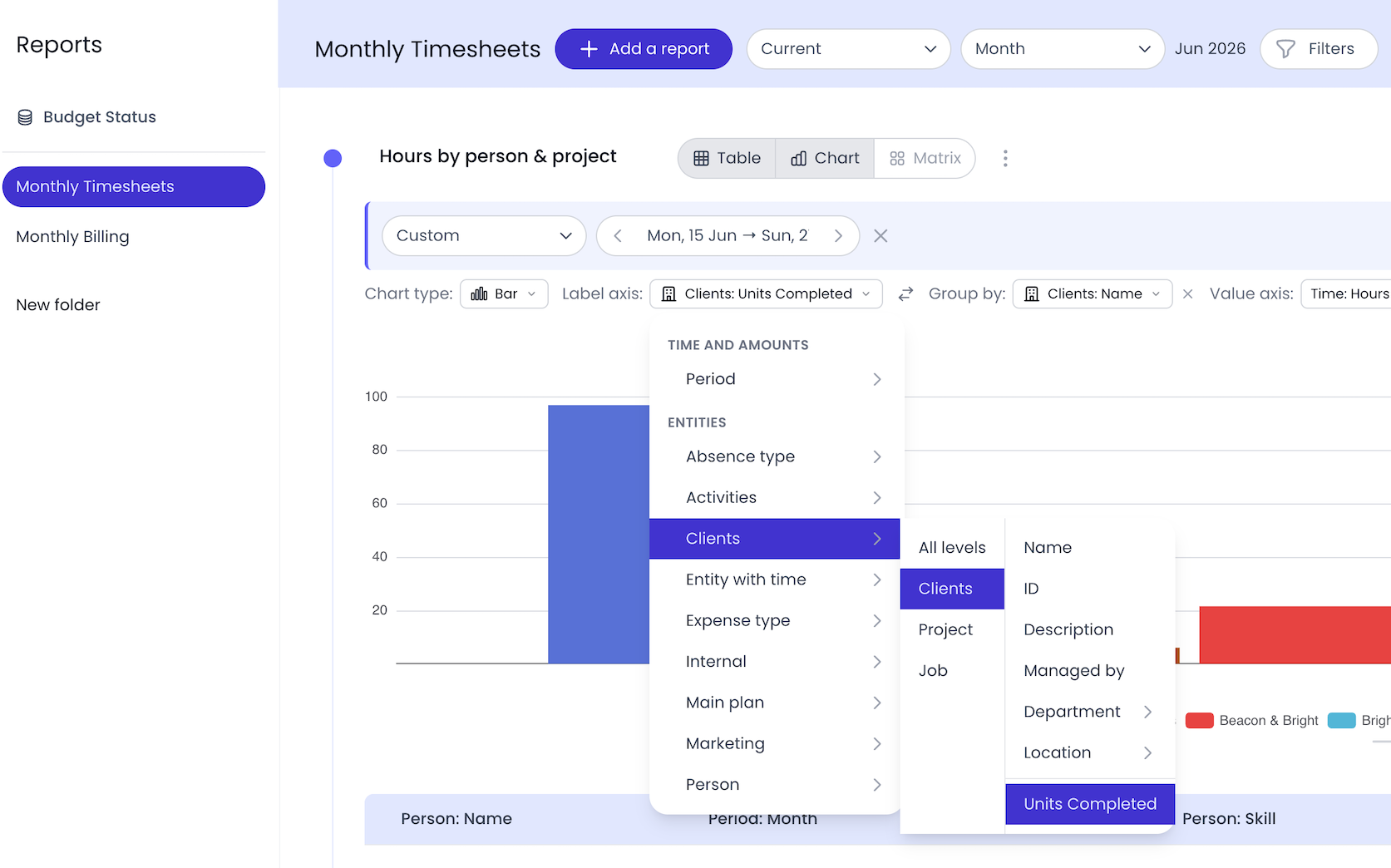
## Take a closer look at access & controls
- Setting up roles & permissions
Learn how to create roles with specific permission scopes, split view and manage rights, and assign roles to people across your organization.
[Learn more](https://beebole.com/help/documentation/roles-authorisations)
- Organizing your team with tags
Build your org hierarchy in tags. Add people and projects, then assign schedules, rates, and approval stages that cascade automatically to everyone in each tag.
[Learn more](https://beebole.com/help/documentation/tags)
- Applying custom fields
Create fields for time records, projects, tasks, or people. Set field types, validation rules, and visibility by project category - then include them in your reports.
[Learn more](https://beebole.com/help/documentation/custom-fields)
## Security & compliance
### Permissions and controls for compliance
Custom roles and field-level permissions keep sensitive data visible only to the right people. Combined with Beebole's full audit trail, every change is logged - who made it, when, and exactly what changed.
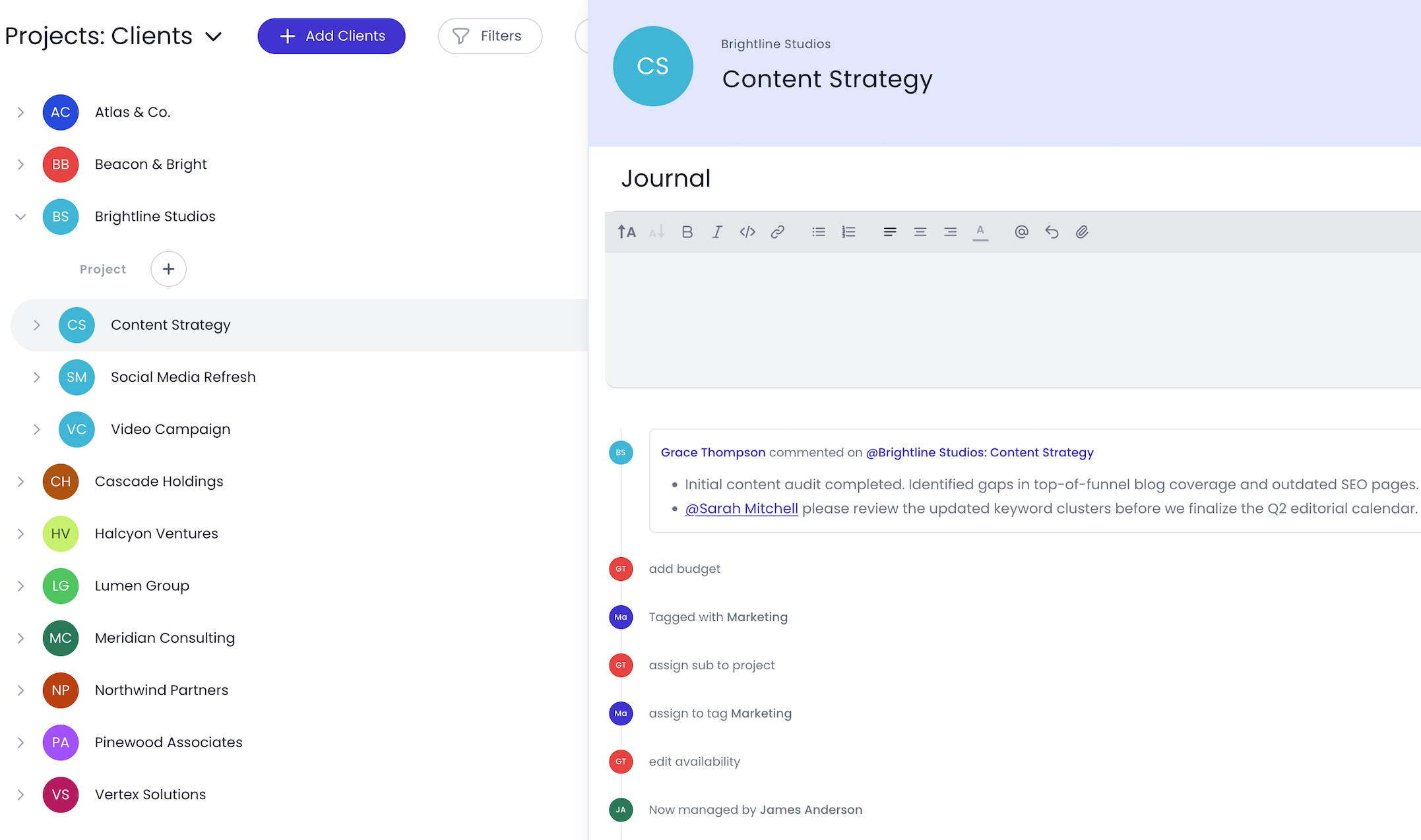
[Learn more](https://beebole.com/security.md)
## In their own words
Project managers and operations leads use Beebole's configuration tools to run teams the way they're actually structured
- Filippo Capurso - Software Product Manager @ Fifthplay - "The software is nicely structured in modules, and every screen is highly customizable depending on your needs and role in the organization."
- Evi Jesaitis - Operations Manager @ Technergetics - "The ease of this product is great! From customization, auto-save on entries, viewing different projects, sub-projects, persons, or tasks-it really makes me appreciate Beebole."
- Karen Henderson - Finance Manager @ Redlux - "So flexible and easy to set up and tailor to an organization's individual requirements. Staff finds it easy to use, and I'm really pleased with the overall product."
- Matt Hitchcock - Finance Manager @ TMC Pharma - "The different options to control staff views are good for managing the information seen. The team at Beebole always sees to any queries very quickly and has always sorted them out for us."
- Aleksandar Jevic - Partner and Managing Director @ S4HC - "It's very flexible and customizable. You can structure time tracking to suit various scenarios. As a small and agile organization, we often have to adapt our time tracking needs to our clients. Beebole helps us meet those requirements and avoid having to use multiple solutions."
## Our awards
Proudly recognized as a top project time tracking tool across leading marketplaces
- Beebole is a front runner for time tracking on Software Advice
- Beebole is a best value tool on Capterra
- Beebole is a certified premium time tracking software on Appvizer
- Beebole is a time tracking category leader on GetApp
- Beebole is a certified top software on SoftDoit
- Beebole is a high performer in project time tracking on G2
- Beebole is a top time tracking software on Tekpon
- Beebole is a top rated time tracking software on Software World
- Beebole has some of the happiest users on Crozdesk
## The essentials, covered.
With features like single sign-on, multilevel approvals, and GDPR compliance, Beebole meets your existing operational and security requirements.
- Mobile-ready
- Billable & non-billable
- Free API
- Work schedules
- Expense tracking
- 10 languages
- Single-sign-on
- Permissions
- MCP server
- Integrations
- GDPR compliant
- Multiple currencies
- Activity feed
- Multilevel approvals
- AI-suggested entries
- Private AI
[Compare All Features](https://beebole.com/pricing.md)
## Start configuring Beebole for your team
Try it free for 30 days - set up roles, tags, and custom fields around how your organization works. No credit card required.
[Contact Sales](https://beebole.com/sales-call.md)
[Start Free Trial](https://app.beebole.com/signup)
--------------------------------
[Employee time reports and project cost insights - Beebole](https://beebole.com/employee-timesheet-reports.md): Build custom reports on employee time, project costs, budgets, and performance. Filter by person, project, or task - export directly to Excel or Google Sheets. Free 30-day trial.
--------------------------------
# Employee time reports and project cost insights - all in one
From employee time logs to project margins: build the exact reports your finance and project teams need, filter by any dimension, and export to Excel or Google Sheets.
30-day trial, Cancel anytime, No credit card required
[Start Free Trial](https://app.beebole.com/signup)
## Trusted by 1,000+ companies in 60+ countries
- Beebole is a top rated time tracking tool on Capterra
- Beebole is highly-rated by users on GetApp
- Beebole is a highly-rated time tracking software on G2
- Beebole is top rated on Google Workspace
## From raw data to ready to share
Configure every dimension of your reporting - from what data you pull to how you view and share it
- Tailor multidimensional reports
Configure multidimensional reports across time, expense, and task records. Filter by person, project, task, tag, date, and more - then save and reuse any configuration.
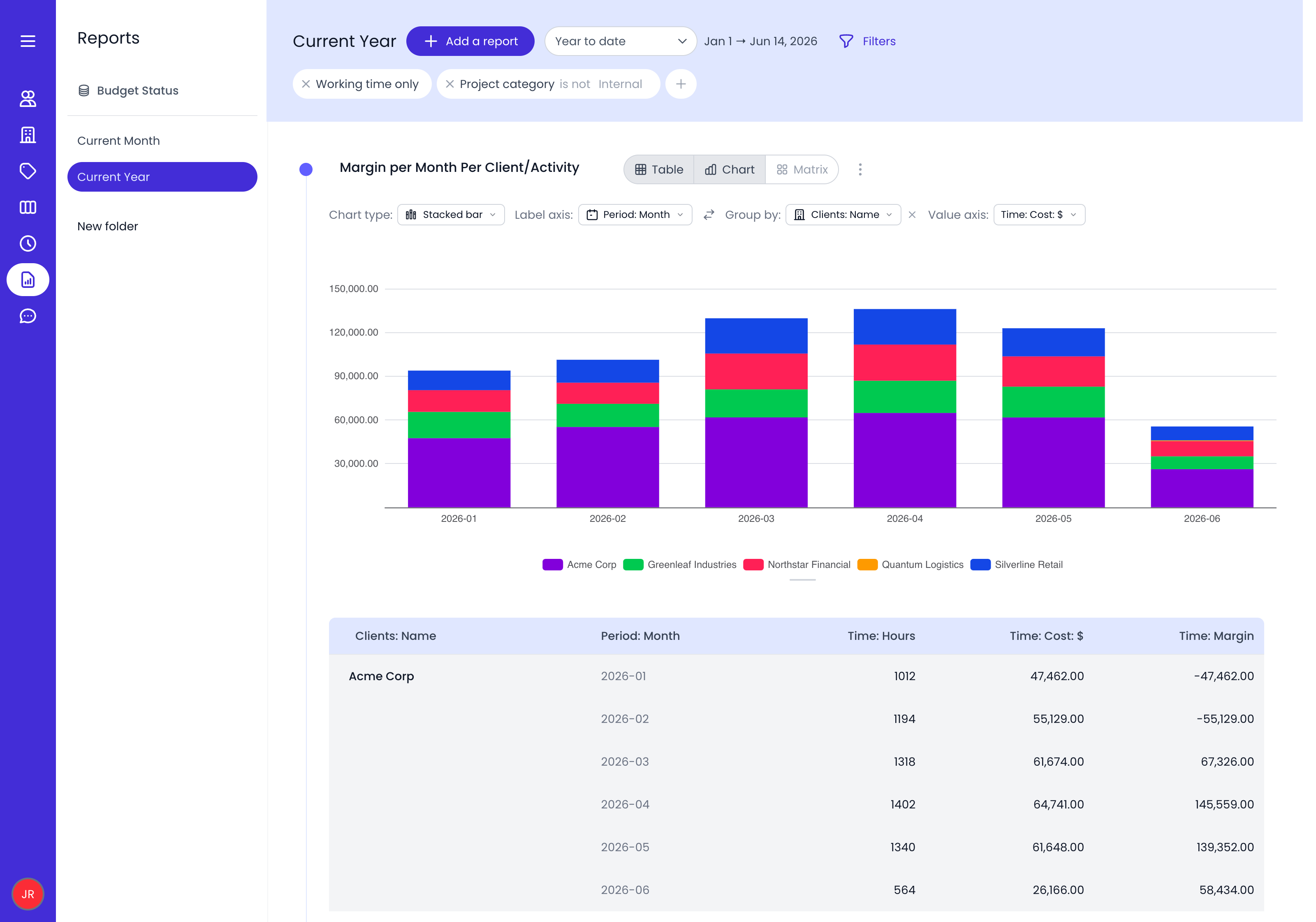
- Visualize with charts & graphs
Toggle between table and chart views with 11 chart types to choose from. Spot trends, compare periods, and present your data in a format that's easy to read and act on.
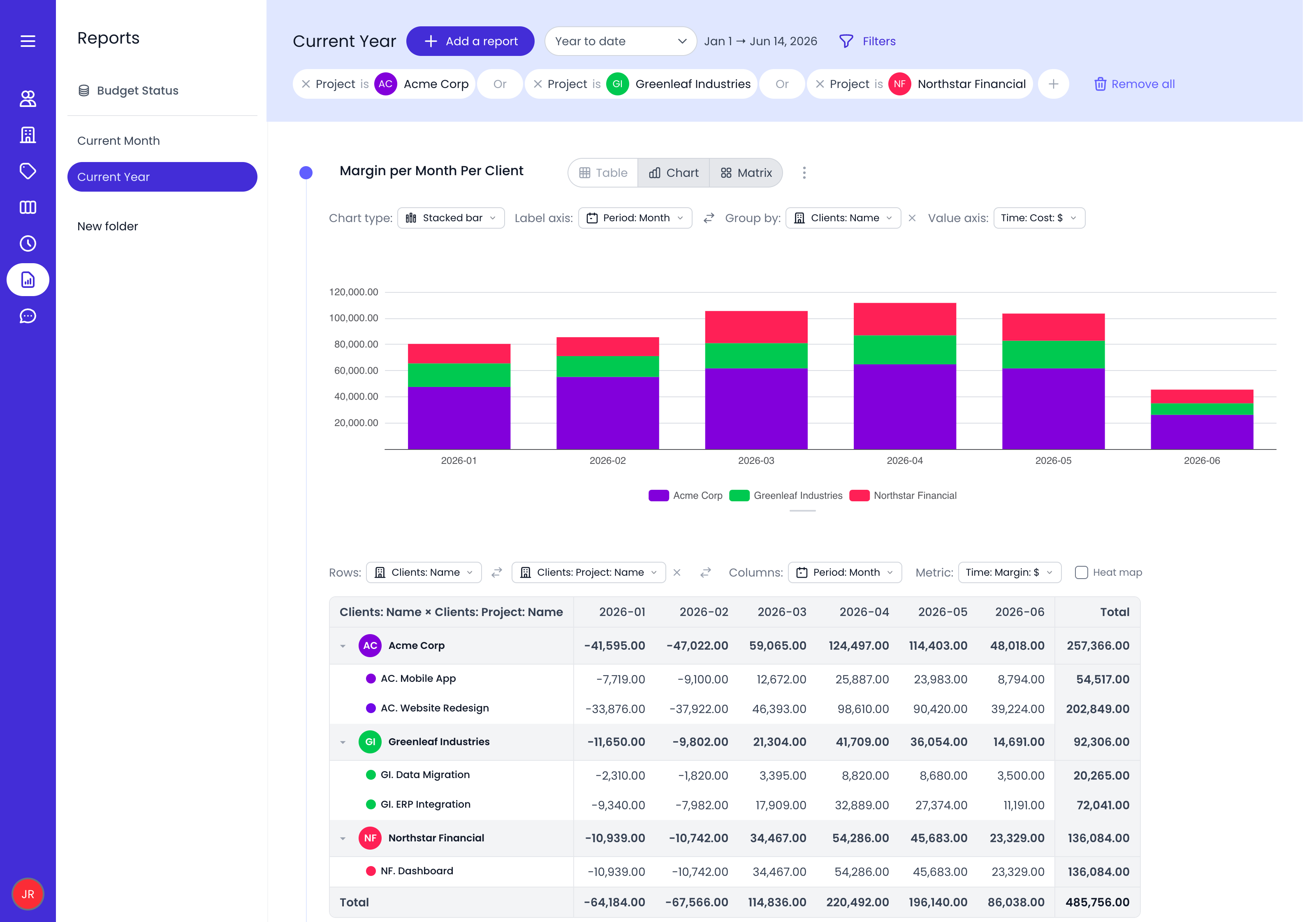
- Save templates, stay organized
Save any report configuration as a reusable template and organize templates into folders. Pull up the exact report you need without rebuilding it from scratch.
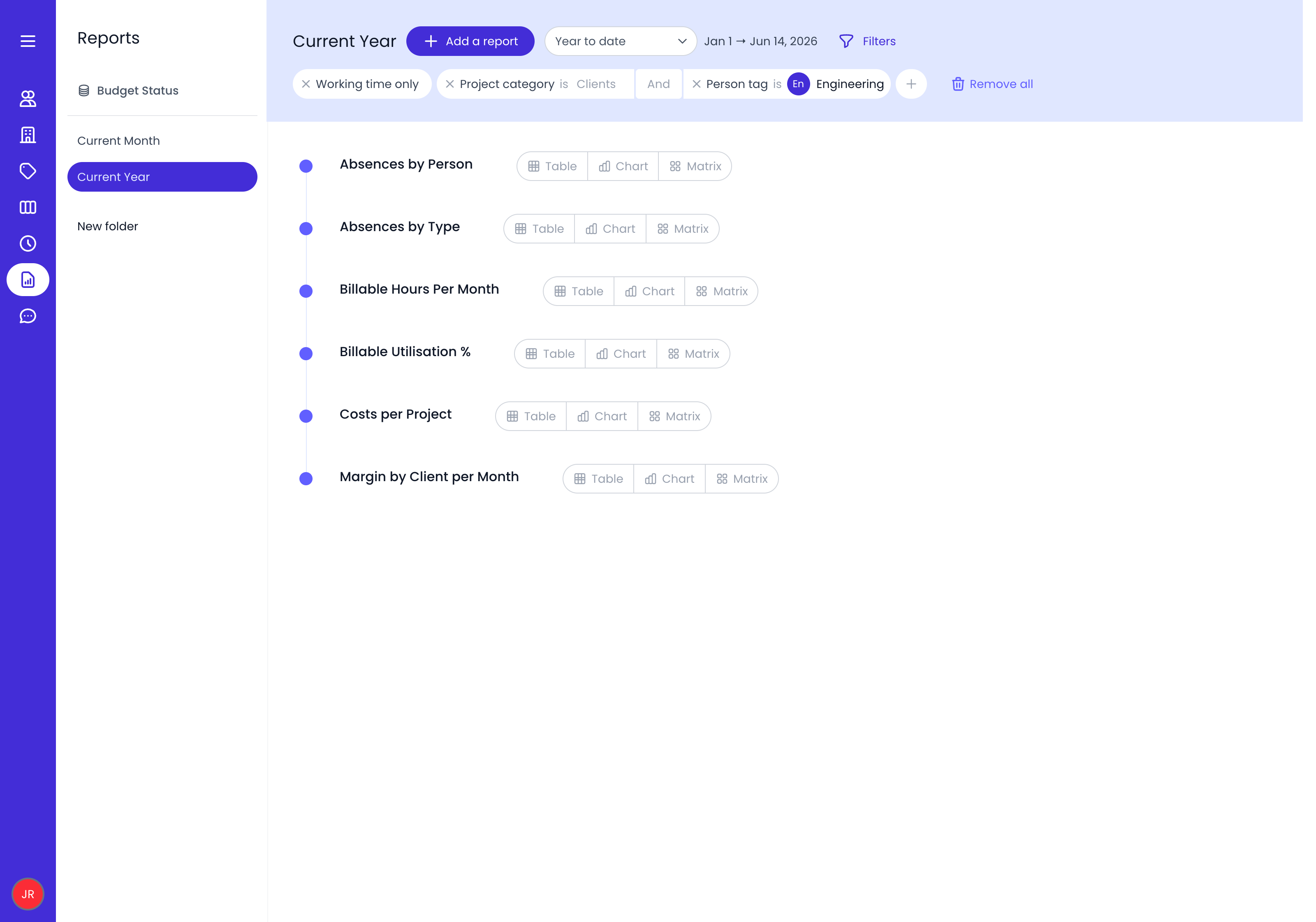
- Export to Excel & Google Sheets
Send any saved report directly to Google Sheets or Excel. Refresh data anytime and combine it with other sources, formulas, and tools your team already uses.
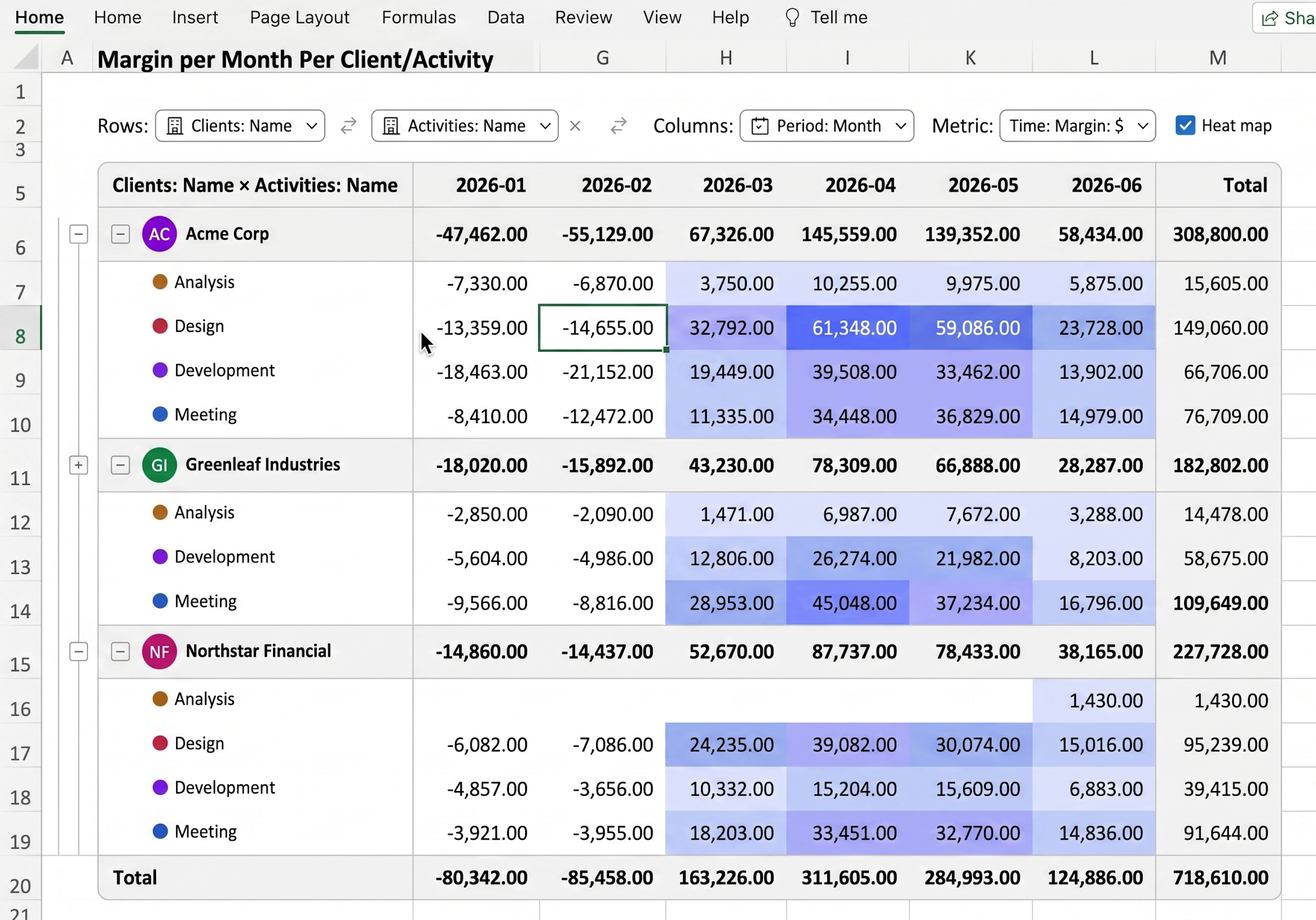
## Reporting that drives better decisions across your business
Good reporting isn't just a record of what happened - it's how you plan what comes next
### Project clarity
Know where every hour goes
With clear visibility into where time is going across projects and people, you can catch overruns early, adjust priorities, and keep projects on track, before small problems become big ones.
[Learn more](https://beebole.com/project-time-tracking.md)
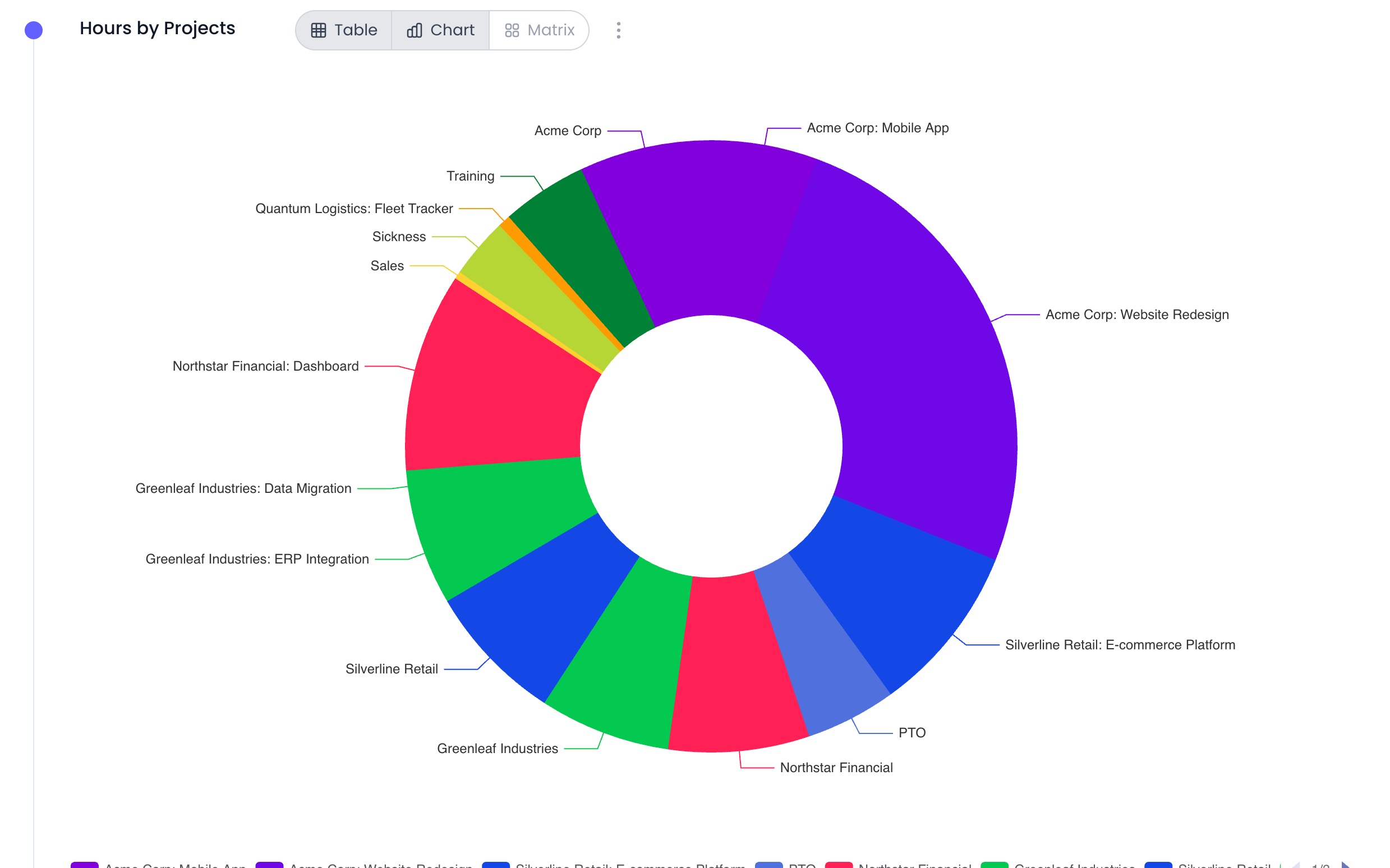
### Team alignment
Keep your whole team on the same page
When everyone, from individual contributors to senior leadership, is working from the same reports, there's no ambiguity about what was logged, delivered, or still outstanding. Consistent, accessible reporting keeps teams aligned.
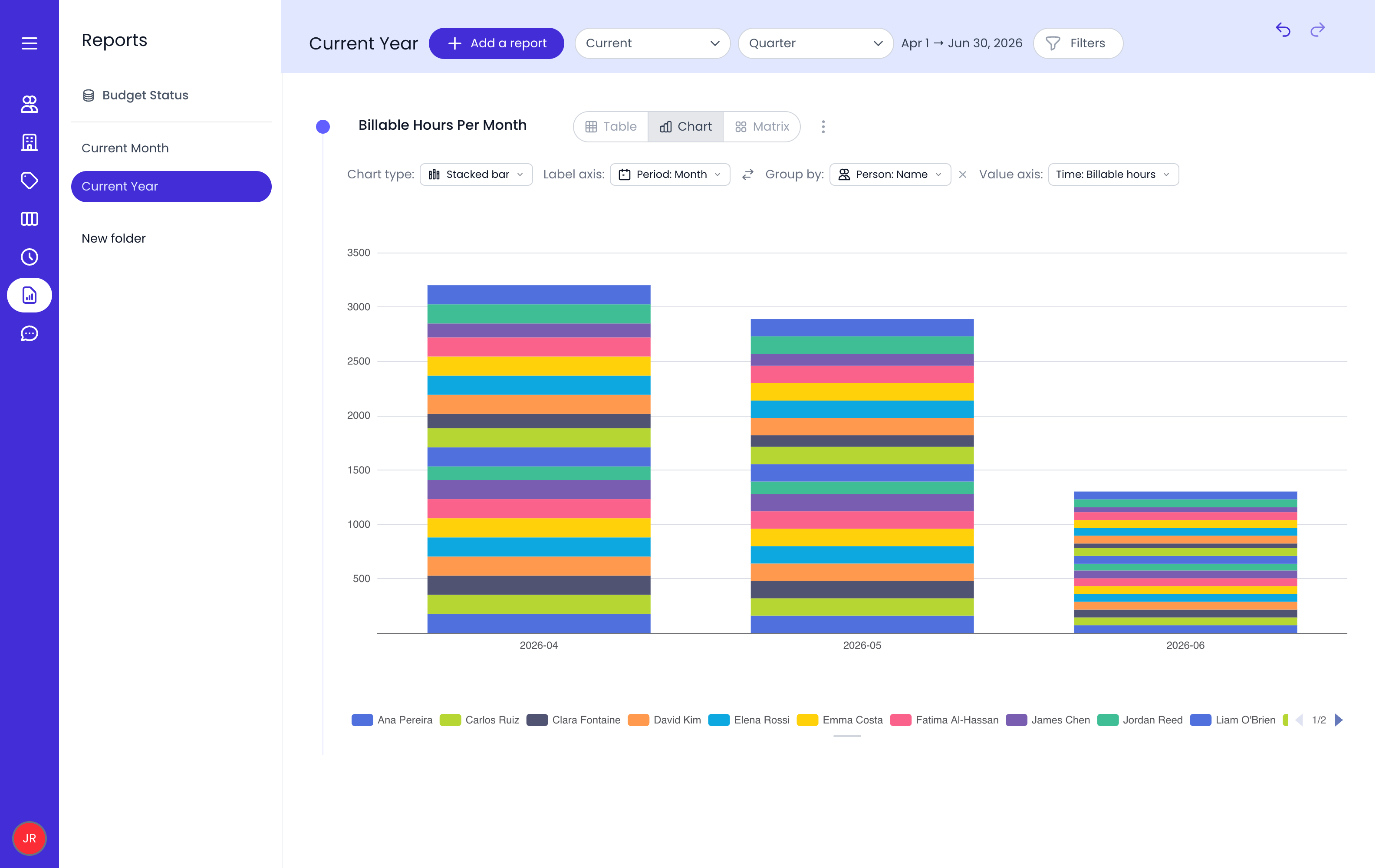
### Resource balance
Confidently balance your team's workload
Know who has capacity as you plan projects. Reporting across people and periods gives you the visibility to distribute work evenly, plan ahead, and avoid burning out your best people.
[Learn more](https://beebole.com/resource-planning.md)
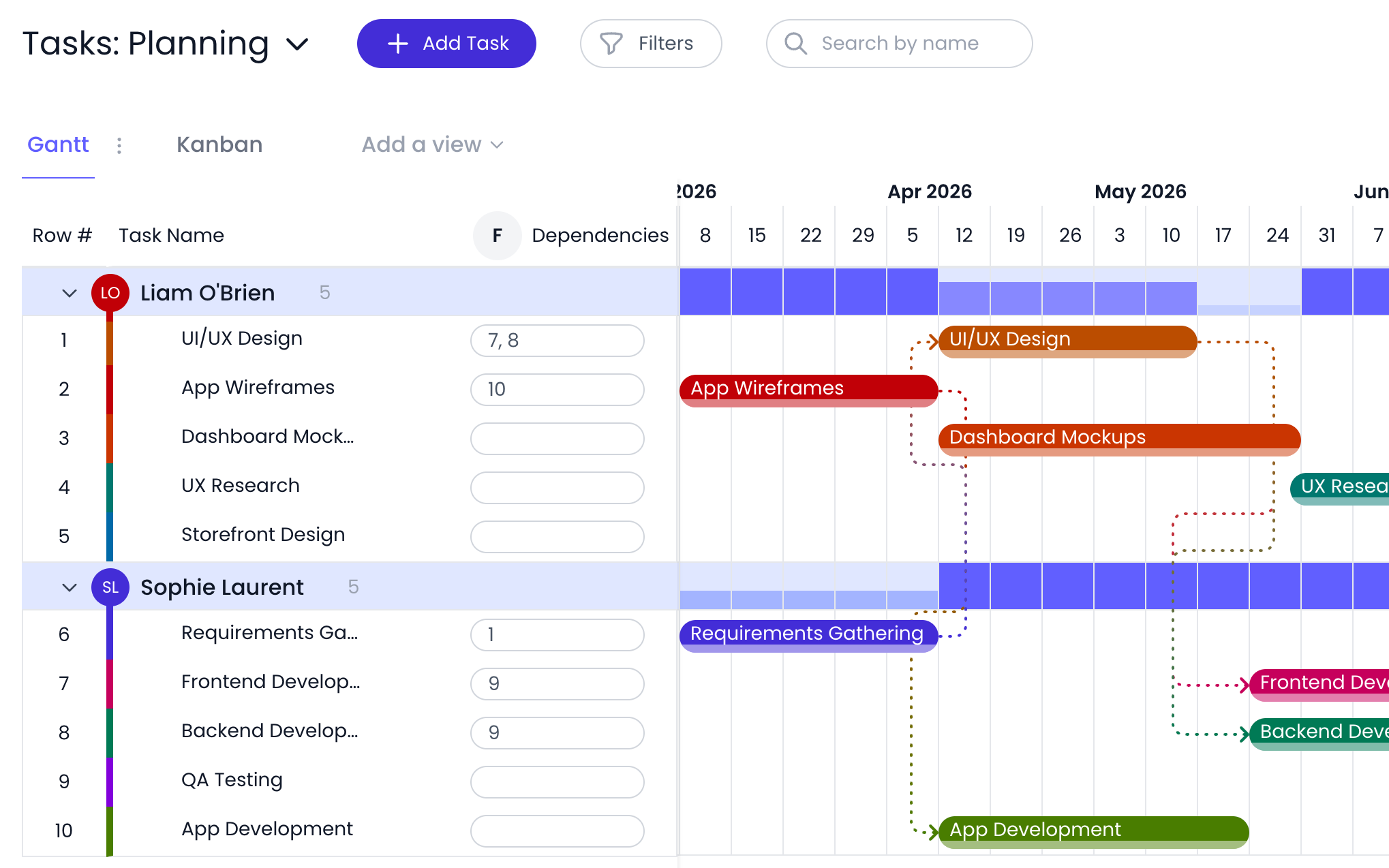
### Advanced analysis
Take reports further in Excel or Google Sheets
Connect your time reports with other data sources and BI tools. Google Sheets and Excel let you combine Beebole data with formulas, pivots, and other sources - and share them with stakeholders outside of Beebole.
[Learn more](https://beebole.com/integrations.md)
## Take a closer look at reporting
- Building your first custom report
Learn how to configure multi-dimensional reports step by step. Choose your dimensions, apply filters, group by time period, and save your setup for future use.
[Learn more](https://beebole.com/help/documentation/custom-reports)
- Connecting Beebole with Excel
Set up the Excel add-in to pull your report data directly into a spreadsheet. Refresh on demand, then pivot, model, and share - without repetitive manual exports.
[Learn more](https://beebole.com/help/documentation/excel-addin)
- Using the Google Sheets add-on
Link your Beebole reports to Google Sheets. Keep your data current with one-click refreshes and build the custom dashboards your team needs.
[Learn more](https://beebole.com/help/documentation/gsheets-addon)
## Project Financials
### Reporting that goes beyond hours
Beebole's project financials reporting goes beyond time - tracking budgets, billing rates, project costs, and margins so you have a complete financial picture of every project.
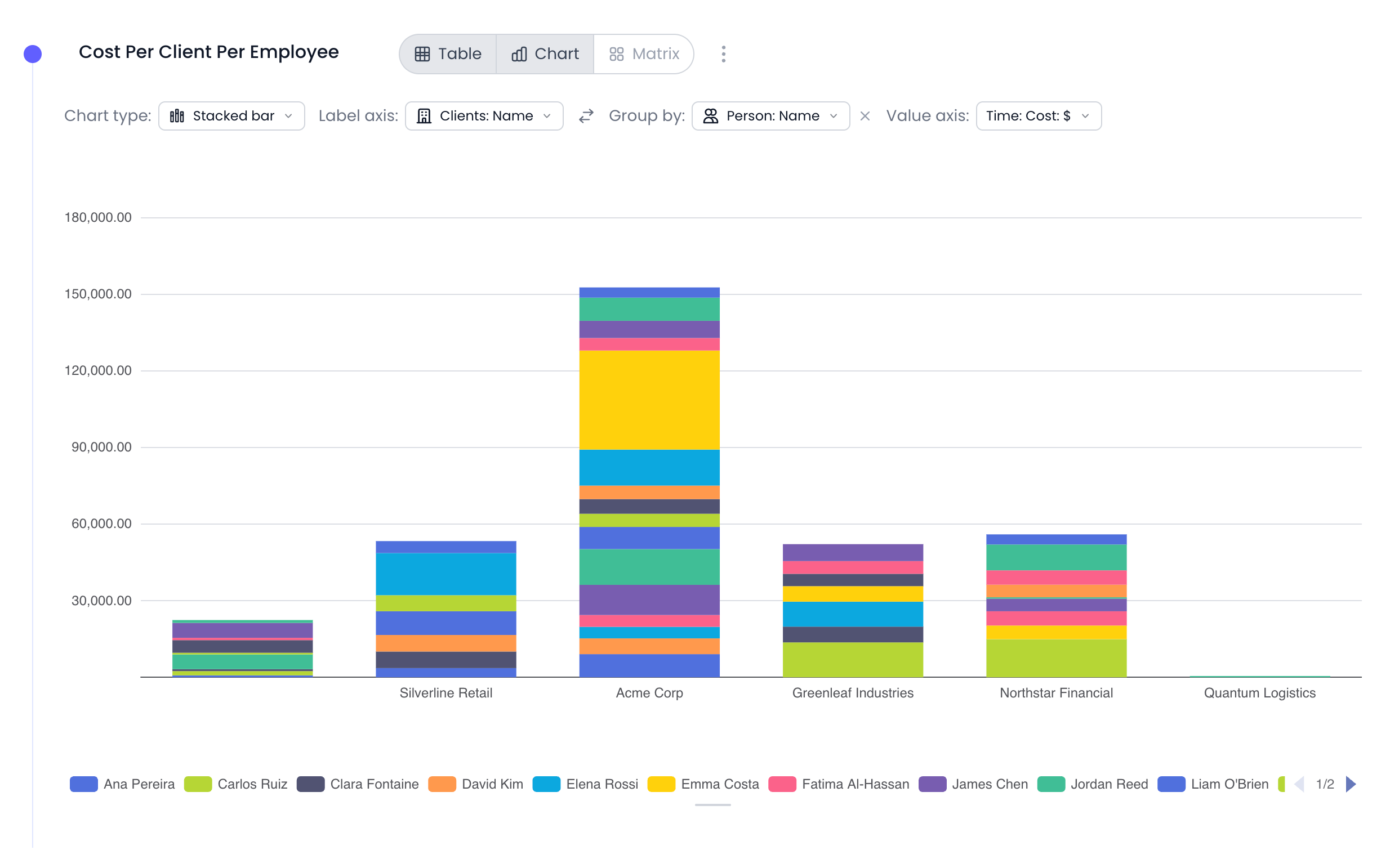
[Learn more](https://beebole.com/project-financials.md)
## In their own words
Directors, finance managers, and operations leads use Beebole reports to track projects, costs, and team performance
- Donatella Torre - CAO @ Tozzi e Associati - "A complete and flexible tool. I really appreciate the great flexibility in creating custom fields, the ability to make changes at any time, and the speed in processing reports. Since adopting Beebole, our reporting speed has increased significantly. The margins of error have decreased, and our database is always up to date."
- Edward Mangan - Manager @ RR Donnelley - "We use Beebole to capture and report time for over 150 projects. We monitor billable and non-billable project time logged by each team member. We use reports to evaluate how to increase our billable project time. We also use Beebole to view who is under- and over-utilized throughout the year. Beebole reporting has become an integral part of resource discussions with upper management."
- Faisal Farooq - Founding Director @ Kashmir Education Initiative - "As a manager, I can develop reports and easy-to-understand dashboards on the fly and easily share them with stakeholders. This has allowed us to generate insights into how and where most of our staff spend time. This is helping us plan activities accordingly. The support is also excellent."
- Julie Séférian - Project Manager @ Doers - "Beebole is an awesome tool. The reports are easy to build and personalize. We can add many different reports to meet our clients' needs. The fact that they are exportable to CSV makes it easy to review and comment on the time consumed with our clients."
- Maria Harvey - Project Data Analysis Administrator @ Flotation Energy - "Quick, efficient, and reliable! The reporting function is easy to use. I can't stress the flexibility of the reporting functions enough. As someone who does daily reporting on timesheets per project, this cuts my delivery time in half."
## Our awards
Proudly recognized as a top project time tracking tool across leading marketplaces
- Beebole is a front runner for time tracking on Software Advice
- Beebole is a best value tool on Capterra
- Beebole is a certified premium time tracking software on Appvizer
- Beebole is a time tracking category leader on GetApp
- Beebole is a certified top software on SoftDoit
- Beebole is a high performer in project time tracking on G2
- Beebole is a top time tracking software on Tekpon
- Beebole is a top rated time tracking software on Software World
- Beebole has some of the happiest users on Crozdesk
## The essentials, covered.
With features like single sign-on, multilevel approvals, and GDPR compliance, Beebole meets your existing operational and security requirements.
- Mobile-ready
- Billable & non-billable
- Free API
- Work schedules
- Expense tracking
- 10 languages
- Single-sign-on
- Permissions
- MCP server
- Integrations
- GDPR compliant
- Multiple currencies
- Activity feed
- Multilevel approvals
- AI-suggested entries
- Private AI
[Compare All Features](https://beebole.com/pricing.md)
## Ready to take control of time and resources?
Plan the work, track the time, and get the reports you need, all in one platform. Try Beebole free for 30 days or chat with our team to learn more.
[Contact Sales](https://beebole.com/sales-call.md)
[Start Free Trial](https://app.beebole.com/signup)
--------------------------------
[Secure Time Tracking: Enterprise-Grade, GDPR-Compliant - Beebole](https://beebole.com/security.md): Beebole protects your time tracking data with enterprise-grade security, including data encryption, role-based access controls, and GDPR compliance. Trusted by businesses since 2008 - learn how we keep your data safe and try it free.
--------------------------------
# Enterprise-grade security for project time tracking
Beebole is built on secure, cloud-based infrastructure - with 256-bit encryption, SSO login, secure data backups, and server-level network security.
30-day trial, Cancel anytime, No credit card required
[Start Free Trial](https://app.beebole.com/signup)
## Trusted by
Supporting teams worldwide with reliable time and project insights
- dfin
- hitachi
- michelin
- maersk
- schneider
- invest cloud
## Secure timesheets,
from the inside out
### Data Encryption & Secure Backups
- 256-bit encryption for all data in transit.
- Passwords are salted and hashed using SHA-based encryption for added security.
- Daily database and server backups are stored in secure, redundant locations.
### Hardware & Network Security
- Servers are housed in a secure facility with multiple layers of physical security, including biometric authentication, key card access, and PIN codes.
- All connections are secured via SSL/TLS, with firewall protection and continuous antivirus monitoring.
### Software Security
- We follow a security-by-design approach throughout the entire development lifecycle.
- Regular penetration tests are conducted by Bugcrowd.
- API keys can be generated with expiration dates for secure API access.
- Session management ensures active sessions are monitored and can be terminated remotely.
-
-
-
-
## Transparent and responsible
data management
### Compliant with GDPR and DCAA
- Unlimited record retention with optional deletion for individual users, in compliance with GDPR right-to-erasure requirements.
- Full data portability with easy export of individual or complete time records.
### Secure account access
- Multiple authentication options, including email/password, Google and Microsoft SSO, passkey support, and PIN-based sign-in - plus enterprise SSO via OpenID configuration.
- Configurable roles and permissions ensure each team member accesses only the data relevant to their role.
- Administrators can sign in as another user for troubleshooting using the takeover functionality, without sharing credentials.
### Audit trails and logs
- Detailed audit trail reports track all changes to time entries, ensuring timesheet accuracy and accountability.
- Daily backups with a 30-day retention cycle, and 90-day internal logs for error analysis and system optimization.
### Time-based access by support
- Support team access to your environment is granted exclusively via temporary user accounts, which are permanently deleted upon ticket closure.
## What our customers say...
See why businesses worldwide trust Beebole with their time and data.
- Hasib Haidari - Vice President @ Lumiose - "Beebole has been a critical tool that enables DCAA-compliant time tracking, with the ease of use of a simple web app. It is a well-optimized, focused tool that loads quickly and allows for audit-compliant timekeeping at a very fair price. The support team is very responsive!"
- Sergio Sardo - CEO @ Migra Software Evolution - "Beebole has many useful features; nothing big is missed. Many customizations are possible, multi-language is well done, it's GDPR-compliant, and they have useful Google Sheets extensions. Beebole is much more customizable and has better reporting features than other tools we considered."
- Christian Maul - CEO @ Redlux - "What I liked most about Beebole is how it has helped tremendously in streamlining our processes while incorporating robust controls. It strikes the perfect balance between functionality and simplicity, making it easy for both users and administrators to manage time tracking efficiently."
- Chase Gillespie - Lead Quality Engineer @ Tendeg - "Beebole is very easy to use. The charge code selection is straightforward, corrections are simple, and approving timesheets is very fast and easy to do. My overall experience has been error-free, user-friendly, and fast."
## Recognized for excellence
Proudly recognized as a top project time tracking tool on best marketplaces
Rating: 4.6/5 - Beebole is a top-rated tool across every major marketplace
- 
- 
- 
- 
- 
- 
- 
- 
## Ready to put Beebole's security to the test?
Start a free 30-day trial and evaluate Beebole's security firsthand - no credit card required. Or schedule a call with our team to discuss your organization's specific requirements.
[Contact Sales](https://beebole.com/sales-call.md)
[Start Free Trial](https://app.beebole.com/signup)
--------------------------------
[About Us: Time Tracking Software Since 2008 - Beebole](https://beebole.com/about.md): Beebole is a project time tracking software company founded in 2008 by Yves Hiernaux and Mic Cvilic. Based in Brussels, Belgium, helping teams track project time, costs, and resources for nearly 20 years.
--------------------------------
# People who care where your project time and money go
Beebole has been simplifying time tracking for nearly 20 years, with the same team, the same values, and the same commitment to getting it right.
## A story that started
with a simple idea
Beebole began in 2008 when co-founders Yves and Mic - with extensive experience in enterprise software development and Fortune 500 consulting - grew frustrated with cumbersome timesheets and reports that obscured more than they revealed. What started as a simple idea, to make time data flexible and intuitive, became a tool trusted by teams around the world. Over the years, we’ve stayed true to that vision: make project time tracking accessible to every business, big or small, while evolving with real customer needs.
### Yves Hiernaux - CEO & Co-founder
In 2008, almost all time tracking tools were too costly and targeted large corporations. So we worked hard to create a product that was straightforward and affordable enough to match companies of all sizes and, in turn, needs. Of course there are more timesheet apps available today, but Beebole is still a leader in simplicity, flexibility, and support.

### Mic Cvilic - CTO & Co-founder
When we founded Beebole, our goal was and still is to offer the easiest and most reliable time tracking system. I think we’ve achieved this because we keep an ear to the ground and really listen to our customers, of all sizes and industries. Then we develop using the best technology available.

## our mission - ## We aim to simplify time tracking by providing companies with flexible, reliable tools to manage projects, people, and costs-so they can focus on growing their business.
- 18+ - years of continuous development
- 20,000+ - custom reports generated
- 98% - users would recommmend
## 17 years of project intelligence
- 2008 - The Founding Bet
Two founders from the SAP enterprise world, with a thesis: the timesheet quality delivered to Fortune 500 employees could be brought to SMBs, where SaaS was still nascent. Bootstrapped from Brussels - a deliberate choice for long-term control over the product.
- 2009 - Version One
A simple timesheet for recording hours and reporting on them. No billing, no costs, no budgets - just time. First paying customers were small IT-sector SMBs, exactly the audience the product was built for.
- 2010 - Google Ecosystem
First integration: Google APIs for charts, followed by deep Google Workspace integration - SSO, exports to Drive and Sheets, project documents linked from Drive. At peak, around 30% of new signups arrived through the Workspace marketplace. An invitation to Google's San Francisco campus marked the company's first major industry recognition.
- 2013 - Platform Expansion
Five years of customer feedback and product vision turned into a major release. Billing, costs, and budgets joined the timesheet - the start of the shift from a time-recording tool to a project financial platform.
- 2015 - 500 Customers, Global by Default
500 active customers across the US, UK, and Europe. Strongest adoption in IT, professional services, architecture, consulting, and law - industries where billable time is the business. Global reach driven by SEO and marketplace presence, not geographic strategy.
- 2017 - Mobile Shift
A progressive web app - installable from the browser, no app store dependency. The shift opened the door to new customer profiles: construction firms and other field-based teams logging time from a job site.
- 2018 - €1M and Ten Years
Ten years of bootstrapped growth, with €1M in annual revenue and most contemporaries gone. A milestone less about the number than the durability behind it.
- 2020 - 1,000 Companies
1,000 customers, reached in a year when most software buying froze. Growth slowed; it did not stop. A strong cash position carried the company through without disruption to the team or the roadmap.
- 2022 - Strongest Year on Record
Nearly 20% growth - the strongest year to that point. The result: the team and the runway to commit to the next 15 years and begin a complete platform rebuild.
- 2023 - The "New Beebole" Vision
Fifteen years on the same technical foundation - an eternity by software standards, and proof that the original architecture choices held. Even so, the time had come for new interface standards and a modern stack. The decision to rebuild was collective, driven by signals from every side of the business.
- 2024 - Heads Down
Three years of design, engineering, and architectural work. A full TypeScript rewrite, a migration to Google Cloud, EU/US data residency, and ISO 27001 and SOC 2 certification work underway.
- 2026 - The Next Beebole
A platform built for the next decade - modern foundations, shaped by 18 years of product learnings, ready for the AI era. Familiar where it should be, fresh where it counts.
## Built on values that don't change
Since 2008, the same principles have guided everything we do - from the product we build to the way we support the people who use it.
- Supportive
We don't do generic. Get personalized, one-on-one help from a team that takes the time to understand your goals, your workflow, and your challenges, then works with you to find the right solution, even if that means building one together.
- Versatile
We've worked hard to build something powerful without making it complicated. Whether you're a five-person startup or a global enterprise, Beebole adapts to your team, your industry, and the way you work, without the learning curve.
- Reliable
Tools come and go, but Beebole has been a trusted partner to teams around the world for nearly 20 years. We've evolved alongside our customers, but one thing hasn't changed: the same dedicated team, delivering the same reliable service.
## Our People
## The faces behind Beebole
We're a dedicated team of thinkers, builders, and problem-solvers who work together to make Beebole better every day.
- Yves Hiernaux - CEO & Co-founder

- Mic Cvilic - CTO & Co-founder

- Elena Benito Ruiz - CMO

- Hughes Waroquier - Senior Backend Developer

- Miguel Guardo - Developer & US Sales Director

- Helen Poliquin - Inbound & Customer Success

- Katie Stearns - Outreach & Social Media

- Ravi Pousseur - Developer

- Julien Vandevoorde - Developer

## We’re hiring!
If you're passionate about building great software and helping people use it, we want to meet you.
[Work With Us](mailto:talent@beebole.com?subject=I'd%20like%20to%20work%20at%20Beebole)
## Powered by customer satisfaction
### Reviews:
Heather Deaton - Executive Assistant: 5.0 stars
"It was easy to learn how to navigate Beebole. One of the best and rare features is the response time and helpfulness of the support team. I would recommend this product to others."
Joana Lopes Moreira - Director of Control & Reporting: 4.0 stars
"Beebole's support team was tireless during the trial and made it simple for 100 employees to register their hours almost overnight. Now I can fully analyze company performance. It's an absolute value-for-money."
Kayla Bowers - Senior Manager: 5.0 stars
"The best part of Beebole is the customer service. Their team is incredibly patient and fast, and we are continuously uncovering new ways the system can work harder for us."
McCoy Anderson - Engineer: 5.0 stars
"The Beebole support team has always been willing to answer questions and has always been open to suggestions to improve our team's time entry. It's a simple and easy platform that meets and exceeds our needs."
Darcie Saunders - Director of Finance: 5.0 stars
"Beebole's support staff is excellent and delivers the fastest and most efficient response times I've ever received from a software product. We can highly recommend Beebole as an excellent product."
Paul Koufalis - President: 5.0 stars
"I evaluated a number of timesheet apps before selecting Beebole. Support was the big positive surprise. I was happy to get interested and relevant help from the Beebole team."
## Trusted by
Supporting teams worldwide with reliable time and project insights
- dfin
- hitachi
- michelin
- maersk
- schneider
- invest cloud
- hitachi
- invest cloud
## Ready to take control of time and resources?
Plan the work, track the time, and get the reports you need, all in one platform. Try Beebole free for 30 days or chat with our team to learn more.
[Contact Sales](https://beebole.com/sales-call.md)
[Start Free Trial](https://app.beebole.com/signup)